


What Is iLovePDF and Why Do People Ask "Is iLovePDF Safe?"
iLovePDF is an all-in-one PDF processing suite operated by iLovePDF S.L., a legitimate company headquartered in Barcelona, Spain. The platform has been operating since 2010 and serves millions of users worldwide. It provides a comprehensive suite of tools including merge, split, compress, convert, edit, and sign functions.
What iLovePDF Offers
|
Format |
Key Feature |
Best For |
|---|---|---|
|
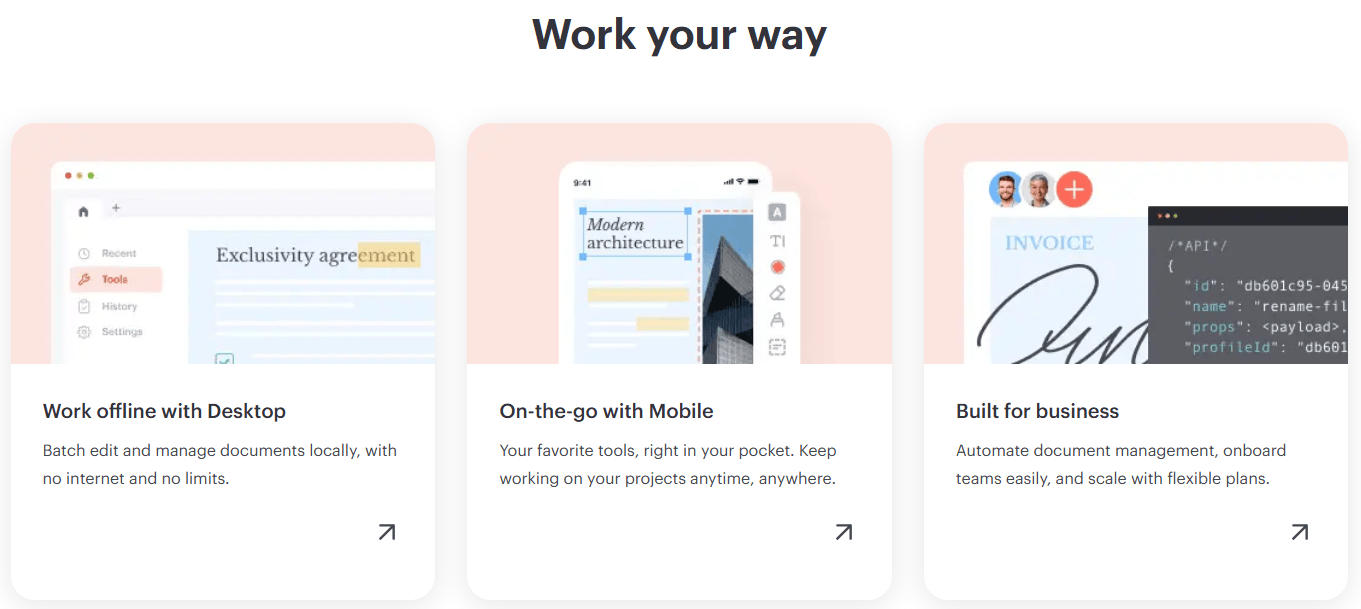
Web Version |
No installation required, cloud integration |
Quick tasks from any device |
|
Desktop App |
Processes files locally, no file size limits |
Offline work, sensitive documents |
|
Mobile App |
Scan, create, edit on the go |
Travelers, mobile-first users |
Why the Question "Is iLovePDF Safe?" Keeps Coming Up
The question "is iLovePDF safe" arises because the platform uploads every file to its servers for processing. While iLovePDF holds ISO/IEC 27001:2017 certification and is fully GDPR compliant, the structural reality remains: your file content leaves your device during processing. This architecture creates legitimate privacy concerns, especially for users handling sensitive documents like legal contracts, medical records, or financial statements.
In this way, we can jump to the next question - is iLovePDF safe for uploads? We'll explain how iLovePDF handle your files.
More articles about iLovePDF:
How Does iLovePDF Handle Your Files?
Understanding the data flow is essential to answering "is iLovePDF safe for uploads." When you upload a document to iLovePDF's web version, it follows a defined path.
The iLovePDF Data Flow: From Upload to Deletion
When you upload a PDF to iLovePDF, your file follows this fixed path :
-
Upload – Your file is transmitted via HTTPS (TLS/SSL encryption) to iLovePDF's servers, which are hosted on EU cloud infrastructure.
-
Processing – The requested tool (merge, compress, OCR, convert, etc.) processes the file on the server side.
-
Download – The processed file is sent back to your browser for download.
-
Deletion – Both the original and processed files are automatically deleted from iLovePDF's servers.
The 2-Hour Deletion Policy: Does It Make iLovePDF Safe?
For standard tools, iLovePDF's automatic deletion policy is a key part of its security promise. Files are typically deleted within 1 to 2 hours of upload. iLovePDF states that data is removed not only from active server memory but also from any temporary data caches.
There is, however, an important exception: for electronic signature workflows (iLovePDF Signature), signed files and audit trail data may be retained for up to 5 years to meet eIDAS legal evidence requirements.
So, does the deletion policy make iLovePDF safe? The 2-hour window is shorter than many competitors, which is a positive sign. However, the structural fact remains: during those 1-2 hours, your file content exists on a third-party server. For highly sensitive documents, this short window may still be an unacceptable risk.
Why Your Files Are Temporarily Stored on Third-Party Servers
iLovePDF's architecture requires server-side processing because the actual PDF operations (compression, conversion, OCR, etc.) happen on their infrastructure, not in your browser. This means:
-
Files are processed on servers located primarily in France (OVHcloud).
-
The company uses sub-processors including Cloudflare, Stripe, PayPal, and Sentry.
-
A desktop version exists that offers more local processing, but the web version remains server-dependent.
How iLovePDF Protects Your Data? Security Measures
iLovePDF has invested in multiple security layers to protect user data, which contributes to the argument that iLovePDF is safe for non-sensitive content.
Encryption and Compliance: ISO 27001 and GDPR
iLovePDF publishes several security credentials:
-
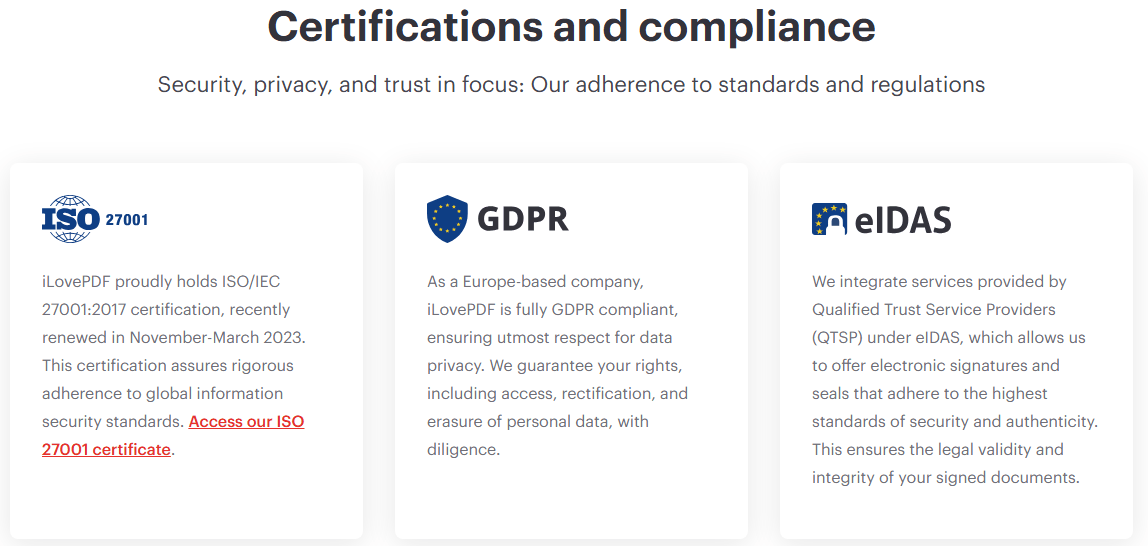
ISO/IEC 27001:2017 Certification – This certifies that iLovePDF follows an internationally recognized Information Security Management System (ISMS). The certification is periodically audited by Bureau Veritas.
-
GDPR Compliance – As a Spanish company operating under EU law, iLovePDF is subject to GDPR regulations and promises to respect user rights regarding access, correction, and deletion of personal data.
-
eIDAS Compliance – For electronic signatures, iLovePDF integrates with Qualified Trust Service Providers (QTSP) to ensure legal validity and integrity of signed documents.
What iLovePDF Does NOT Do With Your Files
According to iLovePDF's official policies:
-
They do not sell your files to third parties.
-
They do not analyze file content for advertising.
-
Employees do not manually review uploaded files.
-
Files are not used to train AI models (this is not explicitly stated in primary sources, but they claim no access to file content).
When Is iLovePDF Safe and When Should You Avoid It?
The answer to "is iLovePDF safe" depends entirely on the type of document you are processing.
Is iLovePDF Safe for Everyday, Non-Sensitive Documents?
Yes. For compressing a newsletter PDF, merging public-domain documents, converting a recipe, or handling homework assignments, iLovePDF is generally safe. The 2-hour deletion window is short, the company is GDPR compliant, and the risk is minimal for non-sensitive content.
Why iLovePDF Is Not Safe for Legal, Medical, or Financial Files
For sensitive documents, iLovePDF is not recommended for the following reasons:
|
Document Type |
Specific Risk |
|---|---|
|
Legal Documents (contracts, NDAs, litigation files) |
Many professional confidentiality obligations explicitly prohibit transferring client files to third-party processors without prior written consent. The 2-hour retention does not change the fact that the file exists on an external server during that window. |
|
Medical Records (patient records, lab results, insurance forms)
|
iLovePDF does not claim HIPAA compliance and does not offer Business Associate Agreements (BAAs). Healthcare workers should not use iLovePDF to process Protected Health Information (PHI).
|
|
Financial Documents (tax returns, bank statements, payroll files)
|
These contain account numbers, tax IDs, and identity information with direct fraud value. Third-party server storage, even temporary, creates an unacceptable risk.
|
|
Confidential Business Data (unpublished product specs, source code, board memos)
|
Competitive risk. Anytime confidential business material exists on a third-party server, that copy could be exposed through leaks, subpoenas, insider misuse, or misconfiguration.
|
What Do Real-World Security Reports Say About iLovePDF?
User and third-party assessments provide mixed feedback on whether iLovePDF is safe.
UpGuard Security Rating and Findings
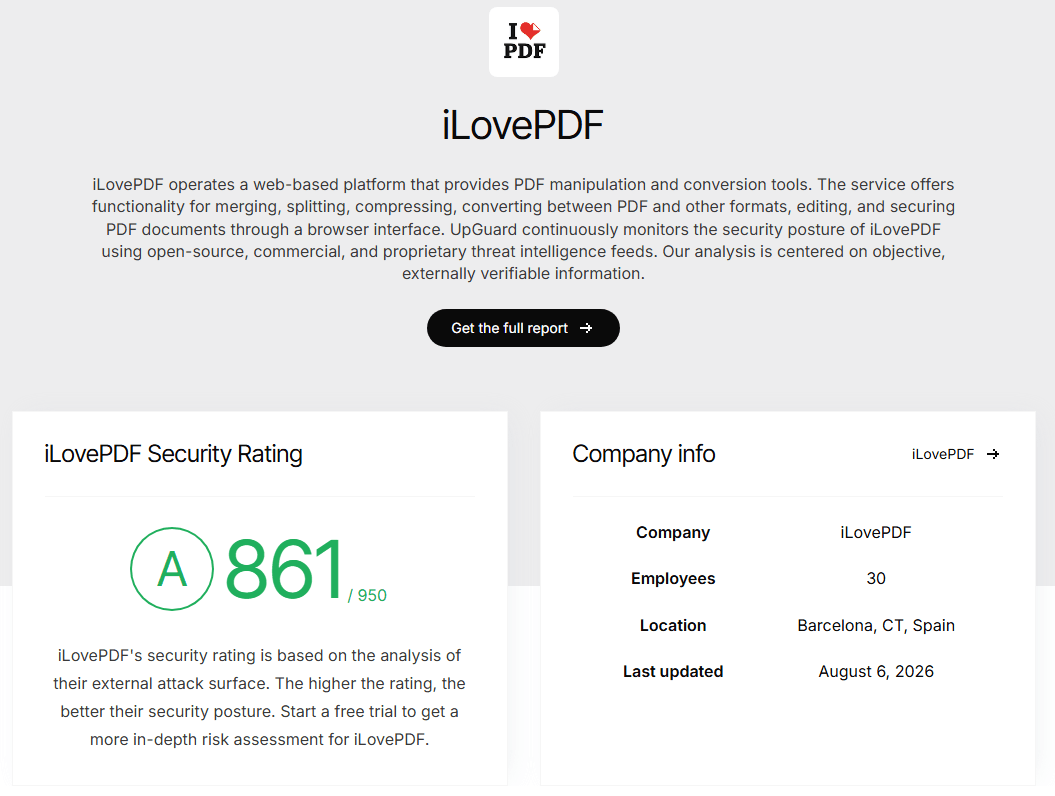
UpGuard monitors iLovePDF's security posture continuously. As of August 2026, its security rating was 861 out of 950. While this indicates a reasonably good security posture, UpGuard's analysis identified several areas for improvement:
|
Category |
Finding |
|---|---|
|
Website Security |
Secure cookies not used; no Content Security Policy (CSP) implemented; X-Frame-Options not set to deny or sameorigin |
|
Email Security |
DMARC policy not set to p=none (needs improvement) |
|
Network Security |
HTTP port open; DNSSEC not enabled; CAA not enabled |
|
Encryption |
HTTPS redirect not fully supported; domain not on HSTS preload list; weak cipher suites supported in TLS 1.2 |
These findings do not mean iLovePDF is unsafe, but they indicate the platform's technical security posture is not flawless.
User Reviews and Common Complaints on Reddit and Trustpilot
-
Positive Feedback: Users on Trustpilot consistently rate iLovePDF highly (around 4.8/5), praising its simplicity, reliability, and speed.
-
Negative Feedback: Common complaints include conversion accuracy issues (complex layouts may break), compression trade-offs (visible quality loss in image-heavy PDFs), and feature limitations in the free plan.
-
Reddit Discussions: Users often express caution about uploading sensitive documents. The general community view is that iLovePDF is fine for routine PDFs, but not the first choice for highly sensitive data.
Is iLovePDF Safe Enough? Key Limitations of the Free Version
The free version of iLovePDF has several limitations that may affect its safety and usability:
-
Daily task limits across all tools
-
File size restrictions (up to 15MB per conversion, 200MB per compression)
-
No offline mode – web version requires internet connection for all processing
-
Ads displayed in the free version
-
Limited platform access – free version is web only (premium adds desktop and mobile)
The premium plan ($5-7/month) removes batch limits, adds OCR, digital signatures, and priority server access.
Safer iLovePDF Alternative: SwifDoo PDF
Is iLovePDF safe for confidential documents? The safest answer is to avoid cloud processing entirely. SwifDoo PDF, as an iLovePDF alternative, offers a comprehensive offline PDF solution that eliminates the risks associated with server-based tools.
Online vs Offline PDF Editing: A Complete Comparison for Speed, Security & Cost
Struggle between online vs offline PDF editing? This guide compares speed, security, accessibility, and cost to help you pick the right approach for every task.
READ MORE >SwifDoo PDF: Offline Processing for Complete Data Privacy
SwifDoo PDF is a desktop-based PDF editor that processes all files locally on your computer. This fundamental architectural difference means your files never leave your device. There is no upload step, no temporary server storage, and no deletion policy to worry about.
SwifDoo PDF Security Features: Encryption, Access Control, and More
|
Security Feature |
What It Provides |
|---|---|
|
Offline Processing |
All editing, conversion, and compression happen locally; no internet connection required |
|
No Server Upload |
Files are never transmitted to external servers; no third-party access |
|
Password Protection |
Encrypt PDFs with passwords to prevent unauthorized opening |
|
Permission Control |
Restrict printing, editing, and copying as needed |
|
Redaction Tools |
Permanently remove sensitive information from documents |
|
No Account Required |
Start using immediately without creating an account or sharing personal data |
SwifDoo PDF vs. iLovePDF: A Security-Focused Comparison
SwifDoo PDF ensures your documents remain completely private by keeping them under your control at all times - no cloud exposure, no data leaks, and no compliance risks.
|
Feature |
SwifDoo PDF |
iLovePDF |
|---|---|---|
|
Processing Location |
Local (your device) |
Third-party servers |
|
File Upload Required? |
No |
Yes |
|
Offline Work |
Yes |
No (web version) |
|
Data Retention |
None (no server storage) |
1-2 hours (standard tools); up to 5 years for eSign |
|
HIPAA Compliant |
Yes (by architecture) |
No |
|
Internet Required |
No |
Yes |
|
Pricing Model |
One-time purchase |
Subscription (Free tier with ads; Premium $5-7/mo) |
Final Verdict
Is iLovePDF safe for you? The short answer is: it depends on your documents. This article has shown you a comprehensive analysis of iLovePDF security, and here is our recommendation: Use iLovePDF for quick, non-sensitive tasks. For any document containing personal, financial, medical, or confidential business information, switch to an offline tool like SwifDoo PDF that gives you complete control over your data.


