


Online vs Offline PDF Editing: At-a-Glance Comparison Table
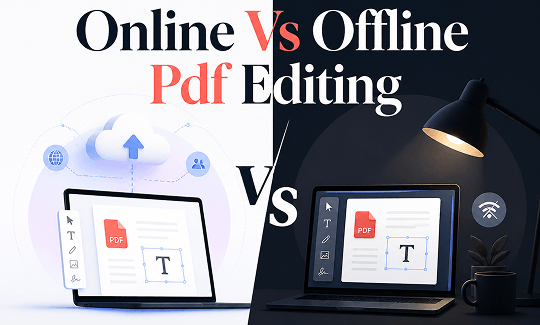
Before diving into the details, the table below provides a clear snapshot of the core differences between online vs offline PDF editing. It highlights what matters most in daily work so you can immediately see which side leans toward your needs.
|
Criteria |
Online PDF Editor |
Offline PDF Editor |
|---|---|---|
|
Internet Requirement |
Yes, a stable connection is required to upload and process files. |
No, all processing happens locally on your device. |
|
Speed & Performance |
Fast on a good connection, but limited by upload and download times plus server load. |
Instantly fast after installation, with no latency from file transfers. |
|
Device & OS Support |
Works on any device (Windows, Mac, Linux, mobile) with a modern browser. |
Typically limited to specific desktop operating systems like Windows or macOS. |
|
Privacy & Security |
Files are processed on remote servers; trust depends entirely on the vendor's policies and encryption standards. |
Files never leave your machine, offering complete local control and maximum privacy. |
|
Collaboration |
Built for it: easy share links, live comments, and multi-device access. |
Cumbersome: usually relies on email attachments or shared network drives. |
|
Feature Depth |
Covers common tasks like text edits, annotations, form filling, and conversions well. |
Often includes advanced tools like OCR, batch processing, and detailed image manipulation. |
|
Updates |
Automatic and seamless in the browser. |
Manual downloads and installations are typically required. |
|
Cost Model |
Often free tiers exist with daily usage caps; Pro plans use monthly or annual subscriptions. |
Usually a one-time license fee or a subscription per device. |
|
Ideal For |
Remote teams, quick edits, cross-device workflows, and casual users. |
Offline work, highly confidential documents, and power users handling large or complex files. |
Accessibility and Convenience: Online PDF Editor Is Better
The online vs offline PDF editing takeaway here:
-
For editing PDFs on the go or bouncing between devices, online tools serve better.
-
For stability and offline access, an offline editor earns its place by being available when nothing else loads.
Online PDF editors undoubtedly have a clear advantage in terms of convenience. All you need to do is open a browser tab, upload a file, and you’re ready to go. The type of device doesn’t matter, making online PDF editors the top choice for cross-device access scenarios.
Desktop editors work quite differently. The installation process takes several minutes, and the setup involves downloading the software, following an installation wizard, and sometimes even restarting the system. While this isn’t difficult, it does require some effort. On borrowed devices or strictly controlled corporate computers without administrator privileges, these steps simply cannot be performed.
Of course. If you already have an offline PDF editor installed on your device, it could be a better choice. You don't need to worry about browser crashes or spotty Wi-Fi blocks that can happen on the online PDF editing tools. For field workers, researchers in remote areas, and anyone inside a secured facility, a desktop PDF editor is essential to edit PDFs offline.
Speed and Performance: Offline PDF Editor Is Better
The online vs offline PDF editing takeaway here:
The offline editors are better than online PDF editors. For single documents under twenty pages on a solid connection, an online editor rarely makes anyone wait long enough to complain.
Speed often dominates the online vs offline PDF editing discussion. Online tools split the workflow into three stages: upload, process, and download. With a good internet connection, a five-page invoice can be transmitted almost instantly. Some services return the finished file in under thirty seconds.
But if that same online editor were faced with a 50-page product catalog containing a large number of high-resolution images, the experience shifts. The upload bar crawls. The server might queue the file behind other users during peak hours.
PDF editing software completely eliminates the cumbersome steps involved in file transfer. The file opens straight from the hard drive. Edits are rendered instantly, with no need to wait for a response from a remote server. When you need to process ten documents instead of just one, offline editors can handle them all at once in a batch. In contrast, most online editors either do not support batch processing or restrict this feature to paid subscribers.
Privacy and Security: Offline PDF Editor Is Better
The online vs offline PDF editing takeaway here:
Ordinary files can certainly be processed online. Sensitive data, however, is always stored locally.
Discussions about the security of online vs offline PDF editing often leave most professionals feeling uncertain. Uploading sensitive files to any third-party server carries inherent risks. Reputable online editors encrypt file transfers, delete processed files within hours, and comply with standards such as GDPR and ISO 27001. While these safeguards exist, the fundamental model still involves entrusting your data to an external service.
A forum post from a privacy community perfectly highlights this dilemma. A legal assistant revealed that their law firm’s policy strictly prohibits the use of online PDF tools when handling client case files. When dealing with privileged legal documents, the risk of server misconfiguration or data breaches is simply unacceptable.
For medical records, government documents, and confidential contracts, offline PDF editors remain the standard choice for PDF encryption, as the files remain entirely under the organization’s internal control at all times.
For routine documents such as meeting minutes, public reports, or draft proposals, the security provided by a trusted online PDF editor is usually sufficient. The key lies in clearly defining which documents require what level of protection and making informed choices every time.
Feature Depth and Editing Power: Offline PDF Editor Is Better
The gap between these two approaches in terms of feature sets has narrowed, but it hasn’t completely disappeared. Today, most online creators handle basic functions quite well. Without installing any software, you can edit text, insert images, add annotations, fill out forms, and add electronic signatures. For quick annotations and simple edits, online PDF editors perform quite well.
Offline tools typically offer more comprehensive functionality. Professional desktop PDF editors like SwifDoo PDF include features rarely found in browser-based editors.

-
OCR technology turns a scanned contract or an old faxed form into searchable, editable text without losing the original formatting.
-
Batch processing applies the same operation, whether it is converting, compressing, or merging, across dozens of files in a single click.
-
Advanced image editing features provide precise control over embedded graphics.
-
There is also built-in encryption, digital signature support, and the ability to merge or split documents directly from the desktop.
Online tools are typically limited to converting between PDF and Office formats such as Word, Excel, and PowerPoint. SwifDoo PDF goes a step further by supporting two-way conversion with CAD formats and image files, which is crucial for engineering teams and design workflows.
While these tools may seem excessive for single-page forms, they are indispensable for professional document management.
Cost and Long-Term Value: Offline PDF Editor Is Better
The cost structure reveals one of the most significant differences in online vs offline PDF editing. Most online editors operate on a subscription model and offer free versions with limited daily usage. Smallpdf, Foxit PDF Editor+, and Adobe Acrobat Pro all charge monthly or annual fees per user. While these fees may seem manageable on a monthly basis, they can add up quickly.
SwifDoo PDF takes a different approach. Its perpetual version requires only a one-time payment. This fee covers all features, lifetime free upgrades, and ongoing technical support. There are no usage limits, no watermarks, and no feature restrictions. For users who prefer a subscription model, its annual and two-year plans are priced significantly lower than most competitors’ desktop editors.
For small business teams, this difference is magnified exponentially. If you’re paying per-user fees for five to ten employees each month, your software budget can quickly become strained. In contrast, a one-time license purchased per user becomes a fixed and predictable cost that no longer appears on your monthly ledger after the initial purchase.
The pros and cons are clear. For teams that only occasionally work with PDFs and can stay within the free quota, an online subscription model is a suitable choice. However, for users who need to edit PDFs regularly, purchasing a desktop tool outright is more cost-effective in the long run. SwifDoo PDF offers greater long-term value without requiring users to sacrifice features or accept usage restrictions.
SwifDoo PDF Provides Both Online and Offline Services
Most tools force a choice between online vs offline PDF editing, but SwifDoo PDF takes a different route and offers both under one roof.

The desktop application runs locally on Windows and macOS, giving users full offline access to every feature.
-
No internet connection is needed for editing text, annotating pages, converting files, or batch processing documents.
-
Files stay on the local drive, and privacy stays fully under user control.
At the same time, SwifDoo PDF online provides a web-based editor that works from any browser without installation. The online version handles parts of the essential tasks like converting PDFs to Word and Excel formats. This flexibility proves especially useful when working from a device that does not have the desktop software installed.
A cloud sync feature ties the two experiences together. PDF files can be uploaded to SwifDoo Cloud and accessed across Windows, Mac, iOS, and Android devices. Edits made on one device sync across the others, so work started on a desktop in the office can continue on a phone or tablet while traveling.
This dual approach solves the central dilemma of the online vs offline pdf editing debate. When speed and cross-device access matter most, the browser editor handles the job. When deep features, large files, or sensitive documents take priority, the desktop application provides full local control. There is no need to juggle separate tools or compromise on either privacy or convenience.
Conclusion
Now, we have a clear understanding of the online vs offline PDF editing. Online editors win on access and convenience. Offline editors win on privacy and power. Asking which tool fits this specific task, rather than which tool is better in some abstract sense. If you do have a problem choosing which one is better, try SwifDoo PDF, which offers both online and offline editors with advanced PDF editing features.


