


This guide is for educational purposes only. Always respect Studocu's Terms of Service and the intellectual property of content creators. Use downloaded materials for personal study, not redistribution.
Method 1: Official Studocu Download PDF Method
The most legitimate way to download Studocu to PDF free is through Studocu's own official upload-to-unlock system.
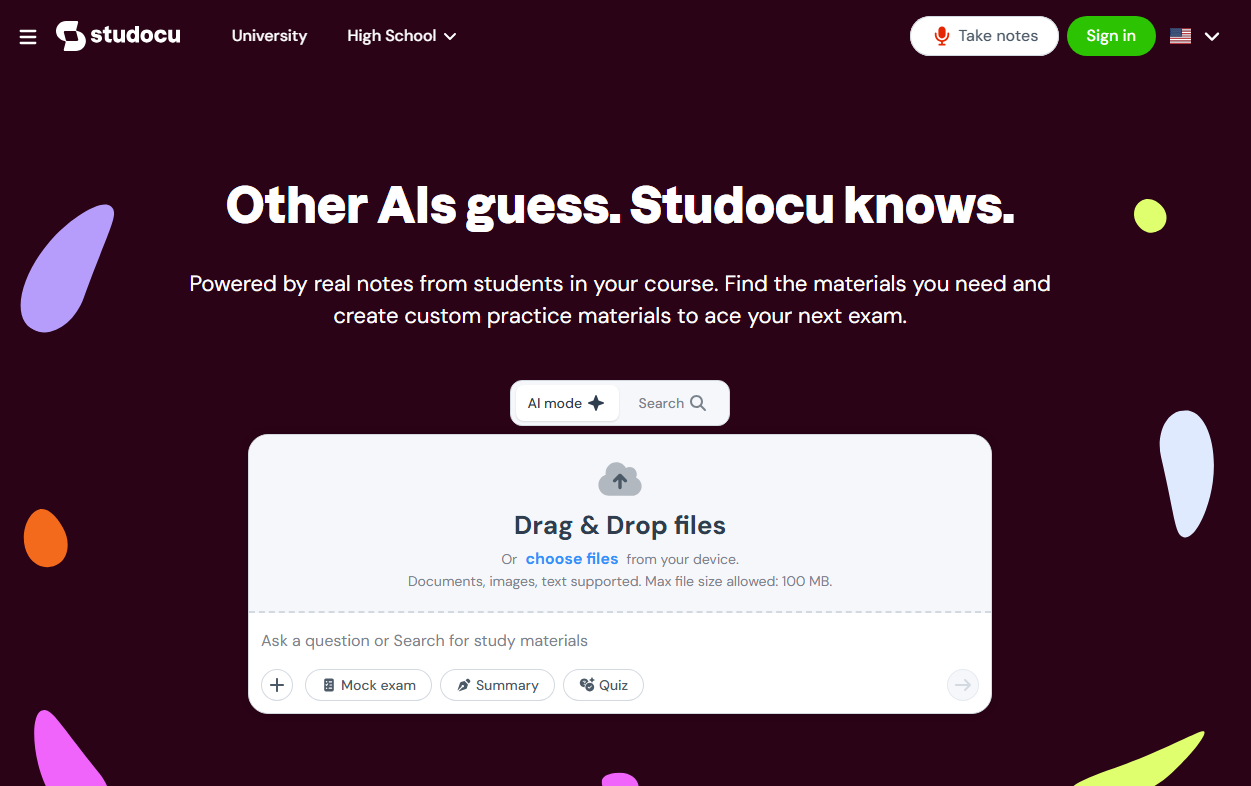
This method doesn't require a paid subscription; all you need is to share your study materials. Studocu operates on a knowledge-exchange model. It provides summaries and lecture notes for research papers from research paper download websites. You earn access to premium documents by uploading your own study notes, summaries, or assignments. Once approved, you receive download credits.
It's also the safest approach if you want to download Studocu to PDF free without risking your account.
-
Success Rate: 100% (if documents are approved)
-
Cost: Free (requires sharing your own notes)
-
Time: 24-48 hours for approval
-
Legal Status: Fully legal and compliant
-
Best For: Students who have quality notes to share
-
Completely legal and safe
-
No third-party tool risks
-
Supports the academic community
-
You get full PDF downloads, not previews
-
Requires having study materials to upload
-
Approval can take time
-
Access is temporary (7-day premium trial)
-
You need to upload at least 3 documents
Let’s see how to download a Studocu file to PDF for free with just a few clicks.
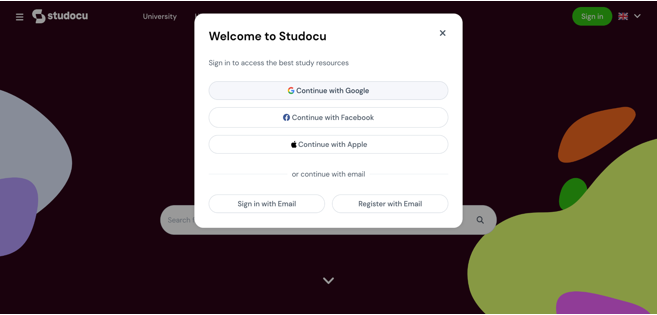
Step 1: Open Google and search for Studocu.com. Then, sign in with your Google account. Henceforth, you will see the dashboard with the list of top documents listed on the main screen.
Step 2: Hit your profile icon at the upper-right corner and activate Premium for free by clicking the Upload icon. A new screen will now automatically open before you.
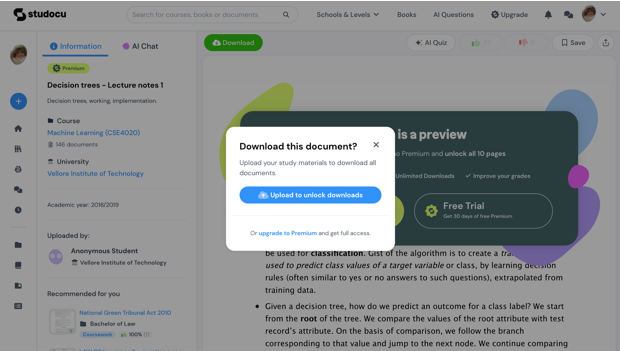
Step 3: To access the premium content, you must share practice materials, lecture notes, summaries, or mandatory assignments.
Note: Once you upload your any document, you will receive 2 weeks of Premium per shared content.
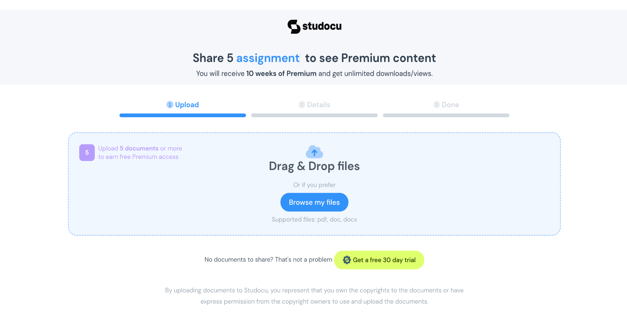
Step 4: Click Browse My Files to select the document you want to submit from your device. Then tap Submit Documents to submit it.
Step 5: Fill in the essential details, such as the University Name and Course, and enter the Category, Academic Year, and Description. Click Next.
That’s it. Your documents will now be processed, and you will receive free premium access depending on the number of documents you upload and publish.
Step 6: Now, go to the homepage and use the search field at the top to find the required courses, books, or documents. Choose the one you want from the list of suggestions that appear, and click Download to download and save the document offline.
This way, you can download the PDF from Studocu for free with the built-in Studocu file downloader.
Method 2: Dedicated Studocu Downloader Online Tools (Tested)
Several online tools claim to be a Studocu downloader online free that can extract PDFs from Studocu's preview pages. These online Studocu downloader tools ask you to paste the URL of a Studocu document, then attempt to scrape the preview pages and compile them into a downloadable Studocu PDF.
We've tested the most popular ones for Studocu download and shared our findings.
#1. DLStudocu
DLStudocu is one of the most commonly mentioned Studocu downloader tools. It's a web-based tool that attempts to convert public document previews into a downloadable PDF.
Key Features:
-
Always free for educational purposes
-
No registration required
-
Acts as a proxy to fetch documents
-
Simple paste-and-download workflow
Success Rate: 20-50% (varies by document)
Limitations:
-
Results depend on document type and platform updates
-
PDF-only output
-
Contains ads and pop-ups
How to download PDF file from Studocu free?
Step 1: Go to dlStudocu.com.
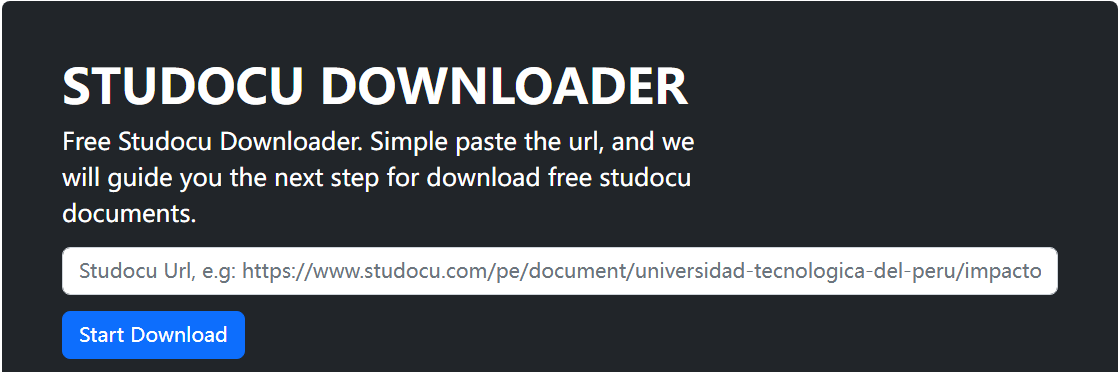
Step 2: Paste the URL of your Studocu document into the input box.
Step 3: Follow the on-screen instructions to complete the download.
#2. DownStudocu
DownStudocu is another widely searched Studocu downloader PDF tool that offers a cleaner interface with additional features.
Key Features:
-
Privacy-first approach (URLs processed in-session only)
-
CSRF protected forms and captcha verification
-
Smart document detection (extracts title, description, preview images)
-
No data storage or tracking
Success Rate: 10-30%
Limitations:
-
Heavy advertising
-
Partial downloads are common
-
Limited to PDF format
-
Success rate is lower than other tools
How to download PDF file from Studocu free?
Step 1: Go to downStudocu.net.
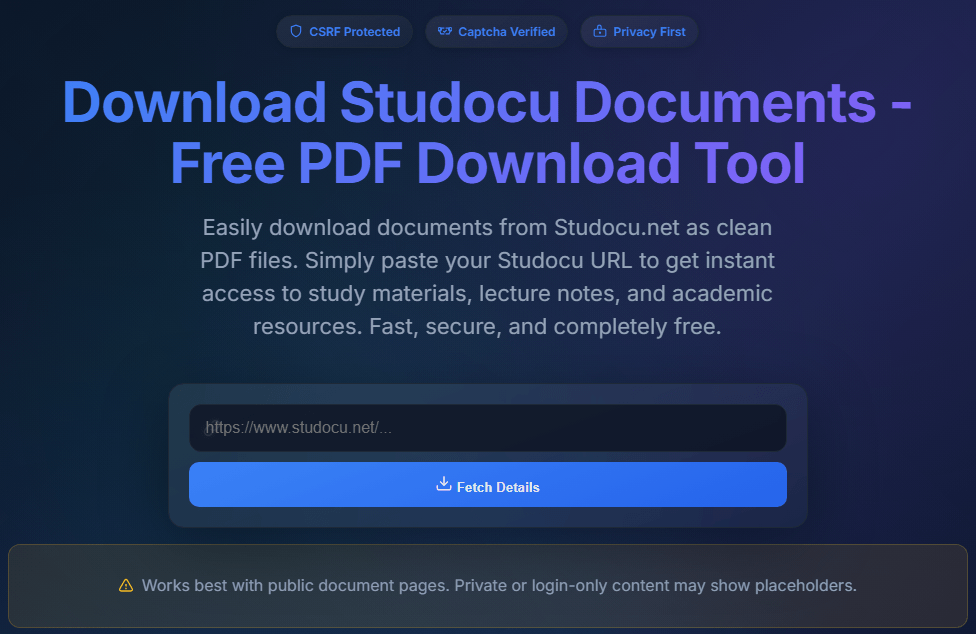
Step 2: Paste your Studocu document URL into the form.
Step 3: Complete a quick verification step (countdown and captcha).
Step 4: Download the PDF.
#3. FreePDFDownloader
FreePDFDownloader is a general-purpose PDF extraction tool that supports multiple document platforms, including Studocu, CourseHero, and Scribd.
Key Features:
-
100% unlimited and free (8 PDFs per day)
-
No file size limits
-
Privacy-friendly (encrypted connection, files deleted after download)
-
Supports multiple document services
-
Works on all devices (iPhone, iPad, macOS, Linux)
Success Rate: 30-50%
Limitations:
-
Not Studocu-specific
-
Inconsistent compatibility
-
8 PDFs per day limit
-
Results vary significantly by document
How to download PDF file from Studocu free?
Step 1:Go to freePDFdownloader.com.

Step 2: Paste your document link into the input box.
Step 3: Click on the Generate link button.
Step 4: Then it'll deliver a download link. Click it to perform a Studocu link to PDF free download.
#4. Browser Extensions for Studocu Download
Browser extensions offer a more integrated way to download Studocu to PDF. If you prefer a Studocu link to PDF free download, these extensions can add a download button to Studocu pages, such as Studocuhack or Studocu-Extension.
-
Integrated into the browser
-
Works with premium content
-
No external URL copying
-
Higher success rate than online tools
-
Requires manual scrolling for longer documents
-
May require refreshing for complete page loads
-
Limited to desktop browsers
Comparison Table: Studocu Downloader Tools
|
Tool |
Success Rate |
Ads |
Registration |
Best For |
|---|---|---|---|---|
|
DLStudocu |
20-50% |
High |
No |
Trying when other tools fail |
|
DownStudocu |
10-30% |
High |
No |
Short, simple documents |
|
FreePDFDownloader |
30-50% |
Medium |
No |
General PDF extraction |
Risks and Warnings
Third-party Studocu downloader PDF tools come with real risks:
-
Incomplete Downloads: Missing pages or blank sections
-
Security Issues: Intrusive ads, pop-ups, and potential malware redirects
-
Privacy: These sites may track your IP and the URLs you're interested in
-
Unreliable: Success rates are inconsistent and declining as Studocu updates its security
-
Account Risks: Repeated use may trigger Studocu's security systems
Method 3: GitHub Studocu Downloader Desktop(Studocu PDF Exporter)
If you prefer a dedicated desktop application over online tools or browser extensions, Studocu PDF Exporter is a Windows‑only tool designed for this specific purpose. It offers a graphical user interface that makes the export process more transparent and controllable.
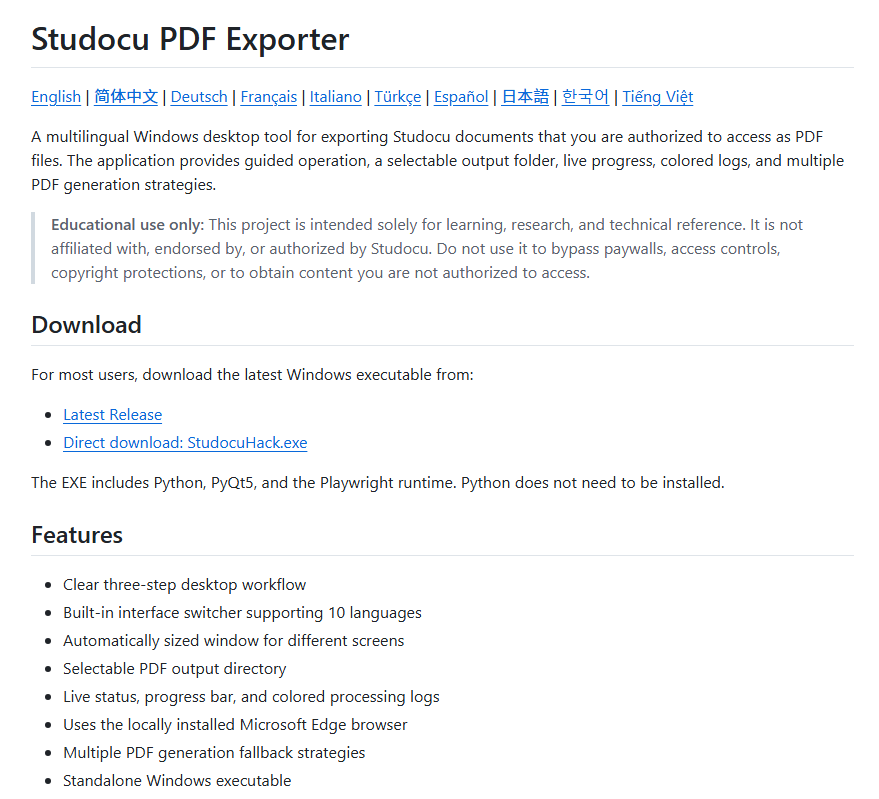
This is an open‑source Windows desktop Studocu downloader that exports Studocu documents you have legitimate access to as PDF files.
How to download Studocu to PDF free?
Step 1: Download the latest StudocuHack.exe from the project's GitHub Releases page.
Step 2: Make sure Microsoft Edge is installed on your computer.
Step 3: Save your work and close all Edge windows (the tool will take control of Edge during processing).
Step 4: Run StudocuHack.exe and select your preferred interface language. It supports 10 interface languages, including English, Simplified Chinese, German, French, Japanese, Korean, and more.
Step 5: Paste the URL of a Studocu document you have legitimate access to.
Step 6: Choose an output folder, then click Start PDF Download.
Step 7: Wait for the process to complete, then open the generated PDF file.
Method 4: Studocu Screenshot and Convert
When you struggle with Studocu free PDF downloads, instead of wasting time looking for a Studocu PDF downloader, get your hands on the SwifDoo PDF to convert and download your documents for quick access. The versatile program lets you screenshot the Studocu file pages as images and combine screenshots into one PDF with several clicks.
Besides its incredible conversion ability, SwifDoo PDF dons many hats. For instance, you can seamlessly edit, compress, and annotate your PDF files after download. Moreover, it lets you convert to PDFs from various file formats such as Word, Excel, JPG, HTML, etc, for an efficient and smooth study experience.
Step 1: Open the Studocu document and sign in.
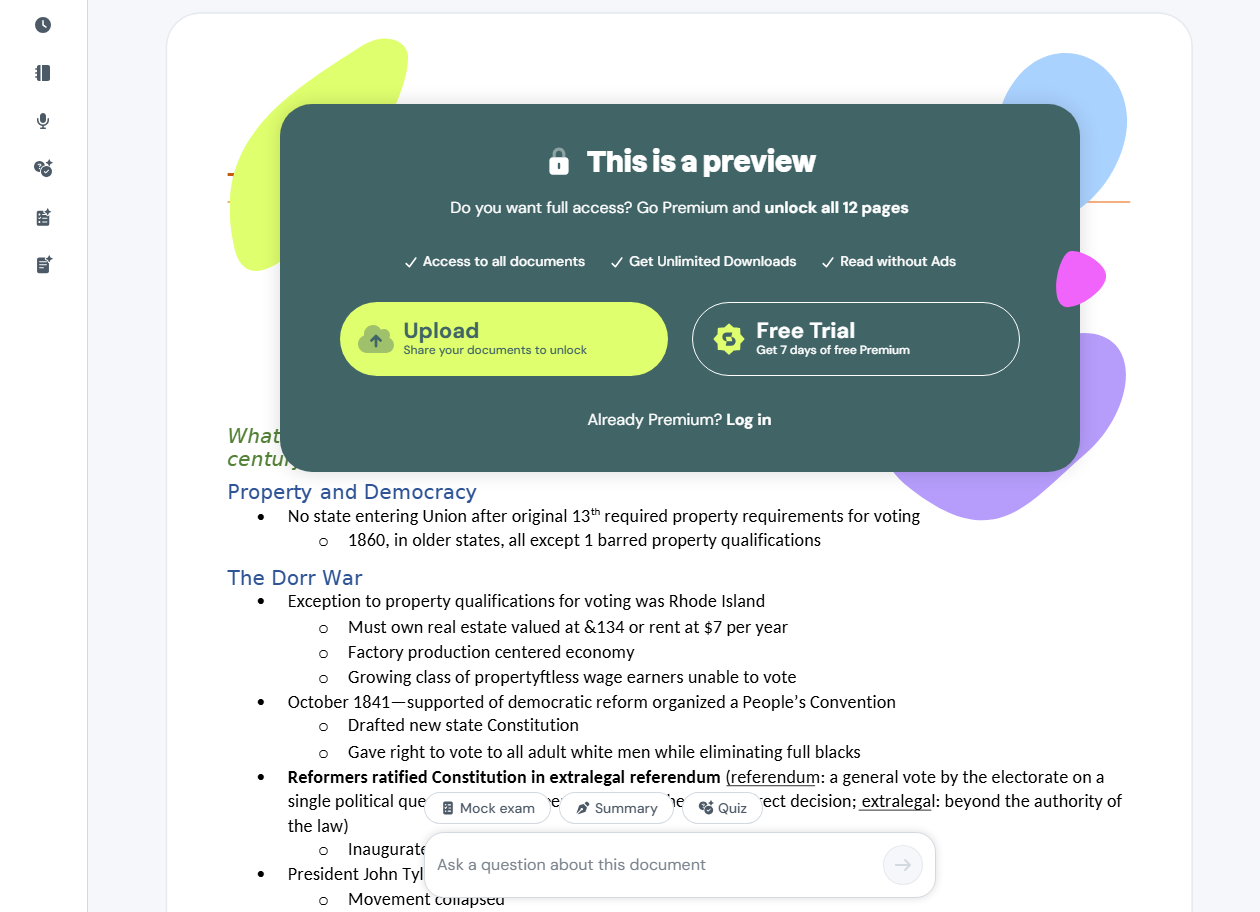
Step 2: Right-click the pop-up window and select Inspect.
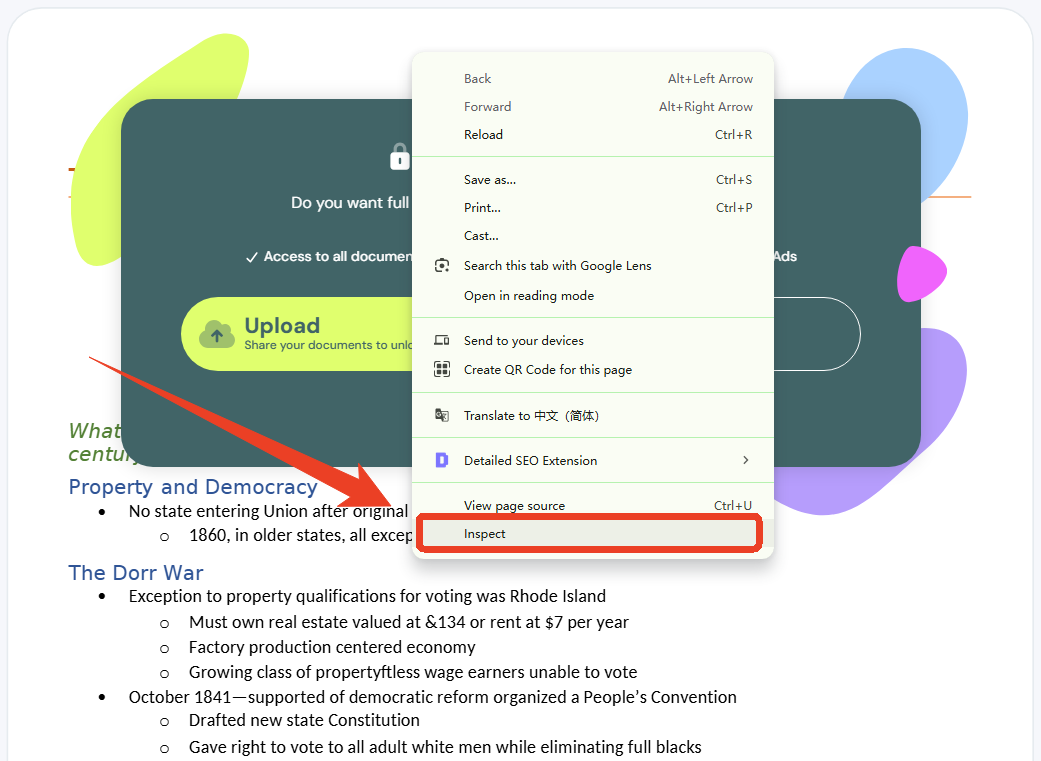
Step 3: In the Elements panel, you'll see the code highlighting the pop-up content.
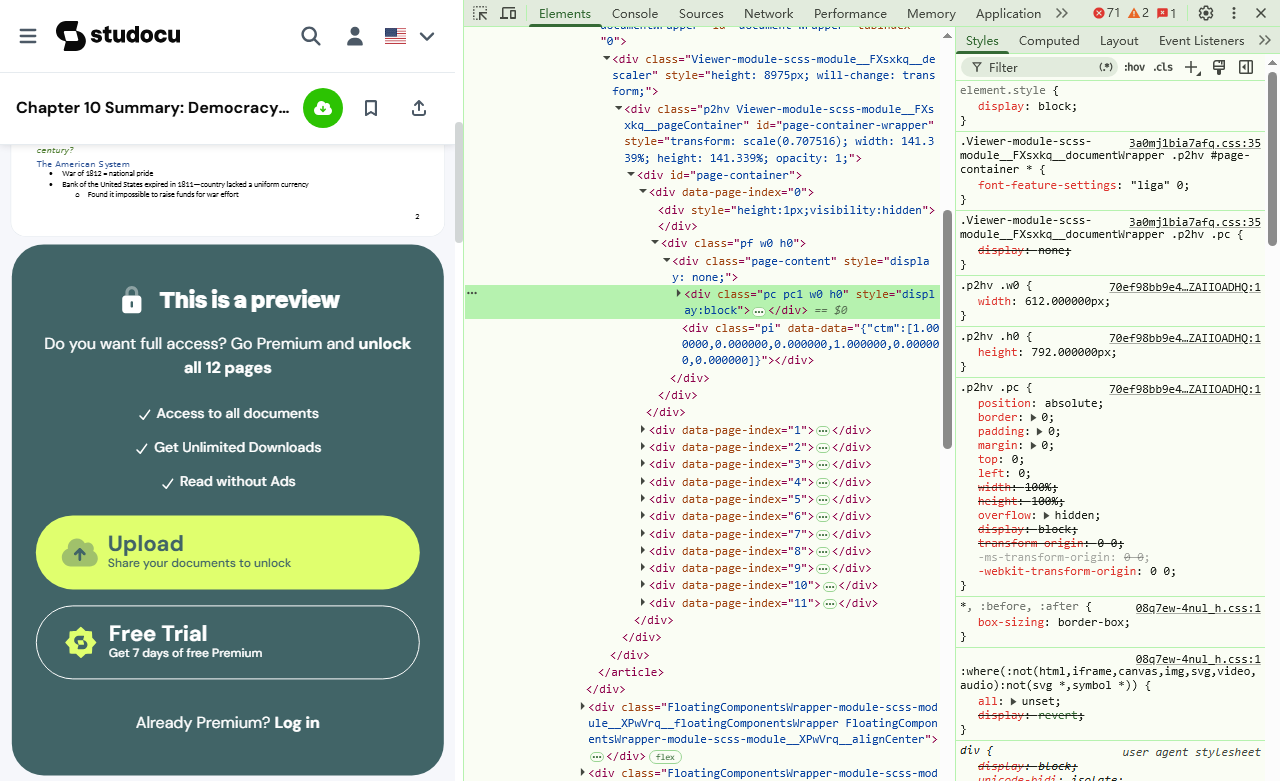
Step 4: Right-click the highlighted element and select Delete Element.
Step 5: The pop-up disappears, and the document content becomes visible. Repeat for any additional overlay elements.
Then you need to use a browser extension, like GoFullPage or Snipping Tool, to capture entire web pages.
Suppose you already have the screenshots of your document on your device. In such a case, check out the quick steps to convert a Studocu document to a PDF with the SwifDoo PDF to streamline your workflow.
Step 1: Download the Studocu file screenshot to PDF converter, SwifDoo PDF, on your device and log in to your account.
Step 2: Click Convert on the top navigation bar and click Image to PDF.
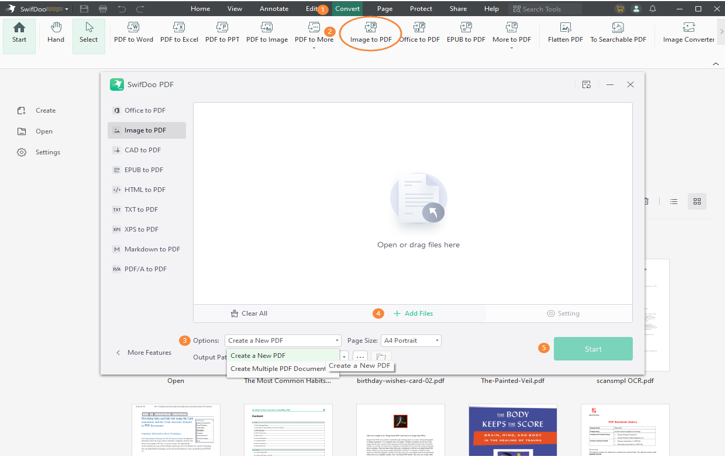
Step 3: Click Add Files to import your screenshots. Scroll down to Options and then select Create a New PDF.
Step 4: Adjust the page size and choose an output path, if required. Then, press Start.
Method 5: Browser Print-to-PDF Studocu Download
The simplest workaround is using your browser's built-in print-to-PDF function. This is the easiest way to download Studocu docs for free without third-party tools. If you want to download Studocu to PDF free with minimal effort, this method is a great starting point.
However, this Studocu download method works best when your document is short and the full content is visible in preview mode. Besides, some pages may appear blurred so you can use SwifDoo PDF to adjust the Studocu PDF formats.
Step 1: Open the Studocu document preview and scroll through all pages to ensure they load completely.
Step 2: Press Ctrl + P (Windows) or Cmd + P (Mac) to open the Print dialog.
Step 3: Select Save as PDF in the Destination section and choose the page range (if you need specific pages).
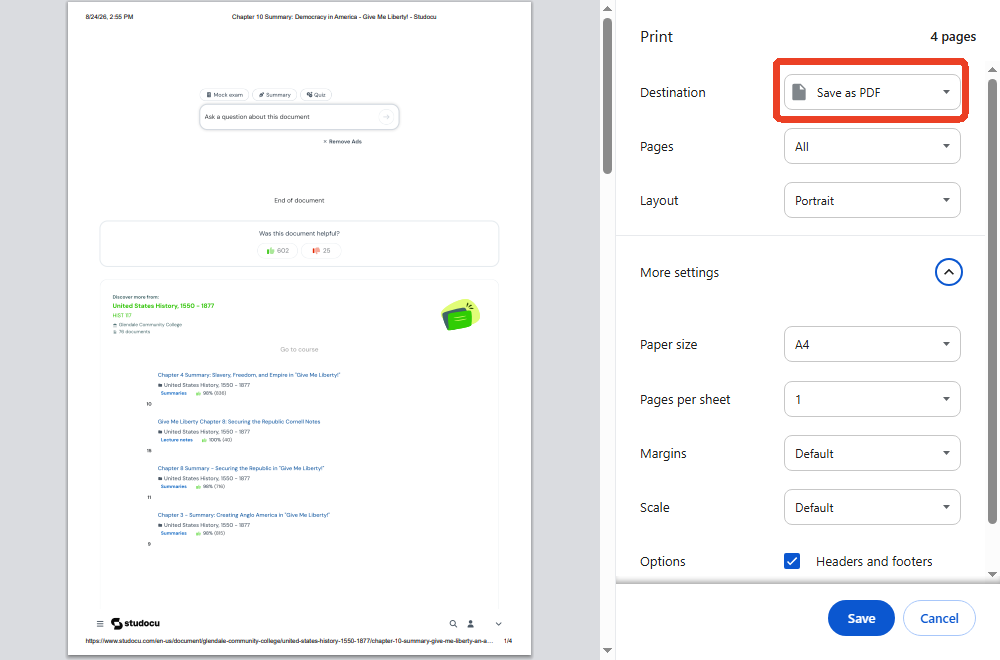
Step 4: Click Save and choose a location on your device.
If you try many times and multiple documents and still cannot download, consider other websites to download the resource you need. For example, you can download Course Hero to PDF.
Pro Tip: Read & Edit Downloaded Studocu PDFs
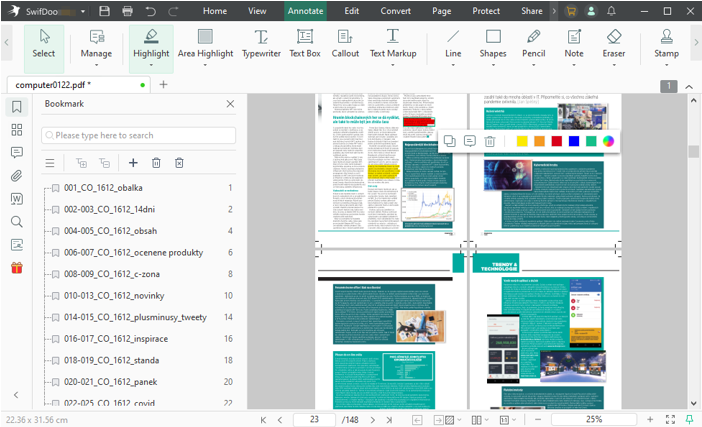
You can save notes and download documents from Studocu to PDFs to streamline your study process and keep everything organized. In fact, using a good PDF editor is essential for effective studying and collaboration. With tools like SwifDoo PDF, you can easily make comments, write reviews, or create your own lecture notes using sample documents. While viewing a book, SwifDoo PDF allows you to add text notes and links, and highlight text in the PDF to enhancing your understanding. You can also view PDFs in dark mode, adjust the layout, and modify text and images.
PDF readers and editors are essential in various scenarios. Here’s a list of a few, such as:
- Teachers and students use PDFs for assignments, feedback, and annotations
- Essential for document management, contract reviews, and client communication
- Used for drafting, editing, and reviewing contracts and case files
- Facilitates article annotation and sharing of findings
- Allows for creating and modifying promotional materials and presentations
- Supports document collaboration, revision, and presentation across various fields
With the SwifDoo PDF app for Android and iOS, you can easily read PDFs on the go. Simply download a PDF in Studocu and access your study materials anytime, anywhere, for ultimate convenience and flexibility.
For Android:
For iOS:
The Bottom Line
Now download Studocu to PDF for free to enhance your study experience by providing easy access to valuable resources. While the built-in methods are available to download and save the desired document for offline use, the limitations might cause you to seek a reliable alternative. Thankfully, with tools like SwifDoo PDF, you can efficiently convert and manage your documents, making your learning journey more organized and productive. Embrace this opportunity today!


