


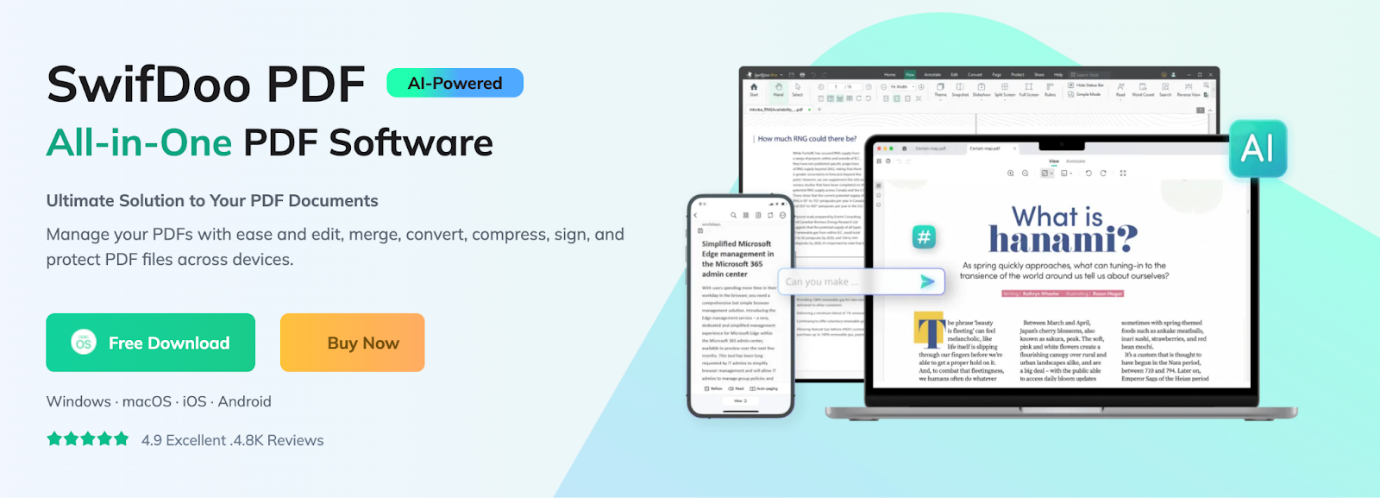
Overview of SwifDoo PDF and PDFelement
Known for its speed and ease of use, SwifDoo PDF is a user-friendly, lightweight PDF solution. Built for everyday users and ideal as a PDF editor for students, it provides essential tools like editing, annotating, converting, and compressing PDFs with an easy-to-learn interface. Its intuitive interface makes basic and advanced document tasks quick and easy.
Whether you need to fill forms, adjust text, or prepare assignments, SwifDoo PDF covers essential use cases without overwhelming you.
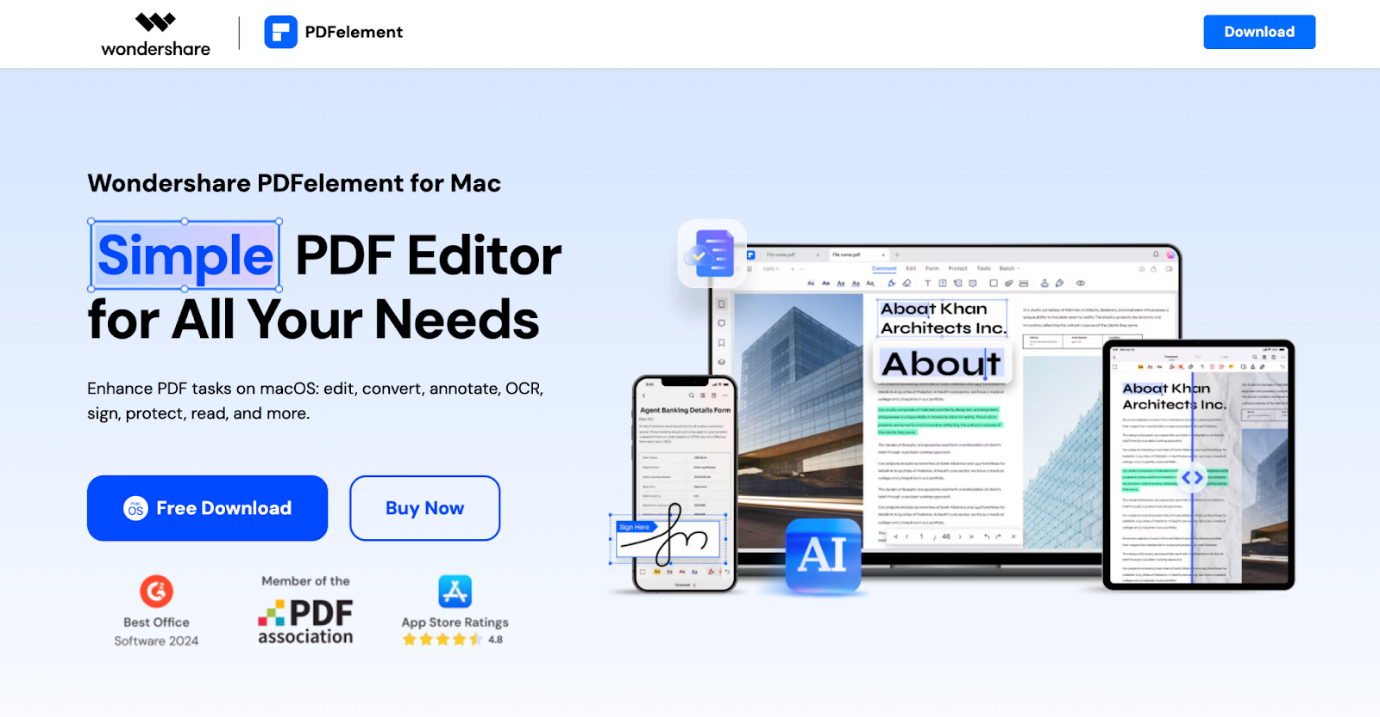
Wondershare PDFelement has a strong reputation in the PDF software market as a professional, versatile solution. It targets businesses and power users who need robust functionality. The software includes advanced features such as optical character recognition (OCR), batch processing, form creation and automation, and robust security measures.
Thanks to its polished design and ongoing enhancements, PDFelement can handle demanding workflows and complex PDF tasks across multiple industries.
Quick Comparison Table of SwifDoo PDF vs PDFelement
To quickly understand how they compare, take a look at this side-by-side summary of the two tools. This comparison emphasizes essential elements to help you select the software that aligns with your requirements.
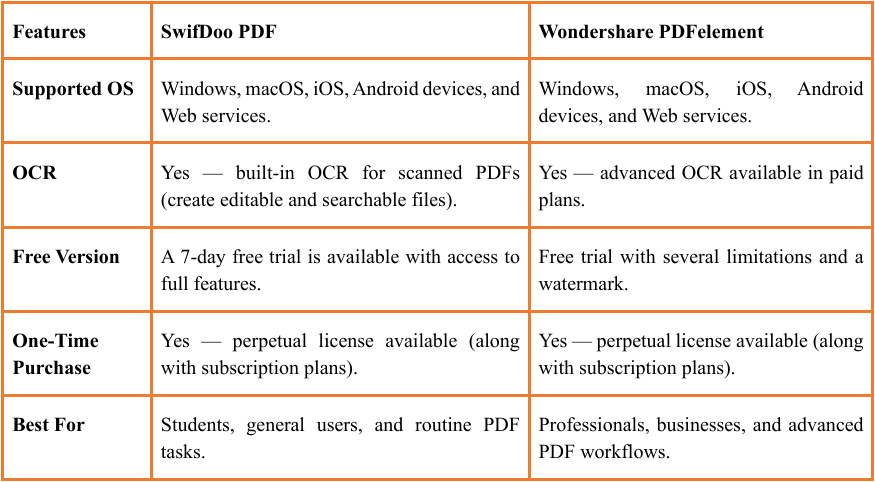
In short, both tools cater to different users while providing strong PDF functionality. When you need a user-friendly PDF editor with essential functions at a reasonable price, SwifDoo PDF is a strong pick.
When advanced tools and professional capabilities are needed, Wondershare PDFelement takes the lead.
Overall, for many users aiming for the best PDF editor for Windows, SwifDoo provides a perfect balance of simplicity, speed, and cost-effectiveness.
SwifDoo PDF vs Wondershare PDFelement: Feature-by-Feature Comparison
To give a clear picture, let's see how SwifDoo PDF vs Wondershare PDFelement stack up in essential PDF capabilities. By comparing their strengths, this guide helps you determine which tool suits your workflow best.
#PDF Editing Tools
SwifDoo PDF offers an intuitive interface for basic editing. Users have the ability to edit content, reorder pages, and include shapes or watermarks. You can also easily edit PDFs on Mac or Windows, making it ideal for students and casual users who need essential editing tools without complexity.
On the other hand, PDFelement offers advanced editing with layout control, style formatting, and paragraph reflow. This makes it perfect for complex documents.
#OCR Performance
SwifDoo PDF features built-in OCR that lets you OCR PDFs, converting scanned documents into editable, searchable text. It works well for standard documents and everyday digitization tasks. While easy to use, it may struggle with intricate layouts or unusual font types.
Conversely, PDFelement delivers stronger OCR performance and higher precision. It offers multi-language support and handles complex or high-resolution scans more effectively, making it perfect for intensive scanning tasks.
#PDF Conversion Capacities
SwifDoo PDF allows quick conversion between PDFs and Word, Excel, PowerPoint, images, and text. Conversions are clear and suitable for standard documents. Batch conversion is available, but it offers fewer customization options than PDFelement.
PDFelement, by comparison, delivers powerful conversion features, including wide format support, batch processing, and better preservation of intricate layouts. This makes it perfect for business use and handling large-scale projects.
#E-signature & Form Creation
SwifDoo PDF offers basic form-filling and simple e-signature tools, allowing users to complete forms, add checkboxes, and place signatures. It’s great for everyday needs, including school forms and straightforward agreements.
In contrast, PDFelement stands out with advanced form creation, automatic field detection, tailored design options, and e-signature workflows for business and regulatory purposes.
#Annotation & Collaboration
SwifDoo PDF delivers intuitive annotation tools, including highlights and notes, as well as stamps, shapes, and drawings. It’s ideal for personal reviews, academic feedback, and informal collaboration.
In contrast, PDFelement provides advanced annotation and collaboration tools, such as shared reviews, comprehensive commenting, and team workflows. Consequently, these capabilities make it more suitable for teams and professional workflows needing detailed, collaborative feedback.
In short, SwifDoo PDF shines with simplicity and ease of use. On the flip side, Wondershare PDFelement serves professional and business users with several paid plans, but its cost exceeds that of SwifDoo.
SwifDoo PDF vs Wondershare PDFelement Pricing
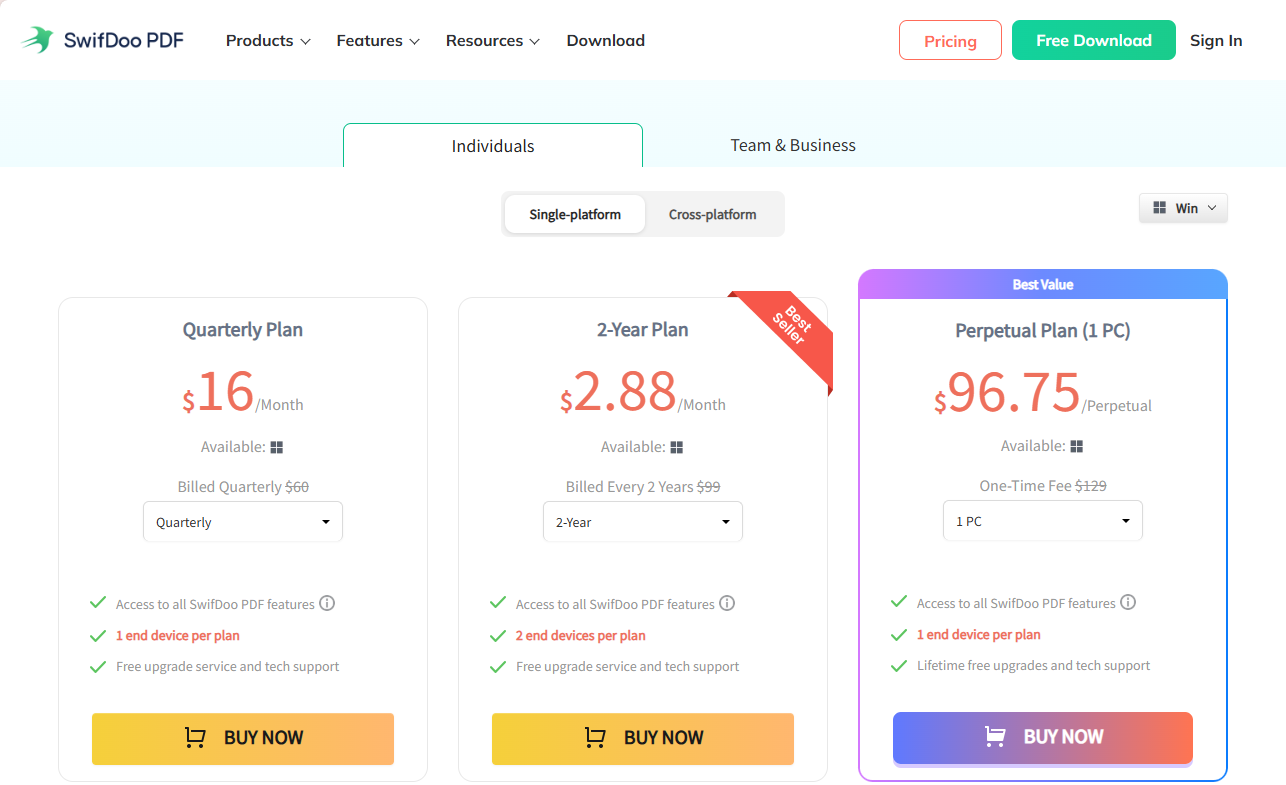
When considering cost, SwifDoo PDF stands out as an economical option for students, casual users, and small groups. It provides a free trial that lets you use all features, including premium tools. SwifDoo PDF offers several pricing plans—subscriptions or one-time purchases—making it adaptable and budget-friendly.
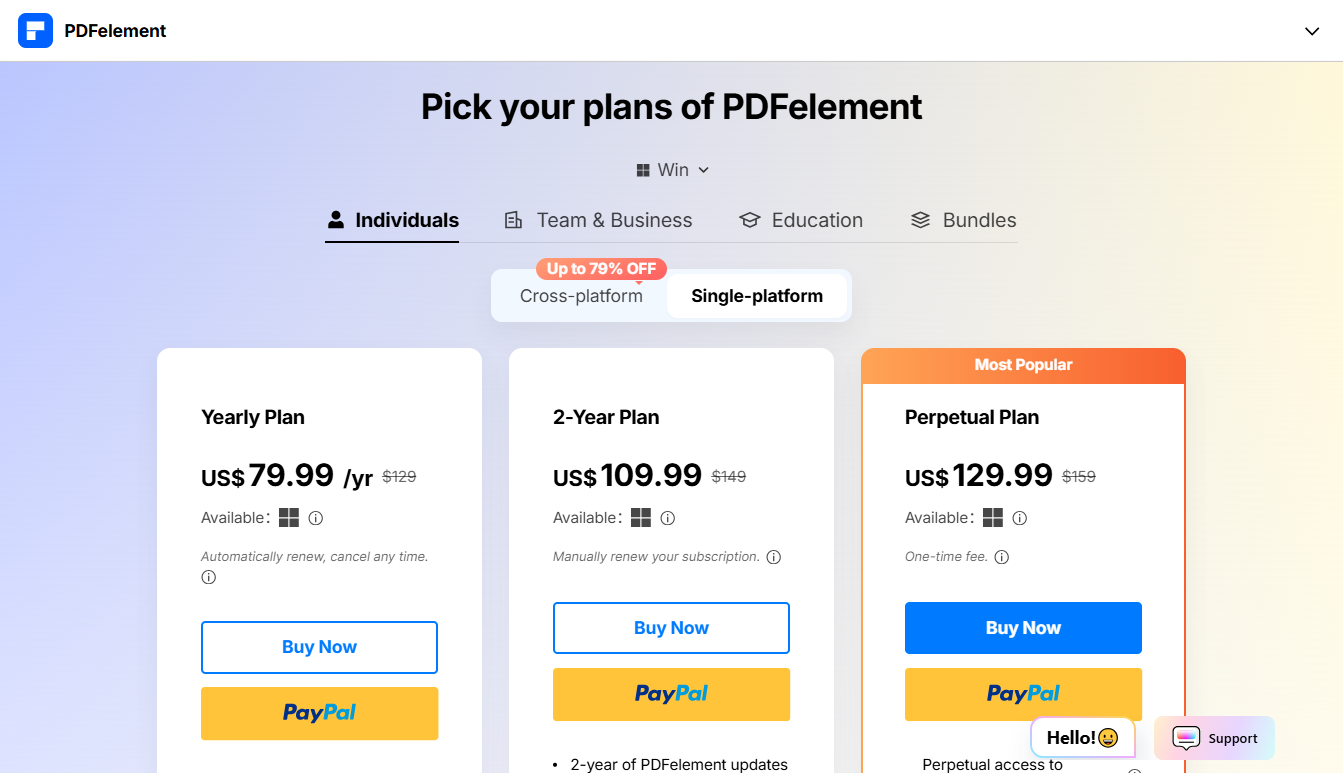
PDFelement, on the other hand, is aimed at professional and business users, offering several subscription options at a higher cost. Advanced features such as OCR, form automation, and business workflows are included in higher-tier plans, highlighting its professional focus but increasing the cost.
SwifDoo PDF vs PDFelement: User Experience
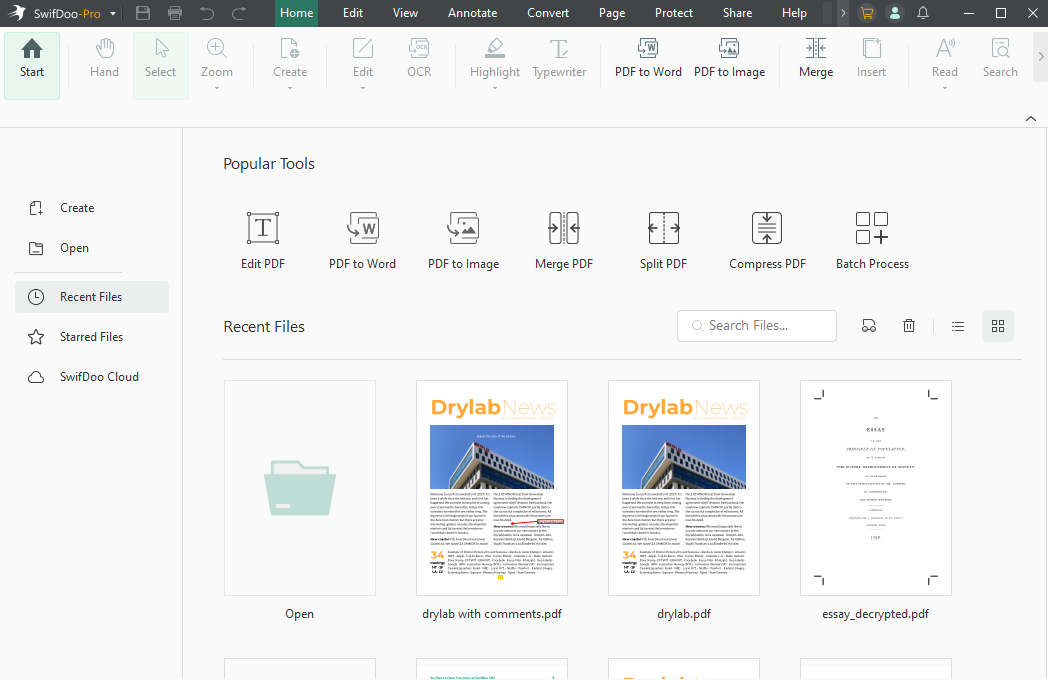
SwifDoo PDF provides a straightforward interface that first-time users can quickly get comfortable with. Its straightforward layout and simple menus make it easy to jump right into tasks without a learning curve, especially for basic editing and annotations. This makes everyday PDF handling fast and stress-free.
PDFelement, by comparison, has a feature-heavy interface with extensive menus and advanced capabilities. Although user-friendly, it may seem more complex initially, particularly for beginners. Nevertheless, the well-organized design and adaptable workspace suit professionals who need advanced functionality and detailed management.
SwifDoo PDF vs PDFelement: Security & Data Protection
SwifDoo PDF delivers key security tools that help you protect your files effortlessly. You can redact PDFs to permanently erase sensitive information, set passwords, and manage permissions to restrict editing or printing. These security options are straightforward, covering the fundamental needs of regular users.
Conversely, PDFelement delivers stronger and more sophisticated security options. Beyond redacting PDFs, it offers stronger encryption and digital signatures to ensure document authenticity. This makes PDFelement ideal for professional settings where strong data protection and compliance are essential.
SwifDoo PDF vs Wondershare PDFelement: Pros and Cons
To help you compare more clearly, here’s a concise look at the pros and cons of SwifDoo PDF vs Wondershare PDFelement. By examining the strengths and drawbacks of each tool, this section helps you pick the one that matches your PDF requirements.
SwifDoo PDF Pros and Cons
Pros:
- Offers competitive, often low-cost lifetime licenses compared to other professional tools.
- Features a modern and intuitive interface that is easy to navigate, reducing the learning curve.
- Runs efficiently without heavy resource consumption, resulting in speedy operation.
- Robust toolset for editing text, merging/splitting, adding watermarks, and converting files (to Word, Excel, JPG, etc.).
- Includes Optical Character Recognition for handling scanned documents.
- Allows for password encryption and redaction of sensitive information.
Cons:
- The Mac client lacks advanced features like OCR, cloud sync, and some conversion tools.
- Features only a 7-day free trial (full-feature access).
Wondershare PDFelement Pros and Cons
Pros:
- Its intuitive design and straightforward interface make it easier to learn than competitors like Acrobat.
- Efficiently turns scanned PDFs into fully editable content.
- Provides a perpetual license, giving users a more affordable long-term option.
- Covers essential PDF needs: editing, conversion, annotation, form creation, signing, and password protection.
- Features AI-powered tools for summarising, rephrasing, or simplifying content.
- Works on Windows, Mac, iOS, Android, and Web.
Cons:
- Some users report lag or crashes when handling large, complex files.
- Some of its top-tier features are locked behind expensive plans.
- OCR may not be fully reliable for complicated, low-resolution, or multilingual documents.
- Lacks some of the deep, specialized, or complex capabilities that other professional-grade tools offer.
- Under heavy workloads, some users notice slower performance and longer loading.
SwifDoo PDF vs PDFelement: Which One to Choose
Having looked at the features, cost, and experience, here’s how to pick the right one. Here, you’ll get straightforward advice on which PDF solution fits your workflow and requirements.
Choose SwifDoo PDF if you:
- Want an affordable PDF editor
- Prefer a lightweight application
- Need uncomplicated tools to manage PDFs daily
- Prioritize basic PDF editing, conversion, and annotation tasks
- Prefer a simple interface with a minimal learning curve
Choose Wondershare PDFelement if you:
- Create complex forms
- Require powerful OCR and automated PDF workflows.
- Work with high-volume or corporate PDF tasks.
- Require enhanced security and professional features
- Need deeper customization and collaboration tools
Final Words
That’s all we have to offer. Selecting between SwifDoo PDF vs Wondershare PDFelement hinges on your unique tasks and workflow preferences.
SwifDoo PDF stands out for its simplicity, cost-effectiveness, and essential features, making it perfect for students and daily users. PDFelement, on the other hand, provides advanced features, professional tools, and strong security for business and complex PDF workflows. Understanding your priorities will help you choose the PDF editor that best suits you.



