


What Is a PDF Link Editor
A PDF link editor enables you to edit and manage hyperlinks in a PDF efficiently. With a reliable PDF hyperlink editor, you can:
- Add hyperlinks to a PDF.
- Edit existing URLs.
- Remove unwanted, broken, or outdated links.
- Create internal page navigation links.
- Insert email or website actions.
Whether you are a content creator adding navigation or a professional ensuring internal references work seamlessly, a reliable PDF link editor is essential.
What to Look for in a PDF Link Editor
When choosing or evaluating software, consider the following factors or capabilities.
- Precise link management: add, edit, delete, or replace hyperlinks individually or in batches.
- Ease of use: enable users to master how to use it quickly with a clean interface.
- Cross-platform support: compatibility with Windows, Mac, or Linux matters if you need to work across multiple devices.
- OCR and document editing: sometimes links need to be added to scanned PDFs. OCR support becomes important in these cases.
- Performance and security: fast processing for large files with data protection options.
Best PDF Link Editor Software in 2026
In the past few weeks, I have tried and tested many PDF editors. Then, I eventually picked up the following 5 best PDF link editors. Now, I’ll walk you through the full review of them. Let’s check them one by one.
#1. SwifDoo PDF
SwifDoo PDF has become increasingly popular among users who need a lightweight but capable PDF editor. One of its practical strengths is hyperlink management inside PDFs. You can use it to add, edit, or remove links without navigating through overly complicated menus. In addition, SwifDoo PDF offers OCR for scanned documents.
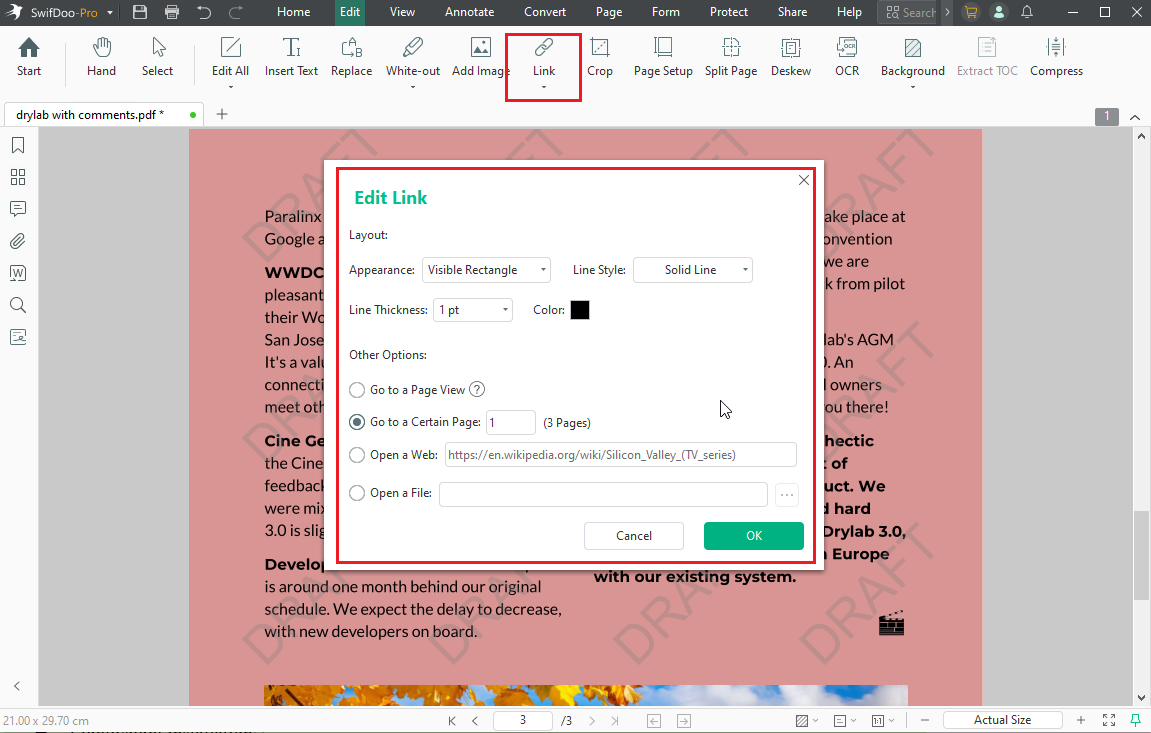
As the best PDF link editor, SwifDoo PDF lets you link to specific pages, websites, email addresses, or other files. Meanwhile, it provides you with customized options for the link appearance. What’s more, this full-featured PDF editor offers various features for creating, editing, annotating, converting, organizing, and protecting PDF files. You can install it and try it out!
Advantages of SwifDoo PDF:
- Beginner-friendly interface
- Lightweight installation
- Comprehensive editing toolkit beyond links
- Updated feature for filling interactive forms
- AI-powered features for summarizing, translating, rewriting, and chatting with PDFs
- Batch processing for link editing
Limitations of SwifDoo PDF:
The functional parity of Mac is different from that of Windows.
#2. Adobe Acrobat Pro
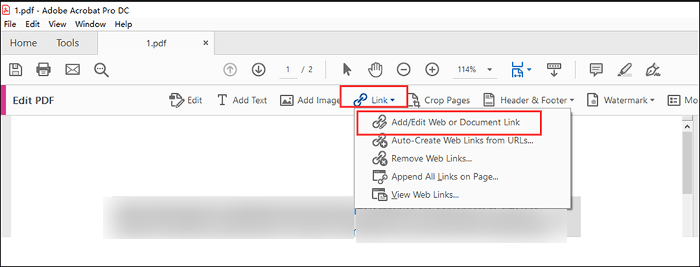
Adobe Acrobat Pro remains one of the most powerful PDF editors on the market. It is ideal for professionals who need advanced functionality daily. It delivers deep integration for creating, editing, and optimizing links within PDFs. You can use Adobe Acrobat Pro to add hyperlinks to external websites, internal page destinations, email addresses, or other files. Moreover, Adobe Acrobat Pro offers powerful editing features, such as OCR for scanned PDFs, redaction, and more.
Pros of Adobe Acrobat Pro:
- Industry-leading PDF standard with unmatched compatibility and reliability
- Advanced hyperlink tools for precise link creation and editing
- Excellent for complex or professional workflows in enterprise environments
Cons of Adobe Acrobat Pro:
- Expensive subscription plans with no affordable perpetual license option for full features
- Steep learning curve for beginners
#3. Foxit PDF Editor
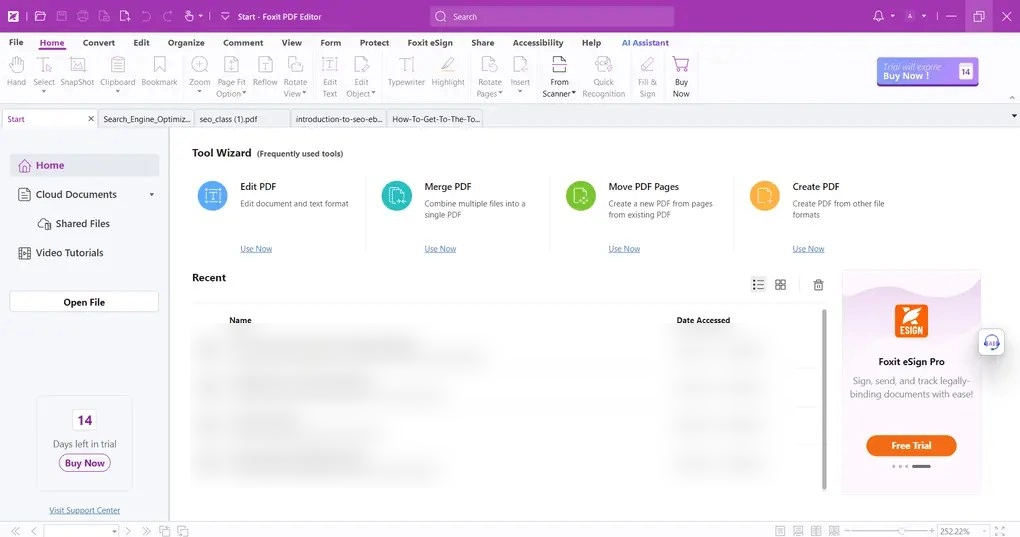
Foxit PDF Editor is widely known as a faster alternative to Adobe Acrobat. It provides robust hyperlink-editing features, along with collaboration and annotation tools. With Foxit PDF Editor, you can add, edit, move, and remove hyperlinks from a PDF.
Pros of Foxit PDF Editor:
- Fast and lightweight performance
- Comprehensive editing features for PDFs
- AI-powered assistant
- More affordable pricing than Adobe Acrobat
Cons of Foxit PDF Editor:
- Some advanced features require higher-tier plans
- Interface can feel overwhelming for absolute beginners
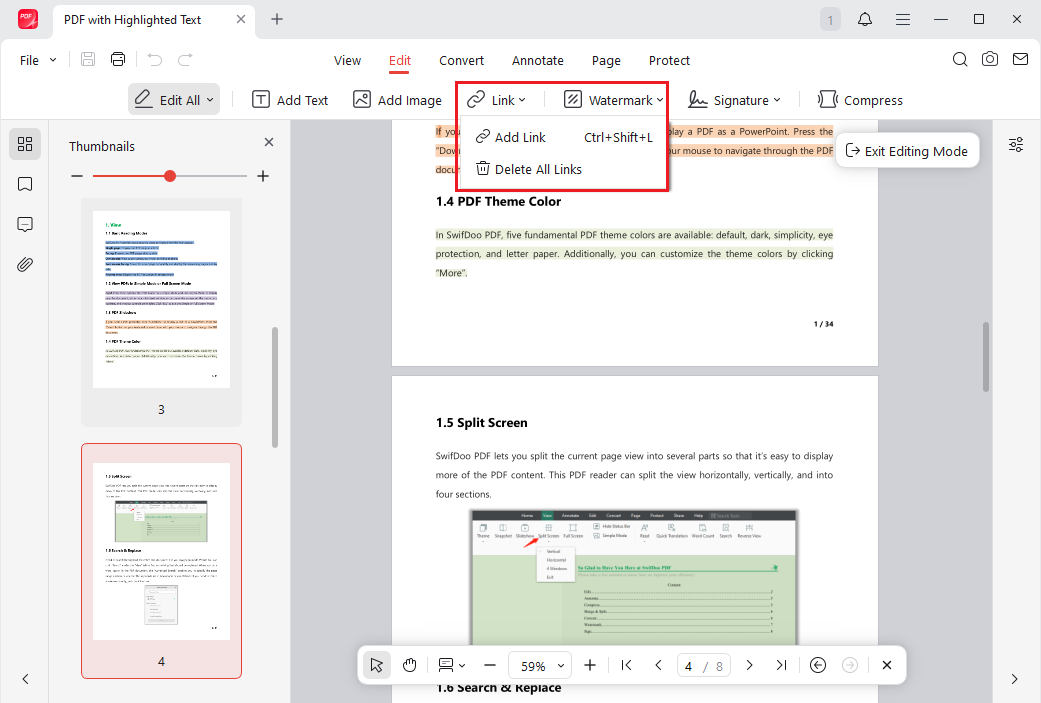
#4. JOPDF
JOPDF is the best free PDF link editor for Windows, Mac, and Linux. It serves as an accessible option for users seeking straightforward hyperlink management without subscriptions or watermarks. You can use it to add, edit, and manage links to websites, internal pages, email addresses, or other destinations directly within PDFs.
Advantages of JOPDF:
- 100% free with no subscriptions, watermarks, or sign-ups
- Lightweight and fast performance
- Cross-platform support for Windows, Mac, and Linux.
- Easy-to-use interface
Disadvantages of JOPDF:
- Limited advanced features compared to professional-grade editors
- Lacks AI-powered tools and OCR
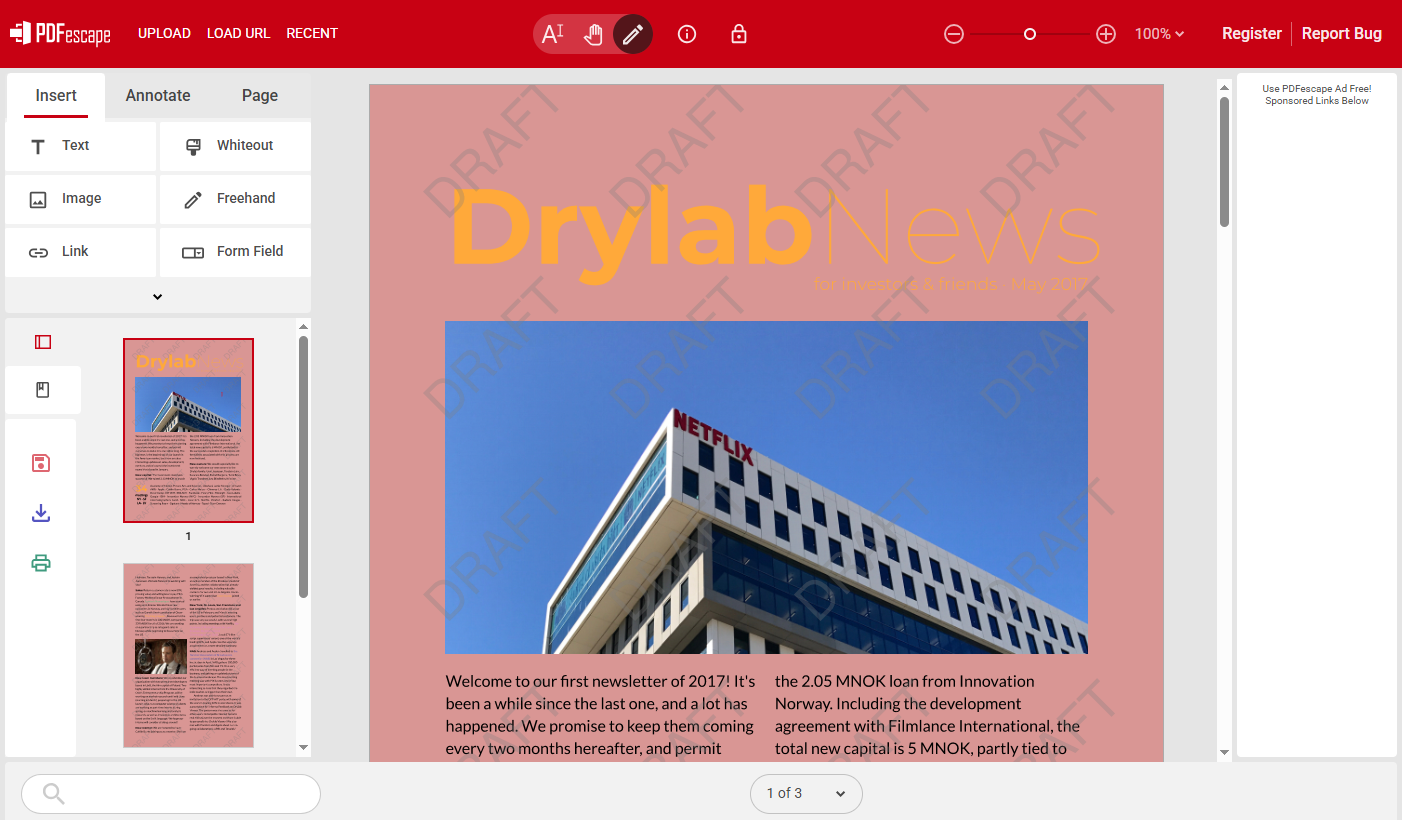
#5. PDFescape
If you are looking for a reliable online PDF link editor, PDFescape is worth a try. This free online PDF editor allows you to add, edit, and manage hyperlinks in PDFs directly through a web browser. Hence, you can access it on both PCs and phones. In addition to basic link tools, PDFescape offers form filling, annotation, page management, and other features.
Pros of PDFescape:
- Work directly in your browser for quick access anywhere
- No watermarks on free plans for core viewing and simple tasks
- Good for occasional or light hyperlink needs
Cons of PDFescape:
- The free version has file size limits and restricted advanced editing
- Cannot fully edit existing text in PDFs on the free plans
How to Edit Links in a PDF
How to edit links in a PDF file? Among the 5 best PDF link editors above, I prefer SwifDoo PDF. Hence, here, I’ll take SwifDoo PDF as an example to show you how to add, edit, or remove hyperlinks in a PDF file.
Step 1. Launch SwifDoo PDF and click Open to open the target PDF file.
Step 2. Click the Edit option from the top menu bar. Then, click Link and select “Add or edit link”.
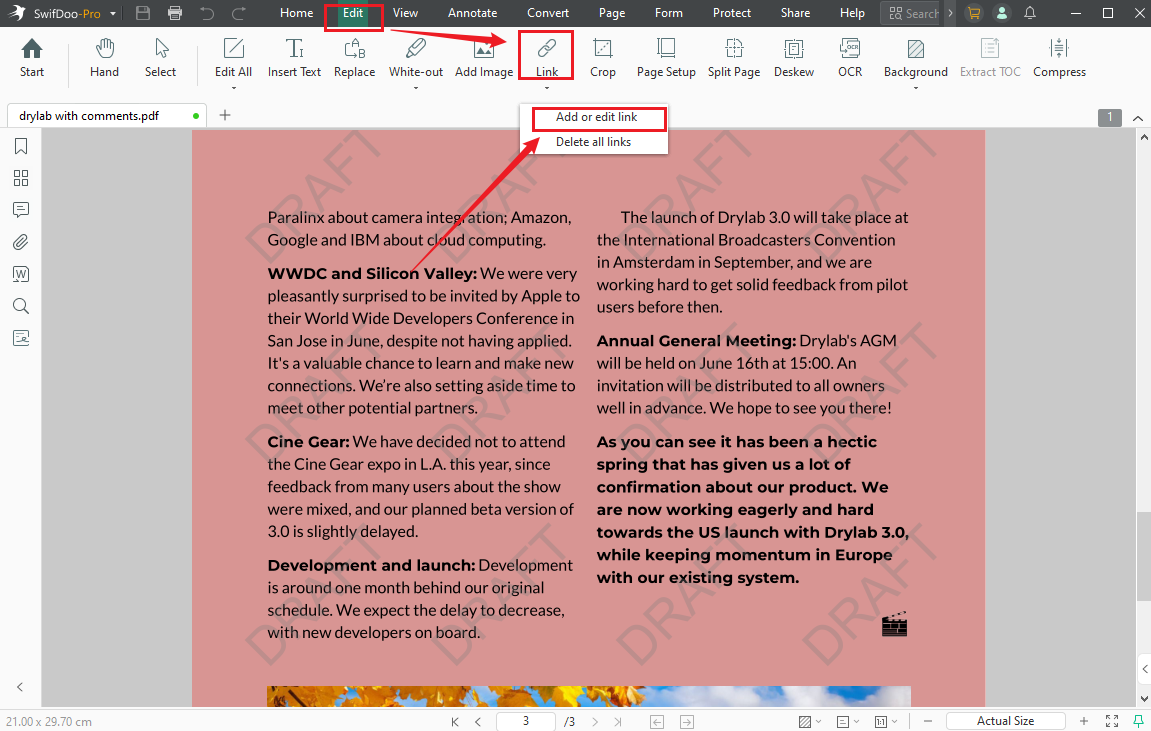
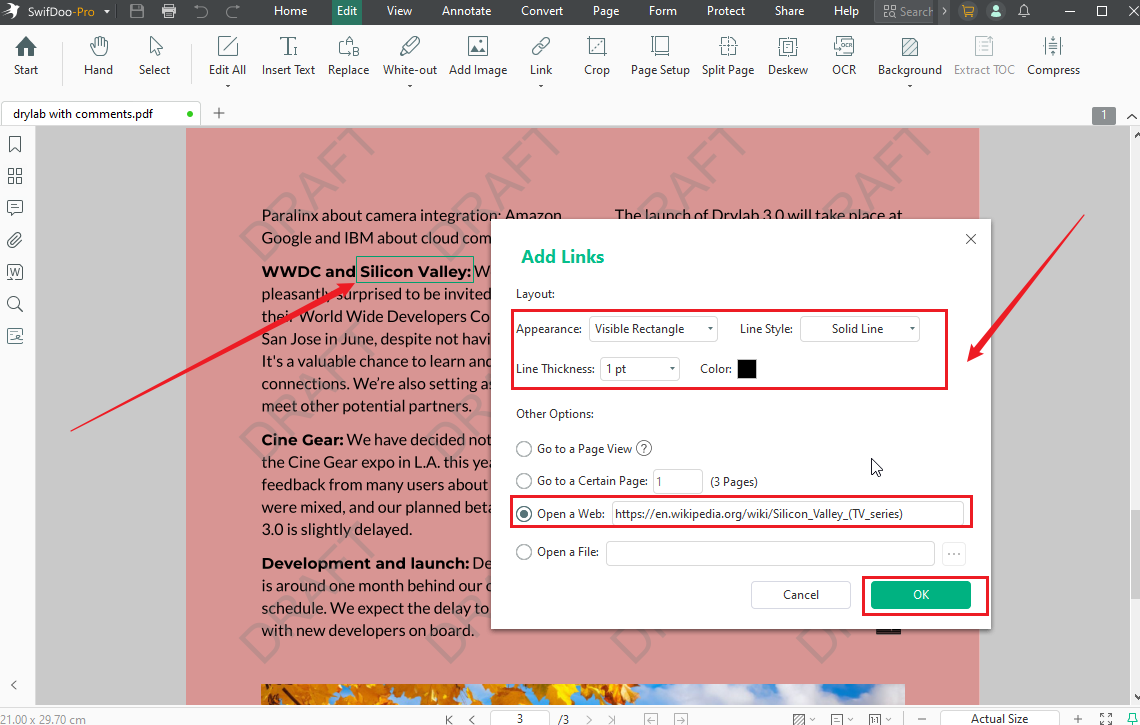
Step 3. Select the text or image you need to add a hyperlink to. Then, the Add Link dialog will appear.
In the dialog, select what you want to link to: Go to a Page View, Go to a Certain Page, Open a Web, or Open a File. Next, you can customize the link's layout and appearance as needed. Then, click OK.
If you need to edit an existing link in the PDF, right-click on the text with a link and select the Edit Link option. Then, edit the link as needed. Similarly, if you need to remove an unwanted hyperlink, right-click the link and select Delete Link.
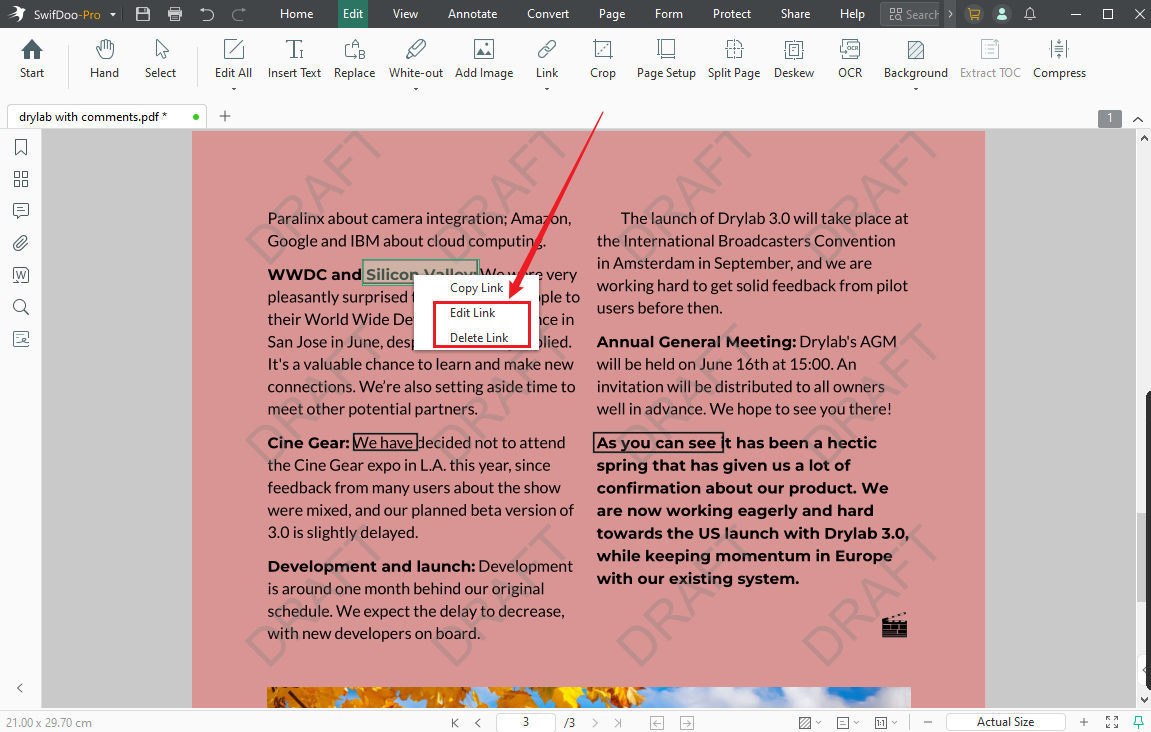
Step 4. Finally, save the document with hyperlinks.
Best PDF Link Editor for Different Use Cases
Which PDF link editor should you choose? Here’s a table of use cases for your reference.
|
Use Case |
Recommended Tool |
Why It Works Well |
|
Best for beginners |
SwifDoo PDF |
Clean interface, simple hyperlink editing workflow, and lightweight performance make it easy for new users to manage PDF links without a steep learning curve. |
|
Best for professional publishing |
Adobe Acrobat Pro |
Offers advanced link management, internal navigation controls, OCR, form creation, and enterprise-grade PDF editing features. |
|
Best for business collaboration |
Foxit PDF Editor |
Strong annotation, commenting, and collaborative review tools make it suitable for teams working on shared PDF documents. |
|
Best offline cross-platform solution |
JOPDF |
Supports Windows, Mac, and Linux while providing offline PDF editing capabilities for users who prefer local document management. |
|
Best free online PDF link editor |
PDFescape |
Convenient browser-based editing for quick hyperlink modifications. |
|
Best lightweight PDF editor |
SwifDoo PDF |
Fast startup speed and low system resource usage make it ideal for older PCs or everyday office tasks. |
|
Best for quick web-based edits |
PDFescape |
Ideal for users who only occasionally need to add or remove links from PDFs directly in a browser. |
Final Thoughts
Which is the best PDF link editor? The choice largely depends on your workflow, budget, and editing frequency. If you need a practical balance between usability, functionality, and affordability, SwifDoo PDF stands out as a well-rounded option. It handles hyperlink editing smoothly while offering broader PDF management features that are useful in everyday work. Alternatively, you can try another tool according to your needs.



