


Is It Legal to Download Issuu PDF Free?
Many users searching for a way to download Issuu to PDF free are unsure whether doing so is permitted. The answer depends entirely on the document's authorization status. If you are looking for a secure way to download Issuu to PDF free, you are not alone. Before exploring any method, it's essential to clarify the legal landscape.
In 2026, digital publishing platforms like Issuu host millions of beautiful lookbooks, magazines, and business brochures. However, because many publishers disable the native download feature to protect their content, readers are often left looking for alternative offline solutions. Attempting to bypass this restriction using an Issuu PDF downloader tool constitutes a violation of copyright law in most jurisdictions.
Some publishers enable a direct "save Issuu as PDF" option within the platform's interface. When this option is available, using it to download Issuu document files is perfectly legal and encouraged.

10 Best Sites to Download Free PDF Books in 2026
Where to find the sites to download free PDF books? In this article, we'll introduce 10 reliable websites and the tips to download the book safely.
READ MORE >Method 1: Save Issuu as PDF From Pfficial Download
The most straightforward and legally sound approach to download Issuu content to PDF for free is utilizing Issuu's built-in download functionality. This method requires no external software and fully respects the publisher's distribution preferences. When the publisher permits it, Issuu provides a direct button which allows you to download Issuu document files with a single click.
How to check if as publisher allows you to download Issuu magazines as PDF? Not all publishers lock their content. Many creators upload catalogs and want readers to download Issuu magazines as PDF officially to increase reader engagement.
Step 1: Go to the Issuu page of the document you want.
Step 2: Below the publication reader window, check for a downward-facing arrow icon labeled Download, which is ussually located in the top-left or bottom-right control menu. This is the only authorized Issuu to PDF download tool available.
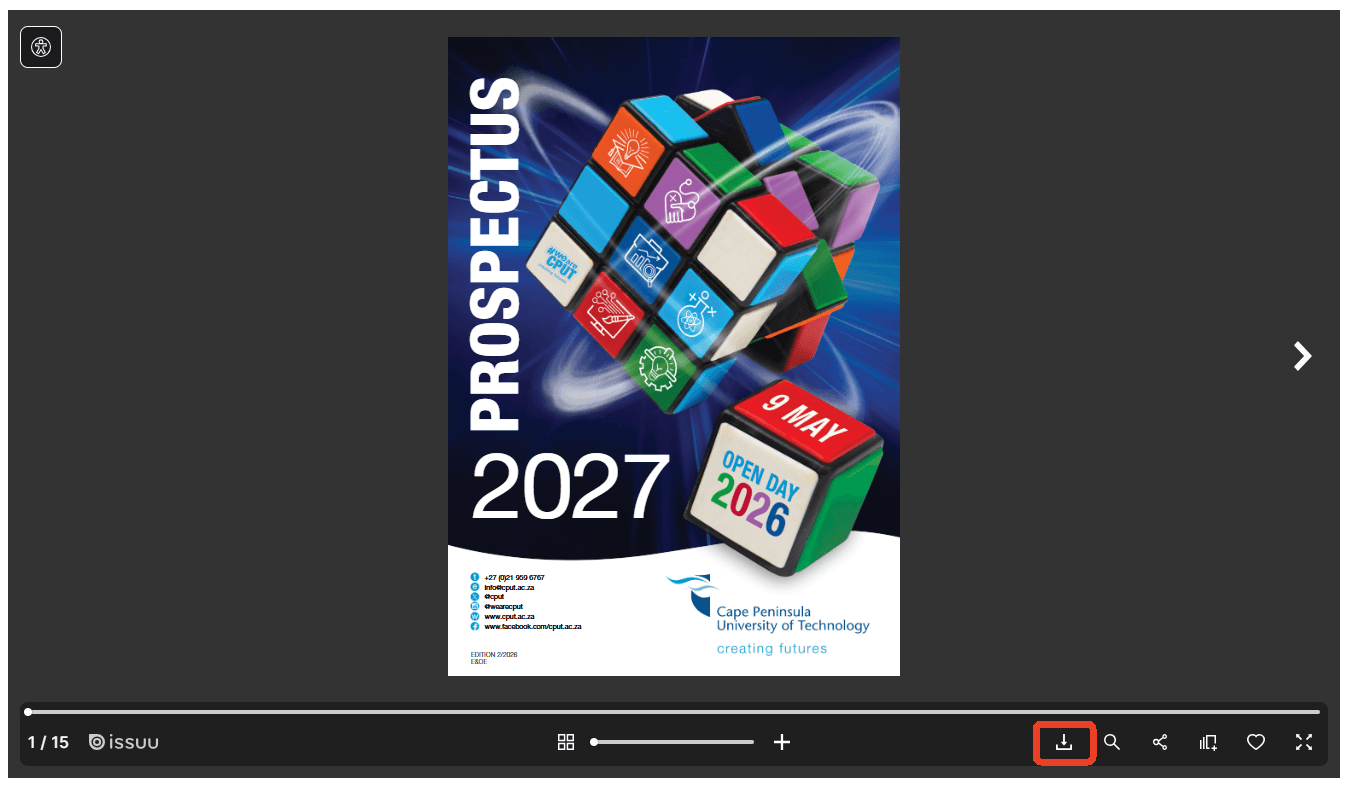
Step 3: Click the icon, and Issuu will instantly download the high-resolution PDF to your device.
Method 2: Print Issuu to PDF Using Your Browser
When the official download option is unavailable, your web browser offers a built-in alternative that is both safe and universally accessible. This method functions as a free Issuu to PDF converter online without requiring any external websites or extensions.
Step-by-Step Guide to Grab a High Quality Issuu Download Using Browser Print:
Step 1: Load the public Issuu document you wish to save in Google Chrome or Microsoft Edge and view it in full-screen mode if possible. Scroll through the entire document to ensure all pages render completely.
Step 2: Press Ctrl+P on Windows or Cmd+P on Mac. Alternatively, right-click anywhere on the page and select "Print" from the context menu.
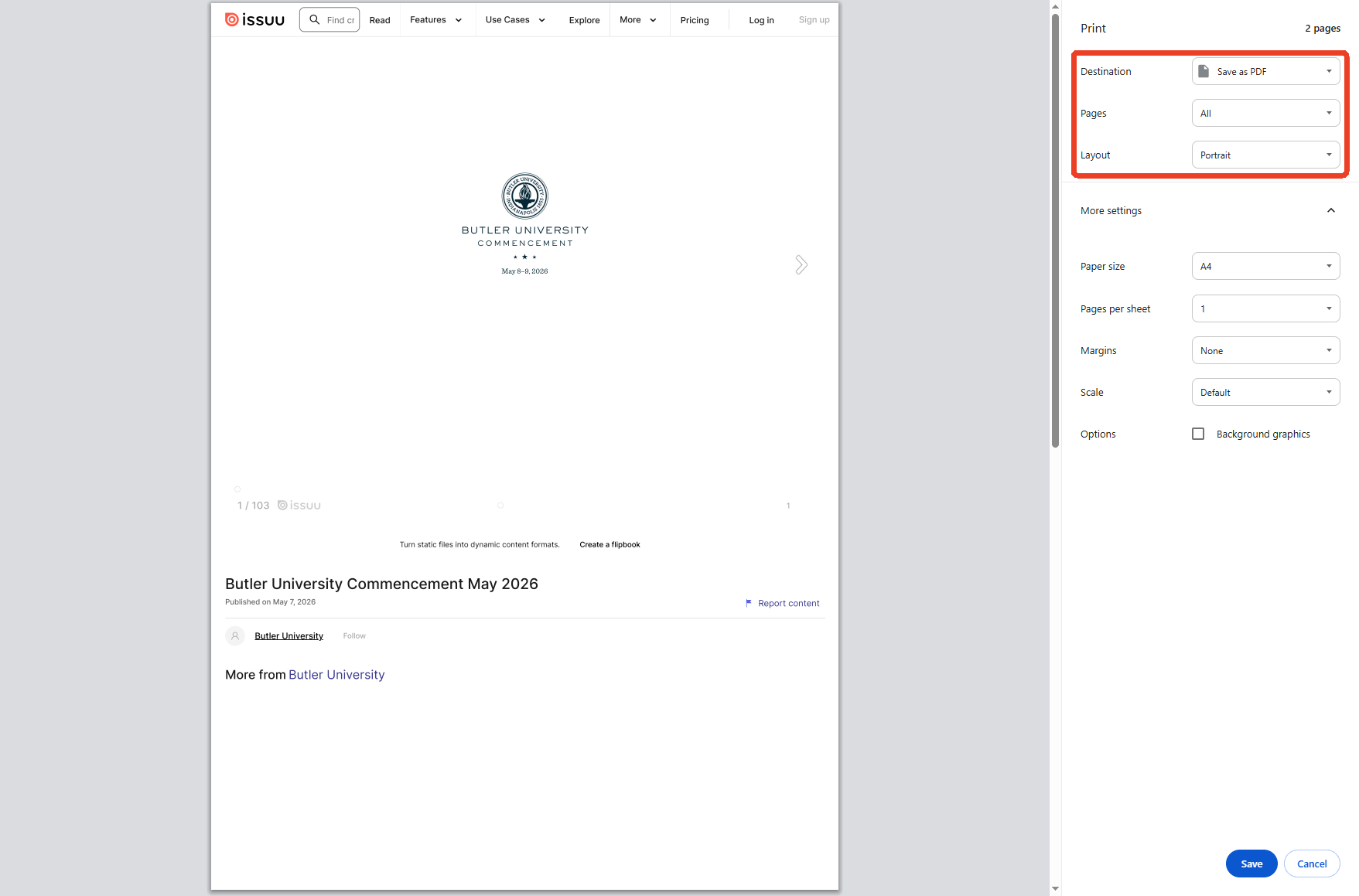
Step 3: In the print dialog, locate the destination dropdown menu. Select Save as PDF or Microsoft Print to PDF instead of a physical printer. Under layout settings, choose None for margins if available, and ensure all pages are selected.
Microsoft Edge Add Text to PDF Disappeared? Here's How to Fix It
Did the "Add text" button vanish from your Edge browser? Here are 4 easy methods to get it back, plus a powerful alternative for serious PDF editing.
READ MORE >Step 4: Click Save and choose a destination folder on your computer. The browser will generate a PDF version of the visible content. This method allows you to print Issuu to PDF.
Method 3: Contact the Publisher to Download Issuu Document
An often overlooked but highly effective approach to downloading the Issuu document as a free PDF is reaching out to the content creator directly. Many publishers are willing to share their work upon request, especially for educational, research, or personal reference purposes.
How to Find Publisher Contact Information?
Look for the publisher's name, website link, or social media handles within the Issuu document description panel. Many professional publications include explicit contact details. If visible, visit the linked website to find an email address or contact form.
How to Make Your Request to Download Issuu to PDF Free?
When contacting a publisher, be clear about your intentions. Explain why you want to save Issuu as a PDF format for offline reading, mentioning academic study, professional reference, or accessibility needs can improve your chances. Always offer to cite their work appropriately if you plan to reference it. This method can help you receive a high-quality Issuu download directly from the source.
PDF Download Formatting Issue? Here’s How to Solve It Quickly
Learn how to fix PDF download formatting issues and preserve the original layout. Here's a step-by-step solution for text, images, and table alignment.
READ MORE >Method 4: Evaluate Issuu PDF Downloaders
If you want to download Issuu to PDF free and bypass sketchy tools, you should know how online scrapers work. Many online services market themselves as a free Issuu PDF downloader. However, is using a web-based Issuu PDF downloader safe for your computer?
The Risks of Using a Free Issuu to PDF Download Tool on Shady Sites
While using a third-party Issuu to PDF download tool sounds convenient, most are heavily ad-supported. These platforms work by taking low-resolution screenshots of the document preview and stitching them together into a file. This creates three major issues:
-
Aggressive Ad-Redirects: Clicking "Download" often triggers pop-ups that attempt to install browser hijackers or download suspicious .exe files.
-
Low Resolution: Because they use automated screenshots, the text is often pixelated and hard to read.
-
Non-Searchable Text: The text is saved as a flat image, meaning you cannot highlight words or use Ctrl + F to search within the document.
Does an Issuu Downloader Chrome Extension Protect Your Device Privacy?
When searching for an Issuu downloader Chrome extension, you might find several extensions on the web store. However, using an untrusted third-party Issuu downloader Chrome extension can expose your browsing data to background trackers.
Extensions have deep permissions to read and modify data on the websites you visit. Unless the extension is from a highly reputable, verified developer, sticking to browser-native printing or desktop software is always the safer path.
Comparison of Issuu Download to PDF Methods
|
Method |
Safety Level |
Output Quality |
|---|---|---|
|
Official Native Download |
Extremely Safe |
Excellent (Vector PDF) |
|
Browser Print (Ctrl + P) |
Extremely Safe |
Good (Clean Images) |
|
Online Issu PDF Downloader |
Low Safety (Ads/Malware) |
Poor (Blurry Scans) |
|
Chrome Extensions |
Medium Safety (Trackers) |
Medium |
How to Get High Quality Issuu PDFs with SwifDoo PDF?
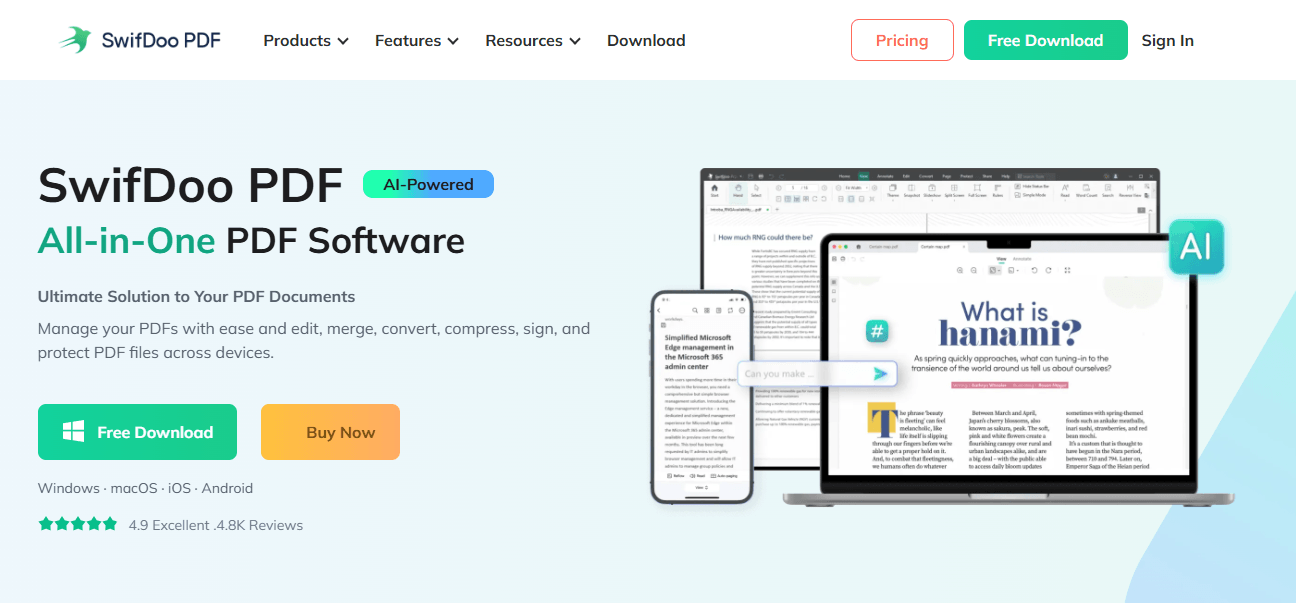
After using one of the safe methods to obtain an Issuu publication, the resulting PDF often needs refinement. Whether you used the official download, printed to PDF, or received a file from a publisher, SwifDoo PDF helps you achieve the best possible output.
This powerful desktop application addresses the common quality limitations of Issuu to PDF downloading free processes.
Transform Scanned Pages into Searchable Text with OCR
PDFs created through browser printing are essentially image captures, meaning the text inside them cannot be searched, copied, or edited. SwifDoo PDF's OCR engine converts these static images into fully selectable and searchable text. You can download Issuu PDF free and make it a genuinely usable document suitable for research, citation, and annotation.
Compress Large Files Without Quality Loss
Publications with high-resolution images can generate files too large for convenient sharing or storage. SwifDoo PDF's compression technology significantly reduces file size while preserving visual clarity. This ensures that you can save Issuu as PDF and make it manageable for email attachments and cloud storage.
Edit, Merge, and Organize Your PDF Library
If your saved PDF contains unwanted headers, blank pages, or promotional material inserted during the printing process, SwifDoo PDF allows you to edit the file directly. You can delete elements, merge multiple documents into a single organized file, rotate pages, and reorder content.
SwifDoo PDF is available as a free trial, giving you full access to its extensive toolkit without immediate commitment.
Conclusion
How to download Issuu to PDF free? This guide has outlined three legitimate approaches: using the official save Issuu as PDF button when publishers permit it, leveraging your browser's built-in print Issuu to PDF capability, and contacting content creators directly to request a copy. Each method offers a Issuu PDF downloader safe path that respects intellectual property rights.
For users seeking a high quality Issuu download, the safe methods described above, paired with SwifDoo PDF's editing, OCR, and compression features—deliver excellent results without compromising safety or integrity.


