SwifDoo PDF vs PDF Expert: Quick Comparison
Before exploring the main features of both tools, take a quick look at how SwifDoo PDF and PDF Expert compare in terms of pricing, platforms, support, and overall performance. This overview helps you quickly determine which tool best aligns with your needs.
The basic info:
| SwifDoo PDF | PDF Expert | |
|---|---|---|
| Pricing | A free trial is available to test features; Paid plans are affordable | Premium pricing, mainly subscription-based, with a higher cost |
| Platforms | Windows, Mac, iOS (iPhone/iPad), Android, and web services | macOS, iOS, and iPadOS |
| Customer Support | Email support and help center | Email support, talk to an expert |
The feature:
| SwifDoo PDF | PDF Expert | |
|---|---|---|
| Text/Images Editing | Yes | Yes |
| Annotations | Yes | Yes |
| Signature | Yes | Yes |
| Encryption | Yes | Yes |
| PDF Conversion | Yes | Yes |
| OCR | Yes | With specific platform limitations |
| Merge/Split | Yes | Yes |
| Batch Process | Yes | Yes (specifically for macOS) |
| Apple Pencil Support | No | Yes (iPad) |
At a Glance: The Verdict
If you are in a rush, here is the quick answer:
- Choose SwifDoo PDF if you are a Windows user (or work across multiple platforms) and want an affordable, all-in-one PDF editor.
- Choose PDF Expert if you live entirely inside the Apple ecosystem and prefer a clean interface.
SwifDoo PDF vs PDF Expert: Feature Showdown
Now that you’ve seen the quick comparison, let’s dive deeper into what truly sets these tools apart. This section highlights the main features of each tool, helping you understand which one performs better and provides greater value.
The Ecosystem Battle: Windows vs. Apple
SwifDoo PDF vs PDF Expert showcases the PDF feature battle between Windows and Apple users. Windows users gain full-featured tools from SwifDoo, while Apple users prefer PDF Expert, one of the best PDF editors for Mac, for effortless workflow.
Although SwifDoo PDF supports Mac and mobile, its most advanced tools and core strengths are still on Windows. Windows users can take advantage of all features, ensuring the most capable PDF workflow.
PDF Editing and Annotation
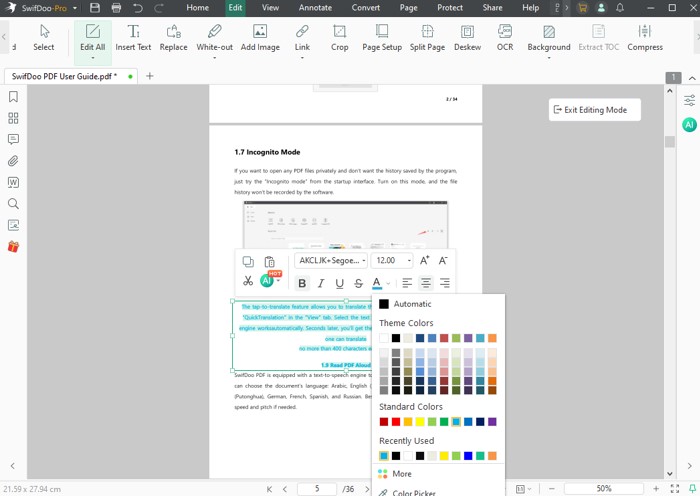
Both tools deliver powerful editing and annotation options, yet they target different types of users. SwifDoo PDF provides comprehensive editing options, allowing you to change text in a PDF, modify images, and adjust layouts, as well as advanced tools such as OCR and batch processing to improve productivity.
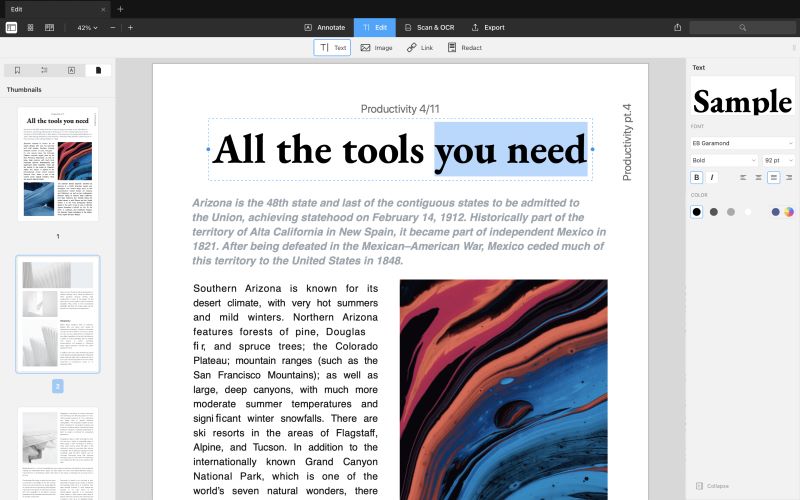
PDF Expert, in contrast, provides a clean, intuitive interface for anyone looking to edit a PDF on Mac and iOS devices. It makes it easy to edit text, highlight content, add comments, and sign documents.
Document Management
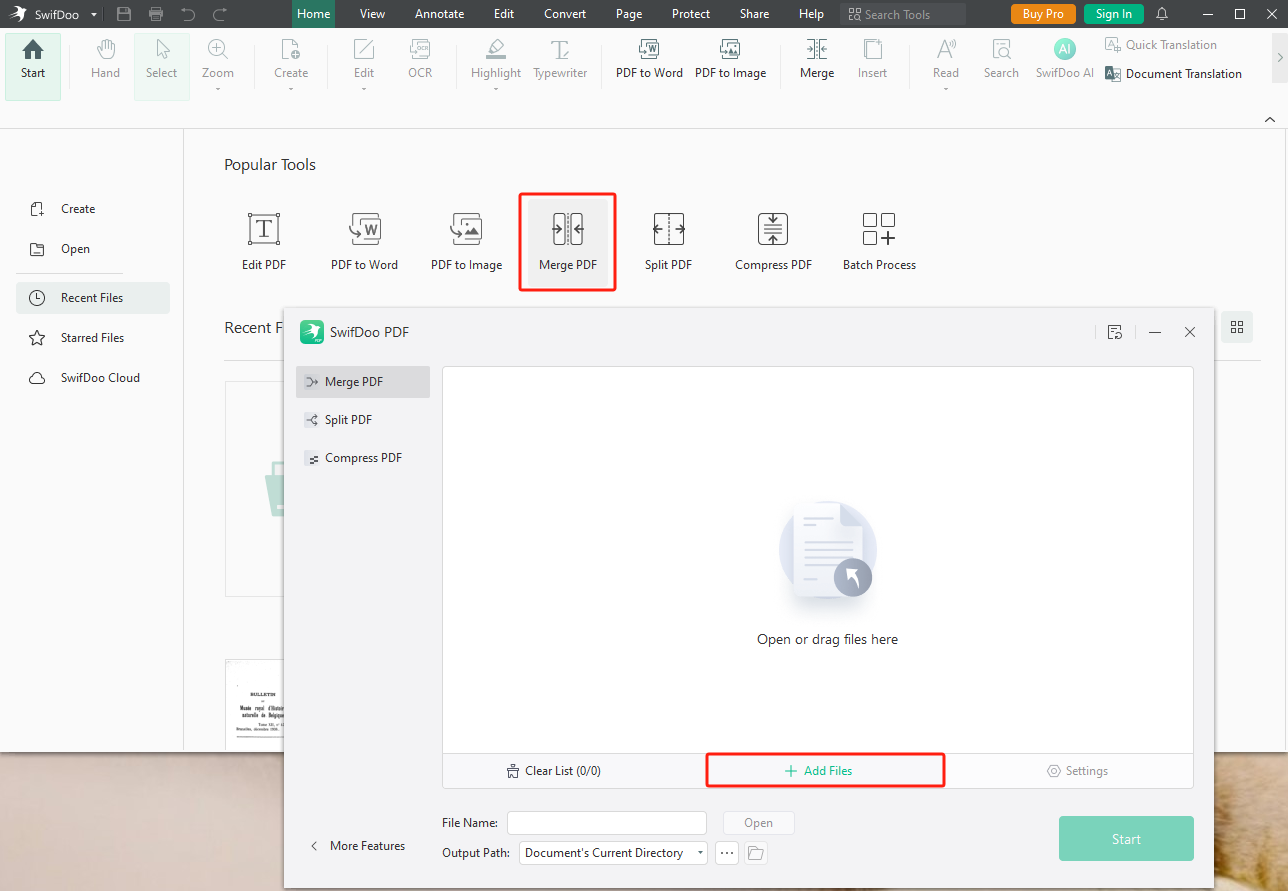
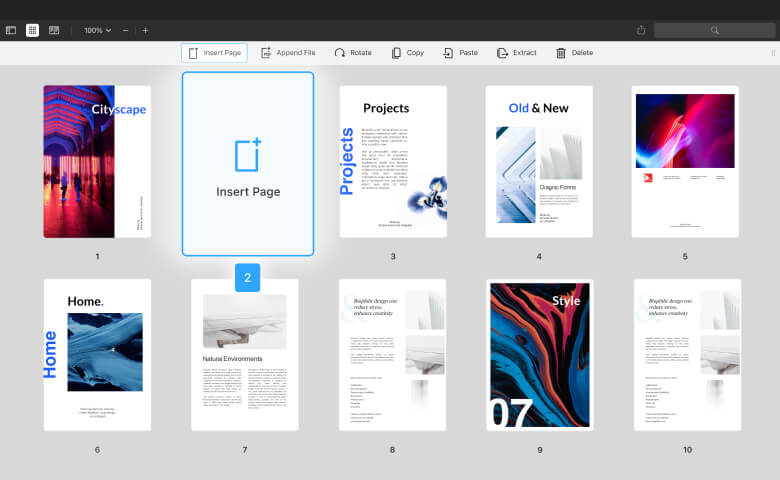
Both offer strong document management, though each approaches it differently. With comprehensive tools for merging, splitting, compressing, and batch organizing, SwifDoo PDF ensures fast and efficient PDF management.
PDF Expert, designed for Apple platforms, ensures an easy and seamless workflow. It provides a smooth way to organize files, reorder pages, and manage documents across Apple devices. Though not as strong in batch processing as SwifDoo PDF, it provides an efficient solution for routine PDF work.
OCR (Optical Character Recognition)
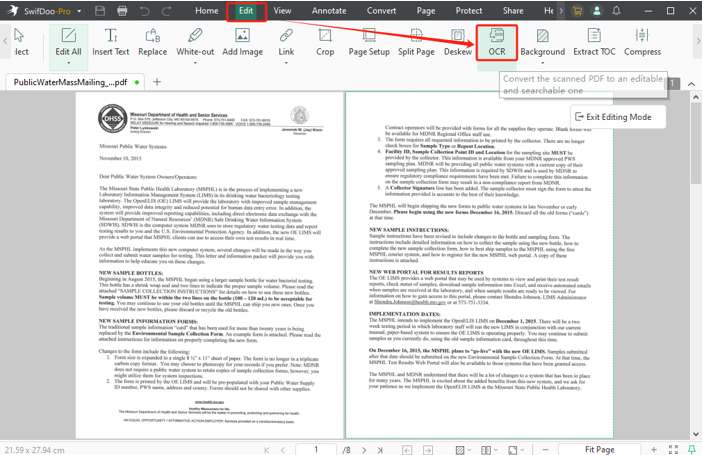
SwifDoo PDF provides powerful OCR to recognize text in PDFs, extract data from scanned files and images, and make searching, copying, and editing effortless.
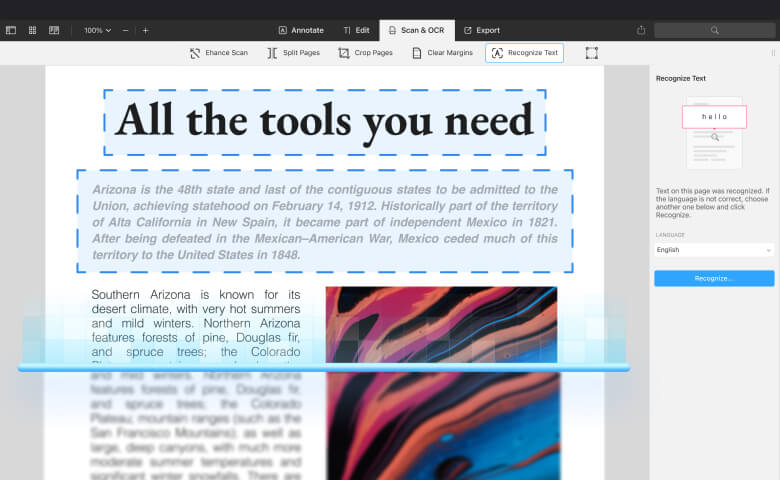
With macOS integration, PDF Expert provides accurate OCR for Apple users. It handles everyday needs smoothly but lacks the strength for large-scale or advanced document processing.
Password Protection
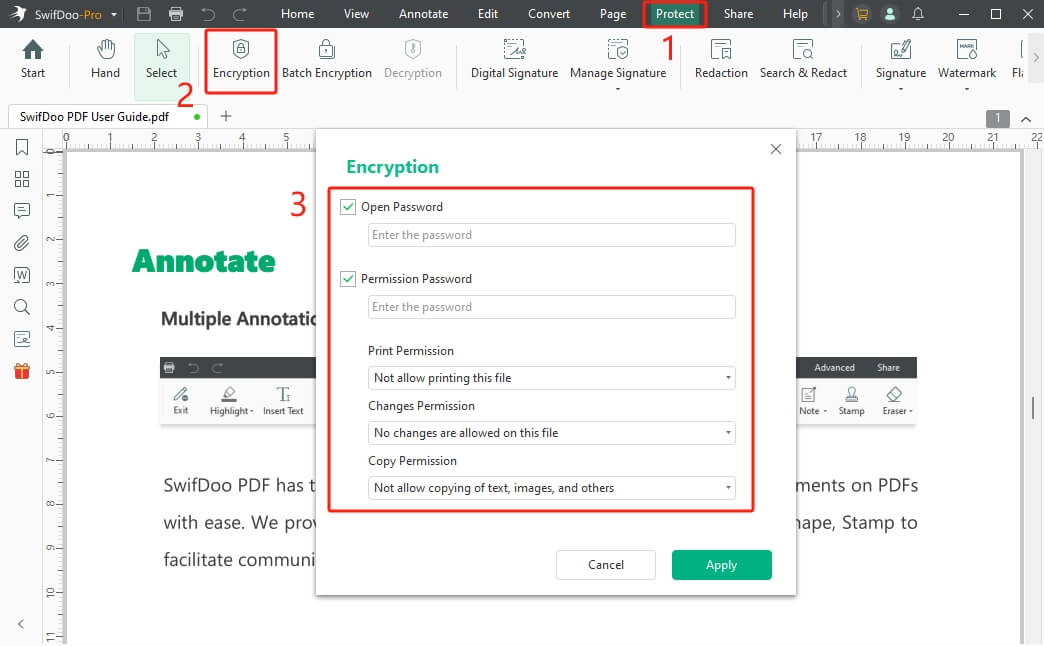
Strong password protection is essential for safeguarding sensitive files. SwifDoo PDF allows you to secure PDFs with open and permission passwords, giving you control over who can view, edit, copy, or print them.
In comparison, PDF Expert simplifies file protection with password-based access control. It uses standard Apple encryption to ensure only permitted users can open documents, making it suitable for daily use.
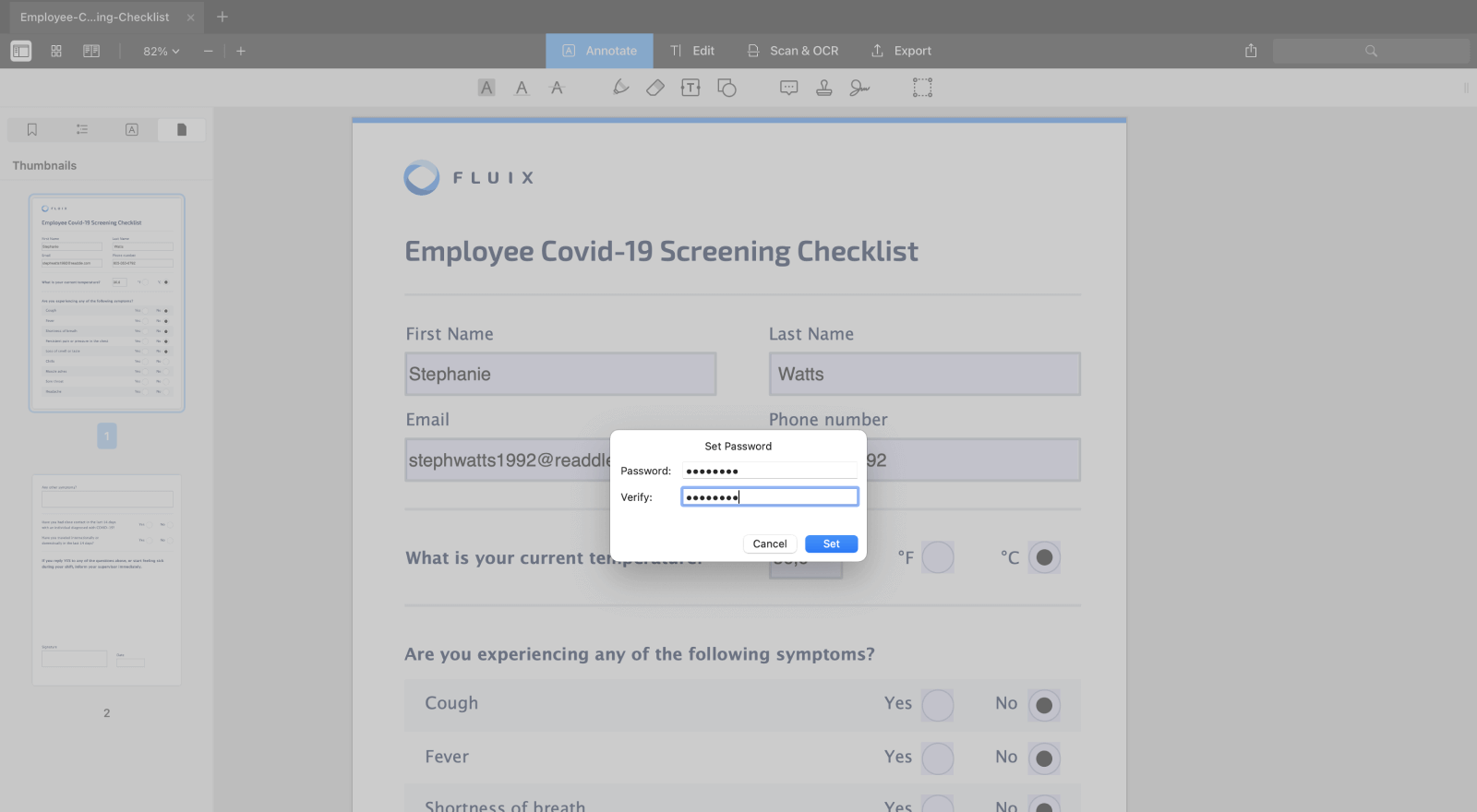
SwifDoo PDF vs PDF Expert: User Experience and Interface
Good usability starts with an intuitive design. Using a Microsoft-style layout, SwifDoo PDF organizes editing, converting, and annotation tools into tabs for efficient access on Windows. The interface is intuitive and easy to navigate, though the large number of features can feel a bit crowded.
For those on Apple devices, PDF Expert provides a sleek and intuitive interface. Prioritizing speed, simplicity, and smooth navigation, it allows quick access to tools, making it especially suitable for beginners or anyone who likes a clutter-free workflow.
SwifDoo PDF excels in functionality and adaptability, whereas PDF Expert offers a smooth, user-friendly experience tailored for the Apple ecosystem.
Conclusion: How to Make a Choice
In the comparison of SwifDoo PDF vs PDF Expert, your choice comes down to your platform and needs.
SwifDoo PDF provides a Microsoft-style design with comprehensive tools, making it perfect for Windows users who value advanced functionality.
PDF Expert delivers a clean, minimalist, and intuitive interface for Apple users who prefer simplicity and smooth navigation. Evaluate your devices and workflow, and choose the PDF editor that best fits your needs today.
Anyway, try them yourself before making a choice!