SwifDoo PDF & PDFgear Overview
Let's kick off our SwifDoo PDF vs PDFgear analysis by highlighting both tools and their core functionalities.
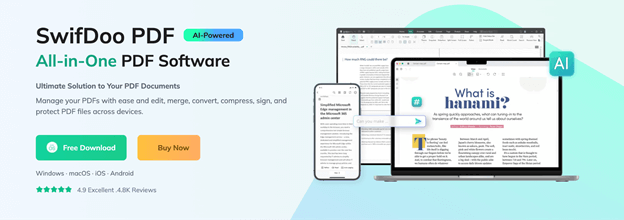
SwifDoo PDF is a reliable PDF editor that lets users create, edit, and manage PDFs efficiently. It allows annotations, file conversions, and tools to merge or split PDF documents. Its built-in OCR is a standout feature, enabling it to recognize text in PDF files. This makes scanned documents fully searchable and editable for simpler content extraction.
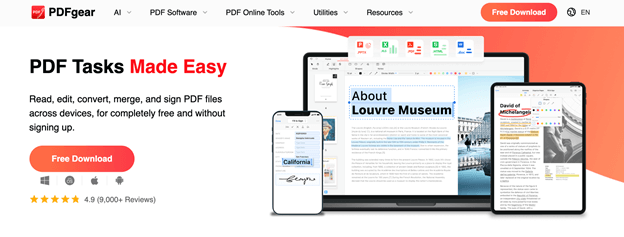
PDFgear is a user-friendly PDF management tool focused on simplicity and efficiency. It allows users to edit text and images, merge, split, and organize pages, and convert files to and from PDF formats. With integrated annotation and security tools, PDFgear is perfect for users seeking smooth PDF management via a clean, intuitive interface.
SwifDoo PDF vs PDFgear: Quick Comparison
SwifDoo PDF and PDFgear both offer robust PDF editing and management tools; however, they differ in pricing, platform support, and customer service options. Here’s a side-by-side look to help you compare key aspects quickly:
| Key Parameters | SwifDoo PDF | PDFgear |
|---|---|---|
| Pricing |
Full-featured free trial available, Several price plans are available: ● Monthly Plan: US$16.99 ● Quarterly Plan: US$16/month ● Yearly Plan: US$4.5/month ● 2-Year Plan: US$2.88/month ● Perpetual Plan: US$96.75 |
Freely available for standard PDF tasks. |
| Platforms | Windows, macOS, iOS, Android, and Web (online services) | Windows, macOS, iOS, Android, and Web (online services) |
| Customer Support | Delivers email and ticket support in addition to online documentation and tutorials | Delivers responsive assistance via email, live chat, and practical guides for users |
After covering the basics of both tools, here’s a closer look at how SwifDoo PDF and PDFgear compare feature by feature. This will help you understand their capabilities before we move on to detailed highlights and recommendations.
| Key Parameters | SwifDoo PDF | PDFgear |
|---|---|---|
| Reading Modes | Offers multiple view modes (single, continuous, two‑page) for comfortable reading | Provides flexible view options and zoom controls for easy navigation |
| Text/Images Editing | Full editing of text and images with formatting controls | Supports text and image edits, with a simple, intuitive editor |
| Annotations | Comprehensive annotation tools (highlight, notes, shapes, stamps) | Rich annotation suite including comments and markup tools |
| Digital Signature | Allows signing PDFs and validating signatures | Let's you add and manage digital signatures |
| Encryption | Password protection and permission settings (edit/print restrictions) | Secure PDFs with passwords and access controls |
| PDF Conversion | Converts to/from Word, Excel, PPT, images, etc. | Converts PDFs to major formats and back |
| PDF Translation | Yes (in several ways, in 100+ languages, including SwifDoo AI) | Yes (across 50+ languages) |
| OCR | Built‑in OCR for converting scans into editable/searchable text | Built-in OCR to extract, edit, and search scanned text or image-based PDFs |
| Merge/Split | Easy merge and split tools with customizable options | Merge and split with drag‑and‑drop simplicity |
| Standard print support with layout options | Full printing support plus print settings | |
| Batch Process | Supports batch conversion, watermarking, and renaming | Supports batch processing for conversion, merging, splitting, and printing |
| AI Assistant | SwifDoo AI enhances productivity by summarizing, rewriting, translating, and proofreading PDFs, and allows interactive Q&A with documents | GPT-powered; quickly summarizes, manages, translates, rewrites, and extracts PDFs |
| Cloud Storage |
Integrates with external cloud services and includes its own built-in SwifDoo Cloud for saving, accessing, and sharing PDFs across multiple devices |
Lacks proprietary cloud, processes files locally for privacy |
At a Glance: The Verdict
If you are in a rush, here is the quick answer:
You need built-in OCR to recognize text in scanned PDFs, want seamless access via SwifDoo Cloud, or prefer a Windows-focused AI assistant for summarizing, translating, editing, encryption, or advanced PDF tasks.
It’s ideal for students, casual users, or anyone handling many PDFs who values speed, convenience, an easy-to-use interface, solid batch processing, and AI-assisted reading without relying on proprietary cloud storage.
✅ Choose PDFgear if:
You need a GPT-powered AI assistant to quickly summarize, translate, or extract insights from large PDFs and prefer local file processing for privacy. PDFgear is a solid choice for professionals, researchers, or power users who need an easy-to-use, low-cost PDF tool for everyday management tasks, with dependable performance and AI-assisted productivity features.
SwifDoo PDF vs PDFgear: Feature Showdown
Following the quick comparison, let’s dive into a detailed feature breakdown to see in detail how SwifDoo PDF and PDFgear perform across every major functionality.
1. Editing and Annotation
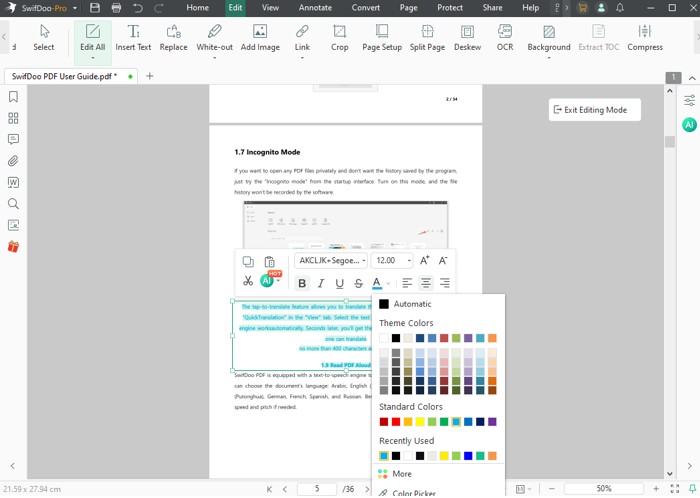
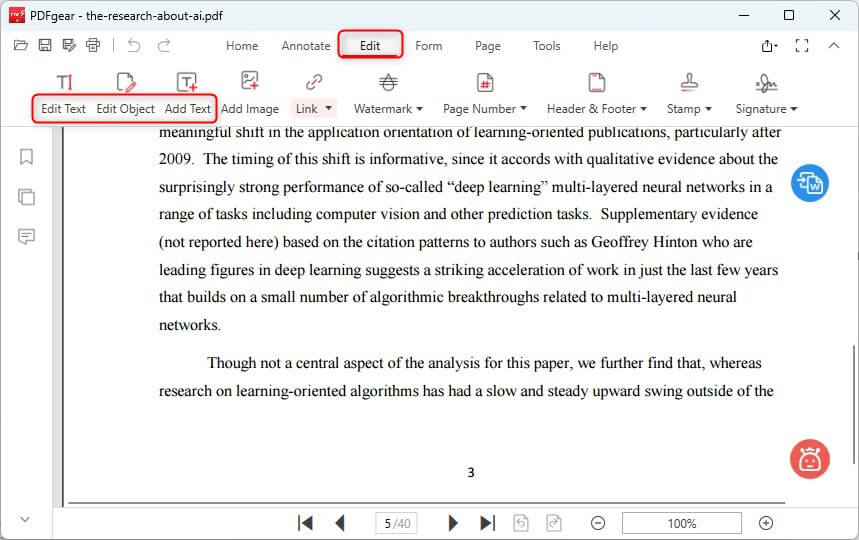
Concerning editing and annotation, both SwifDoo PDF and PDFgear offer capable tools, but several differences are worth noting. SwifDoo PDF lets you easily change text in a PDF, edit images, and adjust formatting with precision, making it ideal for professional document editing.
Conversely, PDFgear offers text and image editing along with a variety of annotation tools, like highlights, comments, and stamps for marking PDFs. That said, its editing capabilities remain basic, prioritizing straightforward usability instead of offering more advanced customization tools.
2. AI Integration
Both tools now employ artificial intelligence to increase productivity, but they approach it differently.
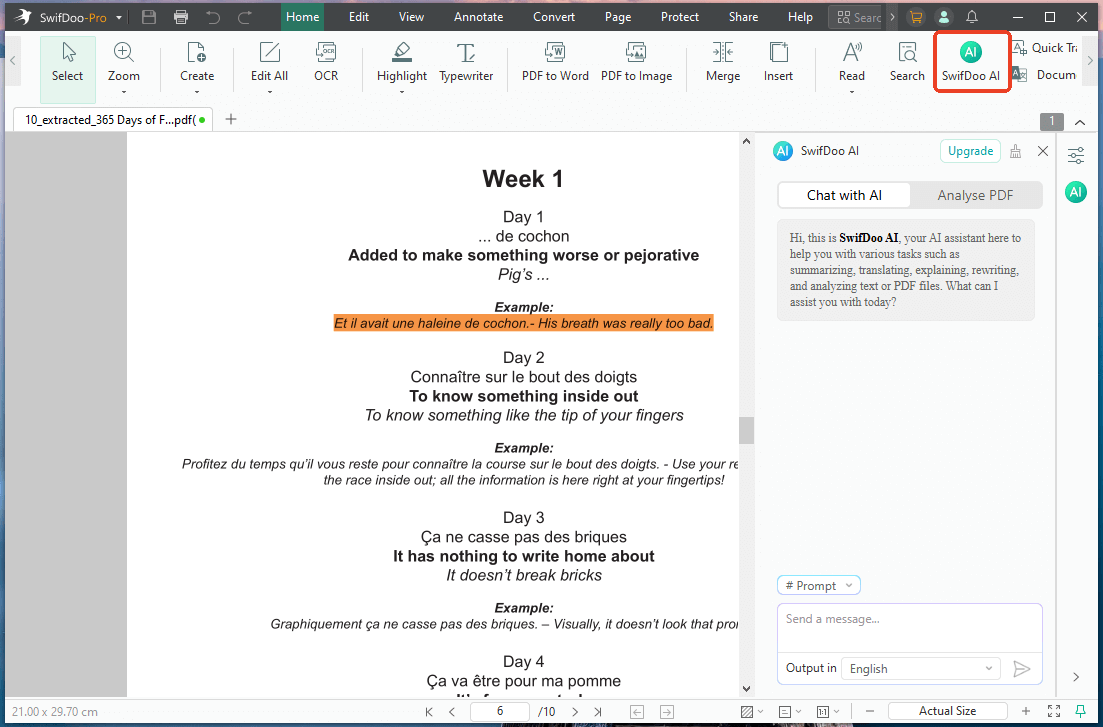
SwifDoo AI in SwifDoo PDF is powered by ChatGPT 4.0, enabling you to summarize, rewrite, translate, and proofread PDF content, as well as interact with documents through a chat‑style interface — perfect for deep content understanding and editing.
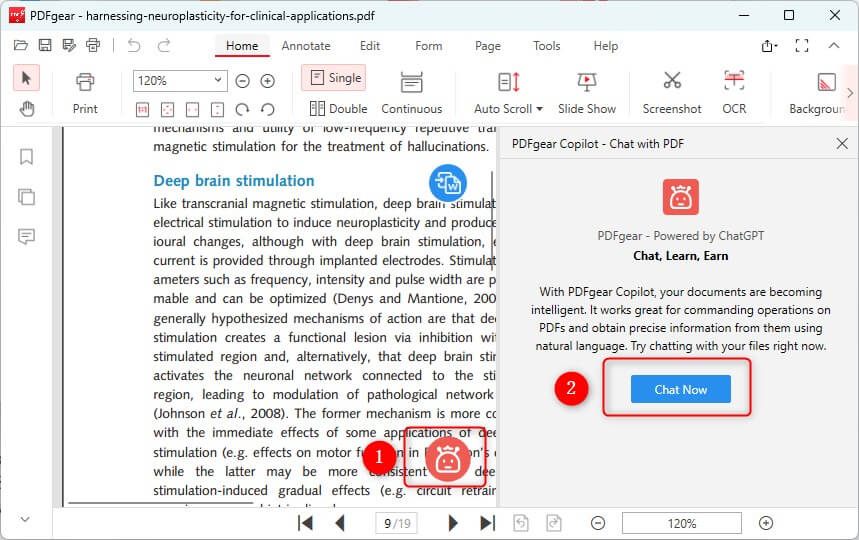
PDFgear, on the other hand, uses a GPT‑powered AI assistant to quickly summarize, extract insights, translate, and manage large PDFs. This makes it especially useful for reading research papers or lengthy documents where speed and efficiency matter.
3. OCR (Optical Character Recognition)
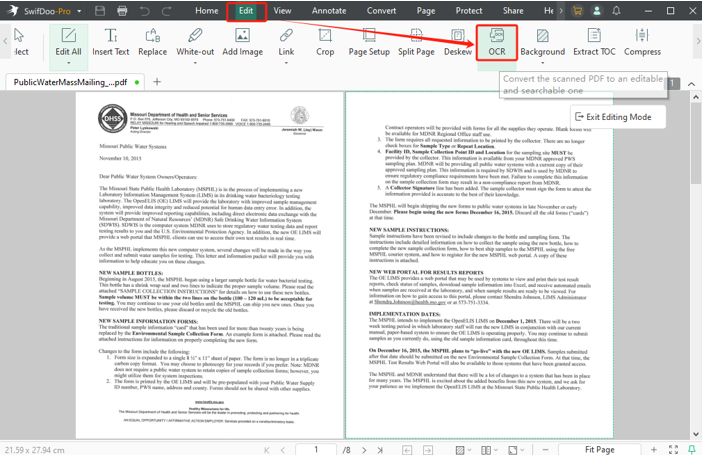
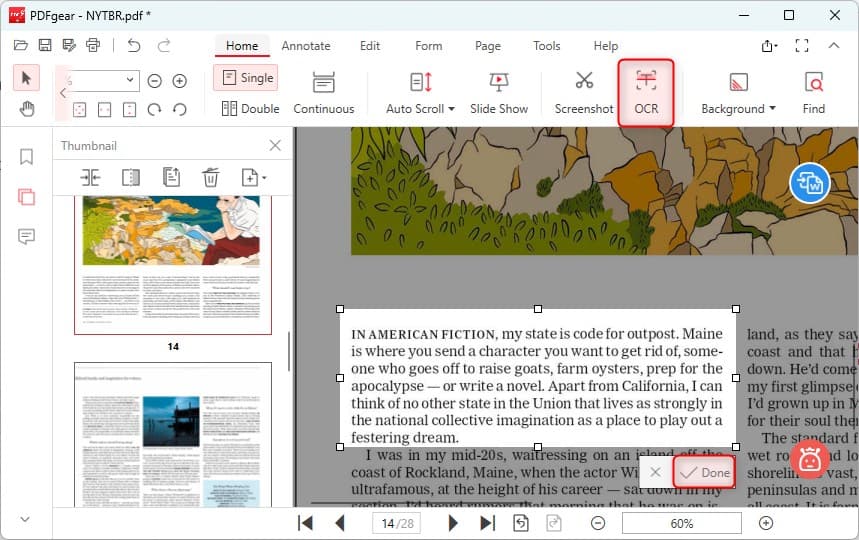
OCR is an important feature for working on scanned or image-based PDFs. SwifDoo PDF performs strongly with its integrated OCR, which can recognize text in PDFs, turning scanned documents into fully editable and searchable files. It is particularly beneficial for digitizing paperwork or quickly extracting text.
PDFgear provides some OCR functionality, but it is limited and may require specific versions or add-ons for full use. This makes it less practical for users who frequently handle scanned documents or require advanced text-recognition functionality.
4. Document Management
Proper PDF management is necessary for keeping documents organized, stored, and quickly accessible.
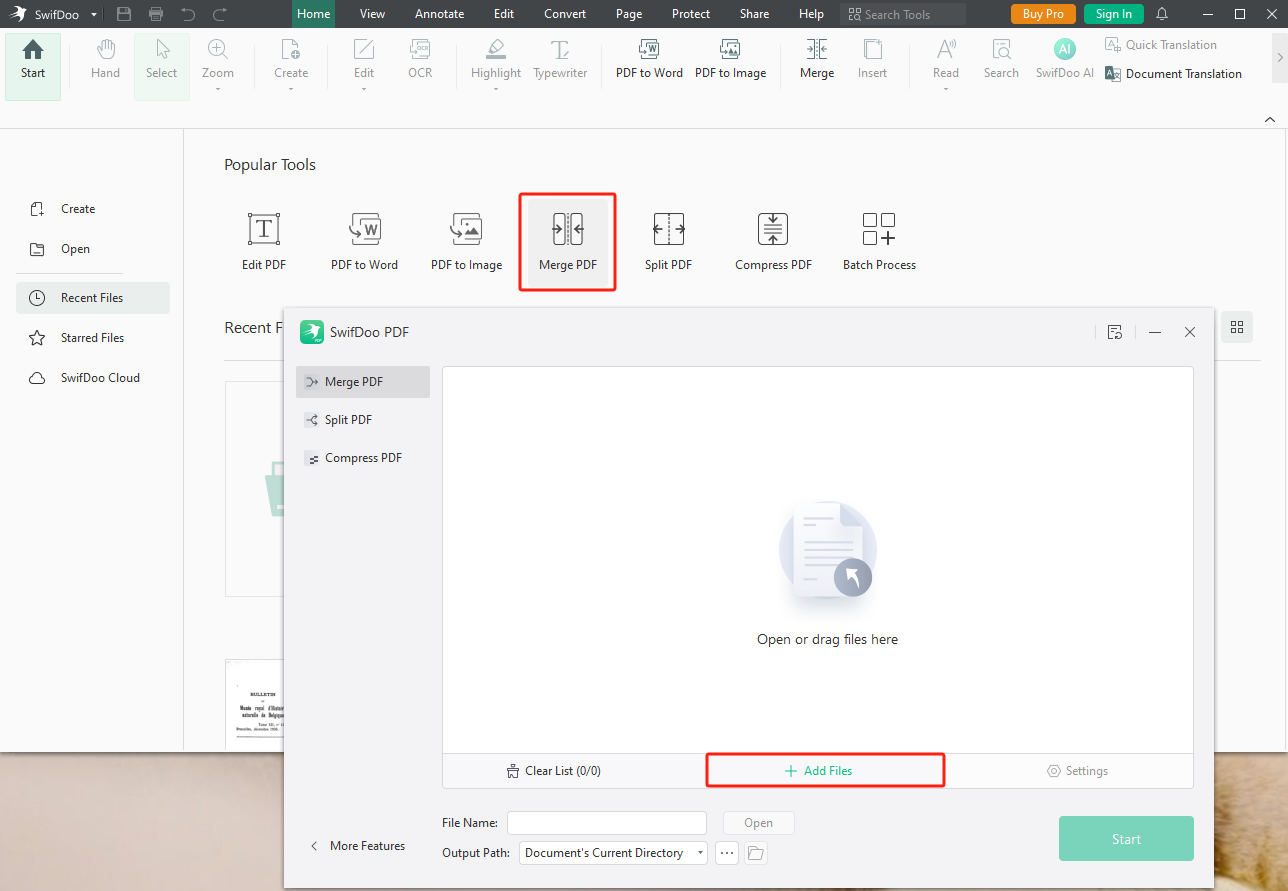
SwifDoo PDF provides versatile tools for merging, splitting, and organizing PDF pages, plus SwifDoo Cloud, which allows you to save, access, and share PDFs across devices effortlessly. It’s great for users who want both local and cloud-based management options.
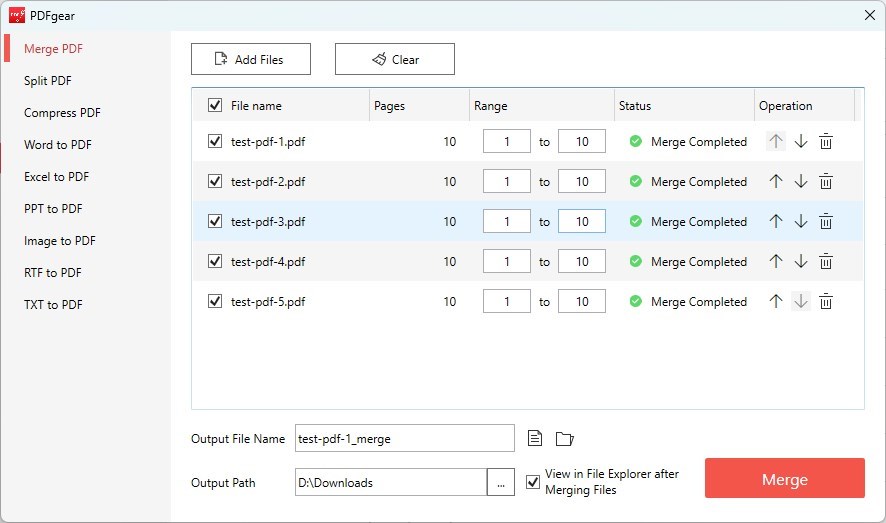
PDFgear, alternatively, centers mainly on local document management to maintain strong privacy protections. Though it supports effective batch processing, merging, and splitting, it lacks any proprietary cloud storage for users. This approach benefits users who like managing PDFs locally and maintaining full control of their files.
5. Password Protection
Security is a critical component of PDF management, especially when managing sensitive documents.
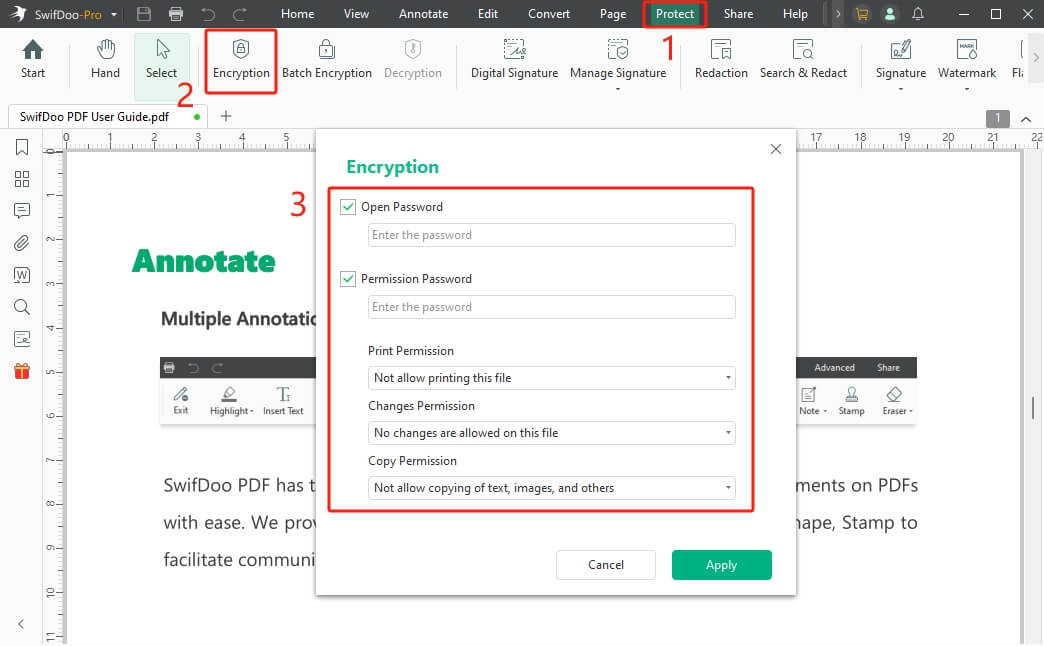
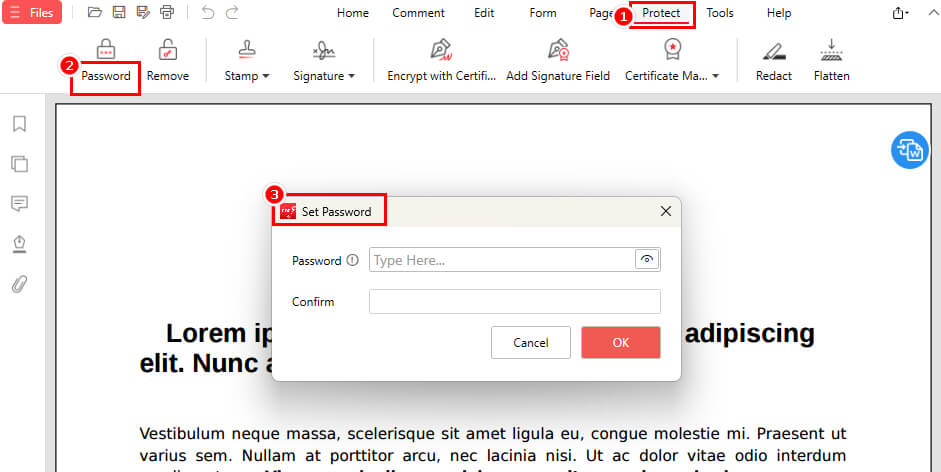
SwifDoo PDF lets you password-protect a PDF, control permissions for editing, printing, or copying, and apply encryption to secure your documents effectively. These features make it ideal for business users or anyone handling sensitive information.
PDFgear includes password protection and encryption options, letting users keep their documents secure locally. While maintaining strong local privacy by processing files on-device, it does not offer the advanced permissions and encryption features that SwifDoo PDF provides, making it ideal for personal or simpler security scenarios.
SwifDoo PDF vs PDFgear: Safety and Trust
Regarding safety and trust, both SwifDoo PDF and PDFgear focus on protecting user data, though they use different approaches. SwifDoo PDF combines on-device file handling with SwifDoo Cloud, enabling encrypted storage and safe cross-device sharing. It provides consistent updates and reliable customer support, guaranteeing stability and trustworthiness for professional users.
PDFgear, on the other hand, emphasizes privacy by processing files locally on your device rather than relying on proprietary cloud storage. This method reduces online exposure of sensitive documents, appealing to users who prefer offline security. Both tools have global user trust, but your selection depends on whether you want cloud convenience or local control.
SwifDoo PDF vs PDFgear: User Experience and Interface
When looking at user experience and interface, both SwifDoo PDF and PDFgear focus on usability, though each is tailored to different types of users. SwifDoo PDF provides a clean, professional interface with easy-to-navigate menus and clearly labeled toolbars. This ensures quick access to advanced tools like OCR, batch processing, and SwifDoo Cloud integration.
PDFgear values simplicity with a smooth, intuitive, and user-friendly layout. Clear menus and tools make features like editing, merging, and the AI assistant easy and fast to access.
In a nutshell, SwifDoo PDF leans toward a feature-rich, professional experience. And PDFgear focuses on a simple, approachable interface that allows users to complete tasks quickly and efficiently.
Conclusion: Which One Should You Download?
We’ve concluded our SwifDoo PDF vs PDFgear comparison, in the hopes that you have gained insights into both tools. SwifDoo PDF offers advanced features like OCR, text editing, batch processing, strong encryption, and a ChatGPT-powered AI assistant, with cloud access for professionals.
In contrast, PDFgear works well for casual or privacy-oriented PDF tasks. Ultimately, depending on your PDF needs and workflow, you can choose the tool that best fits your requirements.