If you don't have a PDF editor yet, you might as well download SwifDoo PDF. This tool is regarded as one of the best PDF editors for Windows. After you complete the conversion, you can use this tool to correct errors, highlight text, and even add comments.
About SRT and PDF
What is an SRT File?
An SRT (SubRip Subtitle) file is a simple text document that holds video subtitles. It contains the exact words people say in the video. It also has exact start and stop times, which are called timestamps. These times tell the computer exactly when to show the words on the screen so they match the video perfectly.
What is a PDF?
A PDF (Portable Document Format) is like a digital photograph of a piece of paper. When you create a PDF, it locks the text and images in place. This means the file will look exactly the same on every single computer, tablet, or mobile phone.
When you open an SRT file in Notepad, it looks very messy. It is full of numbers, arrows, and confusing computer code. On the other hand, PDFs are clean, professional, and very easy for anyone to read.
Why Convert SRT to PDF?
Should you convert SRT to PDF file? If you are unsure, then you can refer to the following reasons. There are many good reasons to turn your messy subtitle files into clean, locked documents.
✅ Simple Printing: You cannot easily print an SRT file because the layout looks terrible on paper. PDFs are designed perfectly to fit on standard printer paper.
✅ Universal Sharing: Not everyone has video editing software to open subtitle files. But everyone can easily open a PDF in a browser or a free PDF reader.
How to Convert SRT to PDF for Free
In fact, you do not need to download any heavy PDF converter to fix your subtitle files. You can simply convert SRT to PDF online. There are many great websites that handle the complicated coding automatically.
Tool 1. Ebby.co
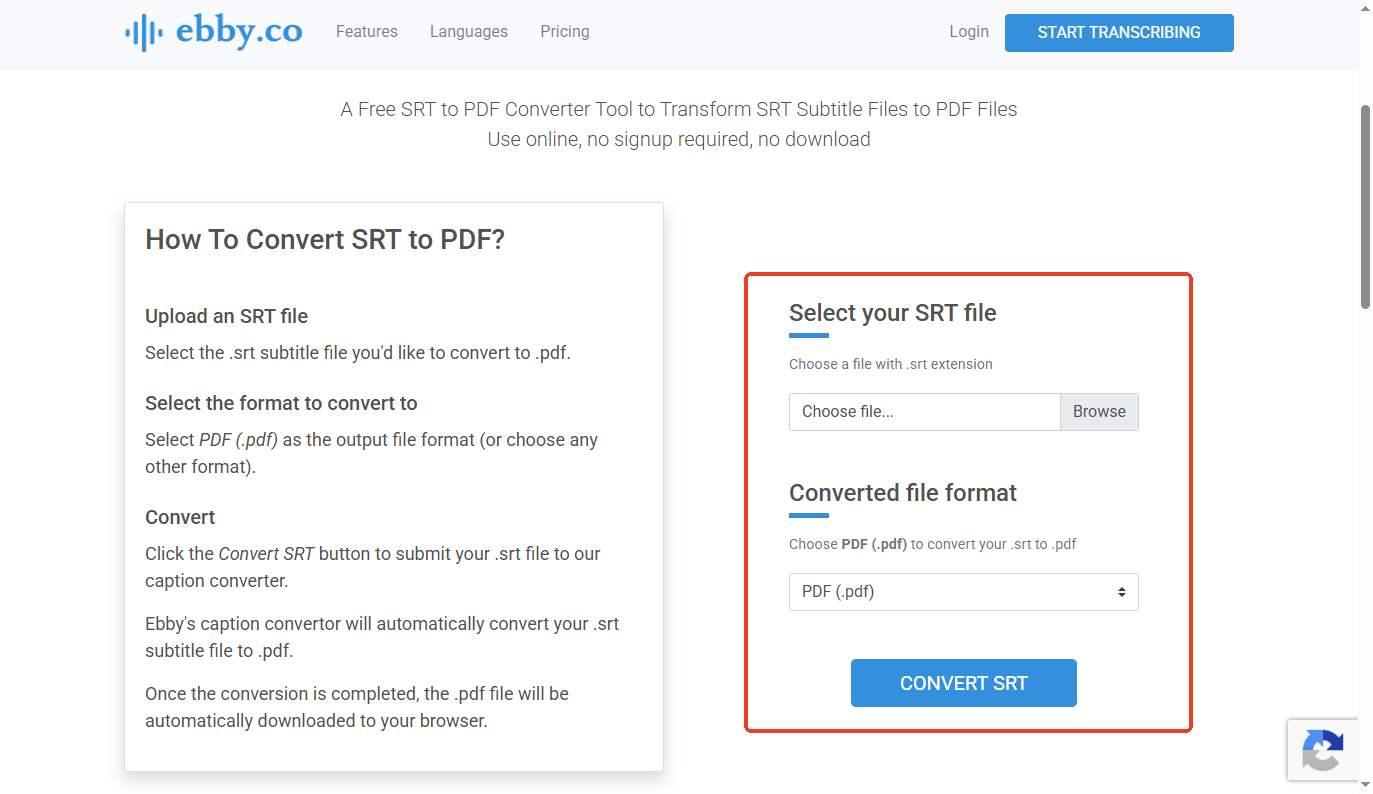
Ebby.co (https://ebby.co/subtitle-tools/converter/srt-to-pdf) is a very clean, fast website for subtitle-to-PDF conversion. This tool doesn't require registration and is very convenient.
Here are the steps:
- Visit the Ebby.co converter webpage in your browser.
- Click the Browse button and choose the SRT file from your computer.
- Choose the PDF (.pdf) option under Converted file format.
- Click the CONVERT SRT button, and Ebby will convert the SRT and download the PDF to your computer.
Tool 2. Happy Scribe
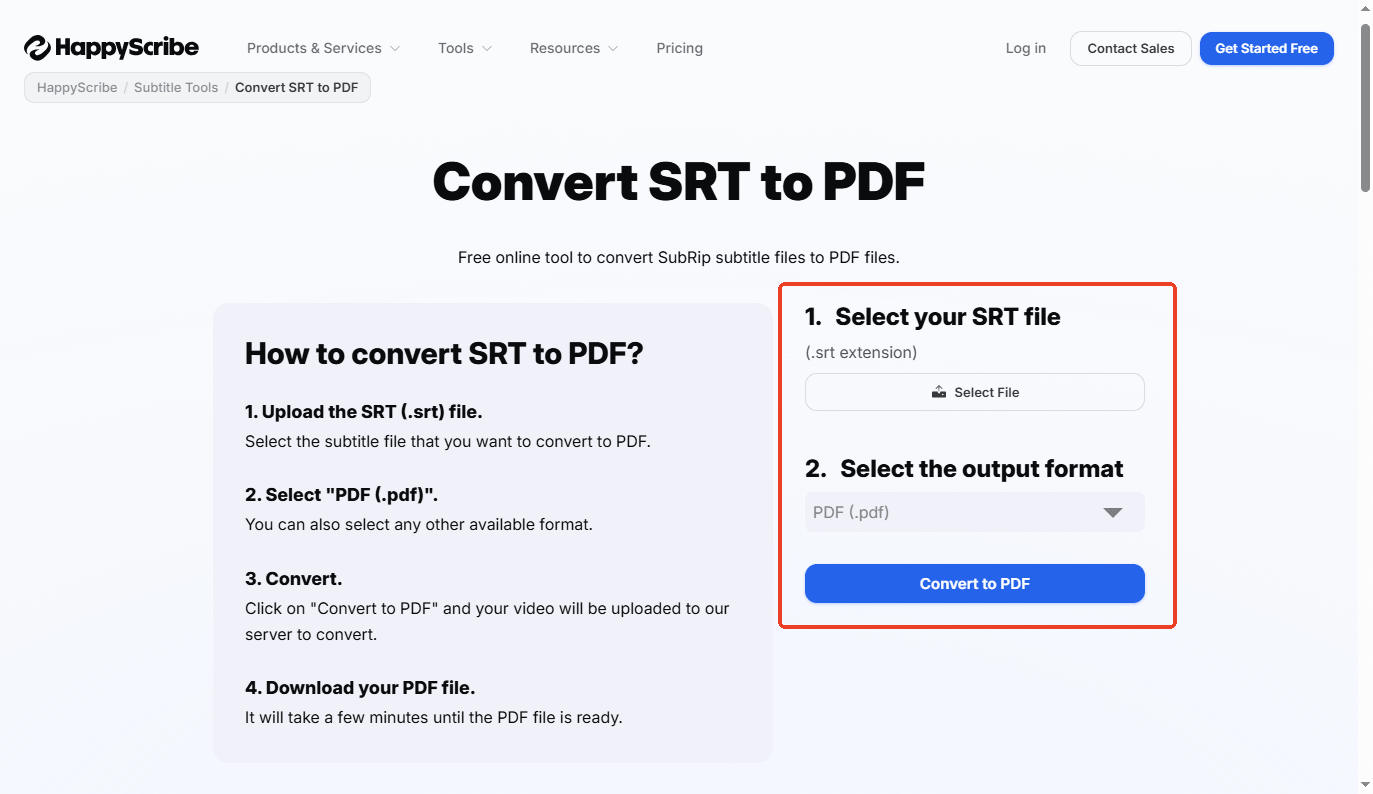
Happy Scribe (https://www.happyscribe.com/tools/convert-srt-to-pdf) is a highly popular and trusted professional transcription service. They offer a wonderful free converter tool that supports multiple languages.
- Open the browser and go to the Happy Scribe SRT to PDF tool.
- Click Select File to choose your SRT file.
- Select PDF as the format from the drop-down menu.
- Click Convert to PDF and save the new document to your computer.
Tool 3. Subtitle Tools
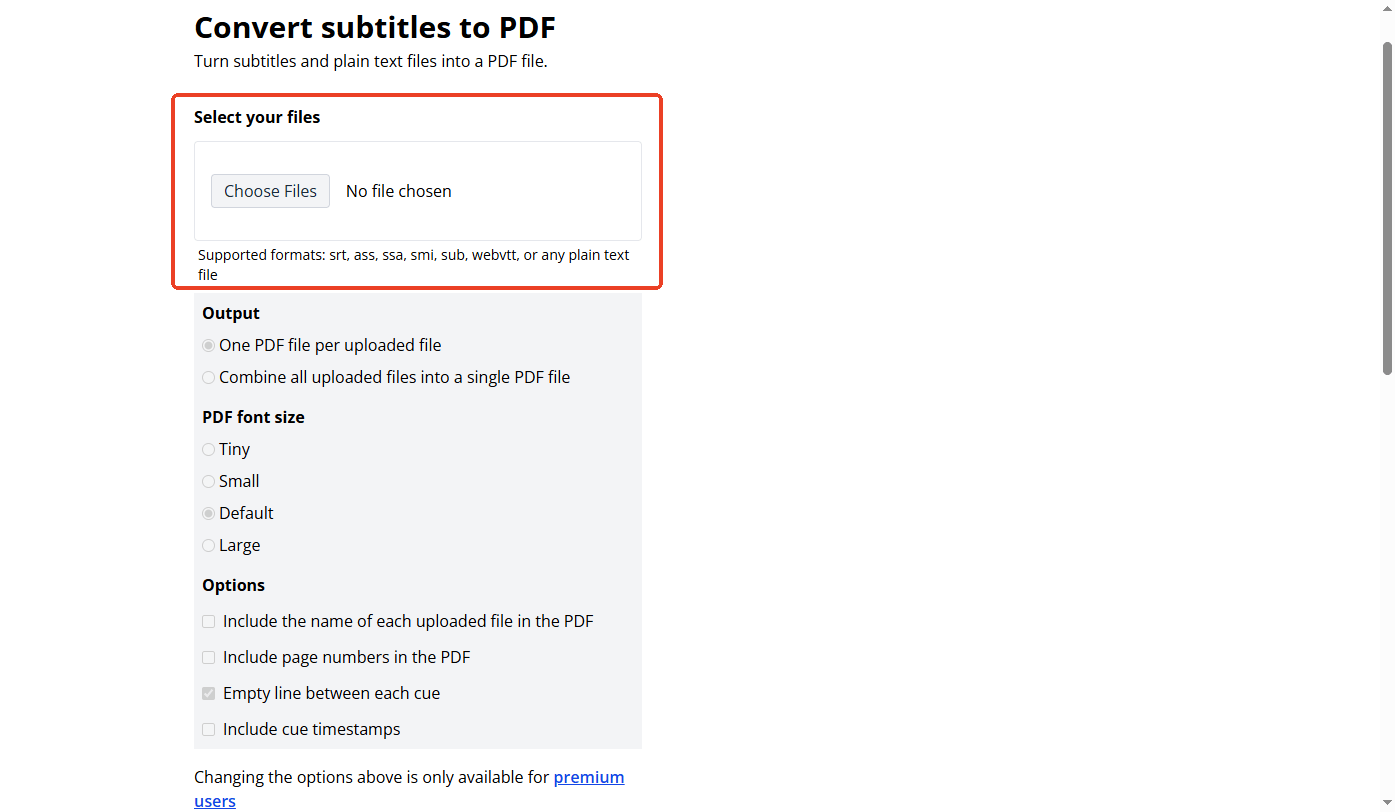
Subtitle Tools (https://subtitletools.com/convert-subtitles-to-pdf) is a website built to easily handle, fix, and convert subtitle files. In addition to SRT, it supports ASS, SSA, SMI, and any plain-text file.
How to use this tool:
- Open the Subtitle Tools website.
- Click the Choose Files button to securely upload your SRT document.
- Subtitle Tools offers options to adjust the output, font size, and more. However, it is available only to premium users.
- Click the blue Convert to PDF button.
- Wait a few seconds for the website server to process your text, and then click Download.
Bonus Tip: How to Edit, Annotate, Split PDFs
After you convert SRT to PDF, you might realize you made a mistake. Maybe you need to fix a spelling error or highlight a very important quote for your team.
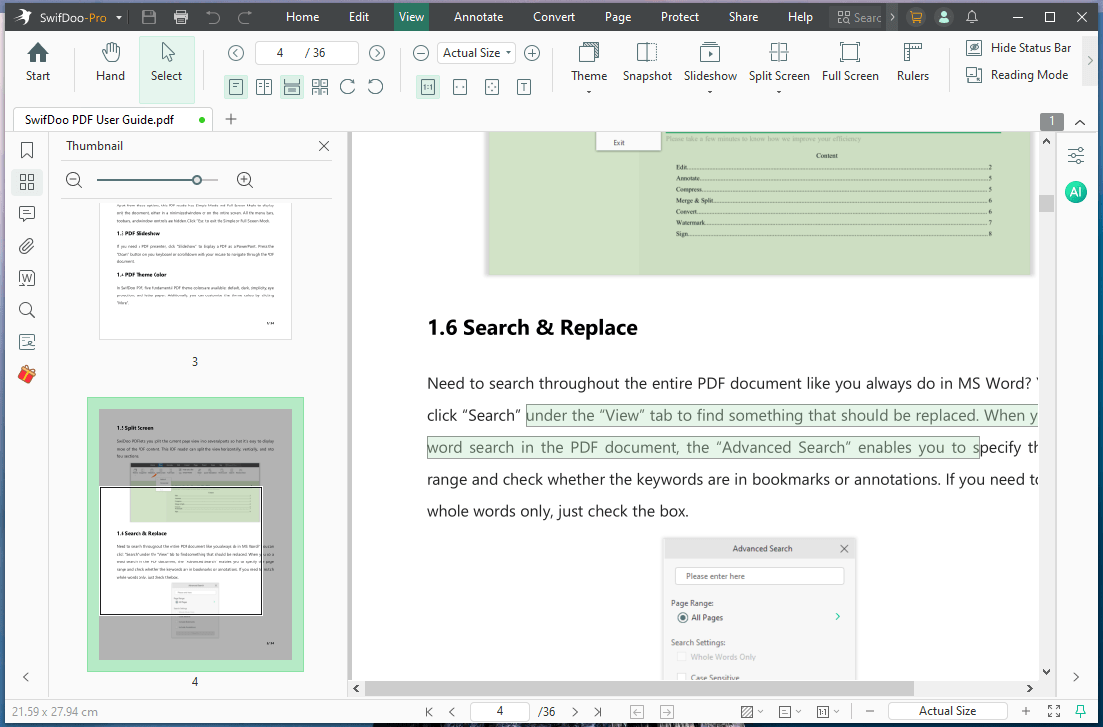
To manage your newly created documents, you can use SwifDoo PDF, a comprehensive PDF editor that gives you total control over your digital paperwork.
Key Features of SwifDoo PDF:
✅ Annotation: You can add colorful highlights, sticky notes, and even use your mouse to freely draw on a PDF.
✅ Page Organizing: You can easily split a very long movie script into separate, smaller chapters. You can merge different transcripts together or safely delete pages from the PDF to make the file smaller.
✅ Universal Converter: In addition to PDF editing, it can easily convert your Microsoft Office documents (such as Word and Excel), Images, CAD files, EPUB books, HTML web pages, and plain text into professional PDFs.
In short, SwifDoo PDF is a powerful tool that meets all your needs. Download and try SwifDoo PDF to make your work simpler!
Conclusion
That's all about how to convert SRT to PDF. Turning messy video code into a clean, readable document is incredibly fast and completely free. By using the simple online tools mentioned above, you can fix your files in seconds. Remember to pair these web tools with a powerful desktop editor like SwifDoo PDF to guarantee your work looks absolutely perfect before you print or share it.