Can We Convert PDF to JSON File?
Yes, specialized tools can convert PDF information into JSON for easier use. This makes the information easier to use in applications and data processing. When the PDF is a scanned file, OCR must be used first to recognize the text. For detailed instructions, see the Bonus Tip section on how to OCR PDFs.Or, you can click the button below to get the OCR tool.
Way 1. Convert PDF to JSON Online: ComPDF
ComPDF is a web-based platform that makes document conversion quick and simple. With this tool, users can convert PDF to JSON online for free, simplifying how applications and systems use document data.
It produces organized JSON results suitable for development and analytical tasks. The tool supports multiple PDF formats, including text PDFs, scanned files, tables, and forms. The following guide shows how to convert PDFs to JSON online with ComPDF.
Step 1: Open ComPDF in your web browser. Move to the PDF to JSON conversion page.
Step 2: From the main screen, choose “Select your file” to upload the PDF for JSON conversion.
Step 3: Then, click Convert.
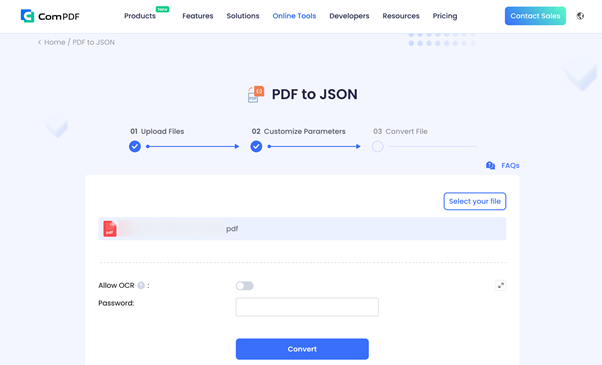
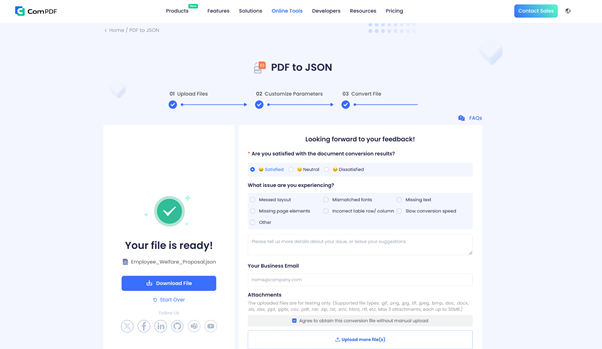
Step 4: Once done, click Download file to download your PDF to your local storage.
Way 2. Use AI to Convert PDF to JSON: FormX.ai
FormX.ai is a cutting-edge AI platform that processes documents and turns their information into usable data. It lets users convert PDF to a JSON file for free by automatically detecting text fields, tables, and numbers.
Using advanced AI, the tool accurately processes invoices, receipts, and other business documents. It quickly produces JSON data for use in apps, databases, and workflows. Bulk processing helps users manage and convert multiple PDFs with ease. Hence, it proves to be a useful resource for both developers and businesses.
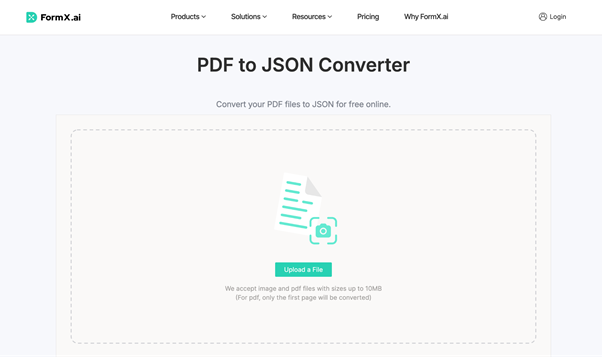
Step 1: Visit FormX.ai in a browser and start the PDF to JSON converter immediately.
Step 2: Click “Upload a File” on the home screen to upload the PDF you wish to convert into JSON. FormX.ai automatically converts your PDF content to JSON.
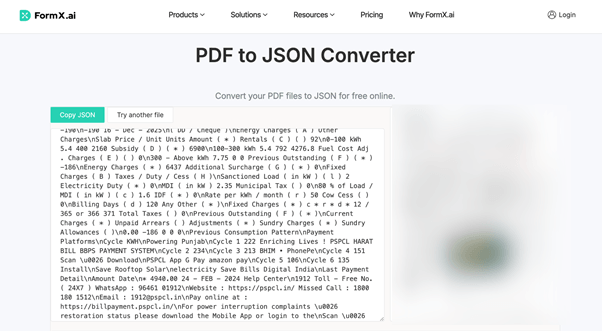
Step 3. Press Copy JSON to copy the result, then paste it wherever needed.
Bonus Tip for Converting Scanned PDF to JSON
Although ComPDF and FormX.ai work well, many online tools and AI converters struggle with scanned PDFs rather than text-based files. For PDFs containing only images of text, the tool can’t extract the content directly. First, run OCR to convert the image text into an editable form. To get this done, rely on effective OCR software such as SwifDoo PDF.
SwifDoo PDF is a versatile PDF solution with powerful tools for managing, editing, and converting documents effortlessly. Using OCR, scanned or image-based PDFs can be rapidly converted into searchable and editable files. With the batch OCR PDF feature, you can process multiple PDFs at once without losing layout or precision, making it ideal for high-volume document workflows.
Let's see how to use SwifDoo PDF to OCR PDF.
Step 1: Download and install SwifDoo PDF on your computer.
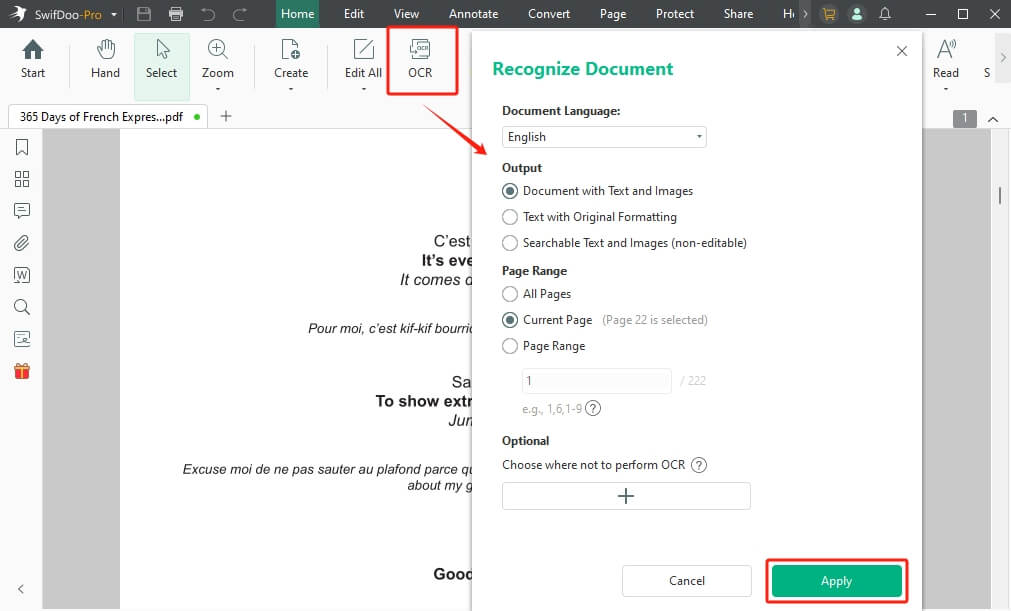
Step 2: Launch the program, then click OCR in the Edit tab.
Step 3: In the Recognize Document window, adjust the settings as needed.
Step 4: Next, specify the page range to perform OCR. After preparing, select OK to run OCR on your PDF.
In this way, you will get a normal PDF and convert it to a JSON file without a problem.
Note:
SwifDoo PDF is more than just a PDF viewer — it’s recognized as one of the best PDF editor tools. It provides editing, conversion, compression, annotation, and PDF protection, making it a full solution for efficient document management. Try it if you often need to handle a PDF document!
Conclusion
Turning document data into structured formats simplifies processing and integration. Becoming proficient in converting PDFs to JSON enables PDF content to be used more efficiently in applications and databases. This article outlined two straightforward approaches to convert PDF to JSON efficiently. Go with the method that works for you and turn your PDF data into a more practical, usable format now.