1. The Professional Way to Convert a Hindi Word Document to PDF: SwifDoo PDF
Best For: Professionals and students who need 100% perfect Hindi text and need to handle many files at once.
If you have many files or very important documents, you need a professional tool, and SwifDoo PDF is a good choice. It is a powerful program that handles Hindi fonts much better than standard online websites.
Many people choose SwifDoo because it can convert Word to PDF without losing formatting. This means your Hindi text will look exactly the same in the PDF as it did in your Word file.
Key Features of SwifDoo PDF:
✅ Font Accuracy: It reads complex Hindi characters well, so they do not turn into "garbage" text.
✅ Editing and Translation: SwifDoo is also a full PDF editor for Windows and Mac. You can use it later to change the text in your PDF.
Simple steps to convert your file using SwifDoo PDF:
- Download and open SwifDoo PDF on your computer.
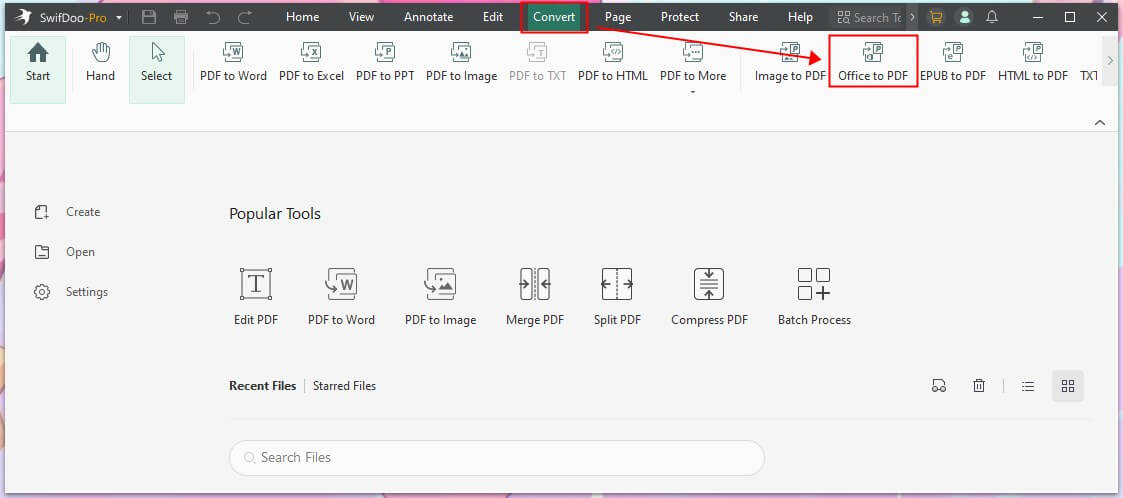
- Click on the Office to PDF button from the home page.
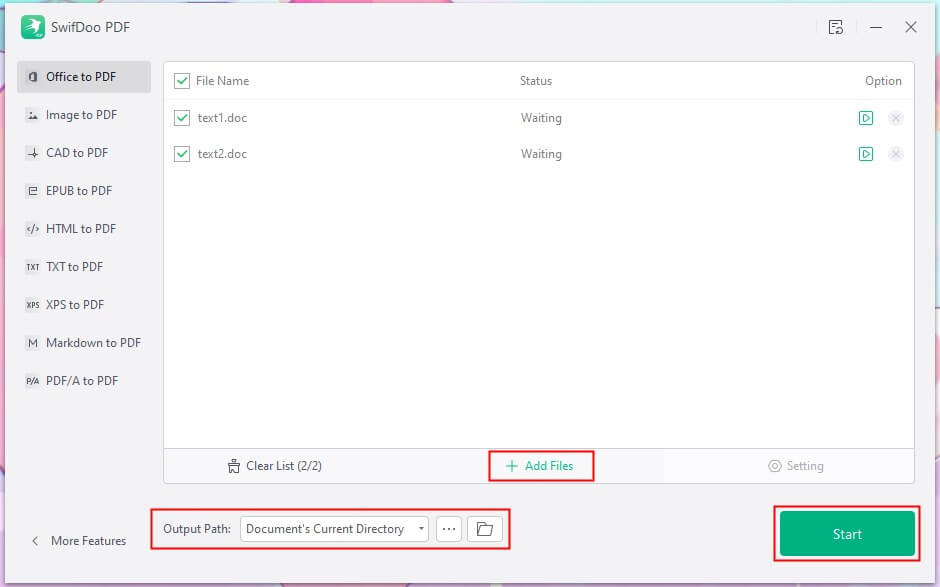
- Then, click Add Files to browse your computer and select all the documents you want to convert to PDF. You can also drag them into the box.
- Confirm the format and select an output path.
- Click Start and wait a few seconds.
If you have a document in Hindi but need to read it in English, SwifDoo can help you too. It can translate entire PDF pages or translate the selected text while reading.
Moreover, with the SwifDoo AI assistant, you can easily get information from a long document. Just enter the question, and you will get the answer quickly.
If you often handle PDF files, SwifDoo PDF will significantly enhance your efficiency. Give it a try!
2. How to Convert a Hindi Font Word File to PDF with Microsoft Word
Best For: People who only have one simple document and already have Microsoft Word installed.
If you already have Microsoft Word on your computer, you can use it to save your file as a PDF. This is a quick way to convert a Hindi font Word file to PDF without downloading new software.
The Steps:
- Open your Hindi document in Microsoft Word.
- Click on the File menu at the top left.
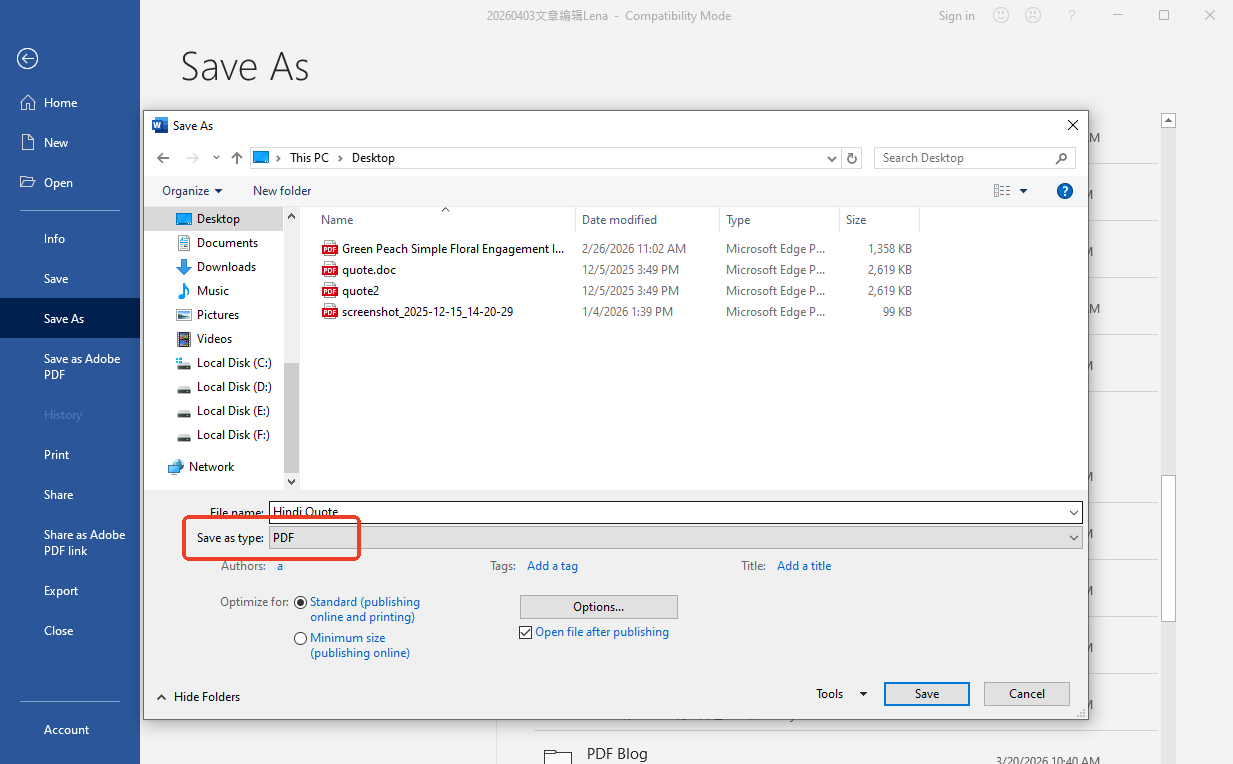
- Click Save As and choose where you want to save the file.
- In the Save as type box, click the little arrow and select PDF.
- Click Save to start the process.
3. Convert Hindi Word File to PDF Online for Free (iLovePDF)
Best For: Casual users who are in a rush and using a mobile phone or a public computer.
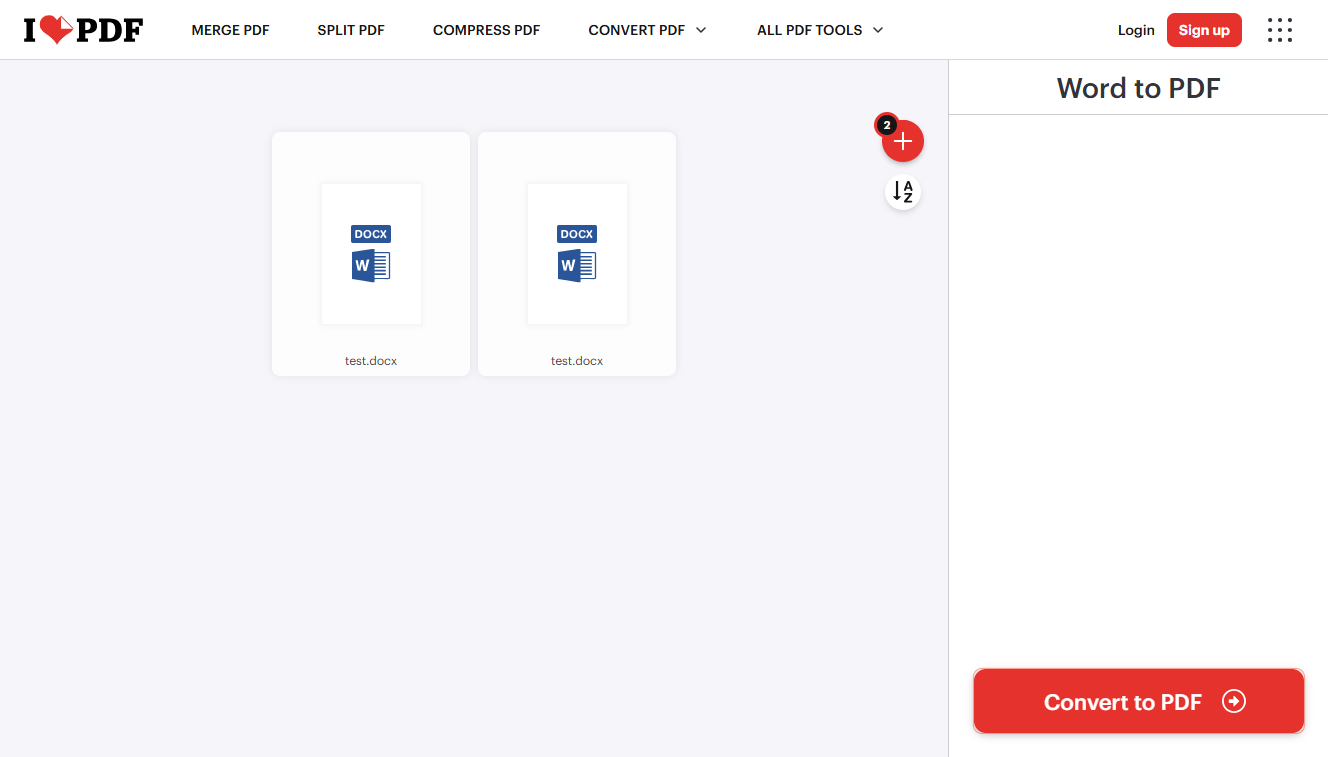
If you are using a phone or a library computer, you might not be able to install software. In this case, you can convert a Hindi Word file to PDF online for free using a website like iLovePDF. This tool is extremely easy to use and has no advertisements or registration requirements.
The Steps:
- Open your internet browser and go to the iLovePDF Word to PDF page. (https://www.ilovepdf.com/word_to_pdf)
- Click the big button to upload your Hindi file from your phone or computer.
- Click the Convert to PDF button.
- Wait for the website to finish, then click Download PDF.
Be careful when you convert a Hindi Word document to PDF online. If your document contains private information, such as bank details or your home address, it is safer to use a desktop program like SwifDoo PDF rather than a website.
In fact, SwifDoo PDF has a mobile app. If needed, you can install it from the App Store/Google Play Store.
Conclusion
As you can see, there are many ways to convert a Hindi Word document to PDF. If you have only one file, Microsoft Word is a great built-in option. If you are on the go, online tools are very fast.
However, for the best results, SwifDoo PDF is the winner. It helps you convert a Hindi font Word file to PDF while keeping your text perfect, and it even helps you translate or edit your work later!