A Quick Overview of Copilot vs Gemini
Both Copilot and Gemini are good AI assistants that offer advanced conversational AI, multimodal capabilities, document assistance, and integrations with popular productivity tools. Which should you choose? If you are short on time, you can refer to the quick comparison table below and make a choice:
|
Feature |
Microsoft Copilot |
Google Gemini |
|
Developer |
Microsoft |
|
|
AI Models |
GPT-powered models with Microsoft AI enhancements |
Gemini models |
|
Best Ecosystem |
Microsoft 365, Windows |
Google Workspace, Android |
|
Writing Assistance |
Excellent |
Excellent |
|
Coding Support |
Excellent |
Excellent |
|
Research |
Strong web search and document analysis |
Excellent Google Search integration |
|
Image Generation |
Yes |
Yes |
|
File Analysis |
Yes |
Yes |
|
Multimodal Support |
Yes |
Yes |
|
Mobile App |
Yes |
Yes |
|
Best For |
Microsoft users, businesses, and Office productivity |
Google users, researchers, and students |
If you need to analyze PDFs, you can try a dedicated PDF tool. SwifDoo PDF is a good AI-powered PDF editor. Its SwifDoo AI lets you analyze, summarize, proofread, explain, rewrite, translate, and chat with PDFs. What’s more, it allows you to edit, annotate, organize, protect, and print PDFs effectively. If you need to handle PDFs regularly, you can try it out. What’s more, you can use it to fill out and sign PDFs.
What Is Microsoft Copilot
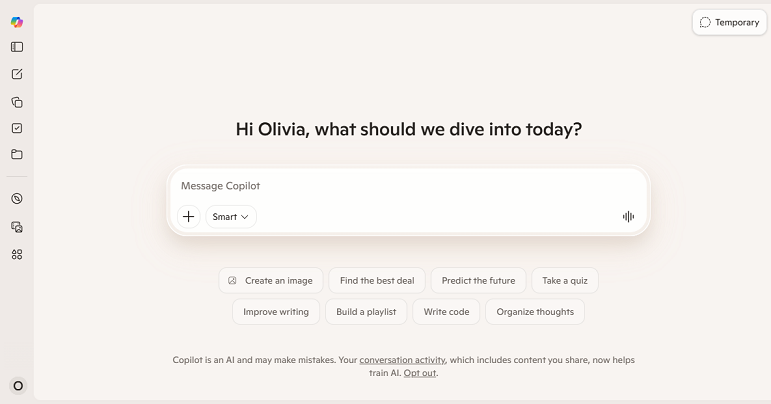
Copilot is Microsoft’s AI-powered assistant designed to enhance productivity across Windows devices, Microsoft 365 applications, and enterprise environments. Additionally, it can help you generate content, summarize information, and handle other tasks when you are working in Word, PowerPoint, Excel, or Outlook.
Key Features of Microsoft Copilot:
- AI-powered writing and editing for Word documents
- Automatic PowerPoint presentation creation
- Excel formula generation and data analysis
- Email drafting and summarization in Outlook
- Make meeting summaries and action items in Teams
- Integrated assistance within Windows
- Web search and conversational AI
- Image generation from text prompts
- File analysis and document summarization
What Is Google Gemini
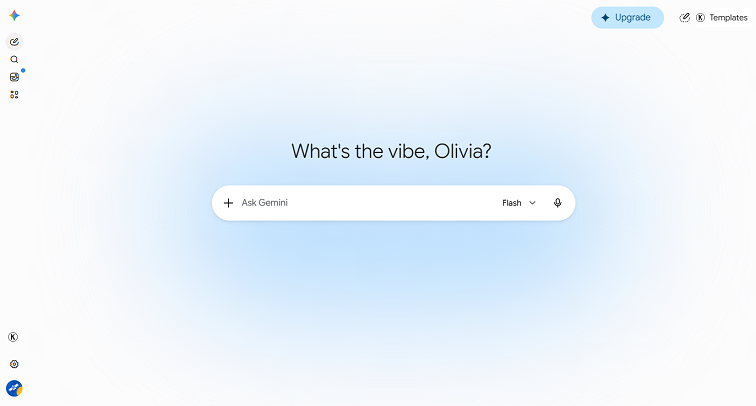
Google Gemini is Google’s next-generation AI assistant built to enhance productivity and creativity across Google’s ecosystem. It is available through the Gemini app and integrates with many Google services, including Gmail, Docs, Sheets, Slides, Drive, Chrome, and Android. Moreover, Gemini combines advanced language understanding with multimodal capabilities, allowing you to work with text, images, files, and other types of content in a single conversation.
Key Features of Google Gemini:
- AI-powered writing and editing
- Provide research assistance with Google Search integration
- Summarizing documents and web pages
- Performing brainstorms
- Coding assistance in multiple programming languages
- Generate images and support multimodal conversations
- File analysis and document understanding
- Google Workspace integration
- Cross-device support on Android and the web
Copilot vs Gemini: Side-by-Side Feature Comparison
Although Copilot and Gemini share many core AI capabilities, they differ in how they handle coding, reasoning, writing, research, and productivity. In this section, let’s explore the main difference between them.
Gemini vs Copilot for AI Model and Reasoning
Nowadays, AI assistants are expected to do more than answer simple questions. They should understand context, follow complex instructions, solve problems, and maintain coherent conversations. Those results depend on the AI model and reasoning abilities. Is Gemini better than Copilot in reasoning? Let’s start the discussion.
Copilot uses advanced GPT-powered models along with Microsoft’s AI technologies. It is quite useful when handling business-oriented tasks, such as:
- Summarize long documents or reports
- Explain technical concepts
- Analyze spreadsheets
- Draft structured documents
On the other hand, Gemini is built on Google’s family of Gemini models, which are designed for multimodal reasoning across text, images, audio, and files. It performs well at:
- Understanding complex questions
- Performing brainstorms
- Explaining difficult concepts
- Handling long conversations
Winner: Tie
Both of them offer strong reasoning capabilities for daily tasks. Copilot may be the better choice if your work revolves around Microsoft documents and workflows. On the other hand, if you often use Google services, Gemini has the edge.
Gemini vs Copilot for Writing
Both Gemini and Copilot offer writing features, such as drafting emails and creating blog posts. Here, let’s learn their differences in writing.
Copilot is especially excellent inside Microsoft Word and Outlook. It can help you:
- Draft professional emails
- Rewrite paragraphs
- Adjust writing tone
- Generate reports
- Create meeting summaries
- Produce business proposals
Gemini integrates with Google Docs, allowing you to draft and refine documents without switching applications. Meanwhile, it also performs well for writing tasks, which can generate:
- Blog articles
- Marketing copy
- Social media content
- Emails
- Study notes
- Summaries
- Creative writing
Winner: Tie
Copilot vs Gemini for Coding
Copilot and Gemini are excellent for coding. Which one is better? Microsoft has a long history of AI-assistant coding, and Copilot performs well in programming tasks. If you have invested in Microsoft’s development tools, you would prefer Copilot’s tighter integration and productivity features. In addition, its integration with Microsoft's developer ecosystem makes it especially attractive for Visual Studio users.
Meanwhile, Gemini works across common programming languages and is particularly useful for developers who frequently switch between coding and online research.
Winner: A slight advantage to Microsoft Copilot
Copilot vs Gemini for Productivity and Office Integration
This is where the biggest difference between Microsoft Copilot vs Google Gemini becomes apparent.
Microsoft Copilot integrates directly with:
- Microsoft Word
- Excel
- PowerPoint
- Outlook
- Teams
- OneNote
- Windows
While Google Gemini integrates with:
- Gmail
- Google Docs
- Google Sheets
- Google Slides
- Google Drive
- Google Meet
- Chrome
- Android
Winner: Depends on your ecosystem
Neither AI assistant is objectively better. The final choice depends entirely on where you work.
- If you use Microsoft 365, Copilot is the obvious choice.
- If you rely on Google Workspace, Gemini provides a smoother experience.
Gemini vs Copilot for Search and Research
When it comes to research, Gemini has the edge, which benefits from Google’s extensive search infrastructure. It excels at finding recent information, summarizing search results, exploring unfamiliar topics, and supporting academic and professional research. What’s more, its integration with Google Search often makes the research experience feel more seamless.
Though Copilot also allows you to search for information, it is not as professional as Gemini. Compared to Gemini, Copilot works well for general knowledge, business research, technical documentation, and productivity questions.
Winner: Google Gemini
Copilot vs Gemini Pricing
Both Microsoft Copilot and Google Gemini offer free versions. Also, their premium plans offer more advanced AI models, higher usage limits, and deeper integration with productivity tools. Below is a pricing table of Gemini vs Copilot.
|
Feature |
Microsoft Copilot |
Google Gemini |
|
Free Plan |
Yes |
Yes |
|
Premium Plan |
Copilot Pro |
Google AI Pro (includes Gemini Advanced) |
|
Business Plans |
Microsoft 365 Copilot for organizations |
Google Workspace with Gemini |
|
Best Ecosystem |
Microsoft 365 |
Google Workspace |
|
Advanced AI Features |
Premium |
Premium |
Copilot vs Gemini: Pros and Cons
Here, I also prepare the pros and cons of both AI assistants to help you make the decision. Here, let’s have a look:
Pros and Cons of Copilot
Pros:
- Deep integration with Microsoft 365 applications
- Excellent productivity features for business users
- Strong writing and document generation capabilities
- Powerful Excel and PowerPoint assistance
- Helpful coding support
- Works seamlessly with Windows
Cons:
- The best experience often requires a Microsoft subscription
- Some enterprise features are unavailable in the free version
- Less beneficial if you primarily use Google services
Pros and Cons of Gemini
Pros:
- Excellent integration with Google Workspace
- Strong research capabilities powered by Google Search
- Great for brainstorming and content creation
- Effective multimodal AI experience
- Smooth experience across Android and Chrome
- Easy collaboration within Google apps
Cons:
- Advanced features require a paid subscription
- The best experience is tied to Google's ecosystem
Copilot vs Gemini: Which One Should You Choose
From all the content above, we know that there is no single winner since different users have different priorities. You can refer to the table below to select the appropriate choice based on the practical usage.
|
User Type |
Recommended AI |
Why? |
|
Students |
Google Gemini |
Excellent research, note-taking, and Google Docs integration |
|
Office workers |
Microsoft Copilot |
Built for Microsoft 365 productivity |
|
Microsoft 365 users |
Microsoft Copilot |
Native integration with Office apps |
|
Google Workspace users |
Google Gemini |
Seamless experience across Google services |
|
Developers |
Microsoft Copilot (slight edge) |
Strong coding assistance and Microsoft developer ecosystem |
|
Writers |
Tie |
Both generate high-quality content and revisions |
|
Researchers |
Google Gemini |
Better web-grounded research experience |
|
Business teams |
Microsoft Copilot |
Enterprise productivity and collaboration features |
|
Casual users |
Either |
Both free versions are powerful for everyday tasks |
Final Verdict
Both Copilot and Gemini are among the most capable tools available today. Which one is the better choice? Generally, the final choice should be based on your practical needs. In this article, I offer a side-by-side comparison of Copilot vs Gemini and provide the corresponding use cases for each tool. After reading this article, try their free versions and see which one fits more naturally into your daily workflow. Hopefully, this article can help you make the right choice.