


Quick Overview: Best PDF to MIDI Converters at a Glance
*Prices are approximate and may vary. Check each tool's official website for current pricing.
|
Converter |
Platform |
Price* |
Best For |
|
MuseScore |
Windows, Mac, Linux |
Free |
All-purpose, free conversion |
|
Audiveris |
Windows, Mac, Linux |
Free (Open Source) |
AI-powered recognition |
|
PlayScore 2 |
iOS, Android |
Free / Subscription |
Mobile scanning & conversion |
|
ScanScore |
Windows, Mac |
Paid |
Complex score digitization |
|
SharpEye |
Windows |
Paid |
High-accuracy OMR |
|
ACE Studio |
Windows, Mac |
Free trial / Paid |
PDF → MIDI → AI Vocals |
What is PDF to MIDI Conversion?
MIDI (Musical Instrument Digital Interface) is a standard that lets computers, instruments, and hardware communicate musical data.
Unlike audio files, MIDI doesn't contain sound recordings; it stores instructions: which notes to play, when, how loud, and with what instrument. This makes MIDI files compact and fully editable. You can change tempo, pitch, or individual notes without quality loss.
A standard file converter cannot interpret sheet music because it only reads structural text layout codes. To bridge this gap, modern music notation software uses Optical Music Recognition (OMR) technology. Much like traditional OCR scanner systems read characters from books, OMR scans staves, pitches, clefs, and rhythms from raw sheets to compile data into a PDF to MIDI music tracks.
Musicians frequently need to convert PDF to MIDI file formats. PDF to MIDI conversion involves two stages.
First, Optical Music Recognition (OMR) scans the sheet music and identifies notes, rests, clefs, time signatures, dynamics, and articulations. This is the critical step, and the accuracy depends on both software quality and source PDF clarity.
Second, the recognized musical data is encoded into a MIDI file, ready for digital audio workstations, notation software, or MIDI-compatible instruments.
Not all PDFs can be converted. The PDF must contain actual musical notation. Digitally created PDFs exported from notation software like Finale or Sibelius convert most accurately. Scanned printed scores are more challenging. Handwritten music is the hardest and typically requires significant manual correction. For the best PDF to MIDI music results, start with the cleanest possible source PDF.
Method 1: MuseScore — Best Free PDF to MIDI Converter
MuseScore is the most widely recommended PDF to MIDI free solution. This open-source music notation application includes a built-in OMR engine accessible through its online import service. And it quite excels at converting scanned music to MIDI. For anyone learning how to use MuseScore to convert PDF to MIDI, the process is straightforward and completely free.
Pros: Completely free, feature-rich, supports desktop and mobile, active community and extensive documentation.
Cons: Complex PDFs may require manual correction. OMR quality depends heavily on source PDF clarity.
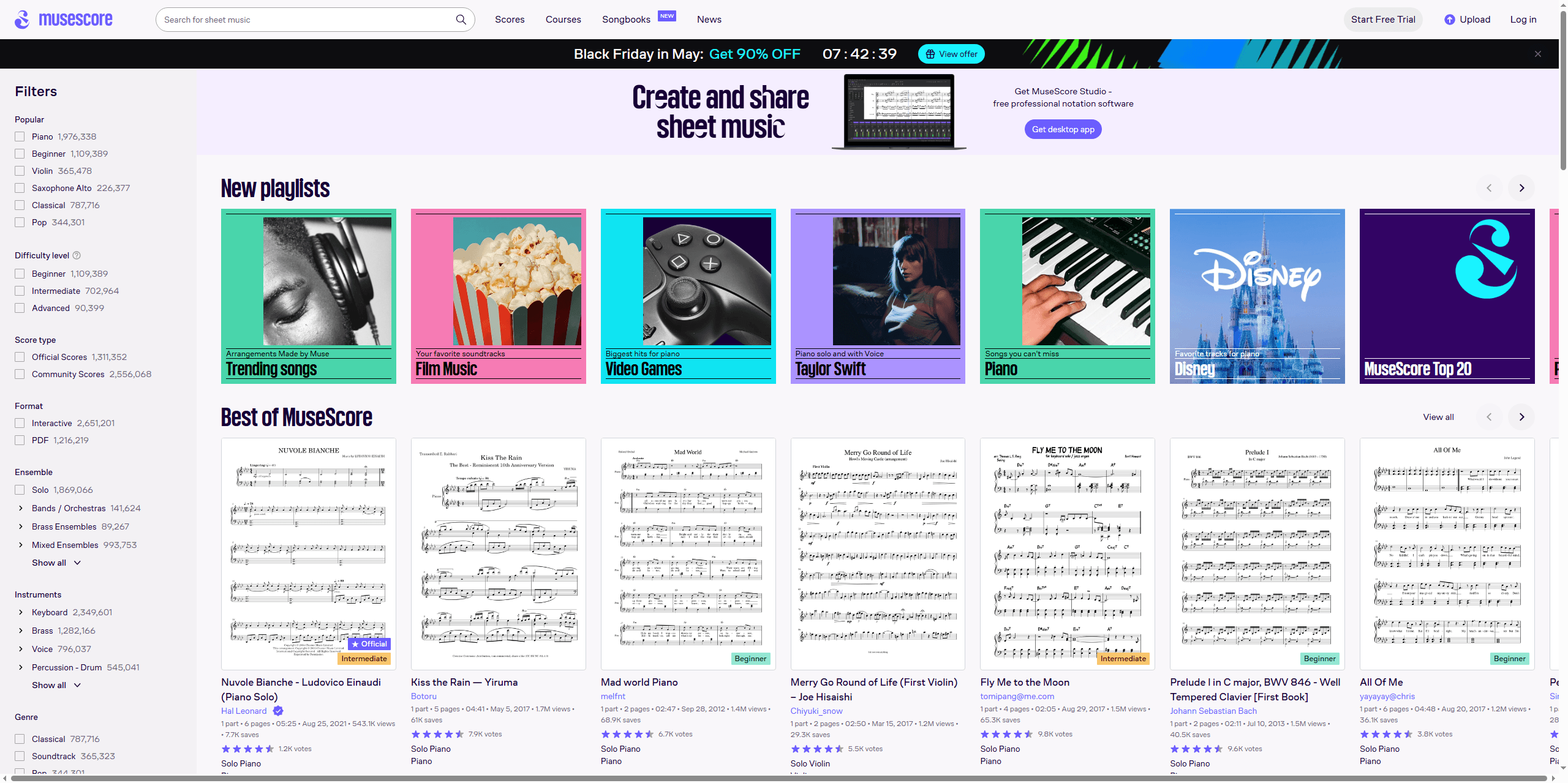
How to Convert PDF to MIDI with MuseScore
Step 1: Download and install MuseScore. Available for Windows, Mac, and Linux.
Step 2: Open MuseScore and go to File > Import PDF. Sign in with a free MuseScore account when prompted.
Step 3: Click Select PDF file and upload your sheet music. MuseScore's OMR service processes the file and generates a MuseScore project file (.mscz).
Step 4: Download the .mscz file and open it in MuseScore. Review the score carefully—check for misaligned notes, incorrect rhythms, missing dynamics, and misinterpreted symbols. Use MuseScore's editing tools to fix any errors before exporting.
Step 5: Go to File > Export, select MIDI as the format, and save the file.
MuseScore is the best starting point for most users seeking PDF to MIDI file free conversion. Digitally generated PDF files are highly accurate, but scanned or handwritten sheet music requires more manual editing, though MuseScore’s comprehensive proofreading tools can still help. Thanks to an active user community and detailed documentation, even beginners can easily resolve issues.
Method 2: Audiveris — Best AI-Powered Open Source OMR Engine
Audiveris is an open-source OMR application that uses machine learning to recognize musical notation. When dealing with older or hand-written staves, running an offline audiveris PDF to MIDI conversion setup gives you absolute precision over individual structural elements; it provides a cost-free option with AI-driven recognition that improves as the underlying models are updated.
Pros: Free and open source, AI-powered recognition improving over time, active development community.
Cons: User interface is less polished than commercial alternatives. Recognition accuracy varies with score complexity. Requires Java installation.
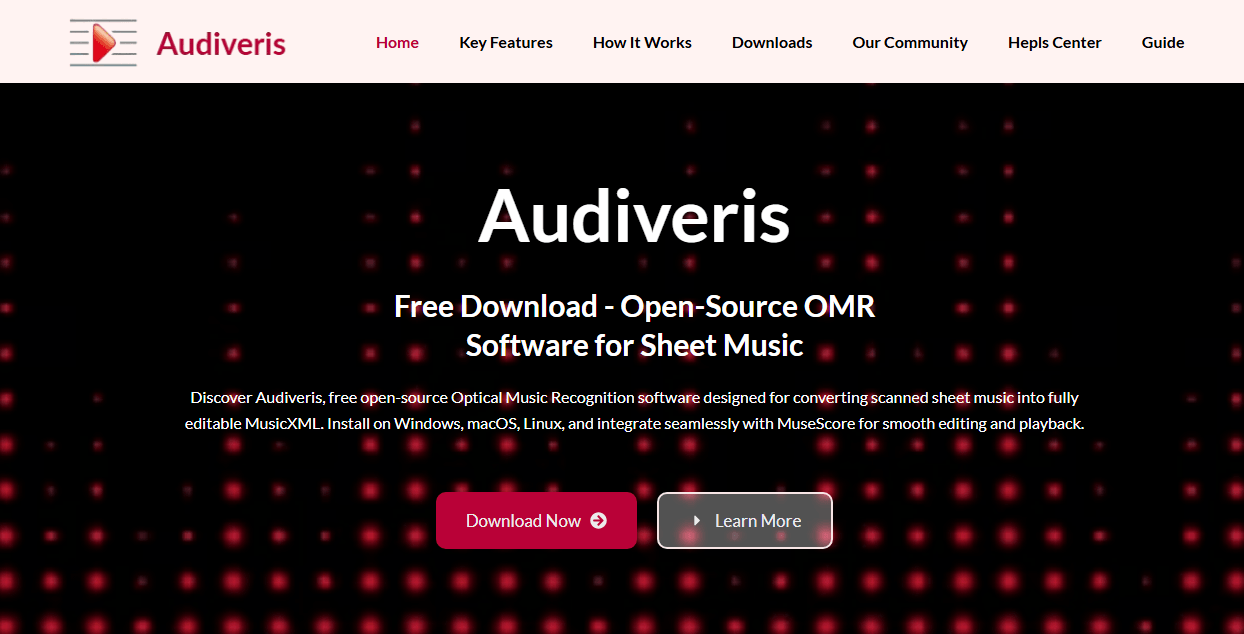
How to Convert PDF to MIDI with Audiveris
Step 1: Download Audiveris from its GitHub repository. It requires Java and runs on Windows, Mac, and Linux.
Step 2: Launch Audiveris and import your PDF sheet music. The software processes each page and attempts to identify all musical symbols.
Step 3: Audiveris displays recognition results with color-coded confidence indicators: green for high confidence, red for uncertain items. Review the output and correct errors using the built-in editor.
Step 4: Export the corrected score as a MIDI file.
Audiveris represents the leading edge of PDF to MIDI AI technology in open-source software. Its machine learning models are trained on diverse musical notation datasets, making it particularly effective with printed scores that follow standard engraving conventions.
The interface is less polished than commercial alternatives, and complex scores still require manual correction, but for users comfortable with open-source tools, Audiveris offers capable OMR software PDF to MIDI conversion without cost.
Method 3: PlayScore 2 — Best Mobile PDF to MIDI Converter
PlayScore 2 brings PDF to MIDI conversion to smartphones and tablets. Available for iPhone, iPad, and Android, it uses advanced OMR technology to recognize music from PDFs or directly from your device's camera, making it ideal for converting physical scores on the spot.
Pros: Works on smartphones and tablets, camera scanning for physical scores, offline functionality, plays recognized music for preview.
Cons: Full feature access requires a subscription (approximately $4.99/month). Desktop operating systems not supported. Complex scores may require manual correction.
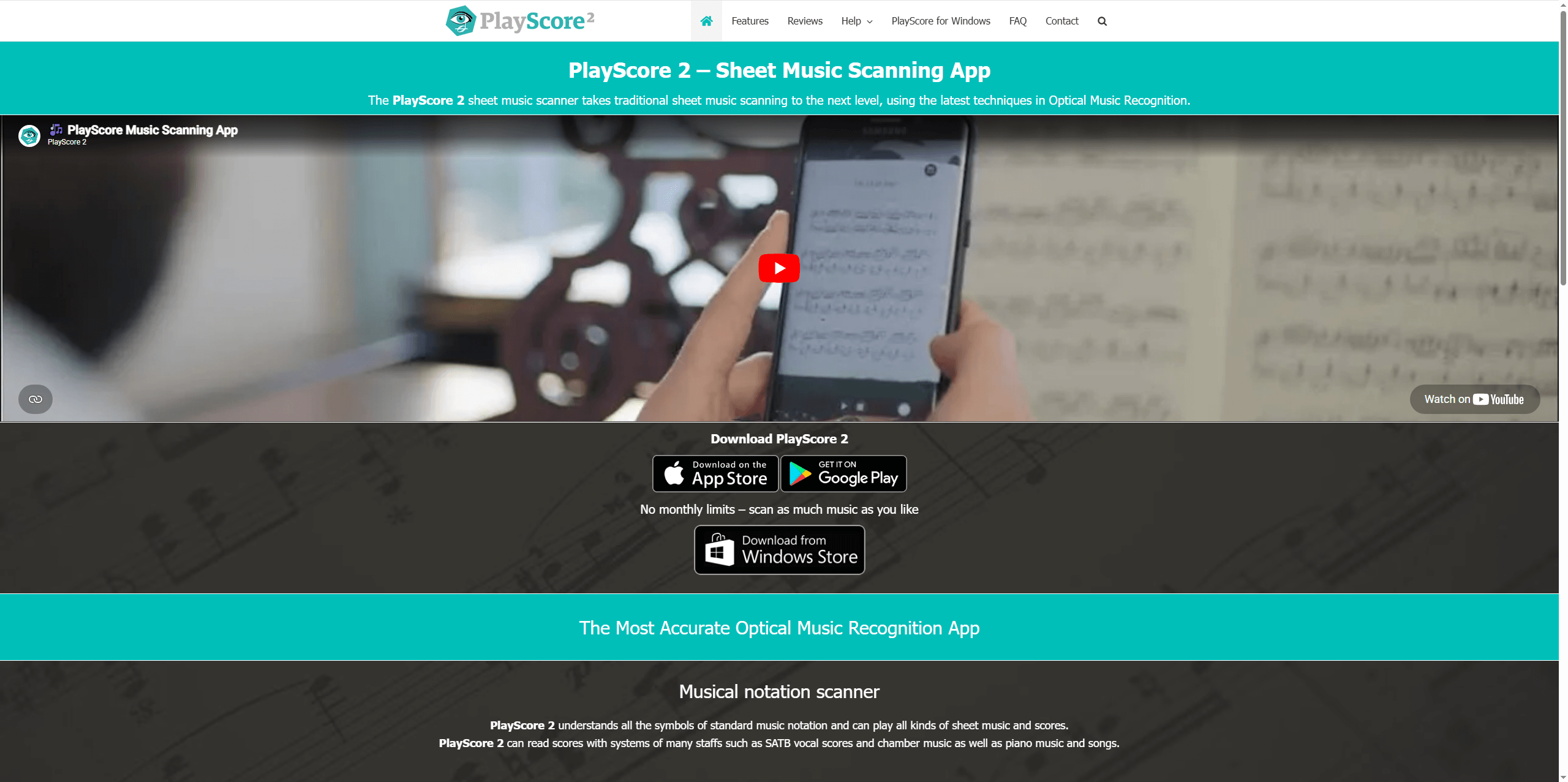
How to Convert PDF to MIDI with PlayScore 2
Step 1: Download PlayScore 2 from the Apple App Store or Google Play Store.
Step 2: Open the app. Tap the upload icon to import a PDF from your device, or tap the camera icon to photograph physical sheet music directly.
Step 3: PlayScore 2 automatically analyzes the notation. Then you can select the pages to convert.
Step 4: Tap the share icon and choose Save as MIDI to export.
Full feature access requires a subscription (approximately $4.99/month). The free tier offers basic functionality for testing. PlayScore 2 also works offline, making it practical for rehearsals, lessons, or any situation where you need to extract MIDI from PDF score away from a computer.
Method 4: ScanScore — Best for Complex Score Digitization
ScanScore is a professional OMR tool for musicians working with complex arrangements, including orchestral scores, multi-instrument compositions, or notation with intricate markings.
Pros: Sophisticated correction tools, high accuracy for complex scores, supports multiple input methods.
Cons: Paid software with no free tier beyond trial. The interface can be complex for beginners. More expensive than some alternatives.
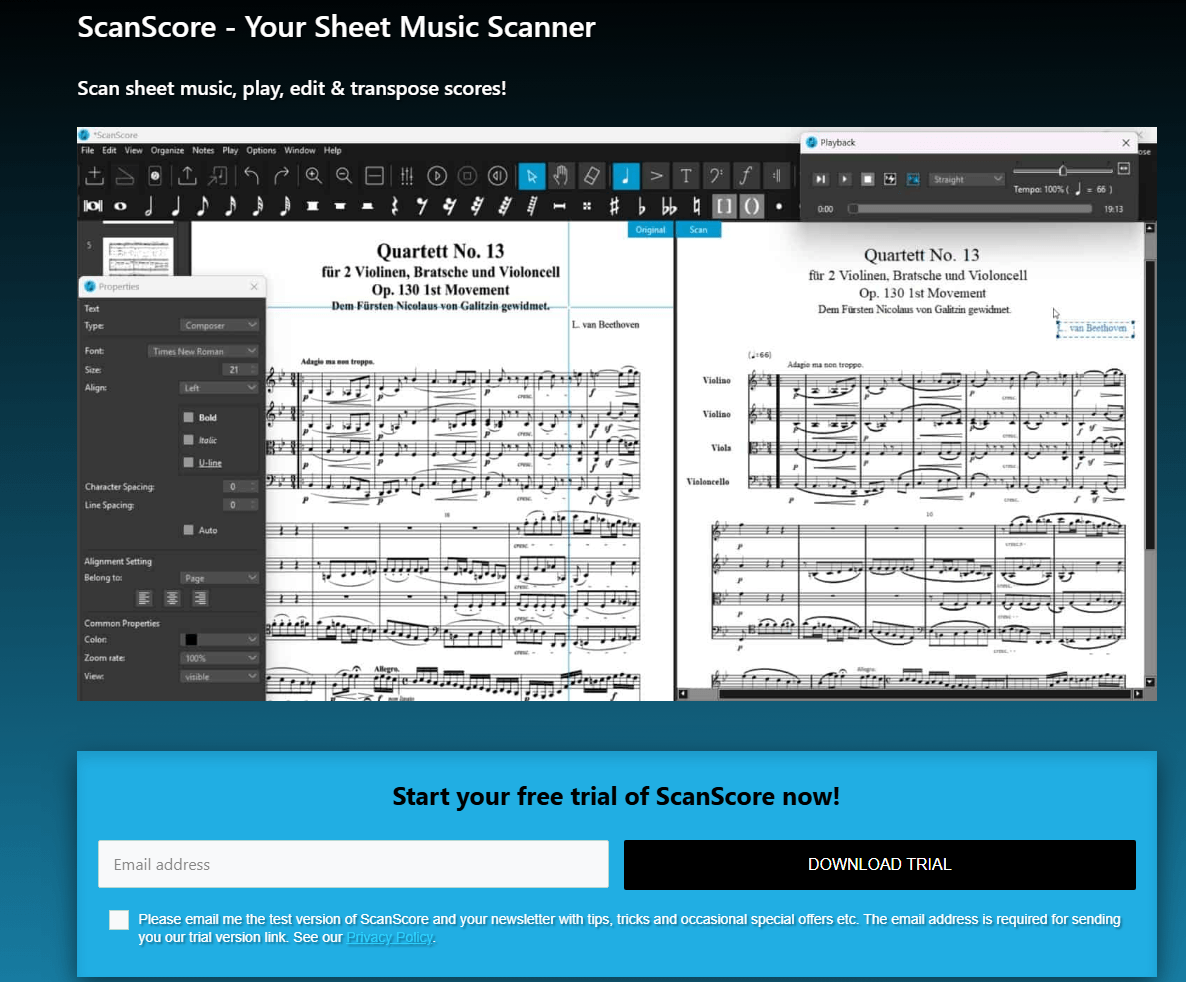
How to Convert PDF to MIDI with ScanScore
Step 1: Download and install ScanScore on Windows or Mac.
Step 2: Import your PDF sheet music. The software scans and recognizes all notation elements.
Step 3: Use ScanScore's correction tools to fix recognition errors. The interface provides detailed control over individual symbols.
Step 4: Export the corrected score as a MIDI file.
ScanScore is paid software. Its correction toolkit is more sophisticated than free alternatives, making it a practical choice for professional music score PDF converter workflows where time spent on manual fixes needs to be minimized.
Method 5: ACE Studio — PDF to MIDI to AI Vocals
ACE Studio extends the PDF to MIDI pipeline beyond instrumental playback. After converting sheet music to MIDI (using MuseScore as the first step), ACE Studio transforms that data into lifelike AI vocal performances. It's a complete workflow for those exploring ACE Studio PDF to MIDI conversion.
Pros: Unique PDF → MIDI → Vocal pipeline, professional-quality AI voices, intuitive lyrics editor, multiple voice types.
Cons: Requires both MuseScore and ACE Studio. Free trial available; full access requires subscription. Two-step process adds complexity.
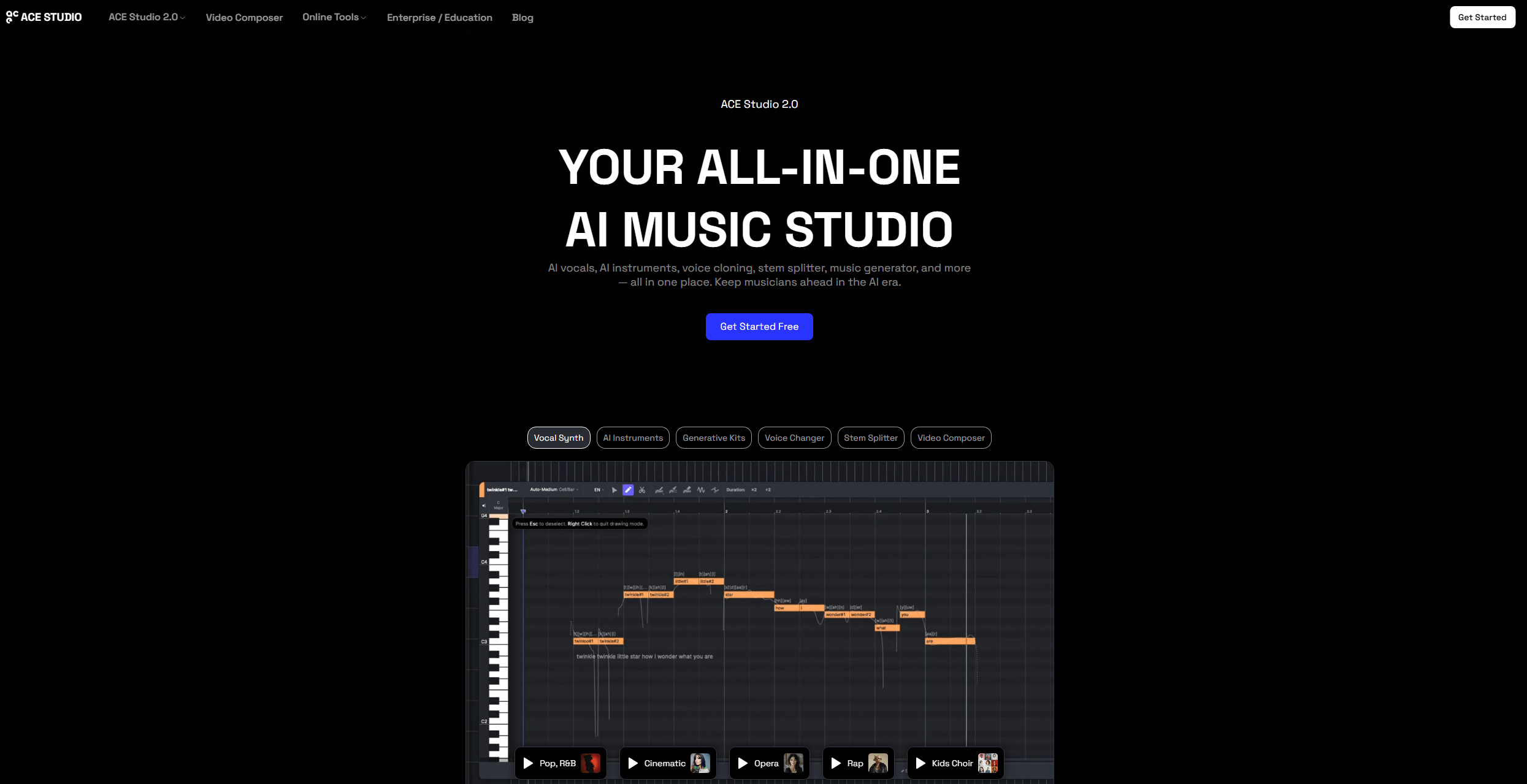
How to Convert PDF to MIDI with ACE Studio
Step 1: Convert your PDF to MIDI using MuseScore (Method 1 above).
Step 2: In ACE Studio, go to File > Import > Import MIDI and select your file. Choose to apply the MIDI's tempo and time signature when prompted.
Step 3: Open the Lyrics Editor and input lyrics aligned to the melody. ACE Studio uses syllable-to-note matching for natural phrasing.
Step 4: Select an AI voice type, such as soprano, alto, tenor, baritone, or experimental tones. Adjust pitch, dynamics, vibrato, and effects.
Step 5: Preview the vocals, refine timing and pronunciation, then export as WAV or MP3.
ACE Studio requires a subscription after its free trial. It's designed for choir directors preparing rehearsal tracks, composers creating demos, and educators who need vocal examples. The PDF to MIDI music workflow gains a vocal dimension that no other tool in this guide provides.
Can ChatGPT Generate a MIDI File?
Can ChatGPT generate a MIDI file? The answer is no. ChatGPT cannot directly create or output MIDI files. It's a text-based language model with no built-in music notation engine, no OMR capability, and no binary file generation.
However, ChatGPT can assist your PDF to MIDI workflow in meaningful ways:
-
Explain the music theory concepts behind your sheet music
-
Generate ABC notation or LilyPond code (text-based formats that dedicated tools can convert to MIDI)
-
Guide you step-by-step through any converter in this guide
-
Troubleshoot OMR recognition errors by interpreting what the notation should show.
Can ChatGPT Generate PDF? 3 Easy Ways to Do It
Can ChatGPT generate PDF files? Yes! Discover three easy ways to create PDFs using ChatGPT and how to make it perfect with the best offline PDF editor.
READ MORE >How to Execute a Creative PDF to MIDI AI Workaround?
Step 1: Upload your sheet music screenshot into ChatGPT and ask the model to analyze the musical notes.
Step 2: Instruct the AI to convert those visual notes into standard ABC notation strings or text-based MusicXML code blocks.
Step 3: Copy the text code, save it locally with the appropriate file extension, and import it into a notation utility.
For professionals who want to convert PDF to MIDI file, dedicated OMR software remains essential. ChatGPT is a helpful assistant, not a replacement for specialized music recognition tools.
PDF to MIDI Conversion Tricks and Tips
Source PDF quality: Digitally created PDFs from notation software convert most accurately. Scanned printed scores are less reliable. Handwritten scores require significant manual correction regardless of the tool. There is no online PDF sheet music to MIDI converter that matches desktop software for OMR accuracy.
Score complexity: Simple melodies convert accurately. Dense orchestral scores with overlapping symbols produce more errors. For complex arrangements, convert individual instrument parts separately.
Practical tips:
-
Use at least 300 DPI for scanned scores.
-
Ensure pages are upright because the OMR engines struggle with tilted notation.
-
Crop unnecessary margins that could confuse recognition.
-
Test multiple tools on the same score; different OMR engines excel with different notation styles.
Prepare Sheet Music PDFs Before Conversion with SwifDoo PDF
No OMR tool is perfect. When you attempt to convert PDF to MIDI file structure, the process frequently encounters critical errors if the source document is poorly scanned, tilted, or visually cluttered.
Don't worry. SwifDoo PDF can optimize your sheet music PDFs before they reach any PDF to MIDI converter.
-
Straighten tilted pages: Scanned scores often have slight rotation. SwifDoo PDF's deskew tool corrects orientation so the notation aligns perfectly.
-
Crop away scanner backgrounds: Remove dark scanner bed edges, excessive margins, or binding shadows that OMR software can misinterpret as musical symbols.
-
Enhance faded notation: Adjust contrast to make notes stand out clearly against staff lines.
-
Merge multi-page scores: Combine split PDFs into a single document for batch conversion through any tool in this guide.
Step 1: Open your PDF in SwifDoo PDF and go to the Edit tab.
Step 2: Choose Deskew and configure the settings. When done, click OK to save the changes.
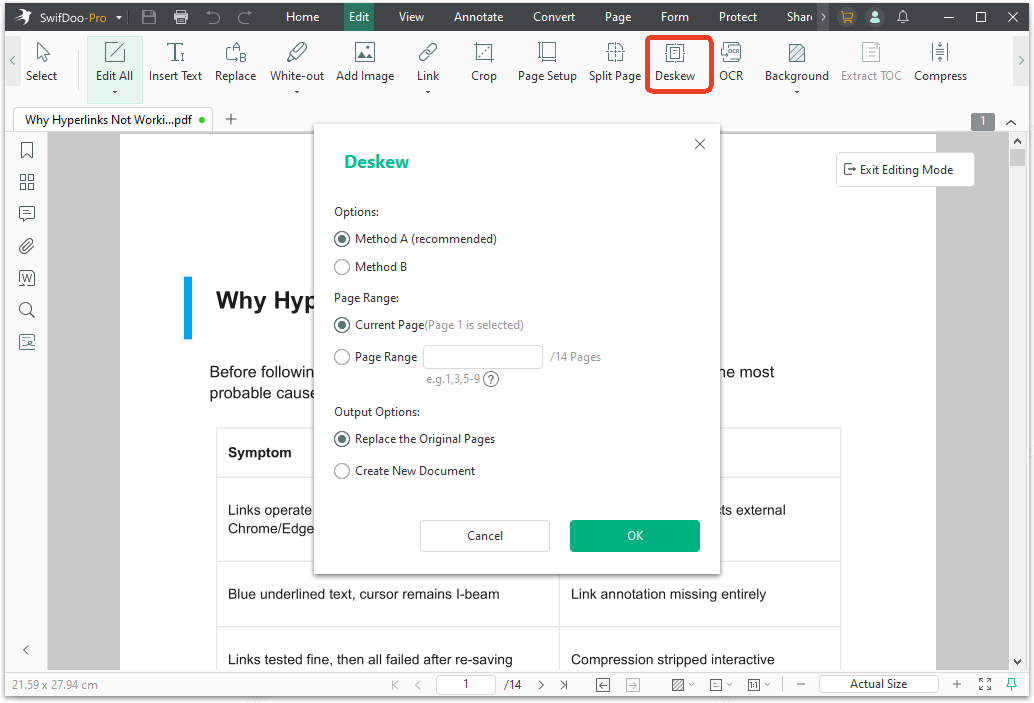
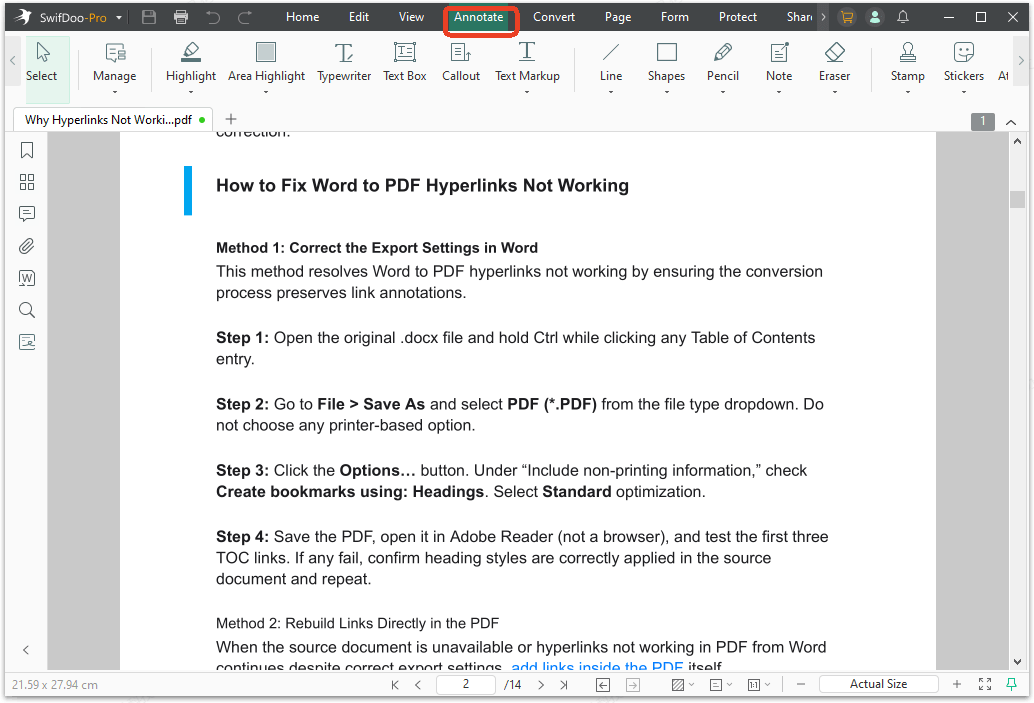
Step 3: Apart from the Deskew tool, you can also edit the PDF or annotate it in the Annotate tab.
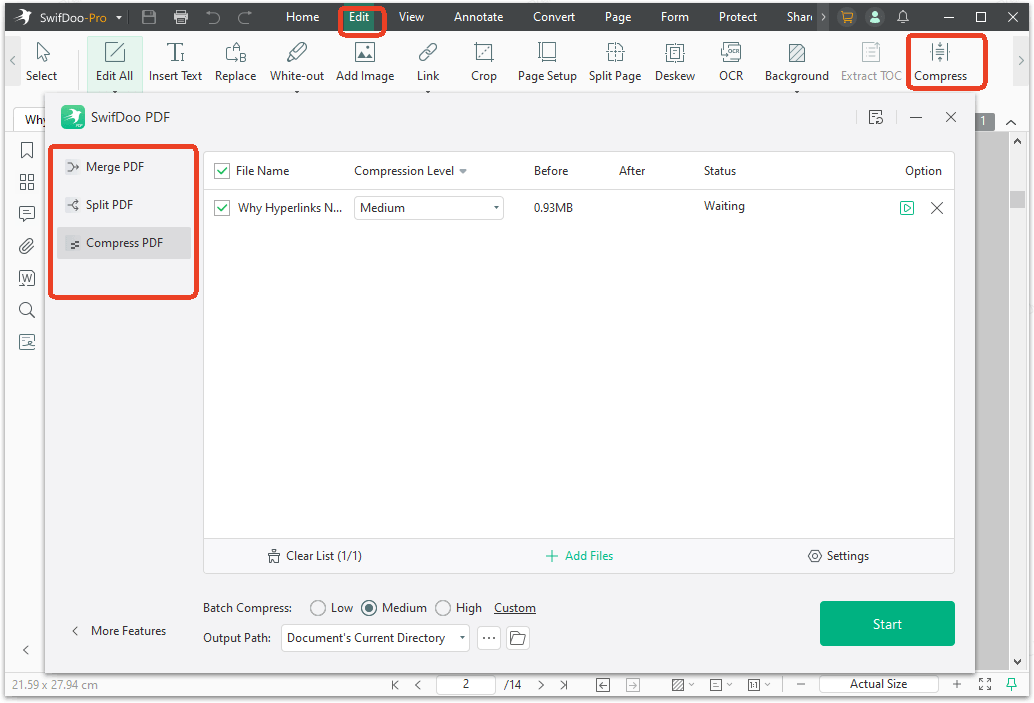
Step 4: To merge or compress the PDF, go to Edit > Compress. In the pop-up window, you can find the both Merge PDF and Compress PDF options.
Conclusion
Achieving a flawless PDF to MIDI translation requires a structured understanding of how software interprets visual notation data. By choosing trusted channels like MuseScore or leveraging specialized AI tools, you can seamlessly digitize your files. Remember that a clean musical track always relies on the structural quality of the input document. Download SwifDoo PDF for free to perfectly polish, align, and sharpen your musical score partitions before triggering your conversion workflows!


