


Can You Download Adobe Stock Images Without Watermarks for Free?
Yes. Adobe Stock offers a collection of free assets, and eligible users may also access assets through a free trial. The available Adobe Stock downloads depend on the collection, plan, and current offer.
It is important to understand the difference between a free preview and a licensed download:
- Free preview: A watermarked version that lets you evaluate an asset before licensing it.
- Free asset: An asset offered through Adobe Stock's free collection, subject to its applicable license terms.
- Licensed asset: A file downloaded after you license it through an eligible plan or purchase.
You can browse the Adobe Stock Free Collection or check the official pricing and plans to see the current free and paid options.
Adobe Stock Downloader Tools Compared
An Adobe Stock downloader is a tool or service designed to help users save stock assets from Adobe Stock. Note that not every downloader works in the same way, and downloading a file does not automatically grant permission to use it. Always check the asset's licensing status before using it in a public or commercial project.
There are some Adobe Stock downloader free tools, and we’ll show you a comparison table and details for each tool.
| Tool | Type | Main approach | Best suited for |
|---|---|---|---|
| BeatSnoop Adobe Stock Downloader | Online Tool | Paste an Adobe Stock asset URL | Users who prefer browser-based tools |
|
Experts PHP Adobe Stock Image Downloader |
Online Tool | Submit an asset URL to generate a download link | Users looking for a simple image-focused interface |
| Adobe Stock Downloader GitHub | GitHub project | Review and run a project using its documented setup | Technical users comfortable with code |
If you also work with other stock media platforms, you may want to explore different iStock downloader tools to understand how image downloading works across stock asset websites.
Tool 1: Adobe Stock Downloader beatsnoop
BeatSnoop Adobe Stock Downloader is a browser-based service that claims to download AdobeStock images for free. Its page asks users to copy an asset link from Adobe Stock, paste it into the input box, and generate a download link.
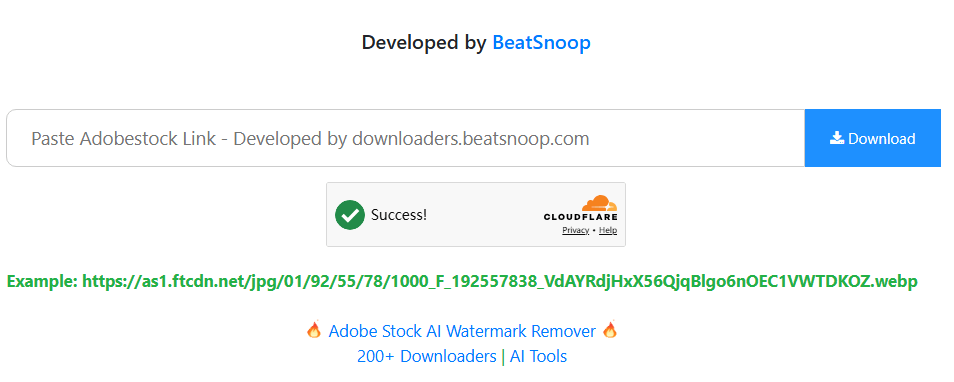
We tried its Adobe Stock free downloader tool, and our Adobe Stock download free experience was full of ads. The main page keeps popping up different ads at random times to stop your operation. Besides, it’s easy to misclick other attached ad links instead of the real AdobeStock download option. As an Adobestock downloader, it works sometimes if you can accept the annoying ads.
To download Adobe Stock images without watermark, it provides an Adobe Stock AI watermark remover. It seems to work well with this AdobeStock image downloader. Note that removing a visible watermark does not grant usage rights.
Main features:
- Online access without installing a desktop application.
- URL-based submission.
- A simple workflow for users on desktop or mobile browsers.
- The website claims to provide stock images without watermarks. (Note this feature because we get one or two Adobe Stock images with watermark.)
- No separate desktop installation is required.
- The URL-submission process is straightforward.
- The interface is designed for quick browser access.
- The website's claims about free and watermark-free downloads should not be treated as proof of licensing.
- Availability and output quality may change.
- Third-party websites involve advertising, redirects, or privacy concerns.
Tool 2: Experts PHP Adobe Stock Image Downloader
Experts PHP Adobe Stock Image Downloader is another online service. Its page describes support for Adobe Stock images, photos, vectors, illustrations, and templates. It also mentions JPG and PNG output options.
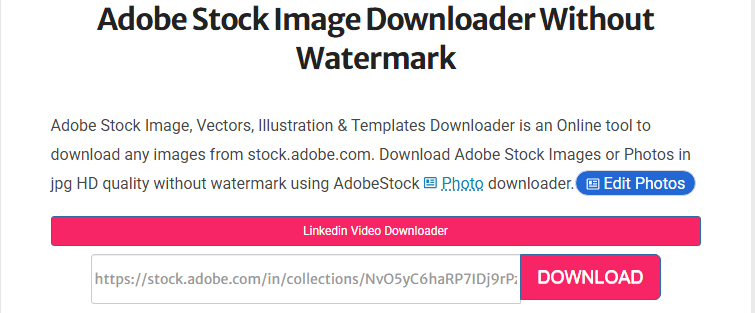
Unlike a general download manager, Experts PHP uses a simple URL-submission workflow. Users copy an asset link from Adobe Stock and paste it into the downloader page.
Like the Adobe Stock Downloader beatsnoop tool, the interface is filled with ads. All the downloader’s information is presented as a long blog with irrelevant links. We tested an Adobe Stock image link in the designated URL box, and the processing time was within a few seconds. Then we checked the return results.
When we did get it running with a public Adobe Stock URL, the download output was inconsistent. One image parsed correctly as a watermarked preview. A second URL returned a 403 error. A third returned an empty response.
Main feature:
- Browser-based Adobe Stock image downloading.
- JPG and PNG format options.
- Supports images, vectors, illustrations, and templates.
- No account registration required, according to the website.
- Simple interface and URL-based workflow.
- No desktop installation is advertised as necessary.
- The page provides instructions for desktop and mobile users.
- The page's feature claims, including HD and unlimited downloads, need independent verification.
- Its published instructions date back to 2022, so some details may be outdated.
- It is primarily presented as an image downloader rather than a complete asset-management solution.
Tool 3: Adobe Stock Downloader GitHub
The third option is an Adobe Stock downloader project on GitHub. Unlike BeatSnoop and Experts PHP, this option is aimed at users who are comfortable reviewing project documentation and working with development tools.
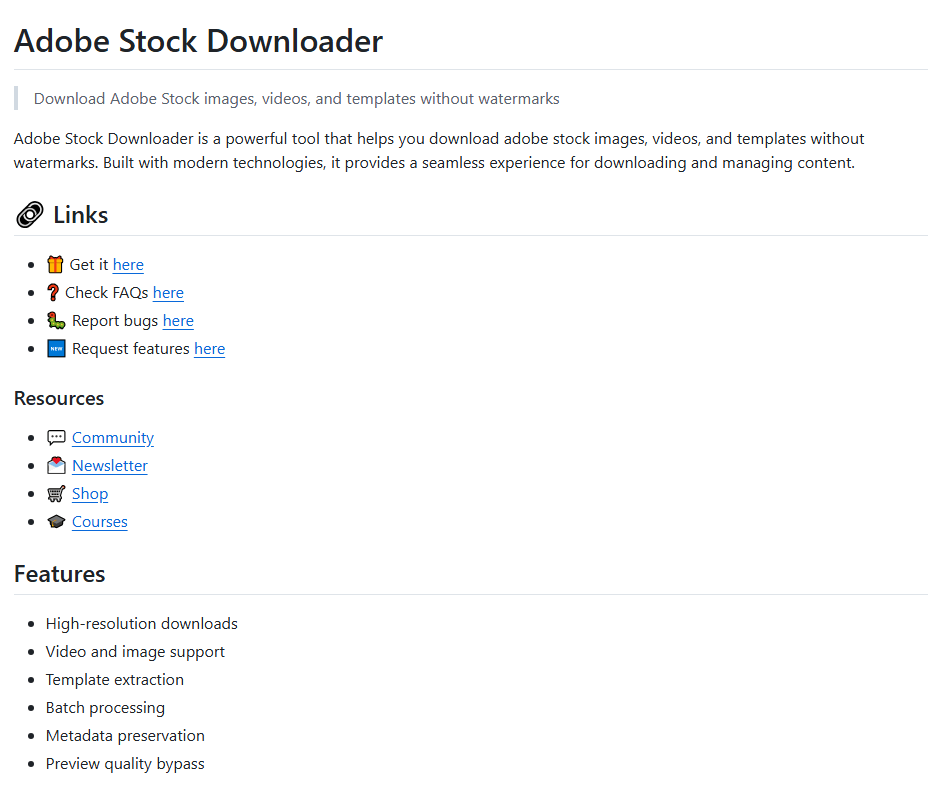
Its README makes a bold claim: "Download Adobe Stock images, videos, and templates without watermarks." We cloned the repository and ran it to see what that means.
After this Adobe Stock downloader free installation, we ran the application and fed it an Adobe Stock image URL. The interface is minimal – a URL field and a download button.
The tool launched a headless browser via Playwright, navigated to the page, and extracted the image. The output was a watermarked preview. We tried a video URL next; the tool processed it with FFmpeg and returned a preview clip, also watermarked.
- Provides project documentation and a link to the associated repository.
- More suitable for users who want to inspect the underlying code.
- Lists image, video, and template-related capabilities.
- Requires more technical knowledge than a browser-based downloader.
- Installation and dependency configuration may take time.
- Listed features should be tested rather than assumed to work as described.
- Running third-party code can introduce security and privacy risks.
Which Adobe Stock Downloader Should You Choose?
The right option depends on how you prefer to work.
If you want an online Adobe Stock downloader interface, BeatSnoop and Experts PHP have simpler URL-submission workflows. If you are comfortable with code and want to inspect a project before running it, the GitHub option may be worth reviewing.
However, none of these third-party tools should be treated as a replacement for Adobe Stock licensing. Before using any downloaded asset, confirm that you have the appropriate rights. Also, do not upload confidential project links or account information to an unfamiliar Adobe Stock HD downloader.
How to Download Adobe Stock Images and Assets
Adobe Stock offers different types of creative assets, including photos, illustrations, vectors, videos, templates, and 3D content. The available file formats and download options vary by asset type.
How to Download Adobe Stock Images Without Watermarks?
Adobe Stock previews are watermarked to distinguish them from licensed files. When you license an asset through Adobe Stock, you can download its licensed version without the preview watermark, even a clean, high-resolution image for a design project.
To download HD Adobe Stock images without watermarks, follow these steps:
Step 1: Visit Adobe Stock and sign in to your Adobe account.
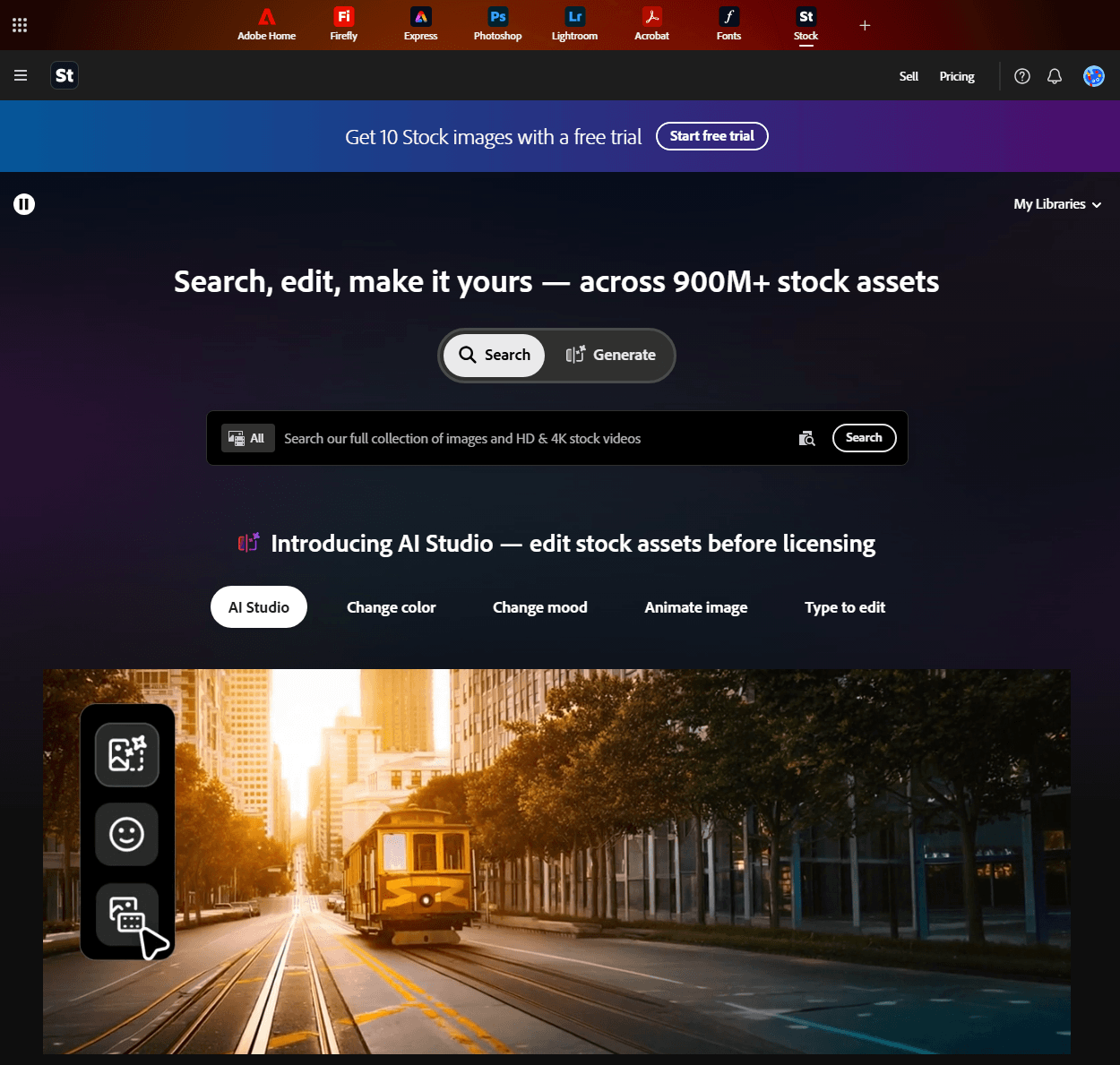
Step 2: Search for an image using keywords or filters.
Step 3: Open the asset page and review its details.
Step 4: Select the licensing or download option available under your plan. The licensing image download option offers a watermark-free HD version.
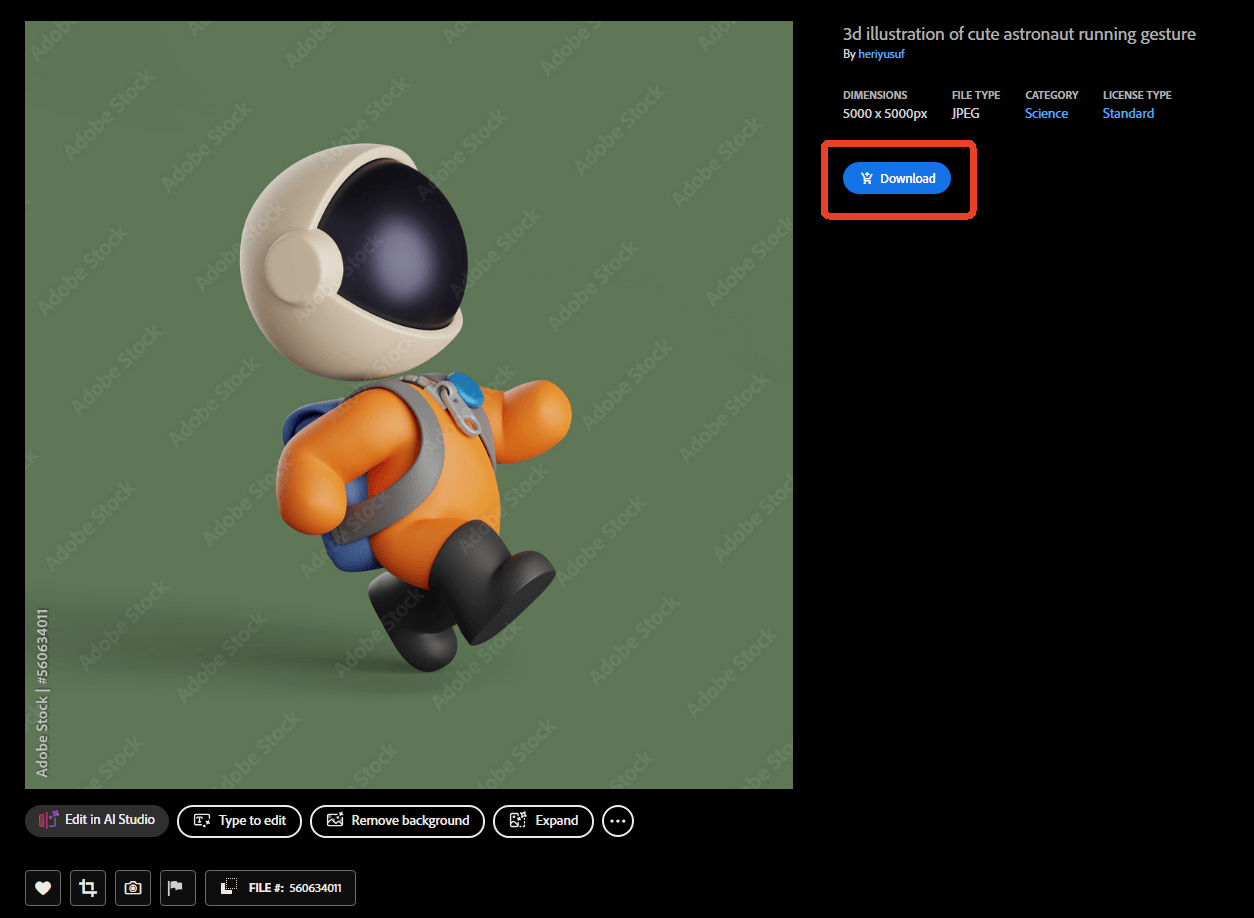
Step 5: Save the licensed file to your device or Creative Cloud Library.
How to Download Adobe Stock Videos?
Adobe Stock also provides stock footage in HD and 4K formats, depending on the asset and licensing plan.
To download an Adobe Stock video, search for the footage you need, open its asset page, and check the available licensing options. Once the asset is licensed, use the official download option to obtain the file.
How to Download Adobe Stock Vectors and Templates?
Adobe Stock includes vectors, illustrations, and design templates. Depending on the asset, vector downloads may be available in formats such as AI or EPS, while templates may require compatible Adobe applications.
Before downloading, check the asset's file type and the software needed to open it. A tool advertised as an Adobe Stock vector downloader may not preserve every editable element or provide the original project file.
For templates, also check whether the file is compatible with your version of the intended design application.
Is It Safe to Use an Adobe Stock Downloader?
Not every website or application described as an AdobeStock downloader is equally trustworthy. Before using one, consider how it handles links, files, and personal information.
For online Adobe Stock free downloaders:
- Check whether the website uses a secure connection.
- Avoid entering your Adobe password or account credentials into an unrelated service.
- Be cautious of pop-ups, misleading download buttons, and unexpected redirects.
- Do not upload private or confidential project materials.
- Scan downloaded files before opening them.
For Adobe Stock downloader GitHub projects:
- Review the repository and source code before running anything.
- Check dependencies and installation scripts.
- Look at recent commits, issues, and project maintenance.
- Avoid running unfamiliar scripts with administrator privileges.
- Use a separate environment if you need to test software you do not fully trust.
There is also a licensing consideration. Adobe Stock assets are provided under specific license terms. A file obtained from a third-party Adobe Stock downloader is not automatically licensed simply because it is available without a watermark.
For commercial projects, client work, advertising, or other public uses, confirm the asset's license and any restrictions before including it in your final output.
What to Do with Downloaded Adobe Stock Files
Downloading stock assets is often only one step in a larger creative workflow. After collecting images, illustrations, and other resources, you may need to organize them into a portfolio, presentation, or project proposal.
If some of your downloaded resources are in PDF format, a free PDF editor can help you prepare them for review and sharing.
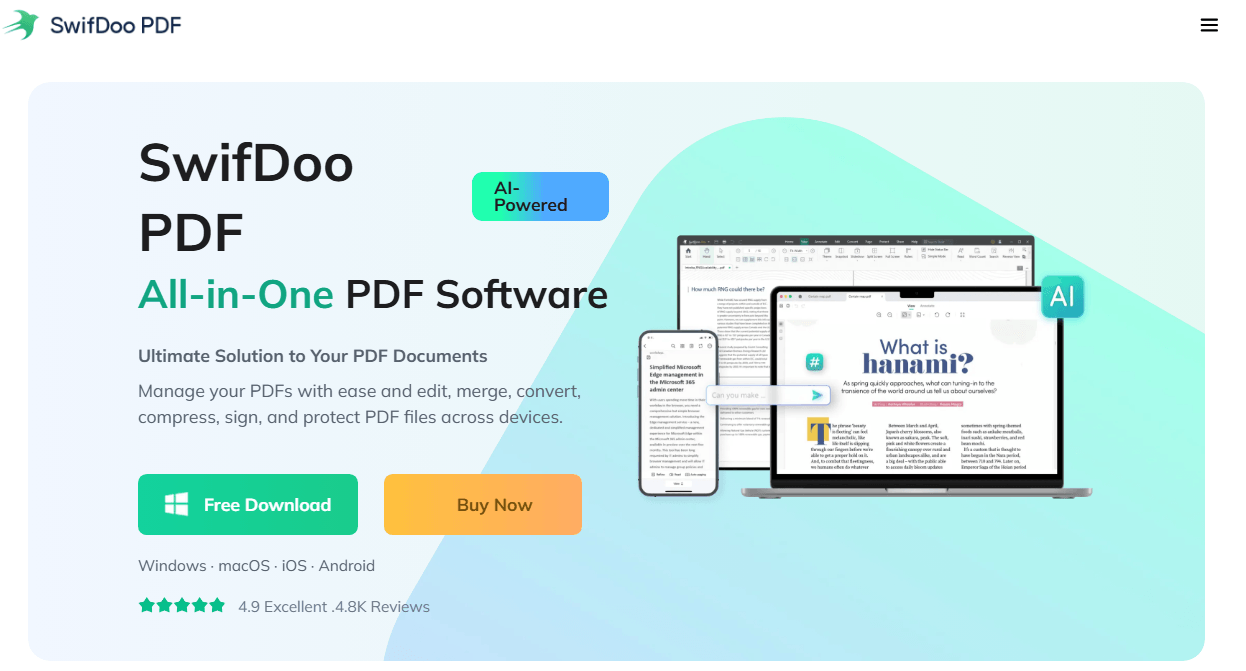
SwifDoo PDF provides tools for working with PDF documents. You can use it to:
- Merge PDF files: Combine several PDF documents into one portfolio or project proposal.
- Edit PDF content: Make changes to text and other editable document elements.
- Extract pages: Keep only the pages needed for a presentation or client review.
- Compress PDF files: Reduce document size before sharing files by email or uploading them.
- Add annotations: Insert comments, highlights, and notes while reviewing project documents.
For example, if you have downloaded several PDF design references or product documents, you can combine them into one organized file instead of sending multiple attachments.
Final Thoughts
An Adobe Stock downloader can make it easier to explore different ways of saving stock assets, but the tools vary in their accessibility, technical requirements, and reliability. For assets intended for professional or commercial use, the most important step is confirming that the file is properly licensed.
Once you have the assets you need, organizing and preparing related documents can make the rest of your creative workflow easier. If your project includes PDF files, SwifDoo PDF can help you edit, merge, extract, and compress documents before sharing them.


