Why Is My ChatGPT Unable to Load Site?
When ChatGPT suddenly fails to load, it can be confusing and disruptive—particularly in the middle of an important discussion. This issue usually indicates a browser, network, or server issue. Understanding the cause is the first step in resolving the ChatGPT unable to load conversation or site error.
Here are a few reasons ChatGPT may be unable to load the site.
- The servers at OpenAI might be temporarily unavailable or under heavy load.
- Slow or interrupted connectivity can prevent ChatGPT from loading properly.
- Damaged data may prevent ChatGPT from loading the conversation properly.
- Certain VPNs may block the necessary connections.
- Ad blockers or security extensions may interfere with site scripts.
- Outdated versions may not completely support all ChatGPT features.
- Broken or expired login sessions can prevent conversations from loading.
How to Fix ChatGPT Unable to Load Site
Now that you’re aware of the possible causes of the ChatGPT unable to load site issue, addressing them becomes simpler. Most of these errors are simple to resolve, including browser, network, server, or account-related issues.
By determining the root cause, you can implement the appropriate solution and restore ChatGPT smoothly. Here are the seven most effective fixes to try.
Fix 1. Check Your Internet Connection
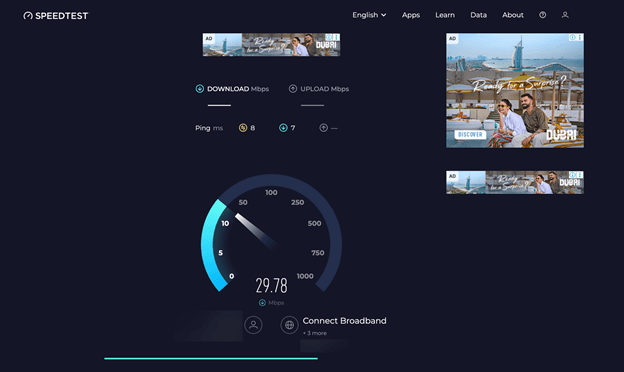
One frequent cause of ChatGPT not loading is an unstable or slow internet connection. The first step is to ensure your internet connection is stable and working properly. Let's see how.
Step 1. Test your network speed with services such as Speedtest.
Step 2. Verify that your connection is stable and has a download speed of at least 1 Mbps.
Step 3. Power cycle your router. Alternatively, connect to a different network, such as a mobile hotspot, if necessary.
Fix 2. Check OpenAI Server Status
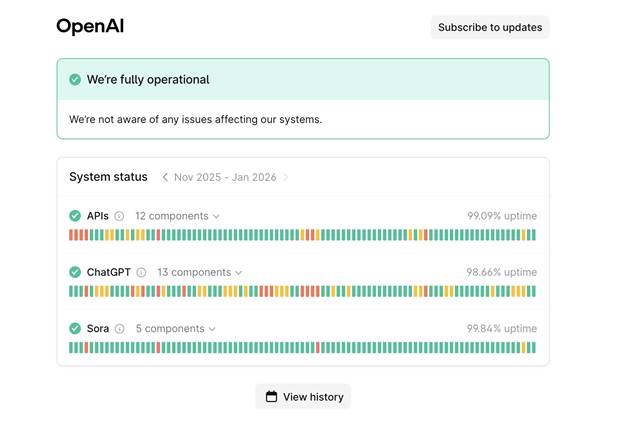
At times, the problem may not be on your end at all. Checking the OpenAI server status can help you confirm whether ChatGPT is experiencing outages or maintenance issues. Let's see how.
Step 1. Move to the OpenAI Status page.
Step 2. Check for service interruptions or incidents that may be occurring.
Step 3. Wait for OpenAI to resolve the issue if the servers are down.
Fix 3: Log Out and Log Back In
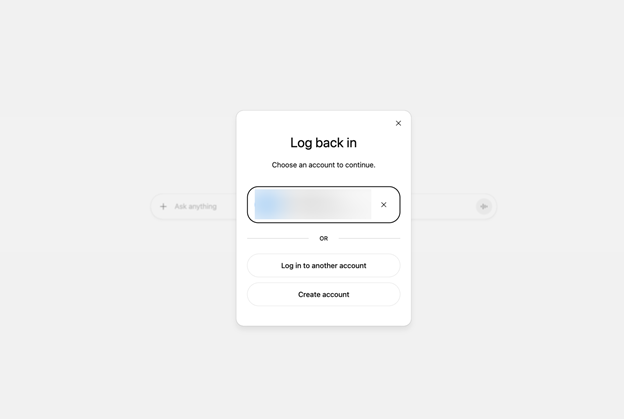
Session-related glitches can sometimes prevent ChatGPT from loading properly. Logging out and then signing back in can refresh your session and resolve the issue quickly.
Step 1. Click your profile icon in the ChatGPT interface, then select Log Out.
Step 2. Exit the browser, then reopen it.
Step 3. Log back into your OpenAI account. Attempt to open your conversations again.
Fix 4: Clear Browser Cache and Cookies
Corrupted or outdated cache and cookies can interfere with ChatGPT's load. Removing cached data and cookies from your browser often fixes loading problems and restores normal functionality. Find out how.
Step 1. Open your browser settings.
Step 2. Tick “Cached images and files” and “Cookies and other site data.”
Step 3. Tap Delete data.
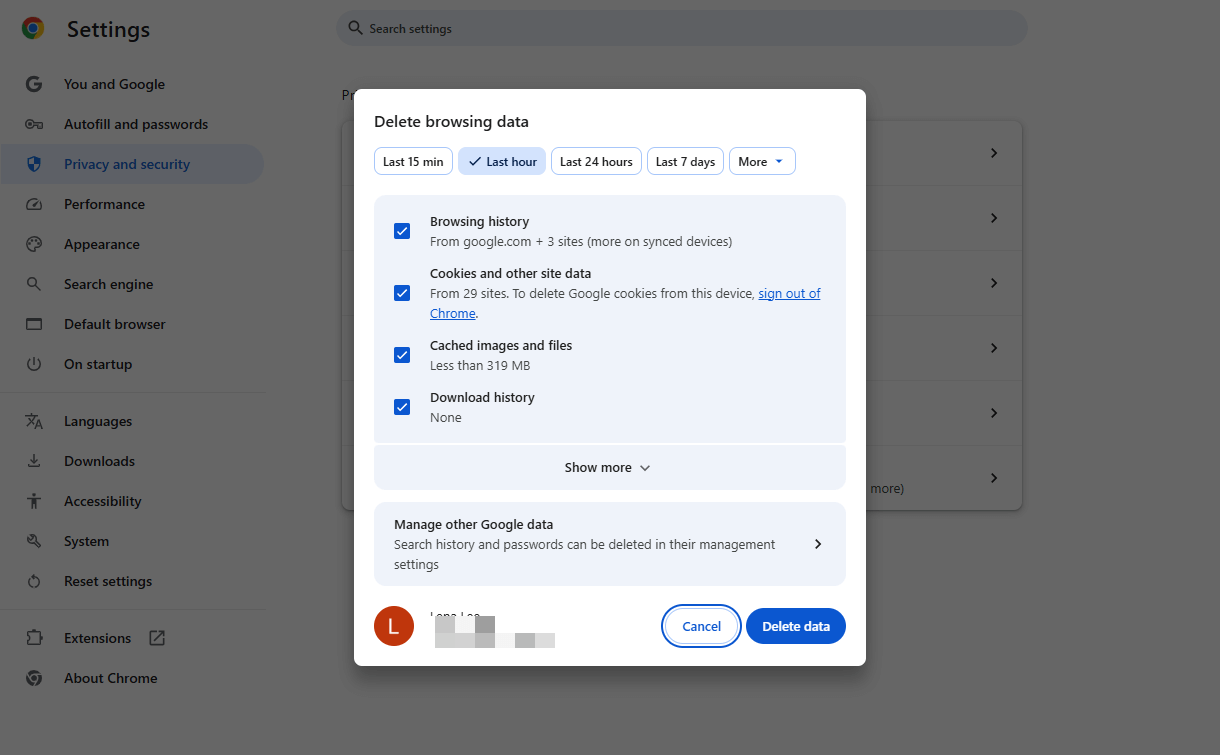
Step 4. Restart your browser. Access ChatGPT again.
Fix 5. Use a Different Browser
Occasionally, the problem is browser-related and not caused by ChatGPT itself. Switching to a newer browser can help you quickly identify and resolve the issue.
Fix 6. Contact Customer Support
If none of the previous solutions work, reaching out to customer support is the best choice. OpenAI’s support staff can help pinpoint account-specific or technical problems and lead you to a solution.
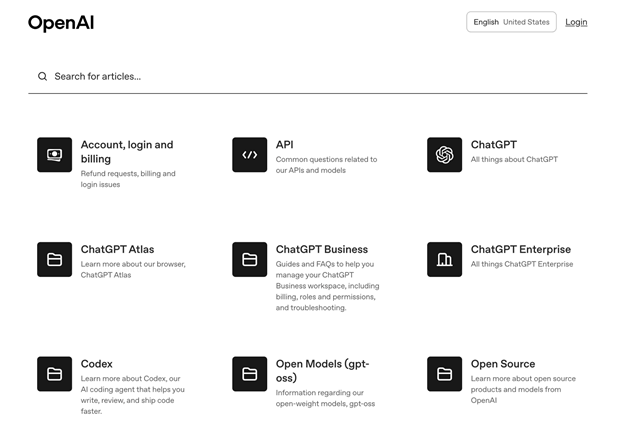
Step 1. Head to the OpenAI Help Center.
Step 2. Send a support ticket with your account details, a clear explanation of the problem, and a screenshot showing the error.
Fix 7. Other Solutions
If nothing works and waiting for support isn’t possible, try the following alternatives.
- Refresh the page and reload ChatGPT.
- Restart your device.
- Use Incognito Mode.
- Temporarily deactivate your browser extensions.
- Switch off VPN or proxy services.
- Check firewall settings.
- Use ChatGPT on another device or network.
- Update your browser.
Bonus Tip: How to Read, Summarize, and Analyze PDFs with AI
Now that you’ve seen the causes and fixes for the "ChatGPT unable to load site error,” it’s worth noting that ChatGPT has some limitations.
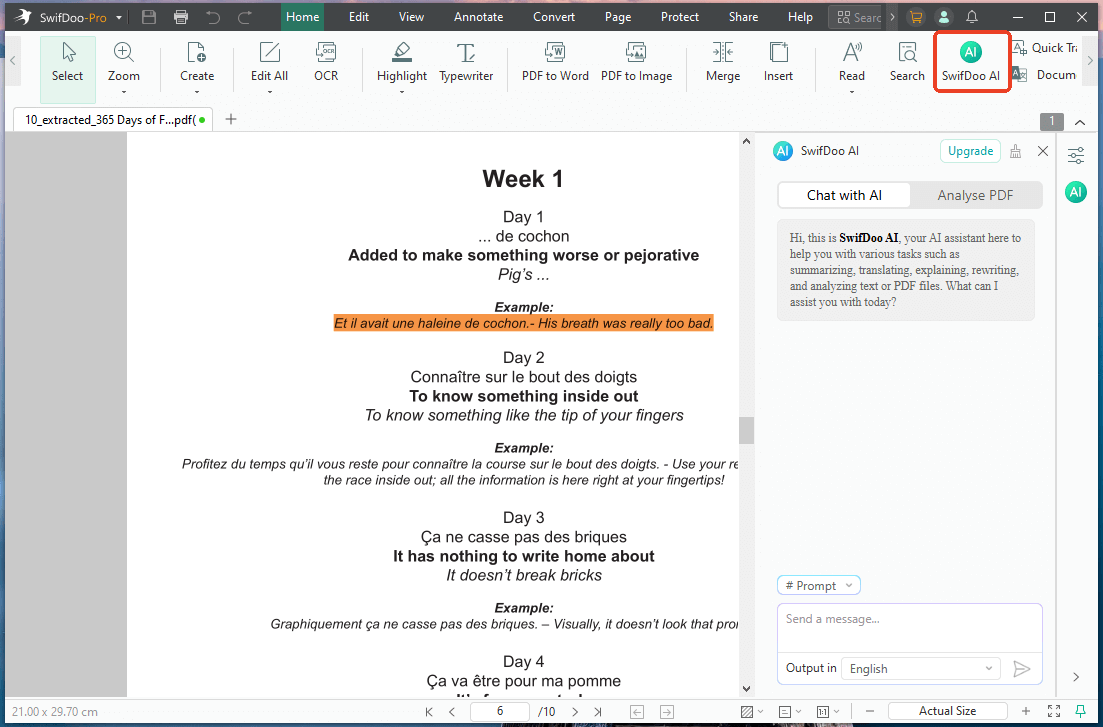
It relies heavily on a stable internet connection, may experience server downtime, and isn’t always optimized for direct reading or analysis of complex PDF documents—or even to reliably summarize PDF with ChatGPT when files are large, or formatting is complex. When such errors occur, productivity can take a hit. This is where SwifDoo PDF and its AI tool prove to be useful.
SwifDoo PDF is a reliable alternative to ChatGPT and includes a robust AI tool, SwifDoo AI, designed for document management. It allows users to read PDFs smoothly, extract key points, generate quick summaries, and analyze long or complex files with ease. As an AI PDF summarizer, analyzer, and translator, it saves time, improves comprehension, and ensures anuninterrupted workflow—even when ChatGPT is temporarily unavailable.
If working with documents more efficiently is your goal, now is the perfect time to try SwifDoo PDF. Download SwifDoo PDF today to work smarter with your documents. Use AI to chat with PDF for a faster, smoother, and more productive document experience. Try it now!
Other Key Features of SwifDoo PDF
- Effortlessly edit, annotate, add notes, bookmark, highlight, merge/split, and compress PDF files.
- Helps password-protect PDF files with two forms of encryption to prevent unauthorized access.
- Effortlessly convert multiple PDFs to/from Word, Excel, PowerPoint, images, and more.
- Read PDF files in various viewing modes, print them, and sign them electronically or digitally.
- Works seamlessly on Windows, macOS, iOS, Android, and Web (online services).
A Quick Wrap Up
The "ChatGPT unable to load site" issue is usually caused by internet connectivity issues, browser conflicts, or temporary server outages. By identifying the potential causes and applying the fixes step by step, you can quickly restore access and resume using ChatGPT smoothly and efficiently.
If the issue continues, SwifDoo AI lets you take full control of your PDFs, enabling you to read, summarize, analyze, and manage them smoothly. Hope this guide is helpful!