


What Is an AI Manga Translator
An AI manga translator is an automated solution that integrates image recognition and NLP to convert manga dialogue into other languages efficiently. It commonly works as a manga OCR translator, using OCR technology to capture and convert text from manga speech bubbles and images. Next, AI translation models interpret the extracted text to deliver accurate results.
Modern tools recognize text positioning and context in speech bubbles, allowing translated content to blend seamlessly with the original design.
How Does AI Manga Translator Work
AI manga translators use an efficient process to convert manga pages into translated content quickly and easily. They integrate image analysis, OCR, and machine translation to produce fast and readable translations.
- Detect Japanese text.
The system identifies text areas across the page, focusing on speech bubbles, captions, and sound effects.
- Recognize character (OCR).
A manga OCR engine extracts and converts Japanese characters from the image into editable digital text.
- Translate text.
AI translation models take the extracted text and transform it into another language, such as English.
- Replace text in the bubble.
Translated content is restored to the original bubbles, maintaining both the layout and smooth flow of the panels.
5 Best AI Manga Translators
With so many choices, finding the right AI manga translator may seem daunting. Here are the 5 best AI manga translators, complete with their standout features, advantages, drawbacks, and cost details.
Google Translate
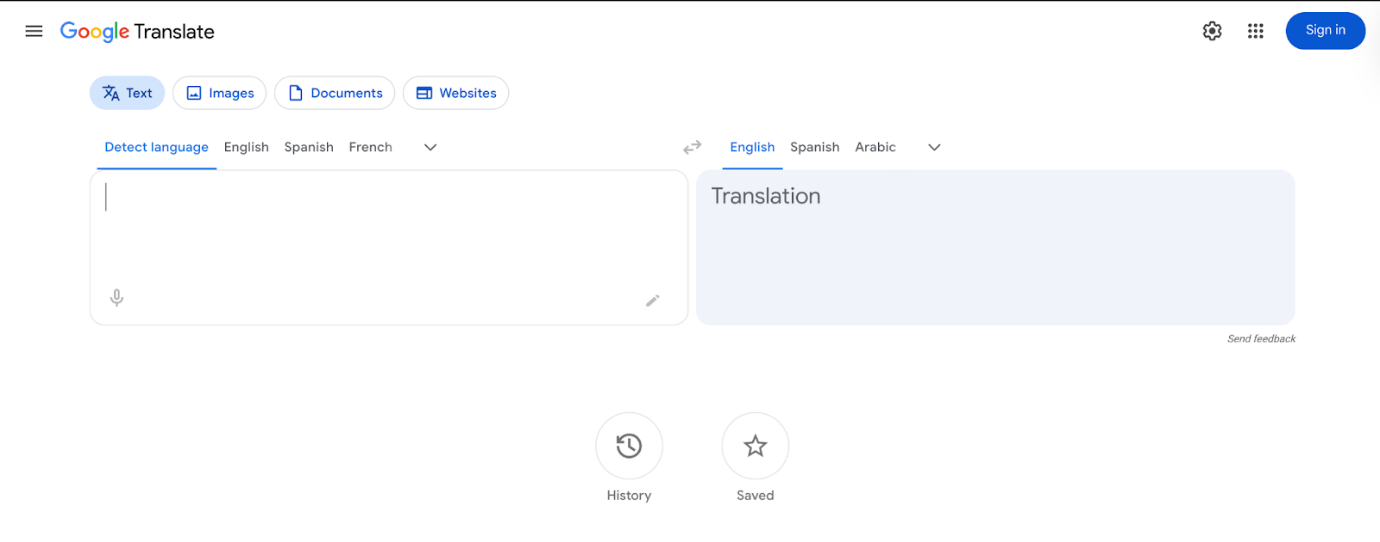
Google Translate is a widely used manga AI translator that supports image-based translation through its camera and upload features. It allows users to quickly translate manga images into English by detecting and converting text directly from panels. With real-time camera translation, you can point your phone at a manga page for instant results.
Key Features
- Image translation using a camera or uploaded images (via Google Lens).
- Real-time AR translation overlay on text (instant manga panel scanning).
- Supports over 80+ languages for camera translation and 100+ overall.
- Offline translation packs for use without an internet connection.
- Handwriting and stylized text recognition (limited accuracy).
Pros
- Free and easily accessible on mobile and web.
- Fast, real-time translation—great for quick manga reading.
- User-friendly interface perfect for beginners.
- Accepts images straightaway, making it practical for manga panel translation.
Cons
- It may struggle with complex layouts or stylized fonts common in manga.
- No built‑in batch image translation support.
- Lower accuracy for idioms, slang, or nuanced dialogue, and OCR may fail on low-quality or cluttered images.
Best For. Casual readers who need quick, on-the-go translations rather than polished results.
Price. The Google Cloud Translation API offers a free tier of 500,000 characters per month, with standard Neural Machine Translation costing U$20 per million characters afterward.
DeepL
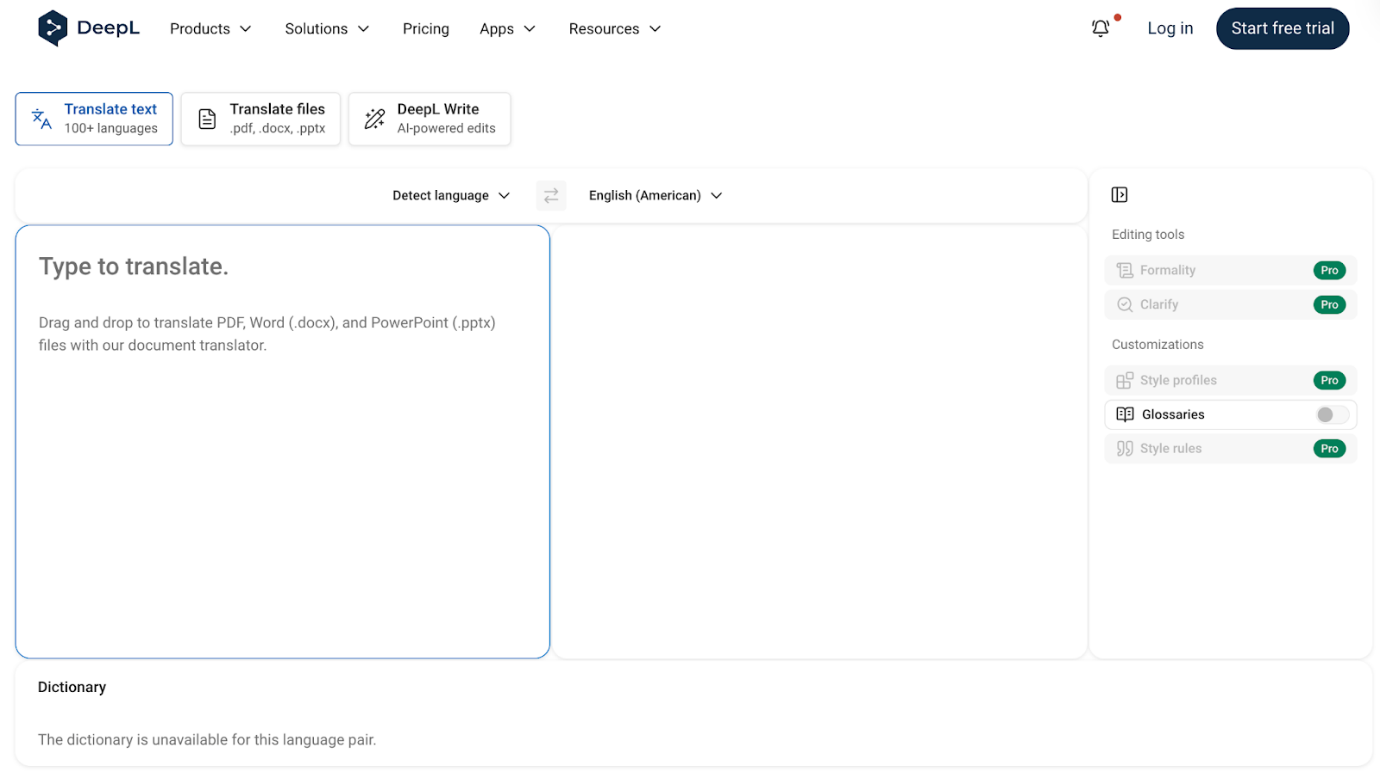
DeepL is regarded as one of the best AI manga translators for text-based content, especially for high-quality, nuanced translations. While the DeepL translator cannot directly translate PDF Japanese to English, it excels at converting text extracted from panels, scripts, or PDFs.
Users can easily translate PDF Japanese to English by first extracting text with OCR tools and then pasting it into DeepL for accurate, natural-sounding results. Its strength is in capturing tone, idiomatic language, and context, making it excellent for polished translations.
Key Features
- High-quality AI translations with excellent context and nuance with natural phrasing.
- Supports text input, documents, and PDF translation with tone customization.
- Supports multiple languages and benefits from constantly improving Neural Machine Translation (NMT).
- Comes with a glossary feature to keep terminology consistent across manga series.
- Allows selecting between formal and informal tones for translations.
Pros
- Superior translation accuracy, ideal for nuanced dialogue and idiomatic expressions.
- Creates translations that are clear, natural, and suitable for manga scripts.
- Provides a fast, intuitive interface for web and desktop users alike.
- Maintains formatting when translating PDF documents.
Cons
- Cannot directly translate manga images to English (requires OCR first).
- No batch translation for multiple files in the free version.
- Paid plans required for large or continuous translations.
Best For. Editors, translators, and manga fans translating extracted manga text or PDF scripts that require accurate, natural-sounding language.
Price. Offers a free tier with limited text translation. DeepL Pro costs US$8.74 per month on an annual subscription plan.
SwifDoo PDF
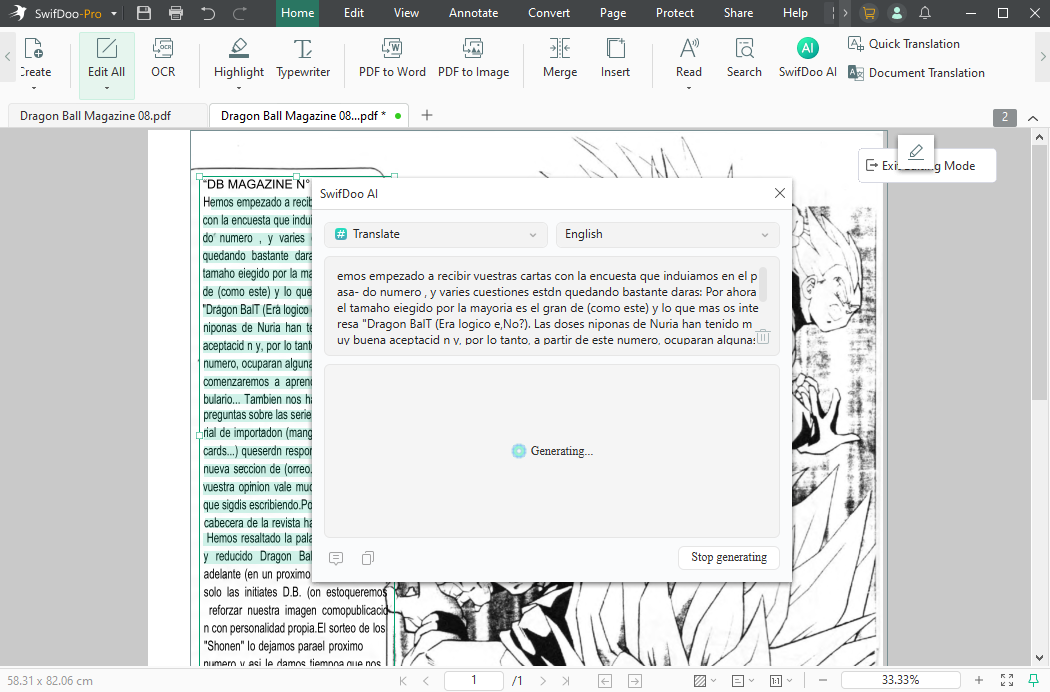
Known as the best AI manga translator, SwifDoo PDF integrates Japanese OCR to translate manga text seamlessly. It lets users translate manga images into English by extracting text from panels with its built-in OCR engine. SwifDoo PDF combines reading, text extraction, and translation in a single platform. With a user-friendly design, it stands as one of the best manga reader apps, allowing seamless PDF management and layout preservation.
Key Features
- Converts image-heavy scanned manga PDFs into searchable, editable text.
- Enables bulk translation of selected text in more than 100 languages for sentence-by-sentence comprehension.
- Supports AI-based translation of the entire PDF while preserving the original formatting and panel layout.
- Allows replacing text, resizing fonts, and adding/moving image elements (speech bubbles).
- PDF reading with annotations, bookmarks, and easy navigation.
- Combines manga reading, OCR text extraction, and translation all in one platform.
Pros
- Lightweight and fast, with affordable pricing and batch translation.
- Scanned text recognition is impressive and accurate on most documents.
- Offers a user-friendly, modern, clean Ribbon-style interface for finding tools.
- Supports turning images (PNG, JPG) directly into editable PDF files.
- All-in-one solution: reading, extracting, and translating text.
- Preserves the original layout and formatting of manga pages.
Cons
- While SwifDoo PDF has apps for other platforms, the best experience is on Windows.
Best For. Casual manga readers and translators who want to translate manga images into English while preserving the original layout.
Price. Offers a free trial. Pro plans start at US$16.99 per month.
Yandex Translate
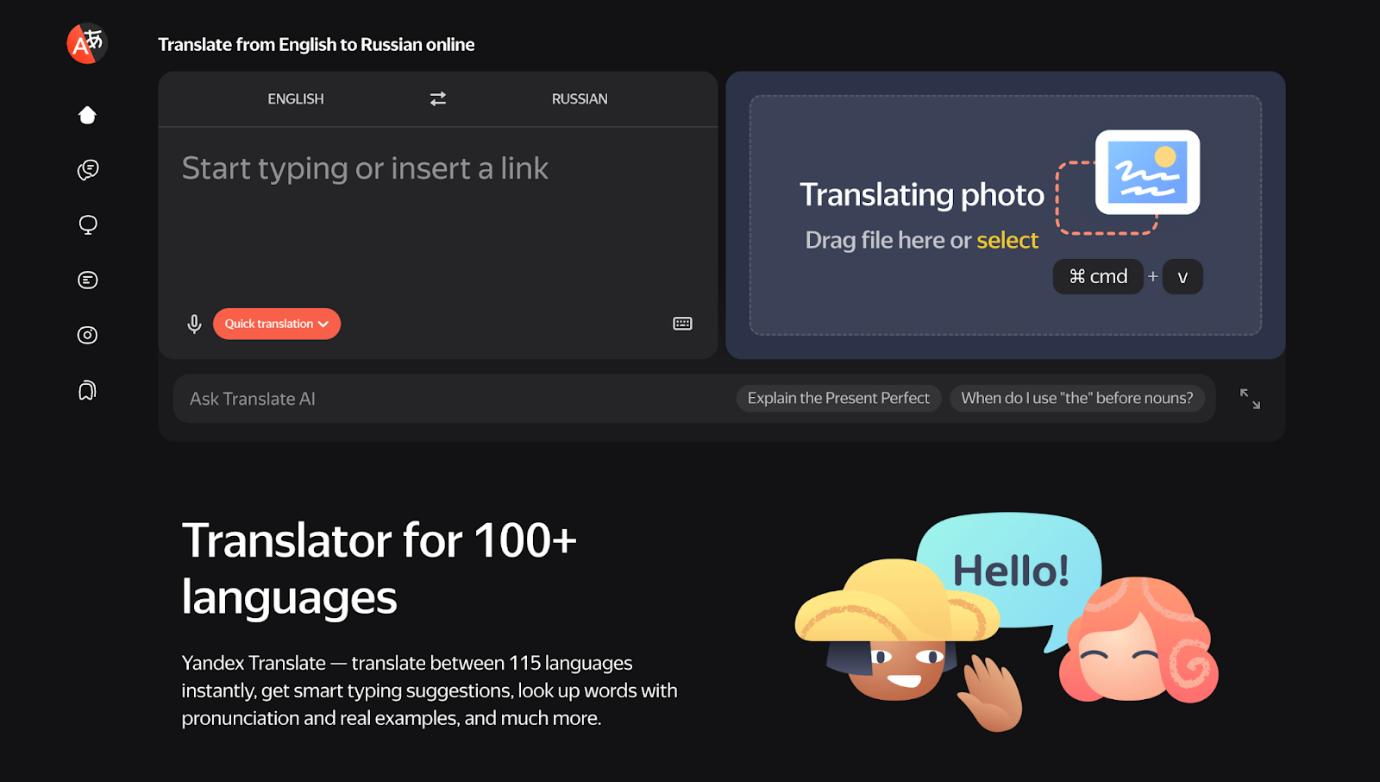
Yandex Translate is a free manga OCR translator that quickly detects and translates text from manga panels. It allows users to extract Japanese text and convert it into English using AI-powered OCR and translation. Although not specifically designed for manga, its cloud-based system keeps translations current with modern language models, but complex layouts can affect accuracy.
Key Features
- Includes a manga OCR translator that pulls text from images automatically.
- Offers support for multiple languages, including Japanese-to-English translation.
- Allows direct image uploads for instant translation.
- Provides text and website translation, along with image OCR.
- Free to use with web and mobile access.
Pros
- Fast and free image-to-text translation.
- Enables multi-language translation to cover diverse manga material.
- Simple interface, easy for beginners.
- Continuous improvements and updates are provided through cloud-based translation.
Cons
- OCR can have difficulty recognizing stylized manga fonts or intricate panel layouts.
- No batch translation for multiple manga pages at once.
- Context and subtle meanings may be lost when translations are too literal.
Best For. Casual manga readers who need a quick manga OCR translator to translate individual panels.
Price. Offers a free version with limitations. The Pay As You Go service charges US$4.10 per million characters.
Manga Translator (AI Web Tool)
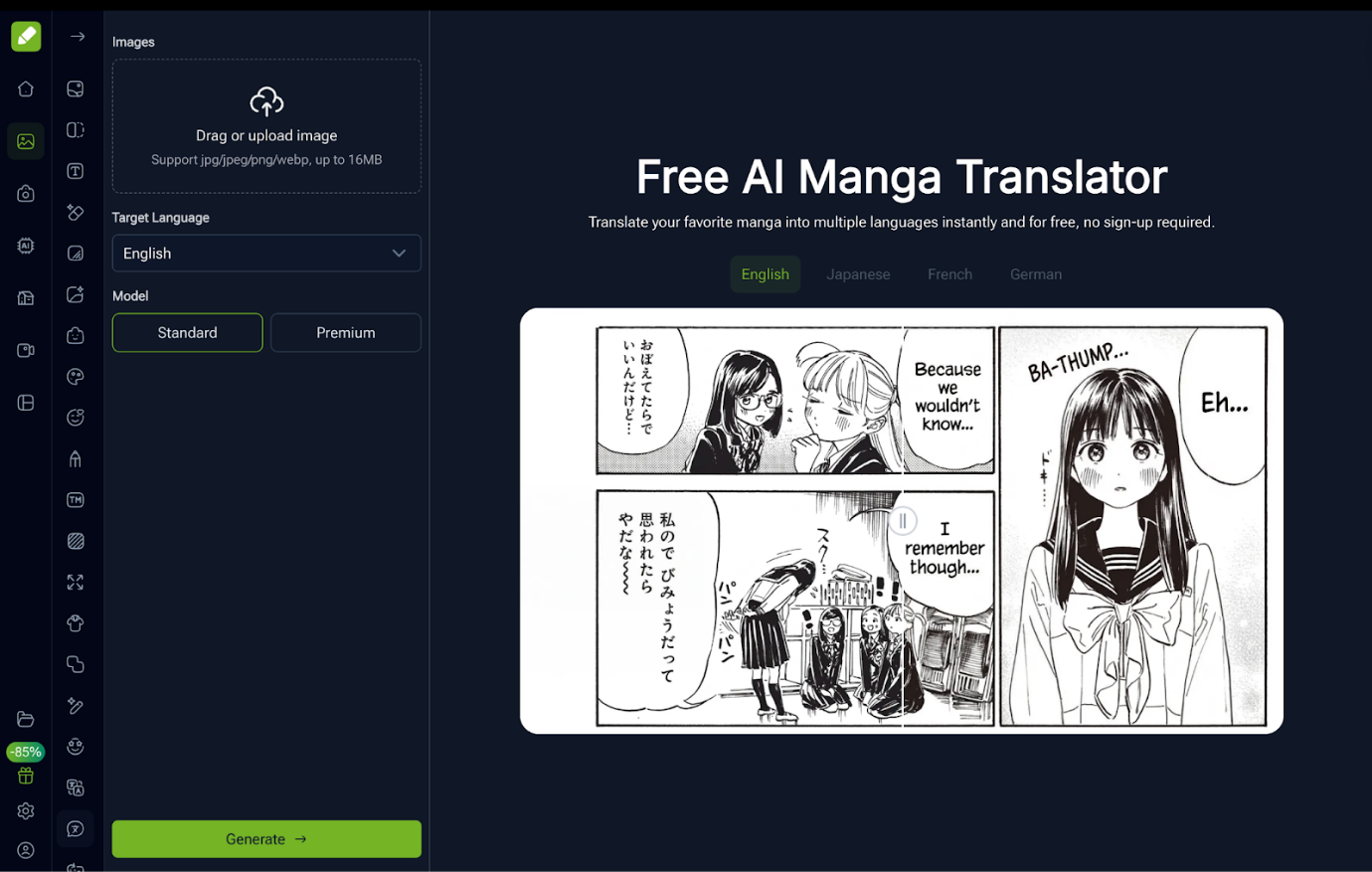
Serving as an online manga translator with AI, Manga Translator converts Japanese text from manga panels into English. It acts as an alternative to Google Translate, providing features designed for comic layouts and speech bubbles. Its intuitive interface makes it easy to upload images and get translations instantly without extra software.
Key Features
- Offers a drag-and-drop functionality.
- Handles PDF documents as well as images in JPG/JPEG, PNG, WEBP, and JIFF formats.
- Supports over 50 languages with 99% translation accuracy.
- Combines a world‑class translation model with industry‑grade glossaries/TMs, advanced OCR, and smart typesetting.
- Provides the fastest output on the web with batch + background translation; community‑driven monthly releases.
Pros
- Simple, user-friendly interface accessible from any device.
- High accuracy on complex backgrounds/warped or outlined text; cleaner erase, better refill.
- Auto-erase/refill; adaptive size/position/line breaks; preserves layout and rhythm.
- Supports batch upload, background queue, and downloads all when ready.
Cons
- OCR may struggle with highly stylized fonts or cluttered panels.
- Results may vary, influenced by the difficulty of the text and the quality of the image.
- Supports only two file formats (images and PDFs) and a file size of up to 15MB only.
Best For. Casual manga readers and hobby translators who want an online manga translator with AI for single-page or short translations.
Price. Offers a free version with limitations. Pro plan starts at US$8 per month.
Quick Comparison Table of the 5 Best AI Manga Translators
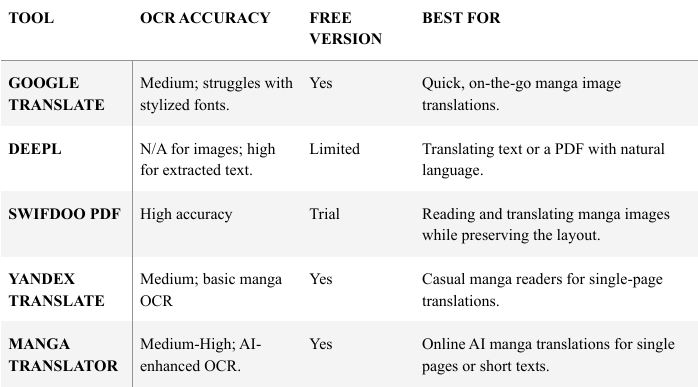
After seeing the detailed overview of the best Manga AI translators, here's a quick comparison. Let us see which tool best fits your needs, whether for casual manga reading or polished translations. The table below highlights their OCR accuracy, availability of a free version, and ideal use cases.
How to Translate Manga Images Using SwifDoo PDF
For a seamless experience, SwifDoo PDF is highly recommended for reading and translating manga images, combining Japanese OCR and layout preservation in one app. It lets you extract text from panels and translate manga into English quickly, all while keeping the original formatting intact.
Let us see how to translate manga images to English or other languages using SwifDoo PDF.
#1. Translate a Whole PDF
Step 1. Download and install the SwifDoo PDF translator on your Windows PC.
Step 2. Once launched, choose the right-side Document Translation under the Home tab.
Step 3. Click Open File to open the PDF you need to translate with the software.
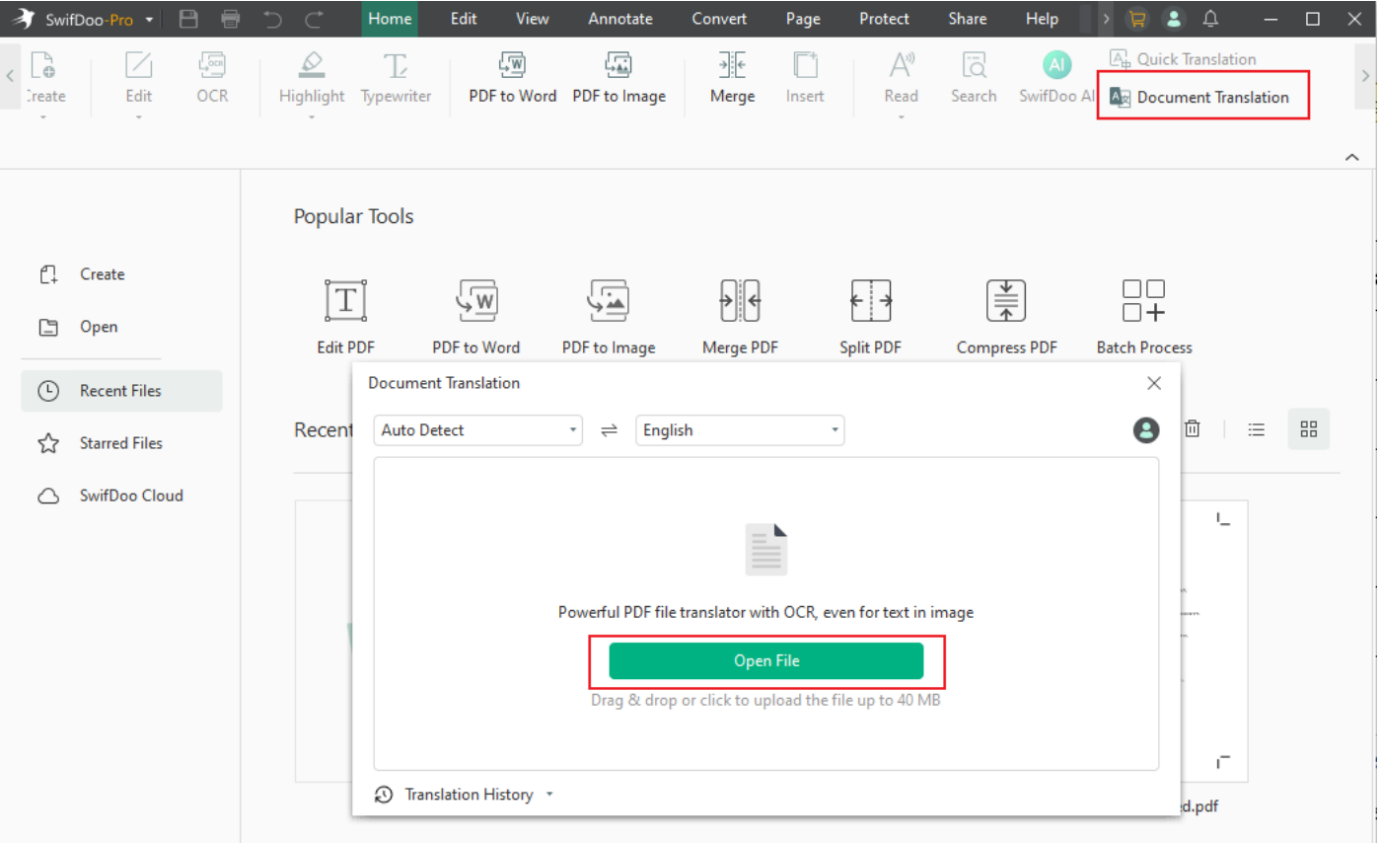
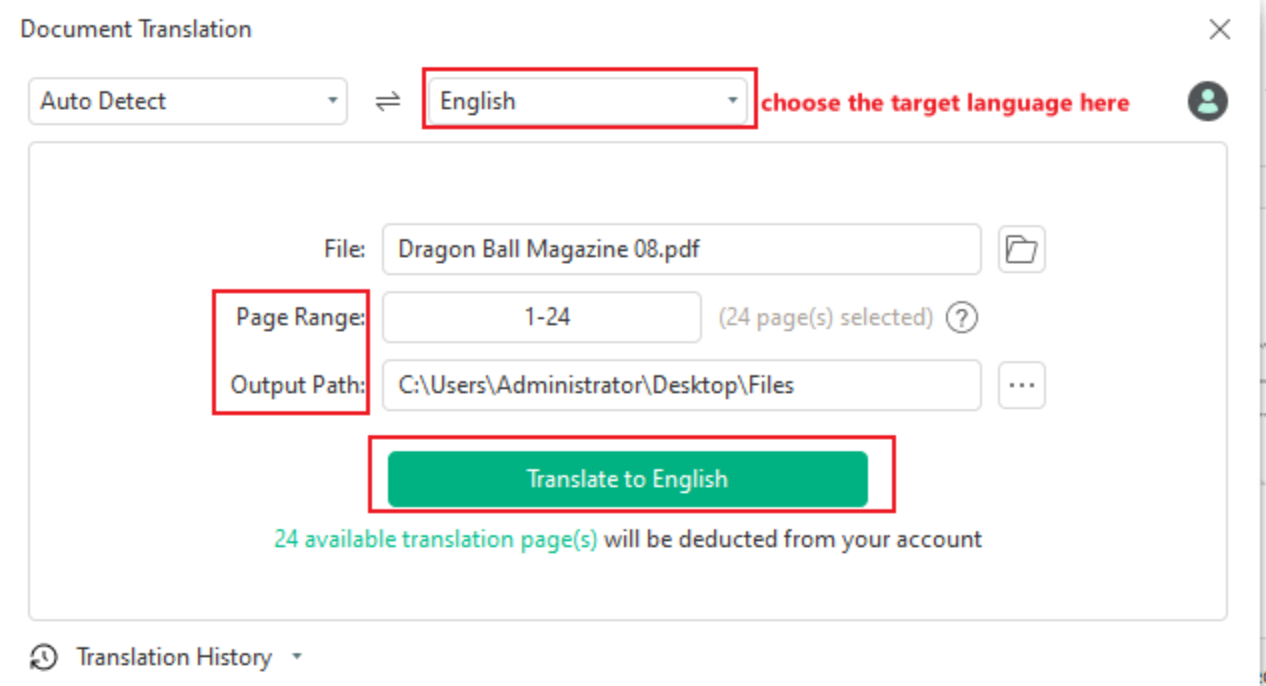
Step 4. Next, specify the input and output languages.
Adjust the Page Range and specify the Output Path. And click the Translate button to translate the entire document.
#2. Translate Text on PDF
Step 1. Download and install SwifDoo PDF on your Windows PC. After launching the software, open the PDF that contains the manga images.
Step 2. Select a piece of text you need to translate into English or other languages. Then, choose Quick Translation in the pop-up mini toolbar.
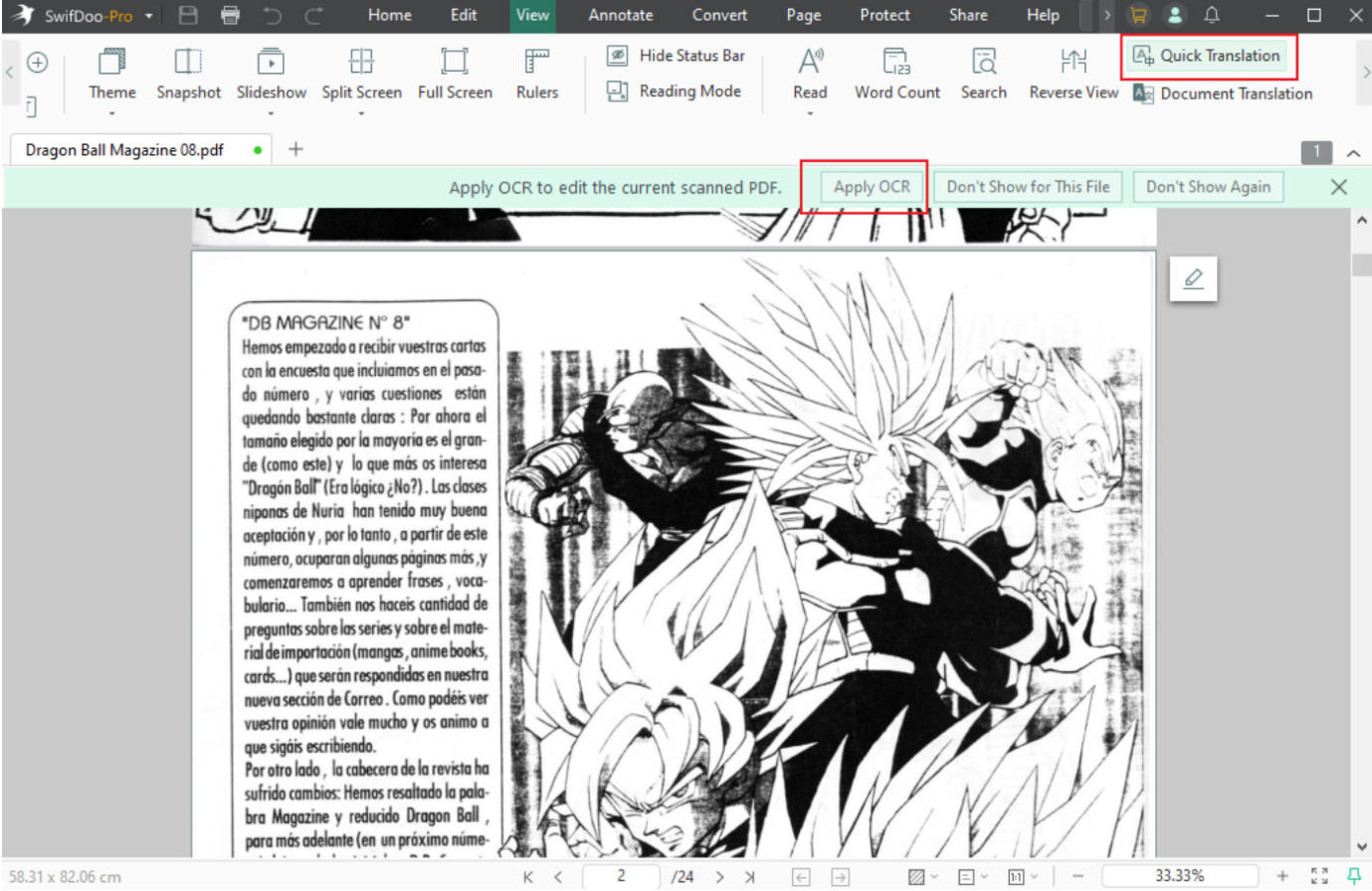
Note. Click the "Quick Translation" button under "Home" or "View" if the mini toolbar doesn’t appear.
Step 3. Select the Original language and the target language. The software automatically translates any selected text within your PDF using SwifDoo PDF.
Final Words
Selecting the best manga AI translator varies based on your goals, from rapid page translation to refined text output or full PDF support. Tools like SwifDoo PDF, DeepL, and Google Translate offer unique strengths for different users. Familiarity with the strengths, features, and limitations of each tool enables manga fans to enjoy translations seamlessly. And helps immerse them in their favorite manga.



