

Can You Download PubHTML5 PDF? Is PubHTML5 Safe?
Can you download PubHTML5 PDF? Yes, you can download content from PubHTML5, but the method depends on how the publisher configured the flipbook. A PubHTML5 PDF download is straightforward when the publisher enables the built-in download button.
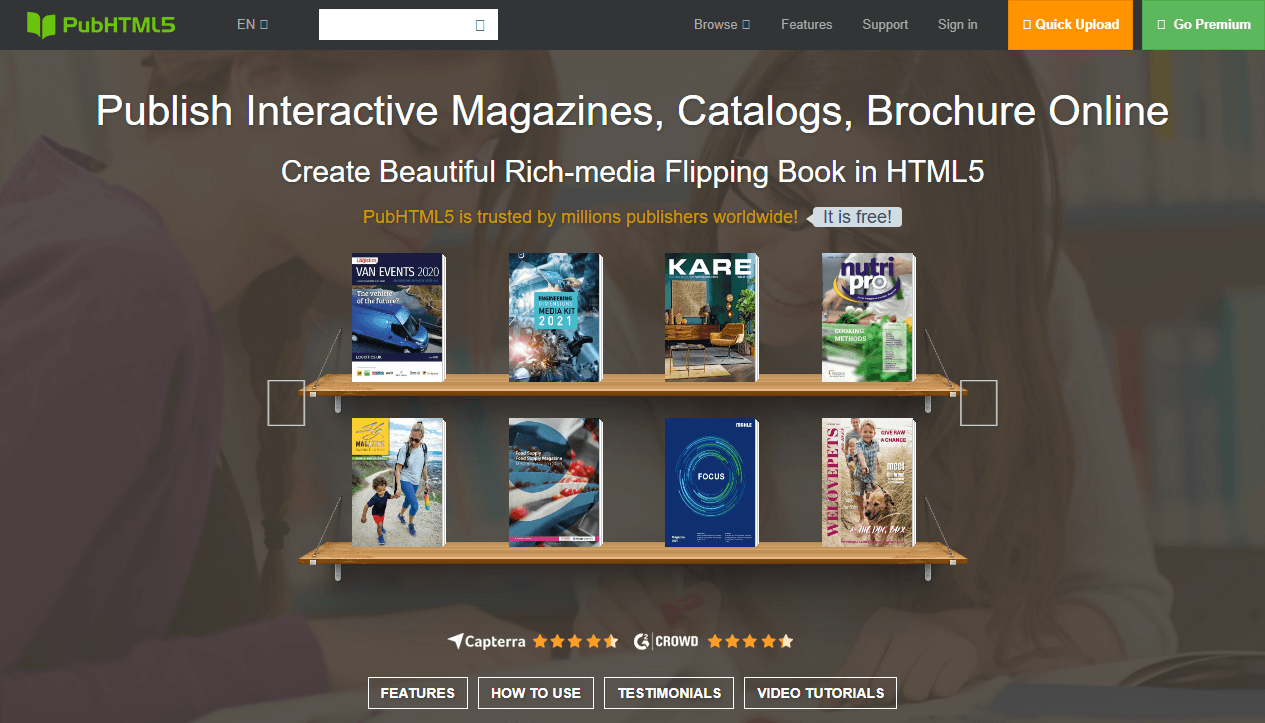
Is PubHTML5 safe? The platform itself is legitimate. It uses standard HTTPS encryption and is trusted by businesses, educators, and publishers worldwide. The files hosted on PubHTML5 are uploaded by individual users, so content quality varies. When performing a PubHTML5 PDF download, the platform does not distribute malware.
How to Download EPUB Books for Free: The Complete Guide 2026
Want to download EPUB books for free? Discover the best sites for free EPUB downloads. Learn how to open and convert EPUB files with perfect PDF tool.
READ MORE >However, caution is needed with third-party tools that claim to be a PubHTML5 downloader. Stick to the official and browser-based methods in this guide to avoid security risks. For reading on the go, some publishers provide a dedicated PubHTML5 offline reader app, which is also safe to install from official app stores.
Understanding how the platform works explains why a PubHTML5 to PDF conversion isn't always straightforward. Publishers control whether the PubHTML5 PDF download button appears. Many choose to disable it to protect their content, which is why users search for how to download PubHTML5 file in the first place.
SlidePlayer Downloader for PDF/PPT - Free Download Slides From SlidePlayer
Need a free SlidePlayer downloader? We cover official methods, 5 online tools, and legal ways to download SlidePlayer PPT and PDF without an account.
READ MORE >How to Download PDF from PubHTML5 Officially?
The safest path to a PubHTML5 PDF download starts with the platform's built-in features. Publishers decide which options are available, but it's always worth checking the following methods before turning to workarounds.
How to download PDF from PubHTML5? There are three major methods: download directly from the online Flipbook toolbar, print to PDF, or contact the creator.
Method 1: Use the Creator-Enabled Download Button
The most legitimate way to download PubHTML5 flipbooks as PDF is through the official flipbook download button. However, this feature is only available to Premium users. Free users cannot enable the PubHTML5 PDF download button for their readers.
For readers who want to download PubHTML5 flipbook content:
Step 1: Navigate to the PubHTML5 flipbook you want to save and locate.
Step 2: Check the toolbar at the top or bottom of the viewer. If the publisher enabled PubHTML5 flipbook downloads, you'll see a download icon.
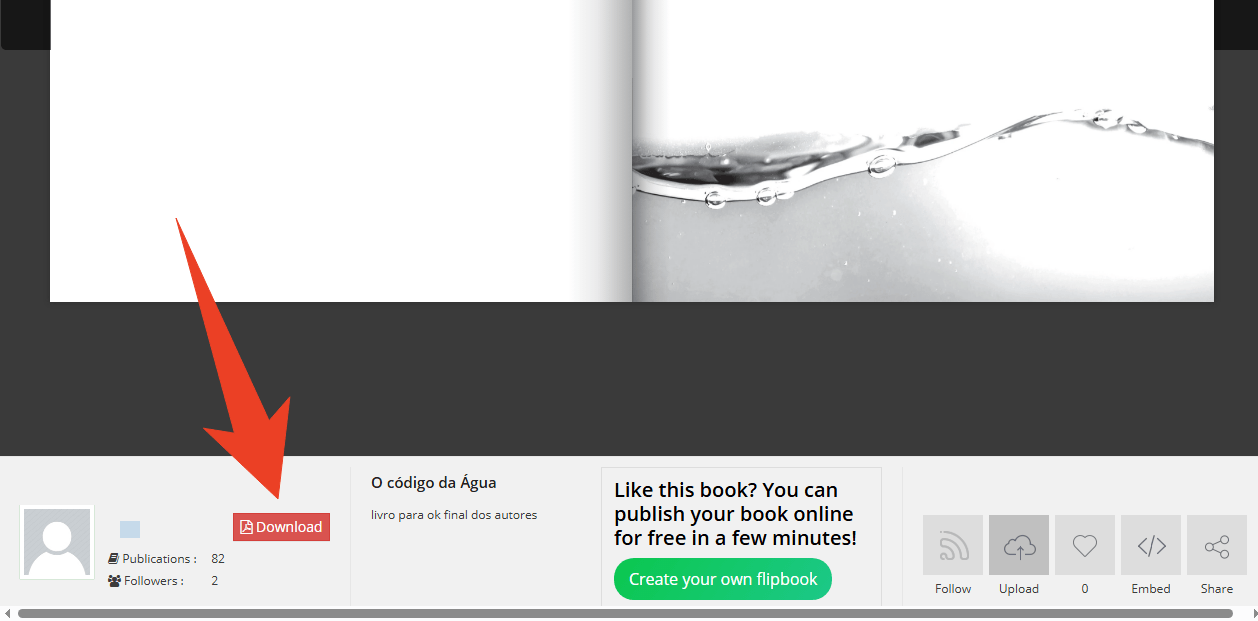
Step 3: Click the download button and select PDF as the output format.
How to Create a Flipbook Digitally | 5 Quick Steps
How to create a flipbook in a few clicks? Click on this page and learn 5 detailed methods to make flipbook effortlessly.
READ MORE >Method 2: Use the PubHTML5 Print to PDF
If you're facing the PubHTML5 download button not showing issue, the creator may have chosen not to enable it. In this case, you can try contacting the creator directly through the website or their contact information to request a PDF version.
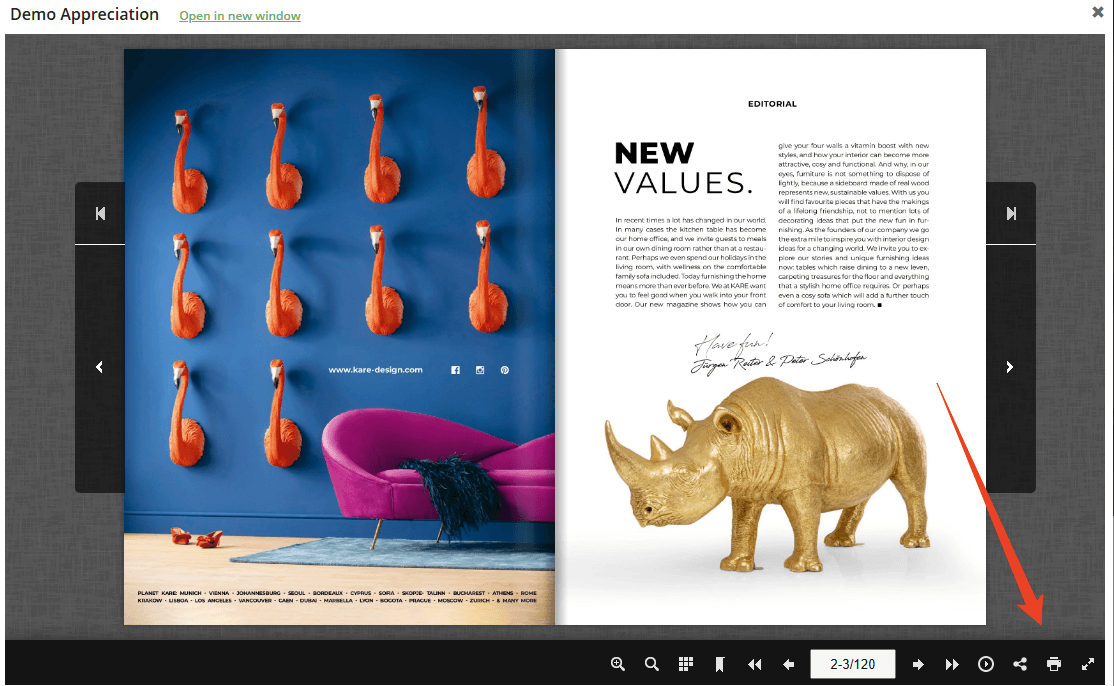
If that can't work, don't worry, some flipbooks include a print button in the toolbar. This lets you perform a PubHTML5 print to PDF conversion even without a dedicated download button.
How to download PubHTML5 book when the download button is missing?
Step 1: Open the PubHTML5 flipbook you want to download and locate the menu bar.
Step 2: Click the Print icon.
Step 3: In the Print dialogue, check the box next to Print All Pages.

Step 4: Choose "Save as PDF" instead of a physical printer and click Save.
Method 3: Check the Publisher's Website
The publication page often includes PubHTML5 PDF download links that users overlook. Just scroll around the flipbook and read the text description accompanying the flipbook. Publishers sometimes include a direct PubHTML5 PDF download free link in the description.
Some publishers also provide a dedicated pubhtml5 offline reader app for mobile devices, which offers the most polished offline experience when available. Check the publisher's website or the flipbook description page for official app links before resorting to workarounds.
If no PubHTML5 PDF download option exists, consider contacting the publisher directly. Many are willing to share PDFs for educational or personal use. This is especially effective for how to download PubHTML5 book content from academic publishers.
4 Ways to Convert Flipbook to PDF: Step-by-Step Tutorial
Here are four easy ways to convert flipbooks to PDFs. Check out how to do it with or without a PDF converter.
READ MORE >How to Use SwifDoo PDF to Manage Downloaded Flipbooks
Once you have legally obtained a flipbook as a PDF, SwifDoo PDF can help you manage, edit, and optimize your files. SwifDoo PDF is a free PDF editor available for Windows and macOS that offers a comprehensive suite of tools for handling PDF documents.
Key features for managing flipbook PDFs:
-
Organize pages: Reorder, delete, rotate, or extract pages from your flipbook PDF
-
Convert formats: Convert PDF to Word, Excel, PowerPoint, or image formats
-
Add signatures: Sign documents digitally for authentication
Step 1: Launch SwifDoo PDF and open your PubHTML5 PDF download file.
Step 2: In the Edit tab, click Edit All to enter the Editing Mode. Then you can insert, delete, or modify any texts.
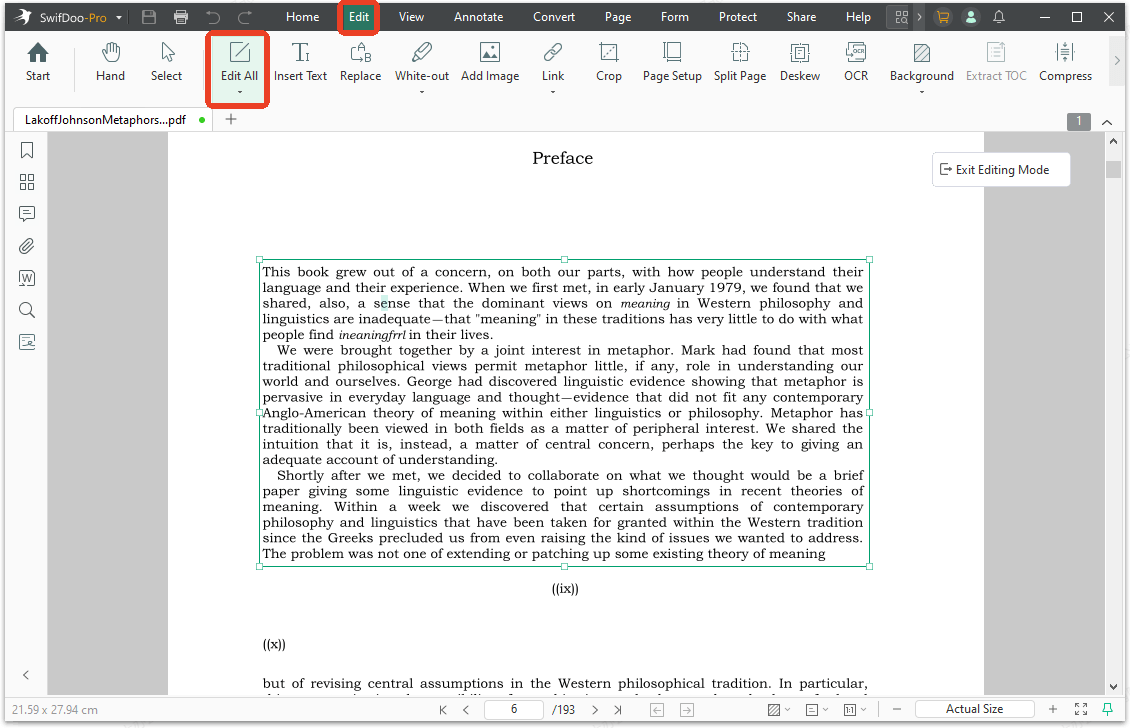
You can use other tools from the top menu bar and follow the prompts to manage your downloaded flipbooks.
Final Thoughts
To get a reliable PubHTML5 PDF download, you need to choose the right method for the situation. Start with the official download button or print option because they're safe, fast, and produce the best quality. When those are missing, browser print-to-PDF and the screenshot method can help you complete the PubHTML5 PDF download.


