


What Is the Standard Printer Paper Size?
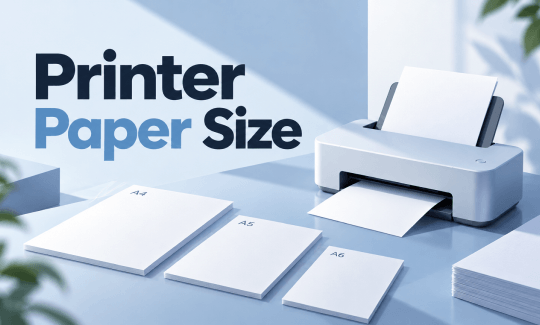
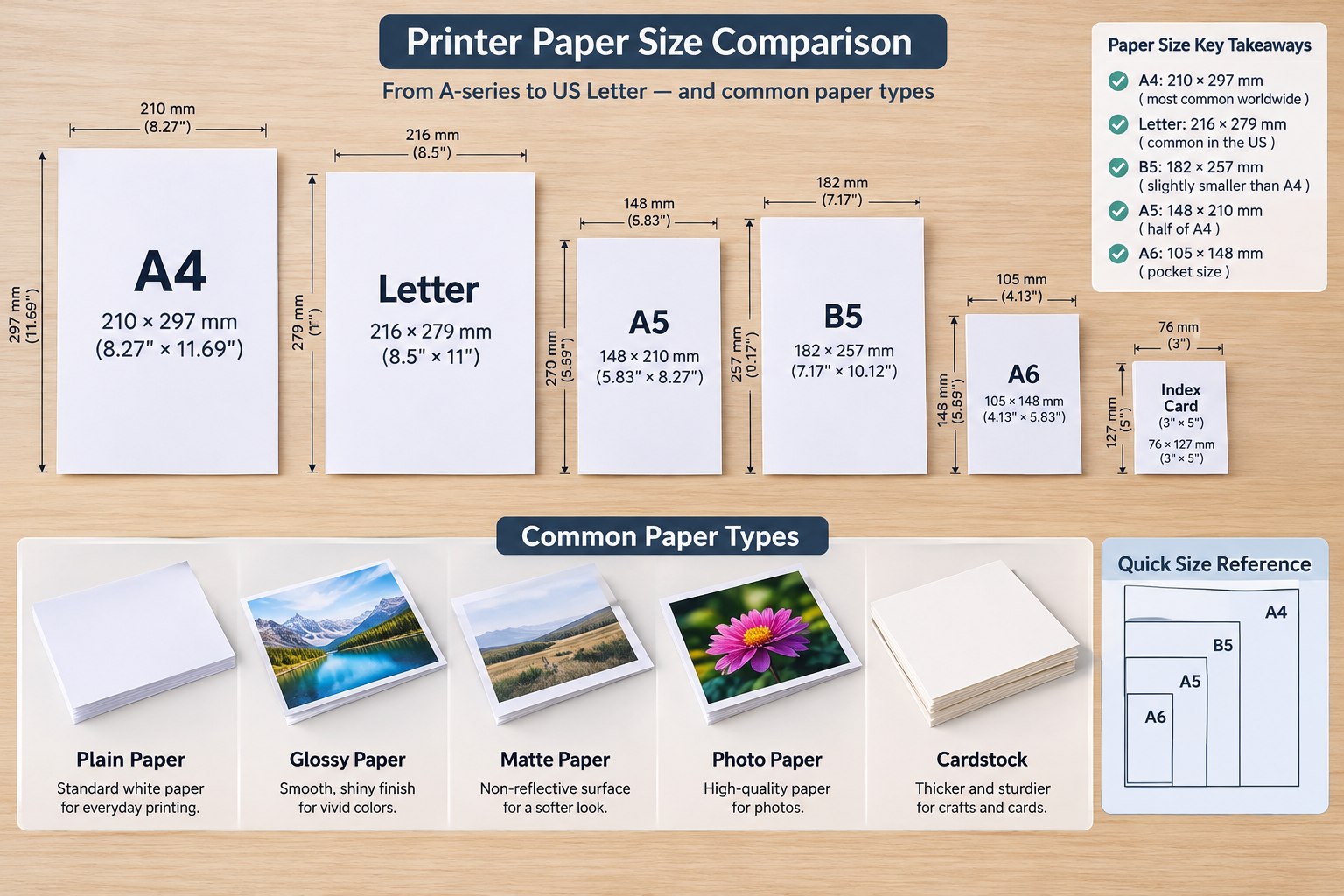
The standard printer paper size depends on where you are. In most of the world, including Europe, Asia, Africa, and Australia, the standard is A4, measuring 210 × 297 millimeters (8.27 × 11.69 inches). In the United States and Canada, the standard is Letter, measuring 8.5 × 11 inches (216 × 279 millimeters).
Standard Printer Paper Size: A4
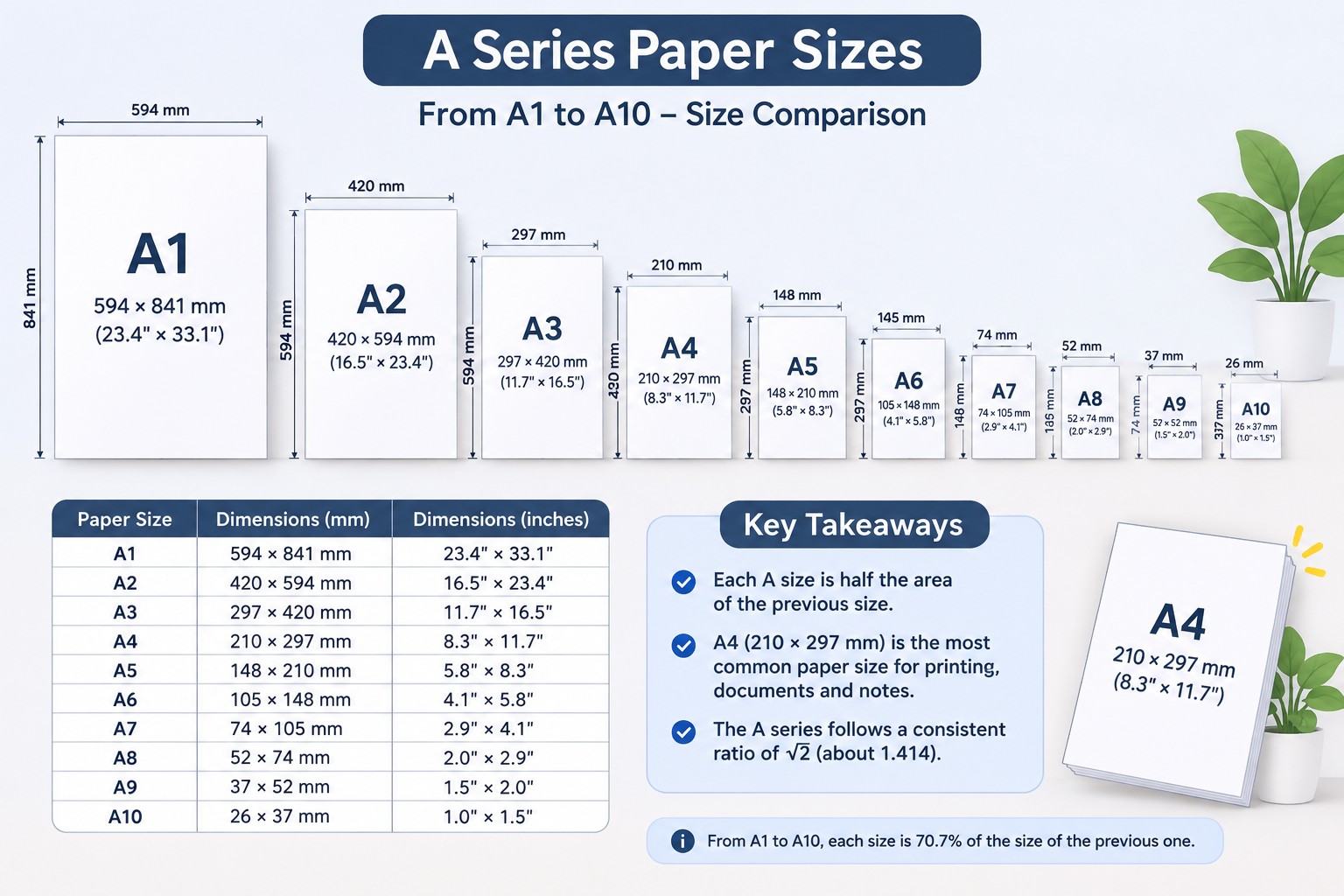
The ISO 216 system, which defines A4, was established in 1975 and is built on a simple mathematical principle: every size in the A-series has an aspect ratio of 1:√2, and each successive size is half the area of the one before it.
Here is the rule: A0 has an area of one square meter. Fold it in half to get A1. Fold A1 in half to get A2. Keep going, and you reach A4. The size that ended up as the global default for business documents.
Standard Printer Paper Size: Letter
The North American system evolved separately, through historical precedent and practical decisions. Letter (8.5 × 11) has been the standard for everyday printing for generations. Legal (8.5 × 14) exists for contracts and legal filings that need more vertical space. Tabloid (11 × 17) serves spreadsheets, newsletters, and small posters.
The Comprehensive A-Series Chart (A0 to A10)
The A-series is the most widely used paper family in the world. Its logic is elegant: each size is half the previous one, and the aspect ratio stays constant. This A-series chart shows you the detailed printer paper sizes.
| Size | Dimensions (mm) | Dimensions (inches) | Typical Use |
|---|---|---|---|
| A0 | 841 × 1189 | 33.1 × 46.8 | Large posters, technical drawings |
| A1 |
594 × 841 | 23.4 × 33.1 | Posters, window displays |
| A2 |
420 × 594 | 16.5 × 23.4 | Notices, art prints |
| A3 |
297 × 420 | 11.7 × 16.5 | Posters, plans, presentations |
| A4 |
210 × 297 | 8.27 × 11.69 | Everyday documents, letters, forms |
| A5 |
148 × 210 | 5.83 × 8.27 | Booklets, flyers, notebooks |
| A6 |
105 × 148 | 4.13 × 5.83 | Postcards, invitations |
| A7 |
74 × 105 | 2.9 × 4.1 | Small notes, tickets |
| A8 |
52 × 74 | 2.0 × 2.9 | Business cards (smaller) |
| A9 |
37 × 52 | 1.5 × 2.0 | Stamps, labels |
| A10 |
26 × 37 | 1.0 × 1.5 | Tiny labels |
B Series and C Series: What They're For
Apart from the A-series, you’ll see B and C sizes in everyday printing, but they matter for specific jobs.
- B-series sits between the A-series sizes. B4, for example, is larger than A4 but smaller than A3. It's used in professional printing, posters, and books where the A-series doesn't quite fit the job.
- C-series is for envelopes. The logic is simple: a C4 envelope fits an unfolded A4 sheet. A C5 envelope fits an A4 sheet folded in half. A DL envelope fits an A4 sheet folded into thirds. If you're mailing something, the envelope size is usually tied to the paper size inside.
North American Paper Sizes: Letter, Legal, Tabloid
In some regions, they don’t use the A-series but follow the North American system for paper size. These sizes were established by convention and industry practice, and they serve different purposes.
| Size | Dimensions (inches) | Dimensions (mm) | Typical Use |
|---|---|---|---|
| Letter | 8.5 × 11 | 216 × 279 | Everyday office printing, academic documents |
| Legal |
8.5 × 14 | 216 × 356 | Contracts, legal filings, documents needing extra length |
| Tabloid/Ledger |
11 × 17 | 279 × 432 | Spreadsheets, newsletters, small posters |
How to Check What Paper Sizes Your Printer Supports
Not every printer handles every size. A compact home printer might only support Letter and A4. A larger office printer might handle Legal and Tabloid. Before you load paper, check.
- Check the manufacturer's specifications. Search for your printer model and "supported paper sizes." The spec sheet will list exactly what the paper trays accept.
- Check the paper tray itself. Most trays have adjustable guides with size markings. If the tray only accommodates up to 11 inches, Legal (14 inches) won't fit.
- Check the print dialog. When you select your printer in the print menu, the paper size dropdown will show the sizes that printer supports. If Legal isn't listed, your printer can't handle it.
How to Adjust the Paper Size for Printing
What if you find the paper size can’t fit your printer? You need a professional paper resizer before printing. SwifDoo PDF is not only an all-in-one PDF editor, but also a file page manager for printing. The tool gives you a print preview that reflects the actual output, so you can see whether the content will fit or get cut off.
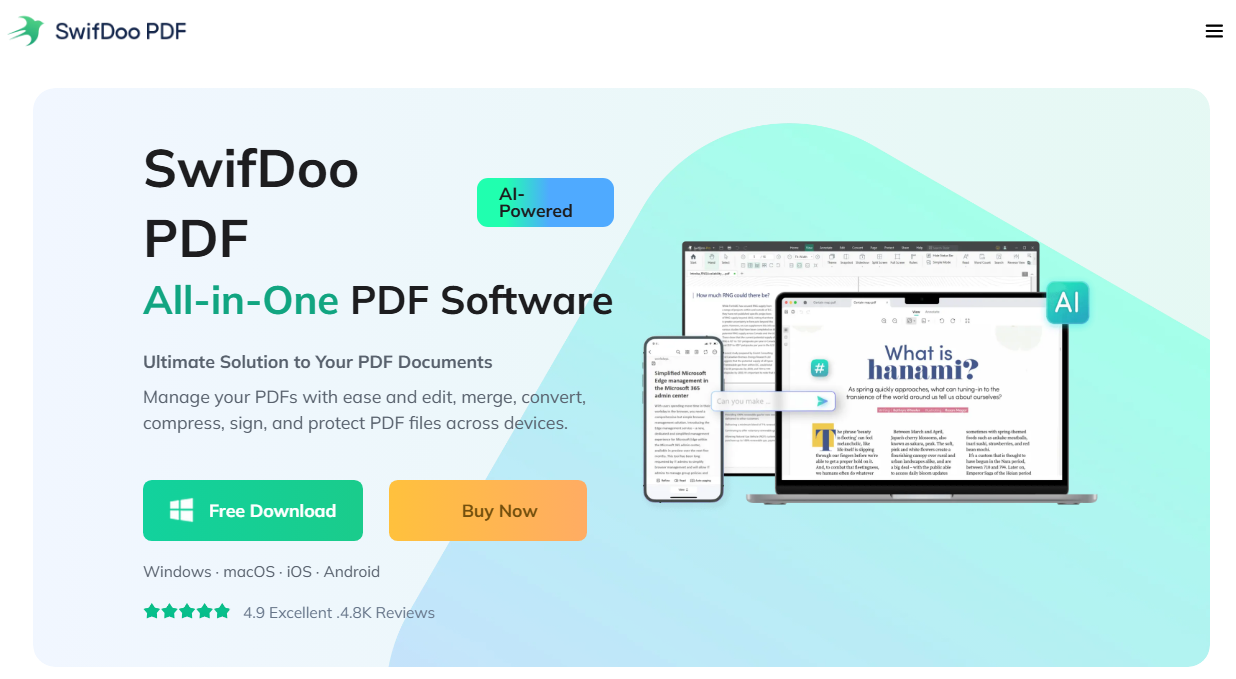
Step 1: Download and install SwifDoo PDF editor and launch it.
Step 2: Click Open to choose your file and go to the Page tab.
Step 3: Choose Page Setup and set the page size. SwifDoo PDF supports A-series and B-series sizes, and you can also set a custom paper size.
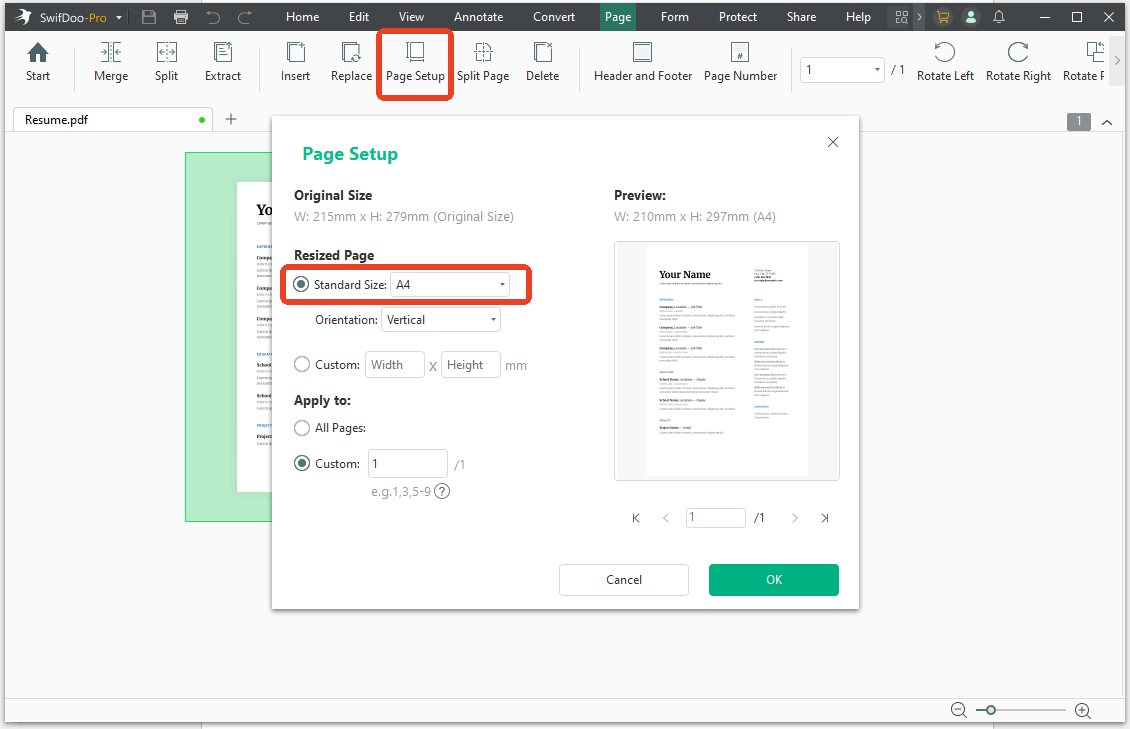
Step 4: Choose the page range and click OK.
After you set up the printer paper size, you can choose to crop the page or adjust the PDF margins if needed.
Alternatively, you can directly print the PDF in the designated printer paper size. Follow the steps with SwifDoo PDF:
Step 1: Click the Print icon in the top left corner and choose the printer.
Step 2: Under Paper Size and Orientation, choose the right paper size and configure the other settings.
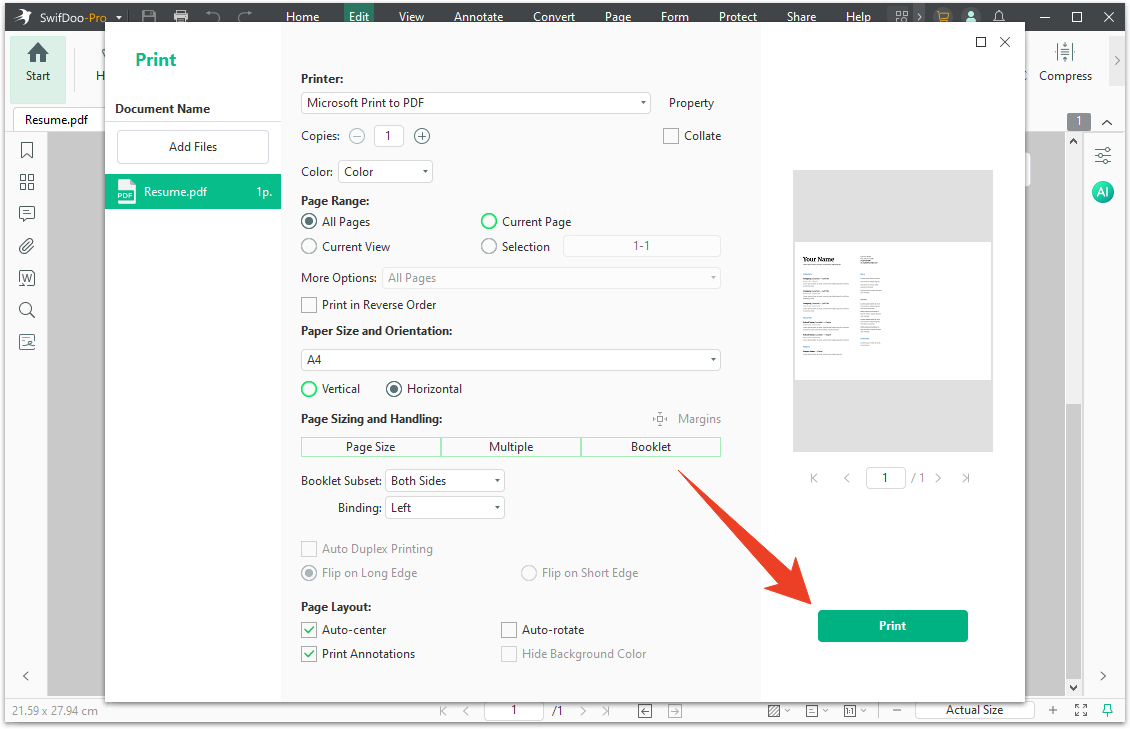
Step 3: Click Print to print the PDF.
Why Your Printer Says "Paper Size Mismatch" (And How to Fix It)
This is the error message that stops a print job cold. It appears when the paper size setting in your document or printer driver doesn't match the paper loaded in the tray. The printer is telling you: "I have one size; you're asking for another. I'm not going to guess."
To get rid of this printer error message, you can try the following fixes:
- Check the paper in the tray. Look at the actual sheet. Is it Letter or A4? The paper guides should be snug against the edges.
- Check the print settings. In your print dialog, look at the paper size dropdown. Is it set to the size that's in the tray?
- Check the printer driver settings. Sometimes the application's page setup says one thing, and the printer driver says another. Both need to match.
- Cancel and restart. Press the Stop or Cancel button on the printer to clear the job. Delete it from the print queue. Then try again with the correct settings.
If the paper in the tray is larger than the setting, some printers let you continue by pressing OK. The printer will print on the larger paper, and you can trim or adjust.
Choosing the Right Paper Size for the Job
The different paper sizes are used in different situations, which depends on what you’re printing. Here are some usual applications for various PDF paper sizes:
- Everyday documents: A4 or Letter, depending on your region. This covers letters, reports, invoices, school assignments, and most office printing.
- Contracts and legal documents: Legal (8.5 × 14) if you're in North America. The extra length provides space for signatures, clauses, and the kind of extended text that legal documents require.
- Posters and presentations: A3 (297 × 420 mm) is the smallest size that reads well from a distance. A2 and A1 are for larger displays. If you're in North America, Tabloid (11 × 17) serves a similar purpose.
- Booklets and manuals: A5 (148 × 210 mm) is half of A4, which makes it ideal for folding and binding. B5 is slightly larger and common in book publishing.
- Envelopes: C4 for unfolded A4, C5 for A4 folded in half, DL for A4 folded into thirds.
- Photos: A6 (105 × 148 mm) is close to the classic 4×6 inch photo print. Photo paper also comes in specific sizes, and the finish matters as much as the dimensions.
Conclusion
A standard printer paper size depends on the region you are in. If you don’t sure what system your region uses, read this article and check the paper size ratio. Then check your printer’s supported sizes for a match. Besides, try SwifDoo PDF – this professional paper resizer and printer if you find the size can’t fit in the printer device.
Resize the PDF to match your paper, preview the output, and print without wasting sheets on a job that was never going to fit.


