What Does PDF Invalid Format Mean?
The “PDF Format Invalid” error occurs when a file is corrupted or fails to meet PDF standards. Consequently, the file cannot be processed by the reader, denying access to its data. In many cases, incomplete downloads, transfer-related corruption, or reader compatibility issues are responsible. Even a small flaw in the file structure can cause this issue, making it necessary to fix it to access your important documents.
Why Is My PDF of Invalid Format?
Several factors can cause theerror. When the causes are clear, fixing the issue and applying the necessary solutions is straightforward. While the main reason is often the file itself, here are some additional reasons.
❌ Insufficient system memory or interference from other programs may trigger invalid PDF format issues.
❌ An improperly downloaded PDF can become corrupted, leading to the error.
❌ Problems with your network or the hosting server may cause files to be partially accessed, resulting in errors.
❌ An outdated or faulty PDF reader might fail to open files with advanced features.
❌ A PDF file may appear invalid if decryption fails due to encryption.
How to Fix PDF Invalid Format Error
Learning how to fix the problem allows you to restore your file without hassle. Tackling the root cause—whether corruption, download problems, or software glitches—helps resolve the issue more quickly. Try these 7 straightforward solutions to resolve the problem immediately.
Fix 1. Repair the Corrupted PDF File
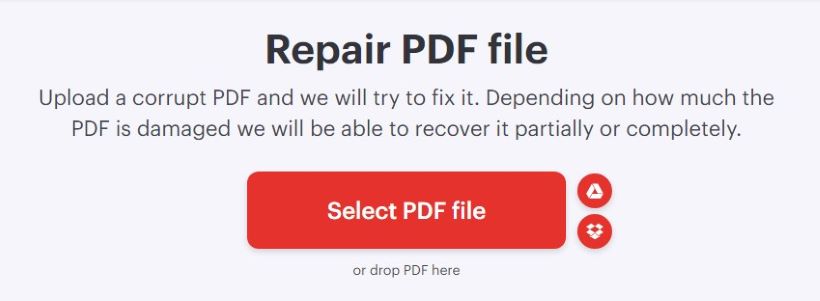
A corrupted or damaged file is the main cause of the “cannot display PDF invalid format” error. When a PDF is corrupted, it cannot be opened normally. The first step to fixing this problem is to repair a corrupted PDF file with a trusted repair tool. Using reliable tools like Sejda PDF Repair, iLovePDF, or AvePDF can fix the file structure and recover your PDF.
Fix 2. Try Another PDF Reader
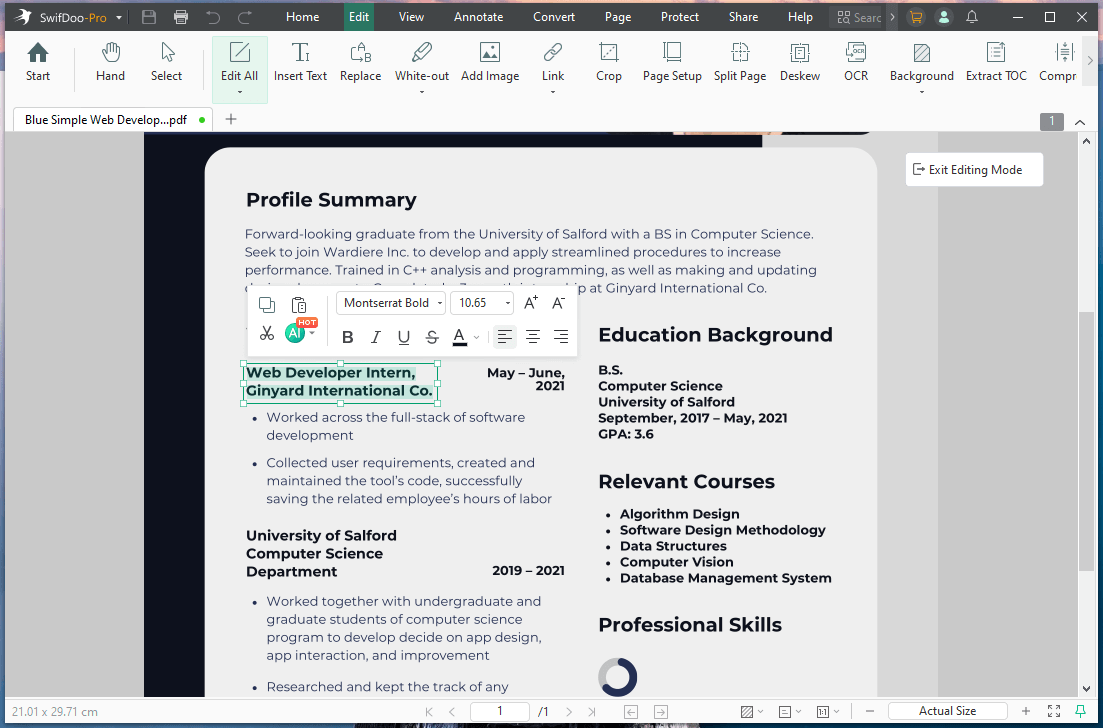
The error can sometimes happen if the PDF reader cannot access the file. Switching to a different reader often solves the problem. For instance, SwifDoo PDF is an effective Adobe Acrobat alternative compatible with many PDF formats.
Using a compatible reader ensures accurate file recognition. And it also helps you access your documents without errors, making it a simple yet effective solution. Simply launch SwifDoo PDF, click “Open”, and select the PDF document you wish to read. You will not encounter the error if it is a software issue.
Fix 3. Change the Default PDF Reader
If your current PDF reader frequently displays the "PDF is in an invalid format" error, switching the default PDF application can help. Setting a more reliable or compatible reader ensures the file is recognized and opens correctly. Learn how to do so easily.
Step 1. Press the Win + I keys to open the Settings window.
Step 2. Select Apps from the left panel. And click Default apps in the right panel.
Step 3. Type PDF in the Set a default for a file type or link type section.
Step 4. Finally, select a professional PDF editor.
Fix 4. Change the File Extension
Occasionally, a PDF invalid format error happens when the file extension is wrong or doesn’t match the actual file type. Renaming the file with the correct .pdf extension can help your PDF reader recognize it and open the document without issues. Explore the quick steps.
Step 1. Right-click the PDF file with the invalid format. And choose Rename.
Step 2. Convert the file by changing its extension from .pdf to .docx. Then, press Enter.

Step 3. Open the file using Microsoft Word.
Step 4. Select Save As. Then choose the PDF format to save the file as a PDF.
Fix 5. Update and Repair Adobe Acrobat
Using an outdated or malfunctioning PDF reader may trigger the error. Updating or repairing Adobe Acrobat improves compatibility with newer PDF files and resolves internal glitches, allowing smooth document access. Learn how to fix a PDF in an invalid format using Adobe Acrobat updates and repairs.
Step 1. Open Adobe Acrobat and click Menu.
Step 2. Select Help and choose Check for Updates.
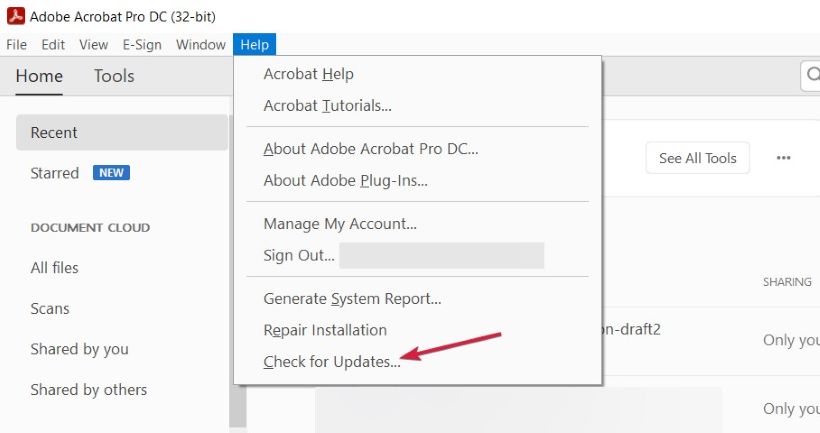
Step 3. Install all the available updates.
Step 4. To repair Adobe, select Help and choose Repair Installation.
Fix 6. Open the PDF with Microsoft Word
Microsoft Word can also be an effective solution to open a PDF. It can be a quick and effective workaround for the error. Simply open the document, convert it to PDF, and save it again to resolve the issue. Here’s how to do so in a few clicks.
Step 1. Locate your PDF document. And right-click the file.
Step 2. Use Open with Word to access the file.
Step 3. After opening the document in Word, go to File.
Step 4. Select Save as. And choose PDF as the file format.
Fix 7. Convert PDF to Word
If none of the previous solutions work, try converting the PDF to Word. You can use SwifDoo PDF Online converter to convert PDF to Word without losing formatting, ensuring your document’s structure remains unchanged.
This solution provides access to the document and lets you edit it, even if the PDF is corrupted. It serves as a reliable last resort to bypass the error and quickly recover your important data. Here’s a fast step-by-step process.
Step 1. Access your web browser. And launch the SwifDoo PDF online converter.
Step 2. Click the PDF to Word option.
Step 3. Select Choose File to import your invalid PDF, and the conversion will begin instantly.
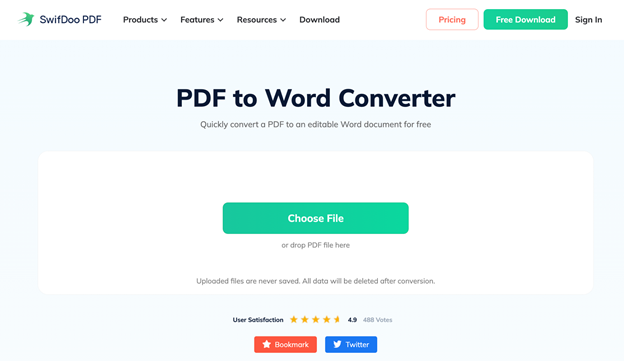
Step 4. Wait until your file has converted. After that, press Download to save the document.
How to Avoid "Invalid Format PDF" Error
Preventing the PDF invalid format error is often easier than fixing it. Simple precautions can help prevent file corruption and other problems that block your documents from opening. Follow these steps to reliably open a corrupted PDF file without issues.
Consistently keeping PDF software up to date is essential for smooth operation. This not only resolves bugs but also helps avoid formatting issues.
✅ Optimize the File Size.
Monitor the size of your PDF files to prevent corruption and formatting errors. Optimizing PDF files improves performance and reduces the risk of invalid PDF format errors.
✅ Check the File Extension.
Always verify the file extension of your PDFs to ensure they are saved as .pdf. Files in the wrong format may produce the error, blocking access to the PDF.
✅ Always Use Secure Sharing Platforms.
Always use secure, trustworthy platforms when sharing PDFs online to prevent corruption during transfers. Otherwise, PDFs may become corrupted, stopping recipients from opening them.
Conclusion
The PDF invalid format error can be frustrating. However, understanding the causes and using the appropriate solutions makes recovery simple.
You can regain access to important files by repairing corrupted PDFs, using trusted PDF readers, or converting documents. In addition, by following the vital tips and precautions, you can prevent future issues and ensure your PDFs open smoothly every time. Hope this guide is helpful.