


Understanding Microsoft Rewards
Microsoft Rewards is a free program where users earn points by using Microsoft services like searching with Bing, completing quizzes, shopping in the Microsoft Store, and playing games. You simply sign in with your Microsoft account, complete daily tasks, and your points automatically accumulate in your account.
Each tier—Member, Silver, and Gold—offers improved benefits as you progress higher. You can move up quicker by staying active, finishing tasks, and earning 500+ points each month. Continued engagement with streaks and Microsoft activities accelerates your overall tier growth.
Rewards points can be used for gift cards, subscriptions, sweepstakes, and donation options. Points can vary in value, but gift cards often offer the highest practical return.
It is worth using because Microsoft Rewards turns regular online actions into useful rewards for free. With consistent use, users can earn meaningful rewards over time, making it a simple and effective way to save money and enjoy perks.
How to Get Started and Reach Higher Tiers Fast
Getting started with Microsoft Rewards is simple and only takes a few minutes. After you sign up, you can begin earning points immediately through everyday activities. Adhere to the steps below to create your account and quickly progress toward higher reward tiers.
Step 1. Go to the official Microsoft Rewards page.
Step 2. Click Join Now or Sign In with your Microsoft account.
Note. If you don’t have an account, create one using your email.
Step 3. Once logged in, explore the dashboard for daily tasks and offers.
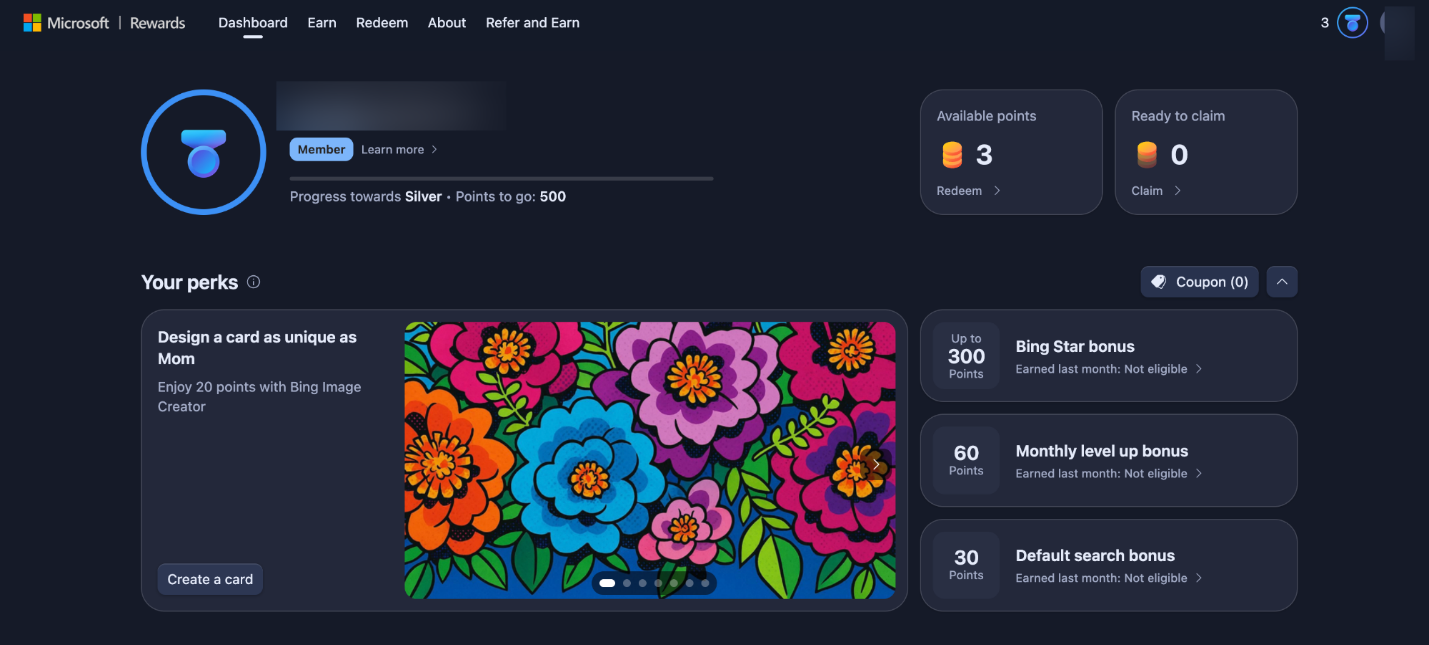
Step 4. Start completing activities like searches, quizzes, and bonus tasks to earn points.
Here are some tips to hit Level 2 / Silver / Gold requirements quickly.
- Complete daily searches consistently. Use Bing on both desktop and mobile to maximize daily points.
- Don’t miss daily sets. Doing quizzes, polls, and daily tasks helps you build and maintain streak bonuses.
- Maintain streaks. Consecutive daily activity increases bonus points and helps level up faster.
- Use multiple Microsoft services. Using Edge, Microsoft Store, and Xbox regularly helps you earn extra Microsoft Rewards points.
- Look for bonus offers. Check your dashboard regularly for limited-time challenges and higher-point tasks.
- Aim for 500+ points every month. Meeting this requirement provides access to improved tiers and rewards.
- Maintain daily streaks for extra rewards. Doing small tasks daily leads to faster progress than irregular activity.
- Enable notifications. Get alerts for new offers so you never miss easy points.
Following these steps and tips can help you quickly move up tiers and maximize your Microsoft Rewards earnings.
How to Get Microsoft Rewards Points Fast
Earning Microsoft Rewards points can be simple when you know the right strategies. In this section, you’ll learn how to earn Microsoft Rewards points quickly using easy daily activities and smart habits. These methods will enable you to increase your points more quickly.
#1. Bing Search (Biggest Consistent Earner)
Bing Search is a simple and reliable method to consistently earn Microsoft Rewards points every day. Every search you make on Bing contributes to your points balance, making it a simple habit that adds up over time without requiring extra effort.
Let’s learn how to get Microsoft Rewards Points using Bing Search.
Step 1. Sign in to your Microsoft Bing account.
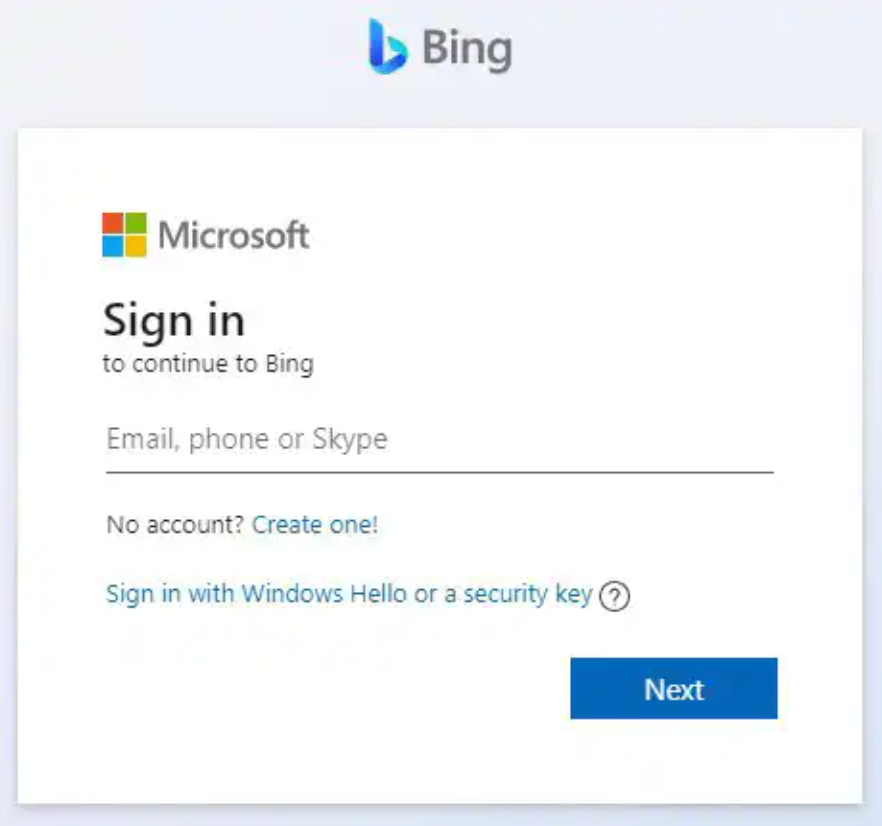
Step 2. Start performing regular searches to earn points.
- PC search. Earn Microsoft Rewards points for each search you make through Bing on your PC.
- Mobile search. Earn Microsoft Rewards points on the go when you search through Microsoft Bing on your mobile device.
- Windows search box. Start searches in your Windows search box to keep on earning more.
Points That Can be Earned
- Daily desktop searches (PC). You can earn up to 150 points per day by searching on Bing from your computer.
- Mobile searches. Using the Bing app on your phone allows you to earn up to 100 points per day through searches and reading activities.
- Use Microsoft Edge for extra rewards. Searching through the Microsoft Edge browser can unlock additional bonus points on top of your daily limit.
- Complete daily sets and tasks. Visit the Microsoft Rewards dashboard to finish quizzes, polls, and weekly/monthly activities for extra points.
- Use the Bing mobile app regularly. Special mobile tasks allow you to collect additional points more quickly.
- Reach Level 2 for higher limits. By earning 500+ points per month, you can unlock Level 2, which increases your daily search limits and earning potential significantly.
#2. Complete the Daily Set + Build Streaks
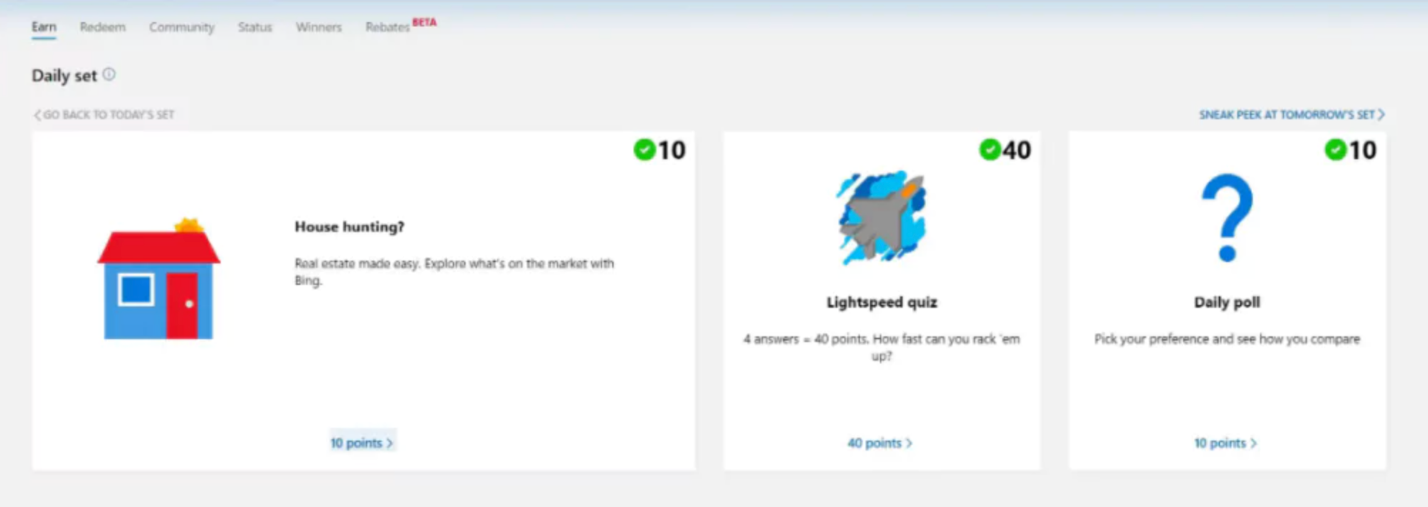
The Microsoft Rewards Daily Set is also one of the easiest ways to earn extra points every day without much effort. It includes simple activities like quizzes, polls, and short challenges that refresh daily. Completing the Microsoft Rewards Daily Set consistently not only helps you earn bonus points but also allows you to build streaks, which increase your rewards over time and boost your overall earning potential.
#3. Xbox and Game Pass Activities (Excellent for Gamers)
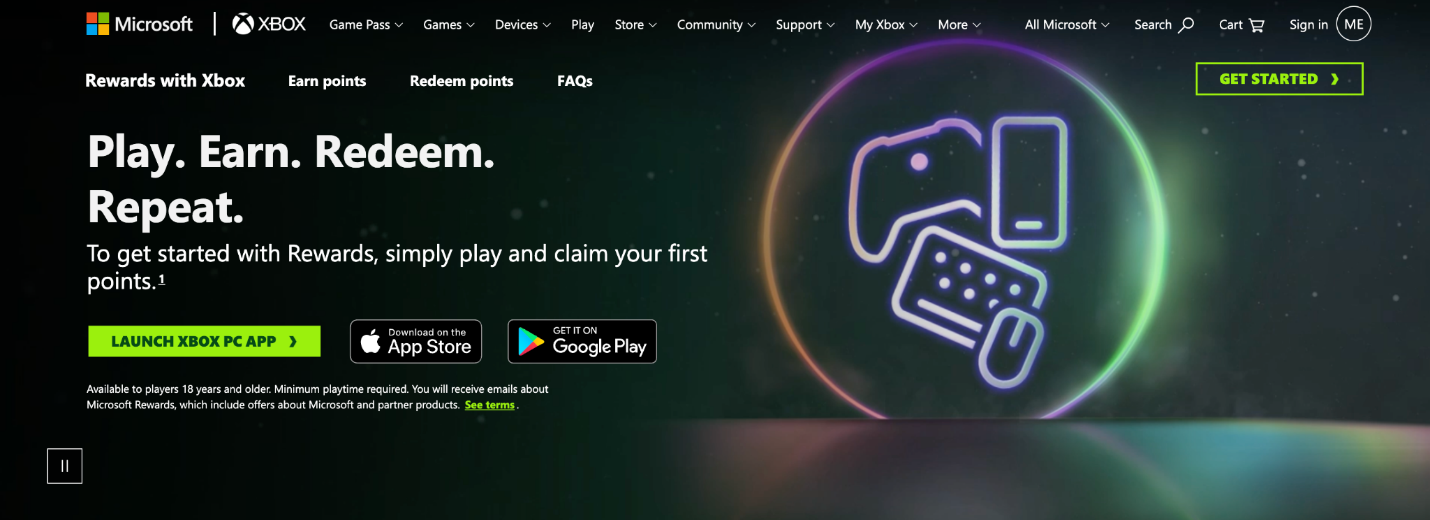
If you enjoy gaming, Xbox and Game Pass activities offer a fun and rewarding way to earn Microsoft Rewards points. By playing games, completing in-game challenges, and participating in special Xbox quests, users can steadily collect extra points while enjoying their favorite titles. This method is especially useful for gamers who want to turn their playtime into valuable rewards without any extra effort.
#4. Other High-Value Methods
Besides searches and gaming, Microsoft Rewards includes several high-value ways to boost your points faster. These options usually require completing simple, structured tasks or taking advantage of special promotions available on your dashboard. They are ideal for boosting your earnings with minimal extra effort.
- Weekly and monthly punch cards. These are special milestone-based tasks available on the Microsoft Rewards dashboard. You complete a set of activities like searches, quizzes, or shopping actions within a time limit. Once finished, you earn bonus points that are much higher than regular daily tasks, making them one of the fastest ways to boost your total.
- Microsoft Store Purchases. Microsoft Store transactions like apps and games contribute to earning more Rewards points. The more you spend on eligible items, the more points you accumulate, especially during promotional periods.
- Special Promotions and Limited-Time Offers. Special promotions give users extra points for engaging with new Microsoft tools and features. Since these offers are limited-time, you should frequently review your dashboard.
- Referral and Bonus Activities. Some users can boost earnings through referrals and by using Microsoft services such as Edge and Xbox Game Pass trials. They offer quick rewards that significantly speed up your overall tier advancement.
Here’s a comparison table of all the practical ways.
|
Method |
Estimated Daily Points |
Effort Level |
Best For |
|
Bing Search |
100–250 points/day |
Very low |
Consistent daily earners |
|
Daily Set + Streaks |
30–100 points/day + bonuses |
Low |
Users who want bonus streak rewards |
|
Xbox/Game Pass Play |
50–150+ points/day (varies by tasks) |
Medium |
Gamers and Xbox users |
|
Punch Cards & Offers |
100–1000+ points (weekly/monthly) |
Low to medium |
Users wanting big bonus boosts |
|
Referrals |
100–1500+ points (occasional) |
Low |
Users with friends/new users to invite |
Proven Daily Routine to Maximize Points
To maximize Microsoft Rewards points, it’s important to follow a simple but consistent daily routine. Small actions performed every day can quickly add up and significantly increase your total earnings over time. In this section, you’ll learn a proven routine that helps you maximize Microsoft Rewards points efficiently with minimal effort.
Daily Routine to Follow
Morning (5 minutes): Start with Core Daily Tasks
- Open the Microsoft Rewards dashboard and complete the Microsoft Rewards Daily Set.
- Do 5–10 natural Bing searches on a PC using Microsoft Edge.
- Open the Xbox app and check for any available rewards or tasks.
Midday: Earn Through Mobile Activity
- Use Bing for real searches on your phone through the Bing app or Microsoft Edge.
- Read a few articles or complete quick polls and activities if available on your dashboard.
Evening: Finish Remaining Tasks and Boost Earnings
- Play a Game Pass game for 15+ minutes (if you are subscribed) to earn gaming rewards.
- Finish any remaining Daily Set tasks or weekly offers.
- Check the Bing app for any mobile-only bonus activities.
Night: Review Progress & Maintain Streaks
- Ensure all daily tasks are completed to maintain your streak.
- Keeping a streak active helps increase long-term bonus points and overall rewards.
Weekly Habit: Check Bonus Offers and Punch Cards
- Scan for punch cards and new offers on the dashboard.
- Stick to this, and you’ll build streaks while hitting most daily caps naturally.
Following this routine consistently is one of the most effective ways to grow your points steadily without extra effort.
How Many Points Can You Earn
The number of Microsoft Rewards points you can earn depends on how actively you use the program and which activities you complete regularly.
Here’s a general estimate of monthly earnings:
- Casual user (searches + Daily Set): 2,000–5,000 points/month.
- Dedicated user (full routine + Game Pass + offers): 5,000–10,000+ points/month.
- Top users (all tasks + referrals + special promotions): 10,000+ points/month or more.
Note. The exact number of points you can earn may vary depending on your country, available offers, and the availability of the Microsoft Rewards program in your region.
Advanced Tips and Mistakes to Avoid
Once the basics are clear, advanced techniques help optimize and speed up your Rewards earnings. However, it’s equally important to avoid common mistakes that can slow down your progress or even risk your account. Below are some expert tips and critical warnings to help you stay on track.
Pro Tips:
- Use all devices daily. Use PC, mobile, and Edge browser together to maximize daily Microsoft Rewards points.
- Maintain streaks consistently. Never skip Daily Sets, as streak bonuses significantly increase long-term rewards.
- Check the dashboard regularly. Limited-time offers and punch cards frequently show up without warning on the dashboard.
- Stay within daily limits smartly. Spread searches and tasks throughout the day instead of completing them all at once.
Critical Warnings:
- Avoid scams. Never use fake sites or tools claiming to give free Microsoft Rewards points.
- No bots or automation. Automated tools or scripts can lead to account suspension or ban.
- Follow official rules. Only use official Microsoft-approved methods and platforms to earn Rewards points safely.
- Protect account details. Do not share your login details to ensure account security.
How to Redeem Microsoft Rewards Points
Redeeming Microsoft Rewards points is simple and can be done directly through the Microsoft Rewards dashboard. Once you have enough points, you can choose from a variety of rewards and exchange them instantly. Log into your account, visit redeem page, and choose any reward you can afford.
What You Can Redeem Microsoft Rewards Points For:
- Gift cards: Amazon, Xbox, Microsoft Store, and other popular retailers.
- Xbox credits and games: Buy games, add-ons, and in-game content.
- Microsoft Store discounts: Save on apps, devices, and subscriptions.
- Sweepstakes entries: Enter contests to win bigger prizes.
- Donations to charities: Support various global and local causes.
- Subscriptions: Get discounts or free access to services like Xbox Game Pass.
Final Words
Figuring out how to get Microsoft Rewards points fast comes down to daily engagement and strategic use of Microsoft services. Using these strategies consistently helps you increase points and access valuable rewards without difficulty. Continuous effort makes earning Microsoft Rewards easy, consistent, and rewarding over time.



