1. Use the 30-Day Canva Pro Free Trial (Best for Short-Term Needs)
What it unlocks:
It gives access to a full range of premium creative resources for a month. It includes the background remover, for creating high-quality designs. This lets users build polished designs, reduce effort, and try features effortlessly. It's well-suited to producing high-quality results in a short period.
Steps:
1. Go to the official Canva website. And access the Canva Pro section.
2. Tap on “Start your free trial” to proceed.
3. Add your payment details to continue.
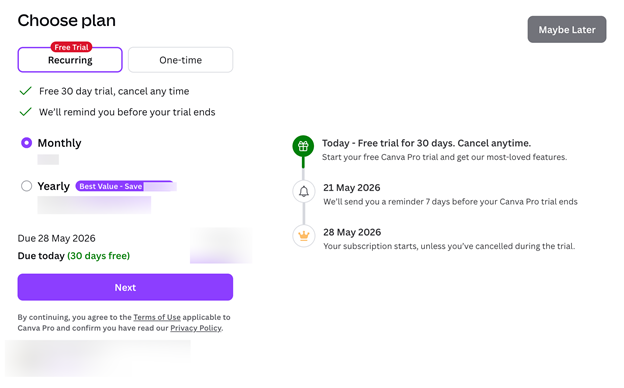
The "Stay Free" strategy: Set a Day 29 reminder immediately to ensure you cancel before payment is taken. It allows time to cancel safely before payment is taken. After you stop the subscription, your account automatically moves to the free tier, and your designs remain available.
2. Apply for Canva for Education (Best for Teachers and Students)
Requirement:
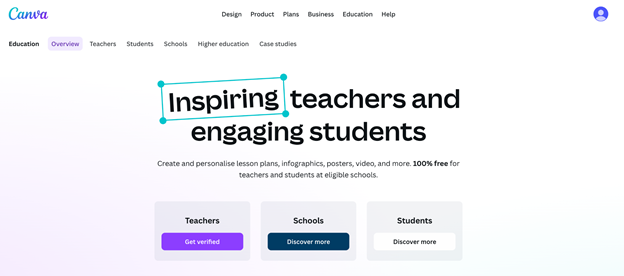
The program is intended for K–12 (primary and secondary) teachers, their students, and qualifying school districts. You usually must verify your teacher status or school affiliation to be eligible.
Benefits:
Eligible educators and students get full Canva Pro features and extra tools for classroom use. It enables teachers to easily oversee tasks, review learning progress, and provide feedback within a single system. It supports LMS integration to simplify lesson management, collaboration, and e-learning workflows.
Steps:
To learn how to get Canva Pro for free as a student, simply sign up for Canva for Education with a valid school email or join a teacher’s classroom account.
1. Open your web browser.
2. Open the Canva for Education portal.
3. Validate your role. Use your school email or documents.
3. Unlock Canva for Nonprofits (Best for Charities)
Eligibility criteria:
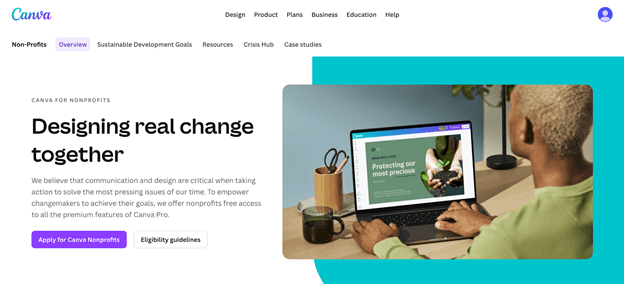
Your organization must have a verified nonprofit or charitable status to qualify. This covers a 501(c)(3) in the U.S. or equivalent nonprofit recognition globally. It should present a defined mission supported by official nonprofit proof.
The benefit:
Approved organizations receive Canva for Nonprofits with full premium tools. A shared, unified space supports up to 50 users working together at no charge.
How to make it:
1. Go to the Canva for Nonprofits apply page.
2. Submit official tax-exemption documentation for Canva's review team.
4. Get Invited to a Canva Pro Team Workspace
How it works:
Users who already have a paid Canva Teams or Canva Business subscription can invite others to join their workspace as collaborators. Once invited, you can use shared Pro features, assets, and team tools in that workspace, based on the permissions set by the owner.
The catch:
Access to Pro features is limited to the shared team workspace you’ve been invited to. Any designs you create there can use premium assets and tools. But your personal account and private folders remain on the free plan unless you have your own Pro subscription.
Warning. Beware of "Canva Pro Lifetime" Scams and Hacks
If you want to know how to get Canva Pro for free lifetime, note that such promises are not supported by Canva and are often deceptive. Claims of permanent access are typically unrealistic and should not be trusted easily.
❗ In most cases, sellers illegally add buyers to fake or abused Canva Education or Nonprofit team accounts, or misuse shared team workspaces in violation of Canva’s terms of service.
❗ Canva actively detects and shuts down these violations. Accounts involved are often permanently disabled, resulting in the loss of access to all data, subscriptions, and creative work. In many cases, recovery is impossible, resulting in financial loss and the permanent loss of design files.
Canva Free vs. Canva Pro Comparison
Here’s a simple comparison of Canva Free and Canva Pro to highlight the key differences.
| Canva Free | Canva Pro | |
|---|---|---|
| Storage | 5GB cloud storage | 1TB cloud storage |
| Assets | Limited free photos, videos, and templates | 100M+ premium photos, videos, graphics, and fonts |
| Brand Kits | Not available | Multiple brand kits for managing colors, logos, and fonts. |
| AI Tools | Limited Magic Studio access and credits. | Full access to AI tools like Magic Resize, Background Remover, Magic Edit, and more. |
See Also:
How to Connect ChatGPT to Canva: Step-by-Step Guide
This guide will show you how to connect ChatGPT to Canva. You will know the specific steps, the flaws and what you can obtain after the connection.
READ MORE >Bonus Tip. How to Work with PDFs Easily
Why do you want to get Canva Pro for free? Maybe you want to make your resume; after all, it is easy to create a PDF in Canva. In addition, you can also upload a Word document, edit it, and save Canva as PDF. However, Canva is not a PDF editor; if you want more advanced features, SwifDoo PDF could be a better choice.
SwifDoo PDF is a compact tool that offers a range of editing features. It helps you edit content, add notes, combine documents, and convert files. It helps keep files organized and secure, offering a seamless experience for quickly handling Canva export PDFs.
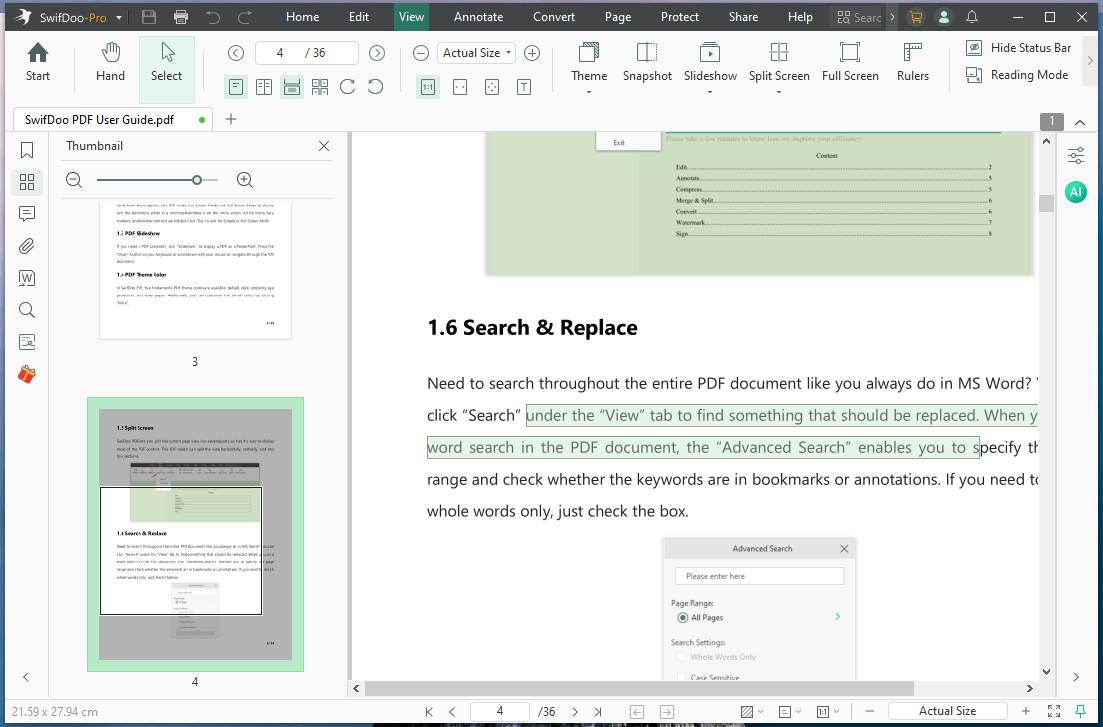
If you often deal with Canva exports or documents, SwifDoo PDF is a practical solution to try. With user-friendly controls and reliable features, it serves as the best PDF editor for everyday PDF editing and conversion needs. Give SwifDoo PDF a try to handle PDFs more quickly and easily.
Conclusion
That's all. There are multiple safe and valid options for how to get Canva Pro for free. This consists of the 30-day trial, Canva for Education, Canva for Nonprofits, and joining team workspaces. These options vary in benefits based on eligibility, offering free access to premium features while complying with Canva’s official guidelines.
Additionally, tools like SwifDoo PDF can streamline the editing and management of PDFs from your exported designs. Hope this guide is helpful.