1. PocketBook Reader
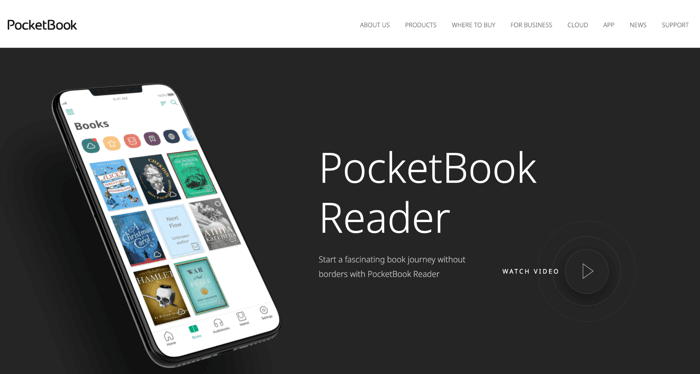
PocketBook Reader is one of the best Android/iPad/iPhone CBR readers. You can start a fascinating book journey without borders with this best CBR reader for Android, iPhone, and iPad. It can detect and read several formats, including CBR, CBZ, PDF, EPUB, DjVu, FB2, MOBI, DOCX, and TXT. By synchronizing your reading position, books, and libraries across all devices, PocketBook Reader makes reading CBR files on Android or iOS a breeze.
Pros
- One of the best EPUB, FB2.zip, RTF, CHM, HTML, CBZ, CBR, and PDF readers.
- Offers a fantastic e-reading with a wide range of personal settings and multiple supported formats.
- Also supports MP3 and M4B audiobook format, and a TTS function to listen and translate easily.
Cons
- Fewer titles compared to major competitors like Kobo and Amazon Kindle.
2. CDisplayEx

CDisplayEx is yet another popular, light, and efficient CBR file reader. It can read all Manga titles and comic book formats, including CBR, CBZ, PDF, and more. The program has everything designed to give you the best reading experience. CDisplayEx not only loads comic books immediately but also provides a fluid, comfortable reading experience. You can easily get this CBR reader for Windows and Android through the official website.
Pros
- Supports seamless CBR or PDF comic download with fast, smooth panel navigation.
- Full-featured and actively developed comic reader, supporting major comic formats.
- Immersive reading experience with library organization.
Cons
- Issues with the interface, with potential bugs.
3. ComicRack
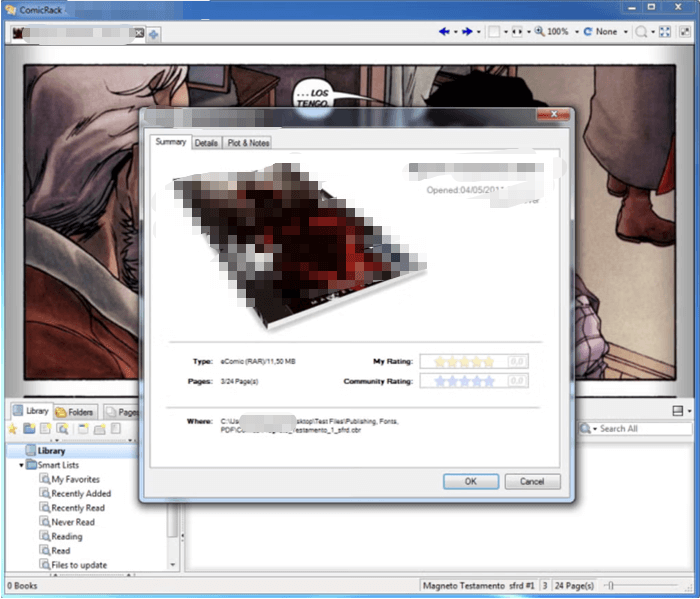
ComicRack is a powerful free CBR reader for Windows PCs. It's a multi-functional program that supports CBZ, CBR, RAR, PDF and other formats. Moreover, you can view comics in different ways, such as full screen or two-page view. Once a top choice for anyone asking what program reads CBR files, it’s now considered abandonware, with the community actively archiving old installers, plugins, and resources to keep this beloved tool accessible.
Pros
- Efficient library tools with flexible tags to handle even the biggest comic collections.
- Offers numerous display modes for personalized and enjoyable reading.
- Versatile format support ensures smooth access to all your favorite digital comics.
Cons
- No official support; requires community-sourced files and plugins, may cause reliability concerns.
4. Perfect Viewer

Known for its performance, Perfect Viewer is a widely used CBR viewer for Android. This .cbr reader offers seamless CBR reading and versatile viewing options, including page mode and vertical and horizontal scrolling for webtoons. Its wide format compatibility—including CBR, CBZ, CBT, and PDF (with plugin)—makes it perfect for varied collections.
With auto page layouts, thumbnail browsing, brightness controls, and balloon magnification, users get a highly customizable and smooth comic-reading experience.
Pros
- Handles popular comic, image, and archive file types such as CBZ, CBR, CB7, CBT, and beyond.
- Supports five flexible view modes plus left-to-right and right-to-left reading for a personalized experience.
- Supports image tuning with adjustable brightness, contrast, and gamma.
- Source plugin support lets you open files stored in Google Drive, Dropbox, and OneDrive.
Cons
- Since it doesn't support PDFs out of the box, you'll need an additional plugin for proper viewing.
- The interface can feel overwhelming due to numerous advanced options and configuration settings.
5. YACReader
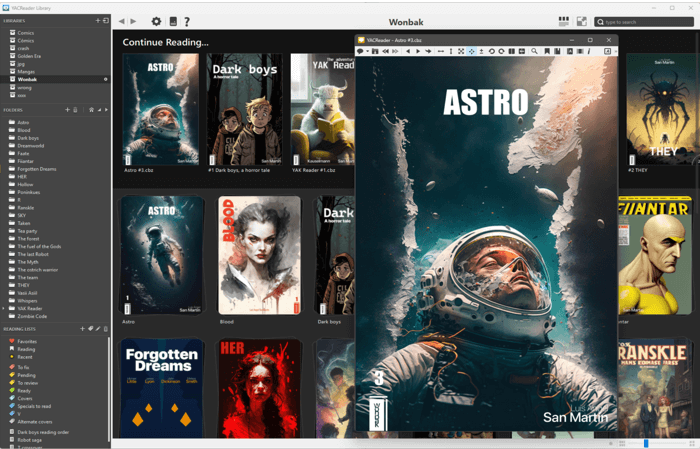
YACReader is a qualified CBR reader for Windows, Mac, Linux, and Android and iPhone devices. This open-source program is fast, reliable, and supports a wide range of formats. Its easy-to-navigate interface lets you download manga in PDF, CBR, CBZ, and CBT formats and access image folders. You can also add a shortcut to reset the magnifying glass to its defaults (size and zoom).
Additionally, YACReader lets you fix trackpad scrolling, making trackpad use more responsive and natural.
Pros
- Offers multi-platform support: Android, iPhone, Windows, Mac, and Linux CBR file reader.
- Supports reading RAR and ZIP archives that contain several files.
- Enable the adjustment of the program’s appearance to choose single or double page reading modes.
Cons
- Does not support DRM-protected comic books.
Bonus: A Top Comic PDF Reader for PC/MAC/Mobile
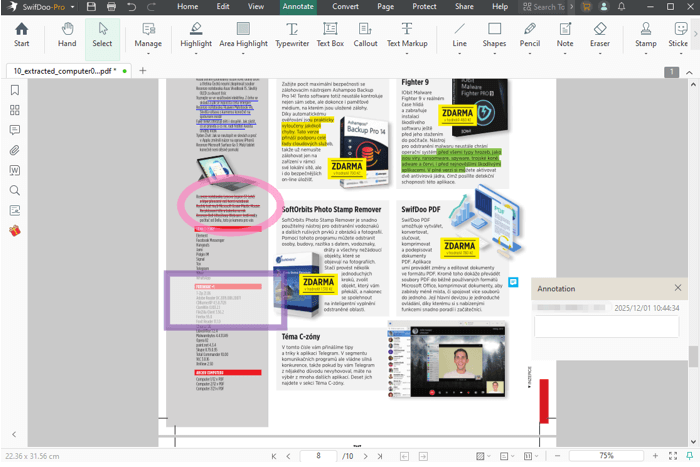
You have learned about comic book readers that can open CBR and other file formats. However, SwifDoo PDF can be your ideal companion for managing your digital documents. As your favorite CBR reader manages comics effortlessly, SwifDoo PDF steps in with advanced PDF viewing, editing, annotation, and security tools. With its user-friendly layout design and rich feature set, reading, organizing, and sharing documents is quick and effortless across PC, Mac, and mobile devices.
Below are additional advantages of SwifDoo PDF to help ensure a smooth reading experience.
- Edit and annotate PDFs easily with highlights, comments, and drawing tools.
- Seamlessly compress, merge, and split documents for better file organization.
- Efficiently convert PDFs to Word, Excel, or images quickly and accurately.
- Quickly add password protection and permissions for secure document handling.
- Includes SwifDoo AI to accurately summarize, translate, analyze, and chat with your PDFs.
Quick Wrap Up
Choosing the right CBR comic reader for Android, iPhone, iPad, Windows, Mac, or Linux can significantly enhance your digital comic experience. CDisplayEx, ComicRack, and Perfect Viewer each provide distinct features suited to various devices and reading preferences. Remember to check the format support, bookmarking tools, and file management features before choosing.
Pairing your comic reader with SwifDoo PDF enables seamless switching between comics and PDFs. Explore, organize, and enjoy your collections effortlessly.