1. Evernote
Best For: Keep your notes, tasks, and schedules organized with powerful search and cross-device synchronization.
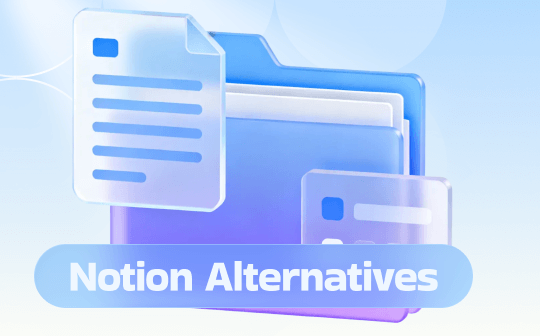
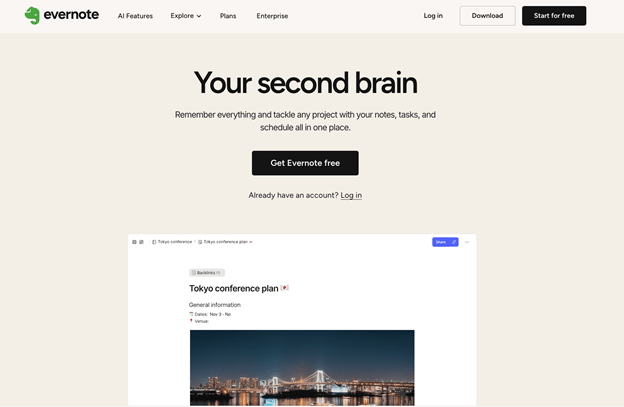
Notion vs Evernote is a frequent comparison for those deciding on the best productivity tool. Evernote is one of the best note-taking apps that remembers everything. With Evernote, you can tackle any project with your notes, tasks, and schedule all in one place. Its simple, flexible structure makes it easier than ever to keep your content organized.
Plus, emerging among the best Notion alternatives, integrated tasks help you stay on top of all your to-dos. You can easily surface the right note, right when you need it—already synced across all your devices.
Pros
- Industry-leading, captures articles cleanly, and allows annotations with strong, reliable offline functionality across platforms.
- Easy to learn with a streamlined, traditional interface and a superior OCR that searches text in PDFs, images, and handwriting.
- Includes AI features for notes and search without extra cost on some plans with advanced features for PDFs and scanned documents.
Cons
- Less customizable; built around notebooks/tags, not flexible databases.
- Weaker collaboration, basic to-do lists lack Notion's robust databases, Kanban boards, etc.
2. Anytype
Best For: Privacy and security-focused users who want offline-first note-taking and complete control over local data.
Anytype is a safe haven for digital collaboration. It is one of the best Notion alternatives for personal use, keeping your data secure and private. You can discuss anything, share pictures, attach files, tasks, and lists, all of which are only between participants.
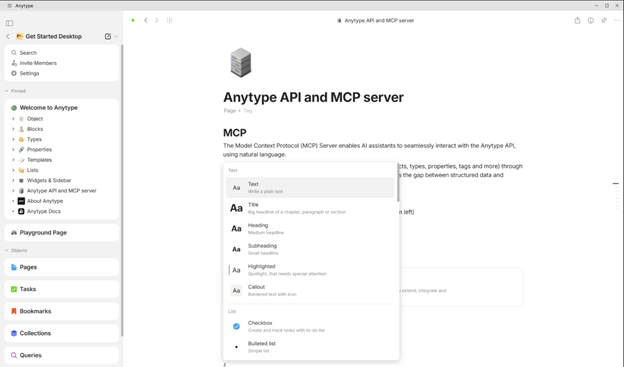
With Anytype, you can even write with different blocks — text, lists, images, videos, files, links, tables, and nested pages. Overall, Anytype helps you track people, tasks, and resources to manage relationships and projects.
Pros
- Works seamlessly without an internet connection, making it faster and more reliable in areas with poor connectivity.
- Stores the data on your local device and can be synced via a peer-to-peer (P2P) network.
- Modern, responsive interface that lets users self-host their data to maintain free backups.
Cons
- Collaborative features are less mature and more complex to set up due to the platform’s P2P nature.
- New and privacy-focused, but with occasional bugs and missing features, it lacks the extensive level of connectivity.
3. Notability
Best For: Students and professionals who rely on handwritten notes, PDFs, and Apple Pencil support.
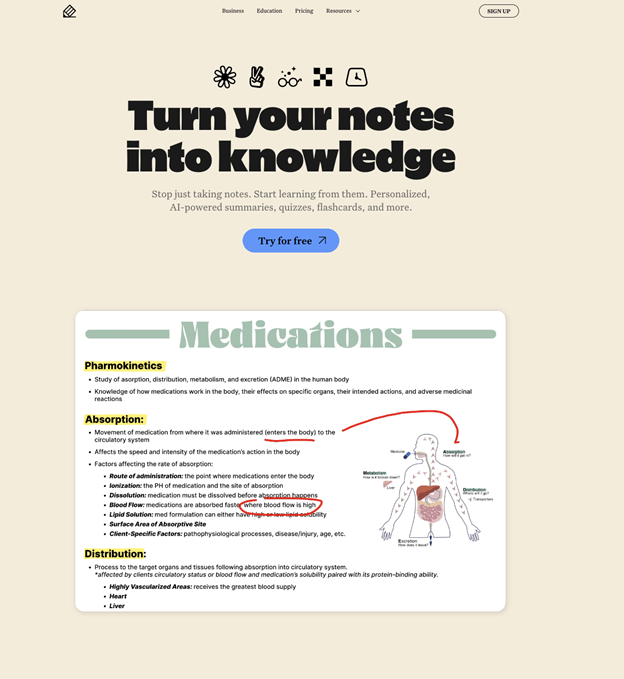
Notability is also one of the best Notion alternatives to turn your notes into knowledge. Besides taking notes, Notability helps you annotate, record, and learn from them. Get personalized, AI-powered summaries, quizzes, flashcards, and more. You can even transform your notes, PDFs, and recordings into personalized interactive study materials.
Notability even transcribes and summarizes in real time, boosting productivity. Now, explore your digital writing with multiple pen inputs and try customization in your digital notes, from writing and drawing to highlighting and marking. If you need one of the best note-taking apps for Mac, do try Notability!
Pros
- Excellent for lectures with audio recording synced to notes and strong handwriting recognition.
- Easier to learn and use for focused individual note-taking and marking up documents.
- Impressive text-finding option in images or notes to highlight, and a direct writing option on the PowerPoint slide.
Cons
- Lacks Notion's advanced databases, Gantt charts, and complex workflows.
- Simple subject/divider structure, no nested folders, and weaker real-time collaboration features.
4. Appflowy
Best For: Users seeking an open-source, self-hosted alternative to Notion with flexible workspace customization.
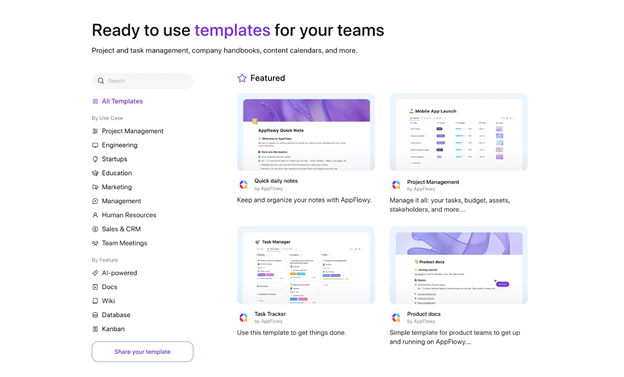
Appflowy is a budget-friendly, open source Notion alternative. This AI-driven workspace helps bring projects, wikis, and teams together. With a layout similar to Notion, it is an easy-to-use app. In its AI collaborative workspace, you achieve more without losing control of your data.
Appflowy’s collaboration, document, and project management tools work offline, removing the need for an active internet connection. Overall, AppFlowy AI serves as your reliable teammate for overcoming obstacles, finding answers, and sparking inspiration.
Pros
- Run local AI models on your machine and choose from GPT-5, Gemini 2.5, and Claude 3.7.
- Get intelligent insight, extract actionable items, and generate takeaways across pages.
- Offers powerful local-first capabilities, self-hosting support, and flexible customization.
Cons
- Some advanced functionalities, integrations, and the polished feel of Notion are absent.
- Provides fewer pre-built solutions, templates, and integrations than the vast Notion library.
5. Obsidian
Best For: Constructing a personal knowledge repository using linked notes, markdown files, and local storage.
Obsidian is among the free alternatives to Notion, best for personal use. It is fast and offers distraction-free writing focused on core notes. Whether you need to sharpen your thinking or spark ideas, Obsidian can be your best investment for private thoughts.
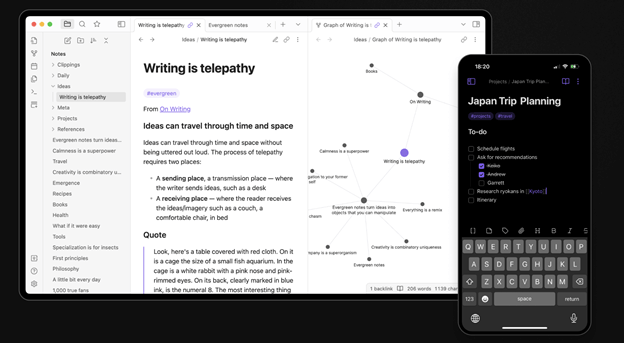
As Obsidian uses open file formats, you’re never locked in — you own your data for the long term. The platform helps you connect notes, tying together ideas, people, books, locations, and more.
Pros
- Local Markdown files store your notes, allowing full control and personal ownership.
- Huge community plugin ecosystem and themes for tailored experiences.
- Offers powerful linking (backlinks), graph view, and canvas for exploring connections.
Cons
- Weaker built-in collaboration; requires paid add-ons or manual sharing.
- Steeper learning curve due to customization and plugin management with no web version.
- Requires plugins for features Notion has built in (such as project management).
The Bottom Line
That’s all, folks! Selecting the right Notion alternatives depends on your workflow, privacy preferences, and desired features. Evernote, Obsidian, and AppFlowy are designed for different purposes, including organized notes and comprehensive knowledge management.
If your priority is flexibility or offline access, these options are worth exploring. For users who need documentation portability, the ability to export Notion to PDF or switch platforms smoothly can also influence the final decision.