


A Google Books downloader enables you to save books or downloadable pages from Google Books for offline reading. Depending on the tool and the book, you can save books as PDFs, EPUBs, JPEGs, or PNGs. For some books, Google itself offers a built-in download option to save Google Books as a PDF. However, not all books are available for download.
In that case, you need a third-party Google Books downloader. In this article, I fall third-party downloaders for Google Books into two categories. They are:
- Desktop software: Programs such as GooReader or Google Books Downloader.
- Open-source tools: Community-developed scripts that can save pages that Google makes accessible.
7 Best Google Book Downloaders
In this section, let’s learn the 7 best Google Books downloaders. For most of us, Google Books itself is the best first option because it is the official source. Also, I will show you the other 6 downloaders to save books from Google Books. Here, let’s check them one by one.
1. Google Books Built-in Download
Best For: Official and straightforward downloads
Platform: Web
Output: PDF or EPUB
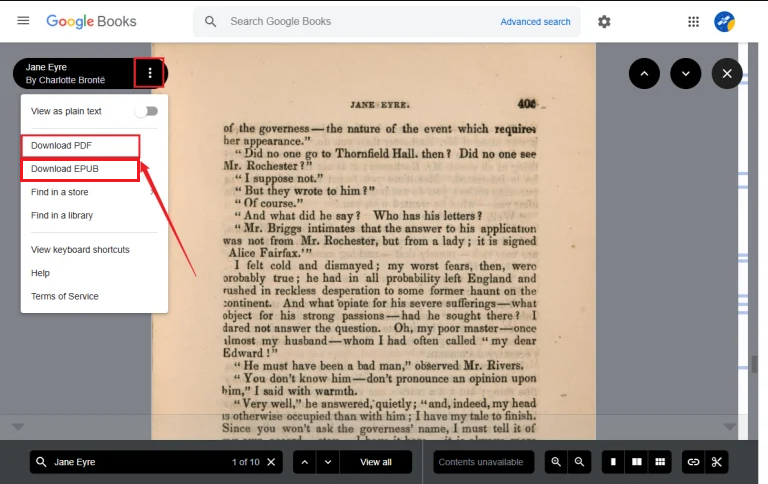
The first downloader you should try is Google Books itself. This is the official way to download books from Google Books. You can simply search for your book on Google Books, open its page, and look for a download option. Currently, the eligible books in Google Books can be downloaded by clicking Download PDF. In the classic Google Books interface, some free books may also provide PDF or EPUB download options.
Pros:
- Official way to download books
- No third-party downloader required
- Simple to use
- Best choice for copyright-compliant downloads
Cons:
- Not every book can be downloaded
- Preview-only books remain restricted
If your viewer doesn’t support EPUB, use SwifDoo PDF to convert EPUB to PDF. Also, it enables you to convert PDF to EPUB.
2. GooReader
Best For: Windows users who need a desktop Google Books reader and downloader
Platform: Windows
Output: PDF and EPUB when available
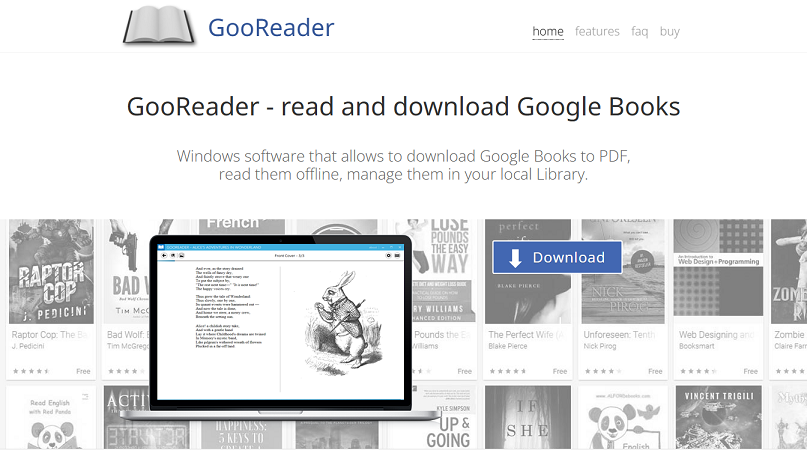
GooReader is a Windows application specifically designed for reading and downloading Google Books. It can save eligible Google Books as PDFs and download EPUBs when an EPUB version is available. Meanwhile, it also includes a local library and bookmarking features. One thing you should know is that GooReader can’t download purchased books from a Google Play Books account and can’t make unavailable pages accessible.
Pro:
- PDF and EPUB export support
- Local library management
- Designed specially around Google Books
Cons:
- Only available on Windows
- Some functionality depends on Google Books availability
3. Google Books Downloader
Best For: Users looking for a lightweight desktop downloader
Platform: Windows, macOS, Android listings are available
Output: PDF, JPEG, and PNG
Google Books Downloader is a long-running third-party utility distributed as a lightweight application. It can save eligible full-view Google Books as PDFs, JPEGs, or PNGs. Meanwhile, its workflow is straightforward. Simply provide the Google Books URL, select an output format and resolution, and save the resulting file.
Pros:
- Simple and intuitive interface
- Multiple output formats supported
- Supports full-view books
Cons:
- Older software
- Not intended to bypass limited previews
4. Google Books Downloader Lite
Best For: Users looking for a lightweight Google Books downloading application
Platform: Windows
Output: PDF, JPEG, PNG
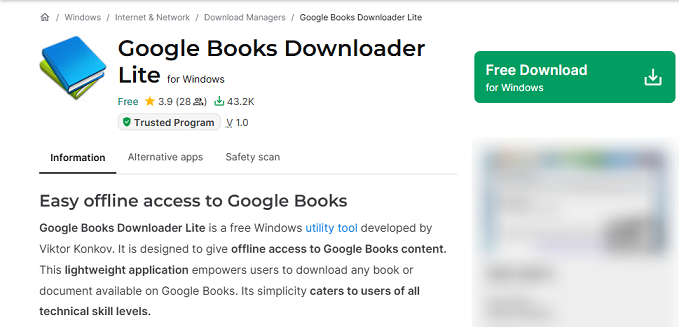
Google Books Downloader Lite is a lightweight version of the Google Books Downloader application, which is designed to provide a simpler way to download eligible Google Books content and save it in common formats such as PDF, JPEG, and PNG.
As with other third-party Google Books downloaders, however, its functionality depends on the book's availability and accessibility on Google Books.
Pros:
- Lightweight desktop application
- Simple download workflow
- Supports common output formats
Cons:
- Only available on Windows
- Not suitable for bypassing restricted content
5. EDS Google Books Downloader
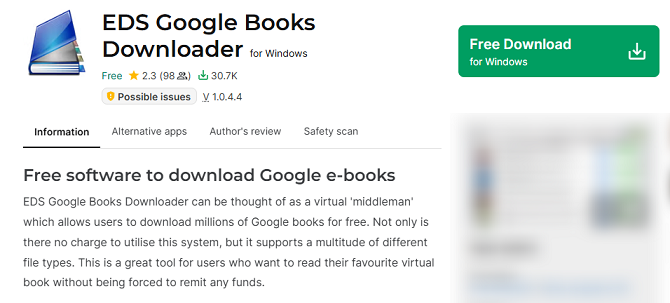
Best For: Users who want a dedicated desktop tool for downloading Google Books
Platform: Windows
Output: PDF, JPEG, PNG
EDS Google Books Downloader is another desktop utility designed to help users save Google Books content. It provides a dedicated workflow for downloading available book pages and converting them into commonly used formats.
Pros:
- A dedicated Google Books downloading tool
- Desktop-based workflow
- Supports common document and image formats
- Convenient for local file management
Cons:
- Only available on Windows
- May have compatibility limitations
6. GoBooDo
Best For: Technically experienced users and open-source experimentation
Platform: Python-based; community forks support different environments
Output: PDF and page images
GoBooDo is an open-source Python project designed to download pages that are available through Google Books previews and combine them into a PDF.
Moreover, GoBooDo is considerably more technical than a typical desktop application. It requires Python and several dependencies, and its configuration includes options for page resolution, OCR, and retry behavior. Hence, GoBooDo is better suited to developers, researchers, or technically experienced users than people who simply want to click a Download button.
Pro:
- Open source tool
- Supports generating PDFs
- Page-image output
- Can maintain download state in the referenced fork
Cons:
- Require technical setup
- Not beginner-friendly
7. Google Books Preview Pages Downloader
Best For: Developers who need to work with accessible preview pages
Platform: Web browser/JavaScript
Output: Preview page images
Google Books Preview Pages Downloader (GBPPD) is an open-source JavaScript project designed to automatically download Google Books preview pages. Like GoBooDo, it is primarily intended for technically experienced users who are comfortable working with browser scripts and JavaScript-based tools.
Pros:
- An open-source project
- Focused on accessible preview pages
- Useful for experimentation and research workflows
Cons:
- Requires technical knowledges
- Not an ordinary one-click downloader
Google Books Downloaders Compared
After having a deep understanding of the 7 best Google Books downloaders, I also prepared a comparison table for your reference.
|
Downloader |
Type |
Platform |
|
EPUB |
Ease of Use |
|
Google Books |
Official web service |
Web |
Yes |
Yes |
Very easy |
|
GooReader |
Desktop software |
Windows |
Yes |
Yes |
Easy |
|
Google Books Downloader |
Desktop software |
Windows/macOS |
Yes |
No |
Easy |
|
Google Books Downloader Lite |
Desktop software |
Windows |
Yes |
No |
Easy |
|
EDS Google Books Downloader |
Desktop software |
Windows |
Yes |
No |
Easy |
|
GoBooDo |
Open source |
Python |
Yes |
No |
Advanced |
|
Google Books Preview Pages Downloader |
Open source |
JavaScript/Web |
Via page processing |
No |
Advanced |
Why Can’t I Download a Book from Google Books
Some of you may fail to download a book from Google Books. How comes? The problem may not be the downloader. Here, I have rounded up several possible reasons.
- The book is available only as a preview
- The book is copyright-protected
- Google doesn’t provide a Download option
- The downloader doesn’t support the book
- The downloaded file is incomplete
Final Words
When you need to read a book in Google Books offline, a Google Books downloader can be useful. How to download books from Google Books? Can you download Google Books as a PDF? For most of us, the most reliable way is to use Google Books’ own Download PDF or EPUB option. If you need additional functionality, downloaders such as GooReader and Google Books Downloader are worth considering. Also, you can try other tools mentioned in this article. At last, I hope this article can be helpful to you.