


Way 1. Get Cursor Pro for Free as a Student
Many young programmers and bootcamp learners want to know, can I get Cursor Pro for free as a student? The answer is yes. If you are currently enrolled in a school, college, or university, you can take advantage of special educational benefits. This is the absolute best and longest-lasting method to use the premium tools without spending your own money.
When you learn how to get Cursor Pro for free as a student, you unlock a full year of the premium software. This gives you plenty of time to finish your school projects, build your own applications, and learn how to code with a smart robot assistant by your side.
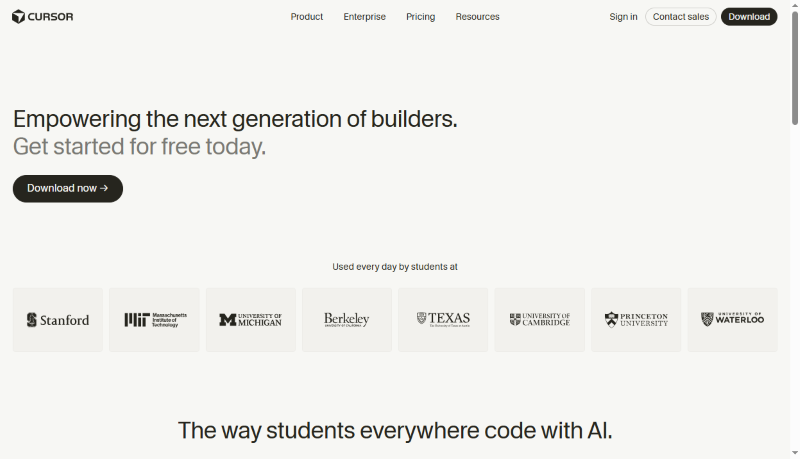
Here are the exact, simple steps to verify your student status and claim your free year.
- Go to the website: Open your web browser and go to the official Cursor website (https://cursor.com/students). Click the button to create a brand-new account.
- Use your school email: This is the most important step. Do not use your personal Gmail or Yahoo account. You must use your official university email address. This is usually an email that ends in ".edu" provided by your school.
- Visit the student page: Once your account is created, navigate to the special student page on their website. Look for a button that says "Verify Status" or "Student Access."
- Upload your proof: The website uses a secure system to check if you are really a student. You will need to upload a clear picture of your current student ID card. If you do not have a card, you can upload a welcome letter from your school or a copy of your current class schedule.
- Wait for approval: After you submit your picture, a real person or a smart system will check your documents. You usually need to wait one or two days. Once you are approved, you will officially get Cursor Pro for free for the next 12 months!
Way 2. Use the 14-Day Pro Trial
If you are not a student, do not worry. You can still get Cursor AI Pro for free for a short time to see if you like it. Every single person who signs up for a new account automatically receives a 14-day free trial of the Pro version. This is the fastest and easiest method for anyone to try the software immediately.
During these 14 days, you get to experience the full power of the software. You can use the smart autocomplete feature, which guesses what you want to type before you even finish typing. You can also use the Agent mode, which is like having a digital assistant that can read your files and write entire sections of code for you.
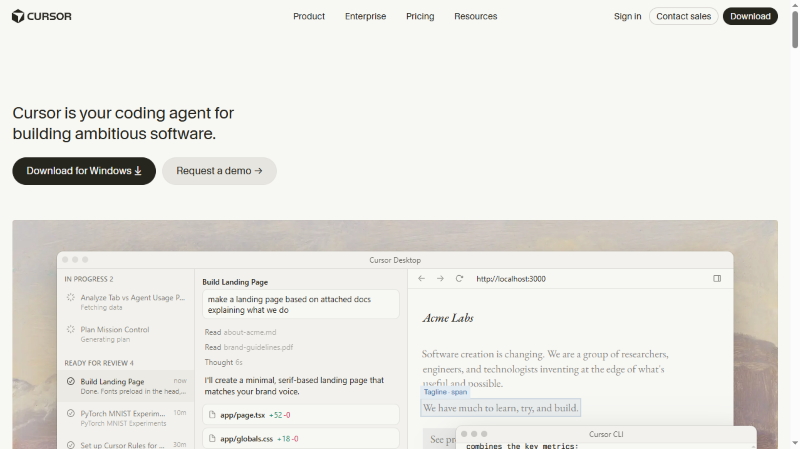
Here is how to claim your free trial.
- Download the program: Go to the official website and download the software to your computer.
- Sign up: Open the program and sign up for a completely free account.
- Start instantly: As soon as you log in, your 14-day Pro trial begins automatically. You will see a small message confirming that you now have Pro access.
The absolute best part about this method is the safety. You do not need to type in a credit card number to start this trial. Many companies trick you by asking for your credit card and then charging you when you forget to cancel. Cursor does not do this. Because you never give them your payment information, you will not be accidentally charged a single cent when the 14 days are over. You can test everything completely stress-free.
Way 3. Stick to the "Hobby" (Free) Plan
What happens when your 14-day trial comes to an end? You might wonder how to use Cursor Pro for free forever. While you cannot keep the Pro label forever without paying, your account safely and automatically switches to the "Hobby" plan. The Hobby plan is completely free forever. You never have to pay to use the basic program.
Even though it is the free version, the Hobby plan is still extremely powerful. It just means you have a limited number of "AI credits." Think of AI credits like tokens at an arcade. Every time you ask the artificial intelligence a hard question, you use a token.
Here is how to maximize your free plan so you never feel like you are missing out.
- Turn off the AI for simple tasks: If you are writing very easy code that you already know how to do, turn the AI assistant off. Do not waste your precious tokens on simple typing. Save your free AI questions for when you are truly stuck on a hard problem.
- Use your own API Key: This sounds complicated, but it is actually a great trick. An API Key is like a special prepaid gift card from AI companies (like Google or OpenAI). Instead of paying Cursor an expensive $20 monthly fee for the Pro plan, you can buy your own API Key for just a few dollars. You plug this secret code into your settings. Then, you only pay pennies for the exact questions you ask. This is a brilliant way to get premium smarts on a free account.
By being careful with your questions, the free Hobby plan is more than enough for most everyday computer users and casual learners.
See also:

How to Get Gemini Pro Student Offer: All Things to Know
Interested in Gemini Pro student offer? That offer has expired, but this guide shows you the new way to get a free trial Pro plan for your studies.
READ MORE >Bonus Tip: How to Handle PDFs with AI
Sometimes, you do not just need artificial intelligence for writing computer code. You also need it for your daily office work, homework, and digital paperwork. Managing long, boring documents can take up hours of your day. This is why you need a powerful AI PDF editor.
We highly recommend SwifDoo PDF. It is an amazing desktop program that changes how you read and manage your files. First, it has all the normal tools you expect. You can use it to edit text, cut pages out, combine files together, and lock your private documents safely.
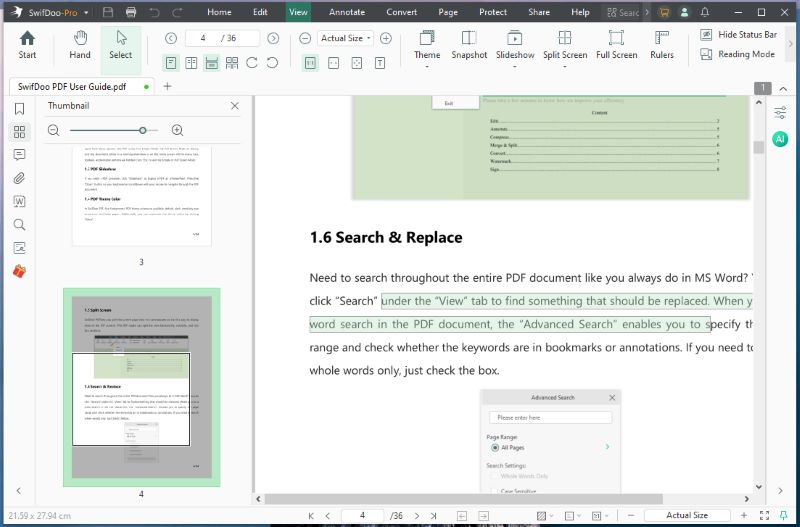
However, the best part of the software is its special SwifDoo AI feature. This feature puts a brilliant robot assistant right inside your document. It is just like having a smart tutor sitting next to you while you read. You can actually chat with PDF files as if they were real people!
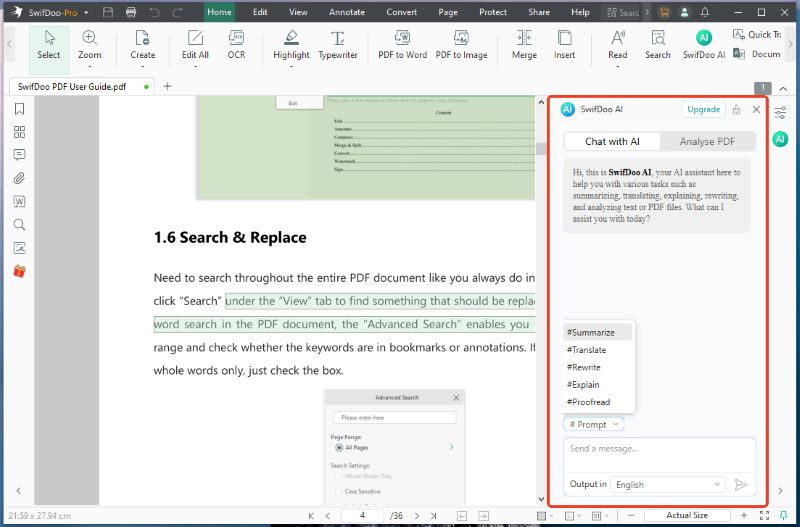
Here is how SwifDoo AI can make your life incredibly easy.
✅ Rewrite & Proofread: If you are typing a very important application or letter inside your PDF, the AI can help you sound professional. It can easily proofread your work to fix any embarrassing spelling mistakes. It can even rewrite your sentences to make them sound much smoother and more polite.
✅ Explain & Analyze: Sometimes documents use very confusing legal words or highly technical terms. If you do not understand a word, just highlight it. The AI will explain the hard words in simple, everyday English. It can also look at complex data charts on the page and analyze what the numbers actually mean.
Stop wasting your valuable time fighting with long documents and boring reading assignments. Download SwifDoo PDF today to make reading, editing, and understanding your files faster and smarter than ever before!
Conclusion
Now you know how to get Cursor Pro for free. You can prove you are a student or take advantage of the generous 14-day trial without needing a credit card. Even when that trial ends, sticking to the free Hobby plan is a fantastic choice for everyday use. Hope this guide is helpful!