


What Makes a Good Free Manga Translator
The most accurate manga translation app can make reading manga much smoother, particularly when searching for an easy-to-use manga translator for free. A quality free manga translator delivers precise translations and makes the process easy for readers at all skill levels.
Here’s a list of features you can look for in a free Manga translator.
- Ease of use. The interface must be user-friendly, letting readers translate manga pages easily without complicated steps.
- Language Accuracy. Opt for tools that offer accurate translations with proper context, avoiding clumsy or literal wording.
- OCR (Optical Character Recognition). OCR is necessary for extracting text from images, so scanned manga pages can be translated effectively.
- Compatibility with Popular Manga Formats. Supporting a wide range of formats, including PDF, JPG, and PNG, makes it possible to translate nearly any manga.
- Multilingual Support. A capable translator supports multiple languages beyond English—such as French, Spanish, and Portuguese—giving users more options.
- Batch Translation. The option to handle several pages simultaneously speeds up translation, especially for entire chapters.
- Customizable Output Quality. Options for modifying tone and style allow translations to sound more authentic and reflect the original manga.
- Speed and Performance. High-speed performance ensures that even big files are translated seamlessly, avoiding lag or errors.
5 Best Free Manga Translators
The best free manga translator apps help you enjoy manga fully, even if you don’t know the original language. These translators make enjoying manga simple while maintaining clarity and accuracy in every translation. Up next, we’ll go through the 5 most effective free manga translators.
SwifDoo PDF
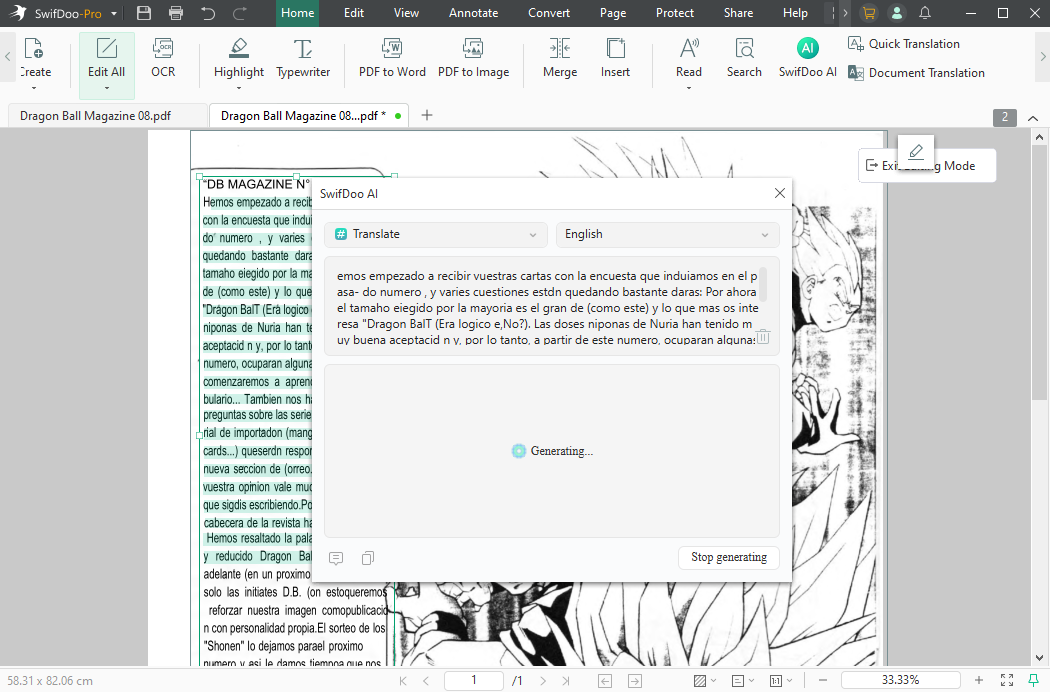
SwifDoo PDF is a versatile tool that doubles as a free manga translator with AI, making it easy for readers to understand foreign-language manga instantly. Recognized as one of the best manga reader apps, it delivers a smooth and interactive reading experience. Readers can translate manga when viewing them, removing the need for any additional translation software.
Its robust scanned PDF translator feature pulls text from images to deliver precise translations. With its versatile features, SwifDoo PDF ensures a smooth experience reading manga in multiple languages.
Pros:
- Provides the ability to highlight text and translate it immediately without using outside tools.
- Offers competitive monthly and lifetime one-time license fees, making it cheaper than subscription alternatives.
- A clean, modern, and intuitive interface that’s lightweight and quick.
- Employs AI to provide precise translation, analysis, and chat features for manga PDFs.
- Features OCR for scanned PDFs and allows editing, merging, splitting, and conversion to Word, Excel, and CAD formats.
- Local processing means your documents stay on your machine.
Cons:
- SwifDoo PDF for Windows includes more features than the Mac version.
Yandex Translate
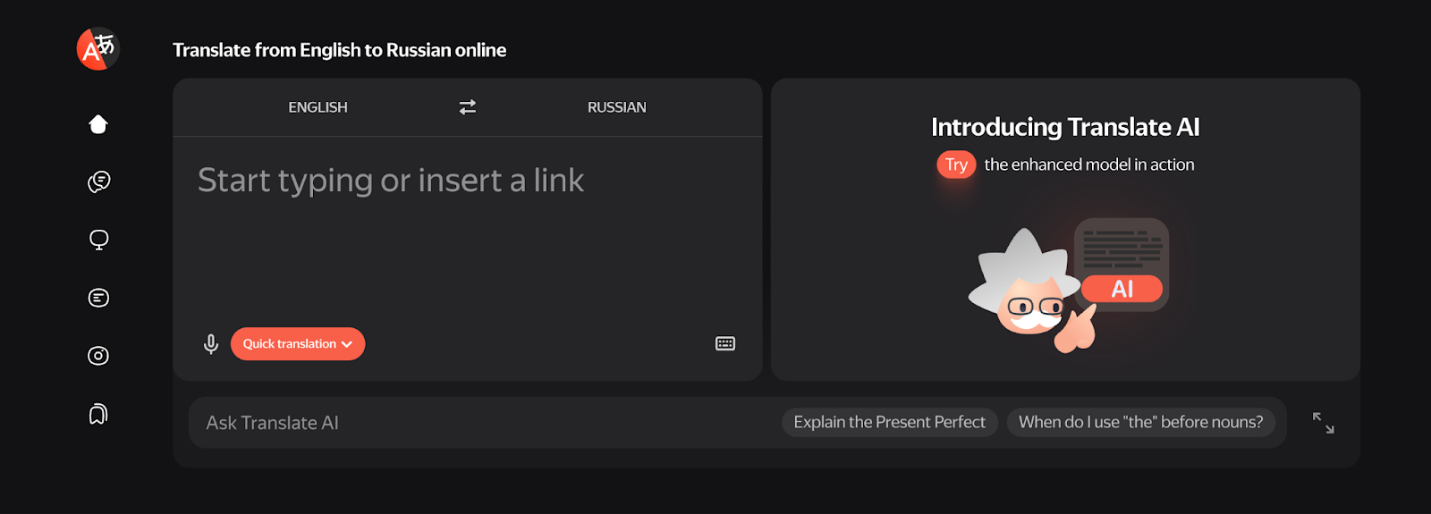
As an AI manga translator, Yandex Translate helps readers access and understand manga from other languages effortlessly. By using OCR, it can extract text from images to provide smooth and precise translations. Users can translate scanned PDF files, making it perfect for managing digital manga collections. Its intuitive interface ensures fast and accurate translations without complicated setup.
Pros:
- Highly regarded for keeping the original layout, styles, and format of PDF documents intact.
- Particularly strong for Russian, English, and other Eastern European languages.
- Provides quick, near-instant translation.
- Provides a generous free plan along with a user-friendly interface.
- Lets users review the translation before downloading.
Cons:
- Translation accuracy may decrease with rare languages or specialized technical terms.
- As a Russian-based company, it faces potential data privacy and security concerns regarding sensitive documents.
- While better than literal translation in some cases, it can still produce inaccurate or stiff phrasing.
- Missing features like tone adjustments (formal/informal) and gender-specific translations.
Google Translate
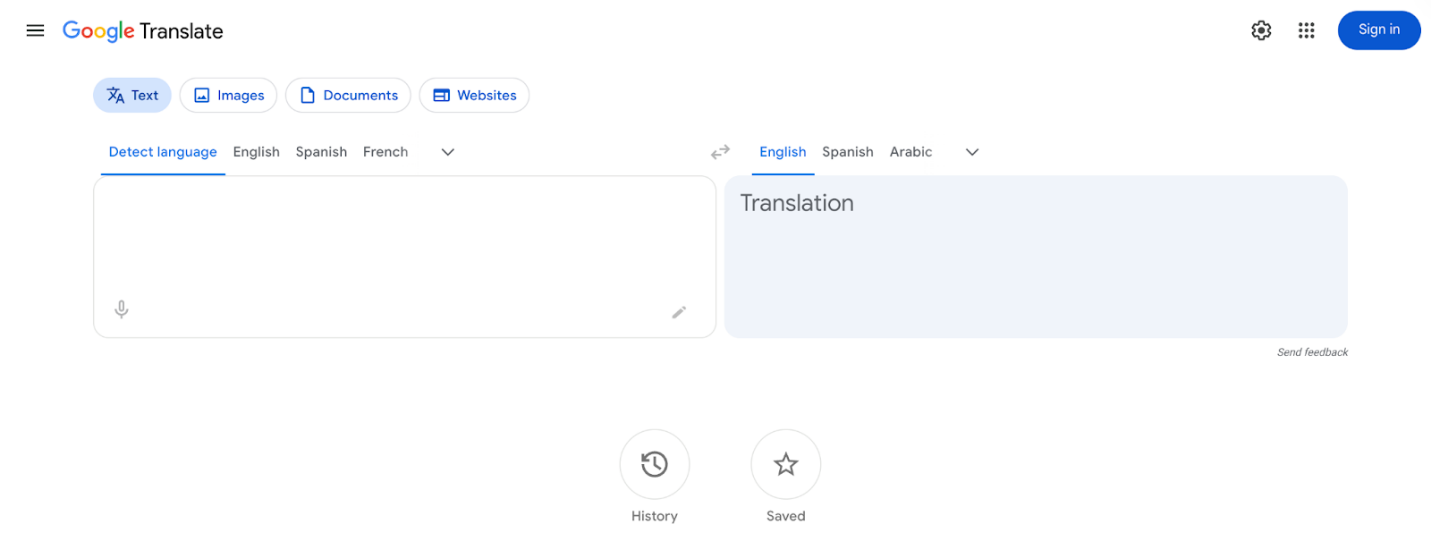
Manga fans can use Google Translate for manga to effortlessly understand Japanese comics. Its camera translation feature to translate manga pages lets users instantly recognize text in panels and speech bubbles. You have the option to translate manga PDF in Chrome, so manga can be accessed directly from your browser. Offering fast and precise translations, Google Translate remains a go-to option for manga readers globally.
Pros:
- Free to use, requiring no specialized software or technical experience.
- Translate extensive documents effortlessly in seconds, a speed unmatched by humans.
- Supports translation across over 130 languages using neural machine translation, which has improved accuracy.
- Compatible with multiple file types, such as PDF, Word, Excel, and PowerPoint.
- Allows users to drag-and-drop or upload PDF files directly (up to 10MB and 300 pages) and download the translated result.
Cons:
- The layout, tables, images, and columns often become jumbled, misaligned, or unreadable in the translated PDF.
- Struggles with complex grammar, idiomatic expressions, and technical jargon.
- Unable to translate text in image-based or scanned PDFs without first using OCR (Optical Character Recognition).
- There is a hard limit of 10 MB per file and 300 pages, making it unsuitable for very large documents.
- Free web-based tools may retain or utilize data, making them unsuitable for sensitive or confidential files.
Manga Translator
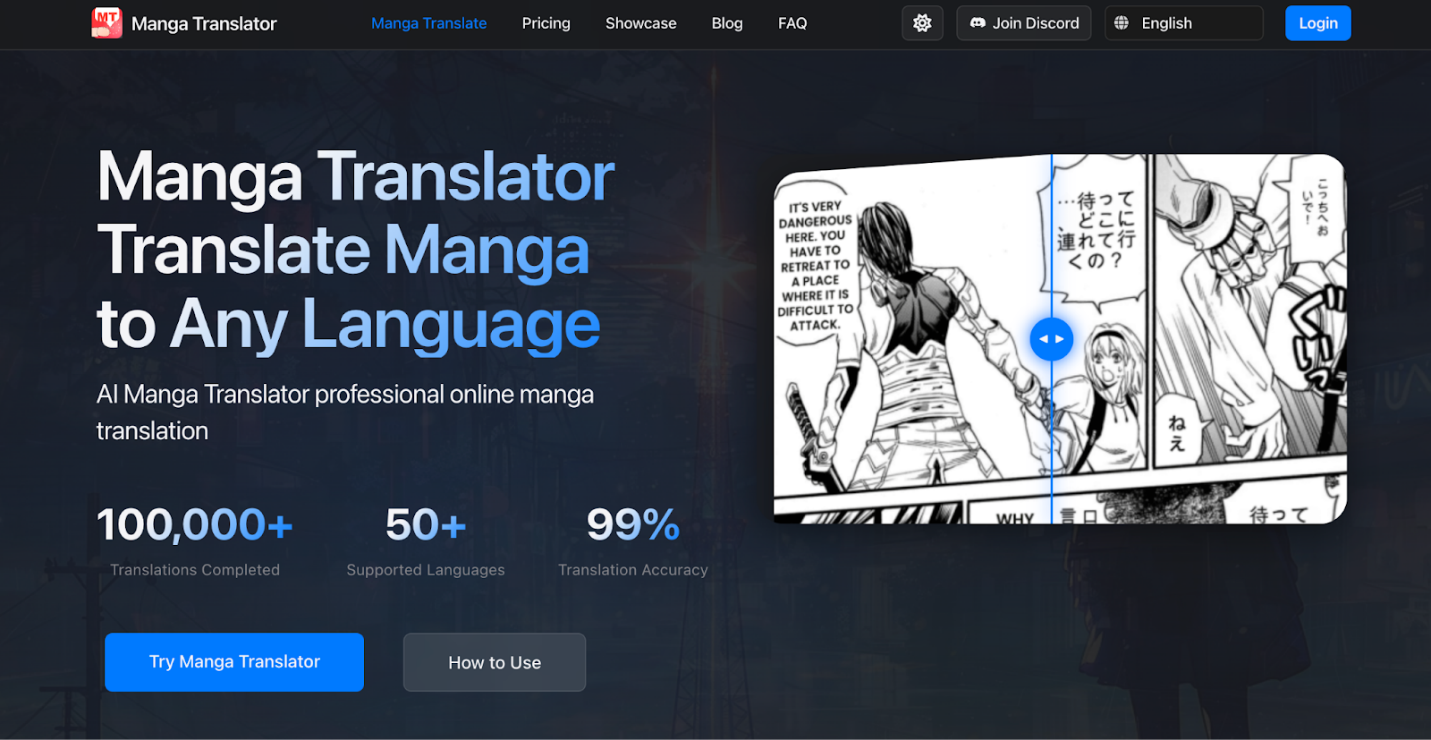
Manga Translator acts as a practical alternative to Google Translate, aimed at translating manga content accurately. The tool allows you to translate Manga on Android, iPhone, or PC via browsers, offering cross-device accessibility. This platform provides translations that are both accurate and context-aware, perfect for fans wanting to read manga smoothly in other languages. The easy-to-use interface makes translating manga simple and efficient for all users.
Pros:
- An AI-based manga translator accessible online.
- Supports more than 50 languages while achieving 99% precision.
- Offers a drag-and-drop functionality for quick translation.
- Supports JPG, JPEG, PNG, WEBP, JFIF, and PDF file formats.
- Combines a world-class translation model with industry-grade glossaries/TMs, advanced OCR, and smart typesetting.
Cons:
- Only compatible with a limited number of file types, including images and PDFs.
- Requires an internet connection to use, as it is only available via browser.
- Users cannot modify translations directly within the tool.
- Free users only get a small number of translations per week.
- Restricts translation to only 15 MB of image or PDF documents.
Torii Image Translator
Torii Image Translator is a convenient webtoon translator that helps readers understand manga and comics written in foreign languages. Using image recognition and OCR, it detects text in manga panels and provides instant translations.
It enables readers to translate manga for free simply by uploading screenshots or images. With a straightforward interface and speedy processing, Torii Image Translator lets readers enjoy translated manga effortlessly.
Pros:
- Uses AI models such as GPT-4, Gemini, and DeepSeek to deliver context-aware, accurate translations.
- The translations are often better than standard machine translations.
- Updates text within images and speech bubbles, attempting to replicate the original fonts and styles.
- Users can adjust translated text and images, using inpainting to delete the original text.
- Supports over 120 languages for both recognition and translation.
- Integrates into Chrome and Firefox for quick, on-the-spot translation. Users do not need to leave the page.
- Translated images can be exported as single files, ZIP archives, or PDFs.
Cons:
- Requires purchasing credits to continue after a free trial.
- Slower compared to other translators, usually requiring 1–2 seconds per image.
- Has difficulty accurately recognizing and translating handwritten text.
- Non-text elements, like buttons or background details, are sometimes inaccurately identified as text to be translated.
- Some websites prevent extensions from reaching images, restricting functionality in those cases.
- User data is transmitted to servers, so trust in how it’s handled is required.
How to Translate Manga for Free
Translating manga can be simple and free, without any complications. With proper tools and easy steps, you can learn how to translate manga for free using AI-powered and OCR-based translators. In this section, we’ll explain two easy techniques for translating manga pages fast and precisely using online and offline options.
Option 1. Translate Manga for Free with SwifDoo PDF
Translate a Text on PDF
Step 1. Install SwifDoo PDF on your Windows machine and start using it.
Step 2. Open your manga PDF document with the software. Then select a piece of text and choose Quick Translation from the pop-up mini toolbar.
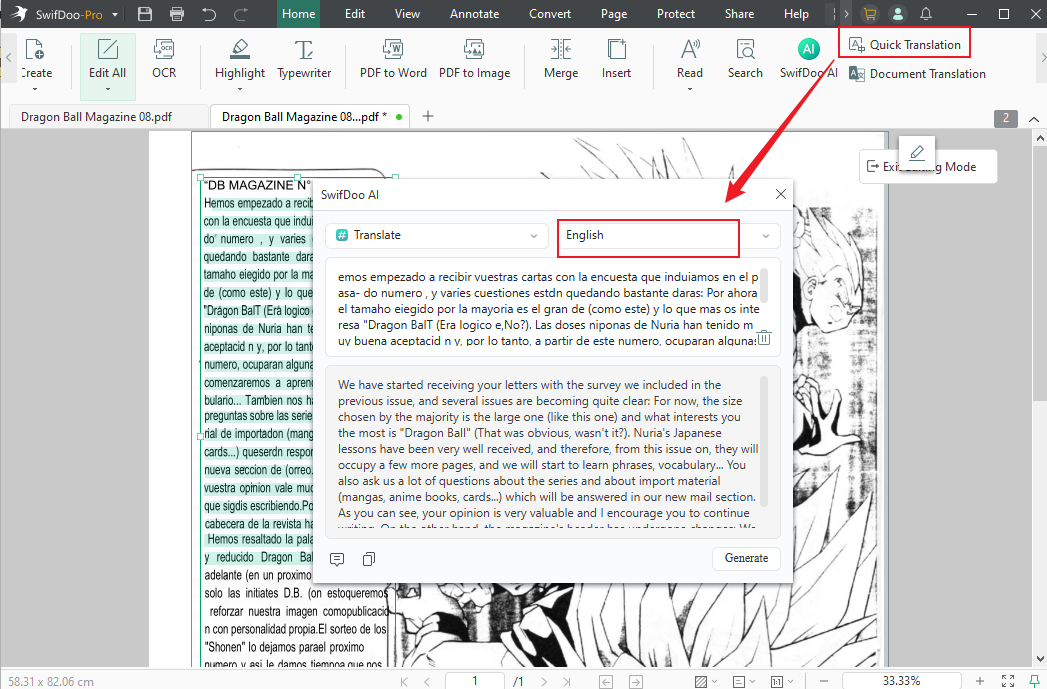
If the mini toolbar doesn't show, click the "Quick Translation" button under the "Home" or "View" tab.
Step 3. Choose the original language and target language. Then the software will automatically translate the selected text in your manga PDF.
Translate a Whole PDF
Step 1. Install and launch SwifDoo PDF on your computer.
Step 2. Open the manga PDF you need to translate with the software.
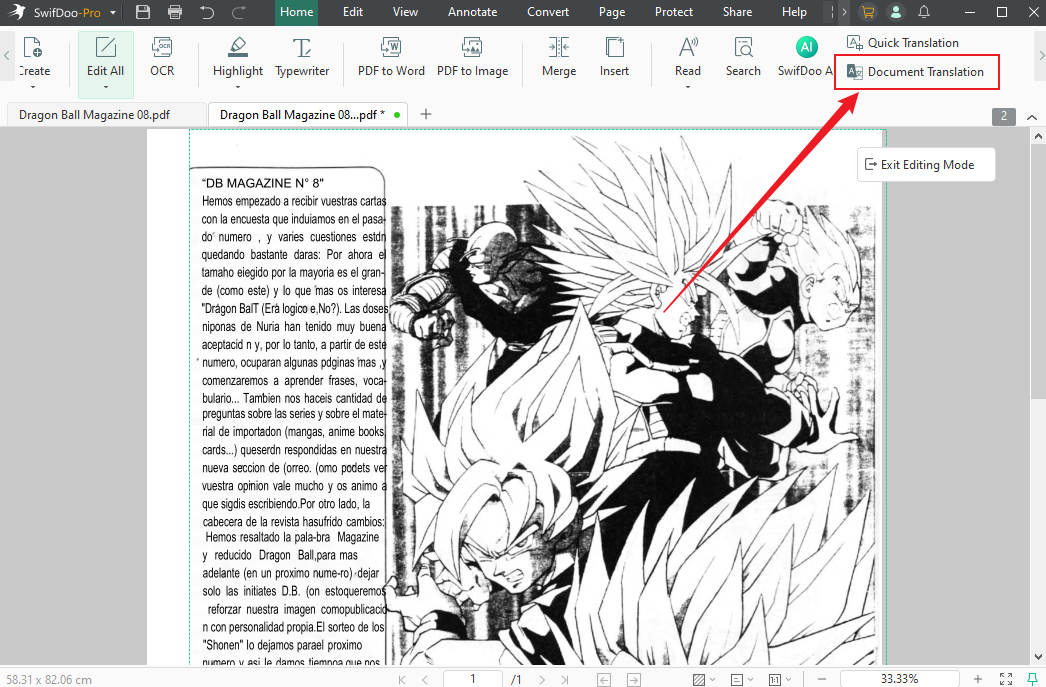
Step 3. Choose the right-side Document Translation under the Home tab.
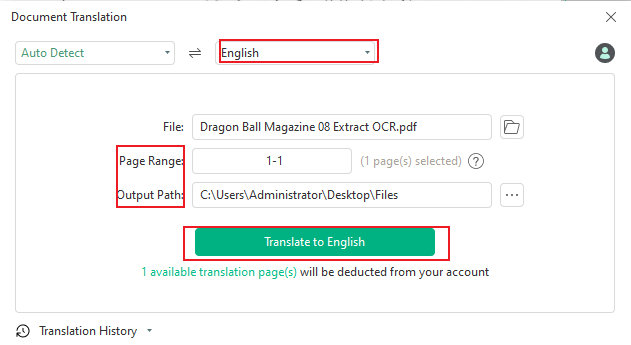
Step 4. Specify the input and output languages. And click the Translate button to translate the entire document.
Option 2. Translate Manga Online for Free with Google Translate
Step 1. Open the Google Translate online service page in Chrome or another browser.
Step 2. Select Documents in the top toolbar. And click Browse your files to import the manga PDF you wish to translate.
Step 3. Tap the drop-down arrows on both sides to select the languages you need to translate the document from and to.
Note. Google Translate will automatically detect the language of your manga document.
Step 4. Hit Translate. The tool will process and translate the document in a few seconds.
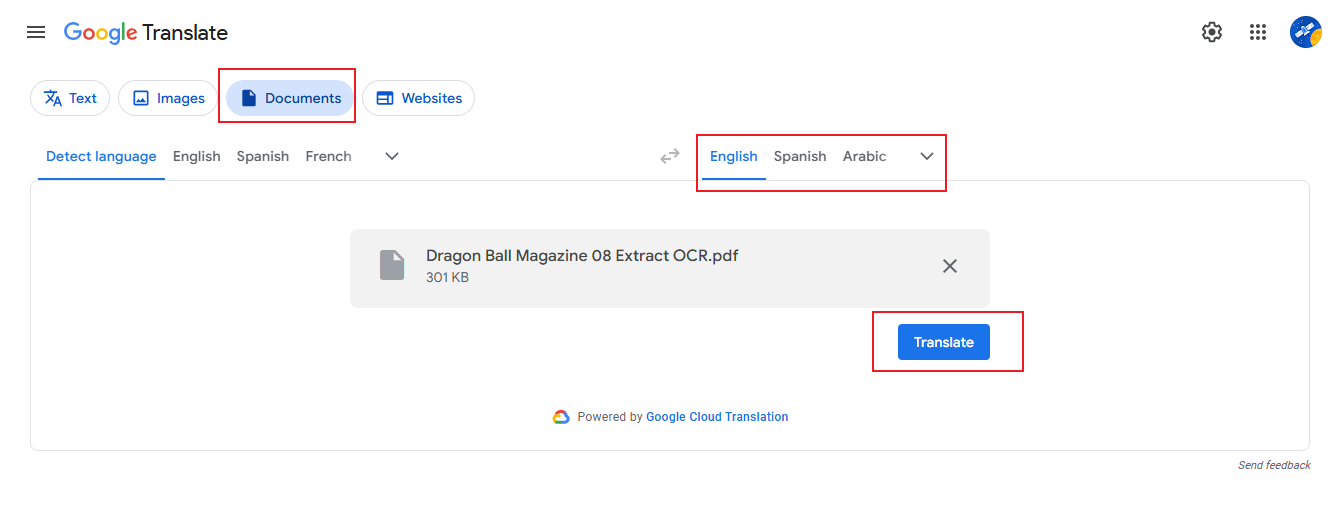
Afterward, hit Download translation to save your translated manga PDF.
A Quick Wrap Up
Finding the right tool can make reading foreign manga much easier and more enjoyable. If you’re new to manga translation, picking the best free manga translator for beginners will make stories easier to follow and more enjoyable. Fortunately, the tools listed above provide useful features that let fans translate manga fast without paying. Using these tools, you can read your favorite manga from anywhere in the world without language barriers.



