


What is TIFF?
Most users wonder, “What is a TIFF file?” A TIFF file stands for a Tagged Image File Format. First released in 1986, this format offers raster-based images with remarkably high quality. TIFF can support lossy and lossless compression effortlessly. Thanks to their flexibility, they’re commonly used in editing, design, and publishing workflows. TIFF can store multiple images, such as the pages of a scanned or faxed document.
Pros:
- Offers high resolution, layering, and transparency
- Flexible between lossy and lossless compression
- Enables storing “layers” within (useful in high-end editing applications)
- Full built-in support for storing standardized EXIF and IPTC metadata fields inside the file
Cons:
- Poor online compatibility
- Requires a large amount of storage space
- Sharing TIFF files can be challenging unless they are zipped
What is PNG?
After knowing about TIFF, you may wonder, What is a PNG file? Created a decade later, in 1996, PNG stands for Portable Network Graphic. It is also a raster file, but supports only lossless compression.
Initially, it was designed for transferring images on the internet. You can easily insert PNGs into other visuals without needing further adjustments. This format is used mainly for web content, logos, and crisp digital photos, this format excels in clarity.
Pros:
- Offers support for 16 million colors, transparency, and utilizes lossless compression
- Supports compressions of color graphics up to 32-bit
- Offers web-friendly support for display on the internet
- Useful in static images, infographics, and banners
Cons:
- Large file size slows down website performance
- Limited support for storing metadata with XMP
- Not suitable for high-resolution photos
Differences Between TIFF and PNG
Having learned about both image types, let’s now take a look at what sets them apart. Here’s how TIFF and PNG differ in different aspects like file size, transparency, web support, printing, and scanning.
#File Sizes
TIFF vs PNG in terms of size shows that TIFF files are larger than PNGs, despite TIFF’s support for lossy compression. Unlike PNG, TIFF supports high resolution and multi-page design. So it can store a large amount of information.
On the contrary, PNGs are easy to manage due to their comparatively smaller size. Considering the file size, PNGs are larger than JPEGs but smaller than TIFFs.
#Transparency
In terms of transparency, it is easier to choose between TIFF or PNG. TIFF files support transparency. But they don’t work flawlessly with many online programs. So only the applications that support TIFF files will support its transparency.
On the contrary, PNGs are suitable for transparent logos, graphics, images, and graphs. Additionally, unlike TOFFs, PNGs are compatible with both web and non-web-based programs. Web designers can also apply different degrees of transparency to the PNG images.
#Web Support
For web applications, PNG vs TIFF clearly favors PNG because of its adaptability and widespread support. TIFF works seamlessly with various OSs and programs. Despite their quality, the large size can be a drawback for most users.
On the other hand, PNGs work wonders for web graphics. Their ability to preserve data makes them ideal for web use with manageable file sizes. They are in high demand for online images.
#Printing
Compared to PNGs, the TIFF format is fully optimized for print. It supports both RGB and CMYK colors. Known for its quality, TIFF is commonly used in printing graphics and photos. They are commonly used for printing billboards and other large-scale images.
Conversely, PNGs don’t support the common print color CMYK. So print projects do not fully optimize a PNG’s graphics. However, these files can be used to create archival-quality art prints and require an RGB printer.
#Scanning
Lastly, we have compared TIFF and PNG in terms of scanning parameters. Unlike other formats, TIFF has always been a popular choice for high-quality scans. It is especially useful to scan handmade art and photos.
PNGs, on the other hand, are not one of the best dedicated scanning options. However, they can be considered if you upload your image online afterwards.
TIFF vs PNG: Which One to Choose?
TIFF and PNG each offer unique advantages based on your requirements. Before you decide, grasping what each format offers is key. Here’s a concise comparison to assist your decision-making.
When to Use TIFF?
- Professional printing and publication, like magazines, books, and brochures
- Printing high-quality billboards and images
- Raster image editing and high-quality archiving
- High-quality scanned documents, artwork, and newspapers
- Working with images that require multiple layers or channels
When to Use PNG?
- Logos, icons, and illustrations on websites
- Generating banners, charts, blog artwork, and screenshots
- Creating visuals that include text
- Needing transparent backgrounds for overlaying images
- Preserving image quality is more important than keeping file size small
Recommended Way to Convert TIFF to PNG
At times, TIFF files are overly large or incompatible with some platforms. As a result, converting to PNG ensures easier sharing and better compatibility. SwifDoo PDF can help streamline this process. It is an efficient and accessible PDF converter that preserves quality while converting TIFF files to PNG format.
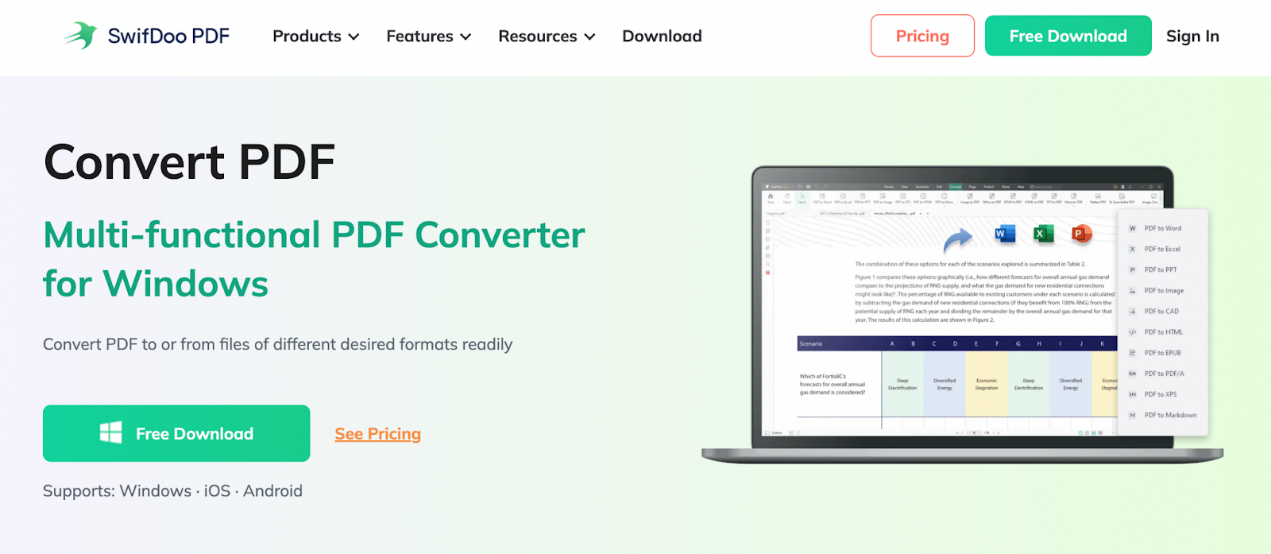
SwifDoo PDF is a lightweight solution to convert TIFF to PNG, JPG, and other formats. Its batch conversion feature accelerates workflow while maintaining quality. Whether you need to convert TIFF or WebP to PNG, SwifDoo performs all conversions hassle-free.
Besides serving as an image converter and compressor, SwifDoo emerges as a comprehensive PDF editor. In addition, it provides a 7-day free trial. It enables beginners to test all functionalities without facing any limits.
Here’s how to convert TIFF to PNG format with SwifDoo PDF.
Step 1: Get SwifDoo PDF, a reliable TIFF to PNG converter, by downloading and installing it. And run it.
Step 2: Access Convert and choose the Image Converter option. Then, select the "Image to PNG" option.
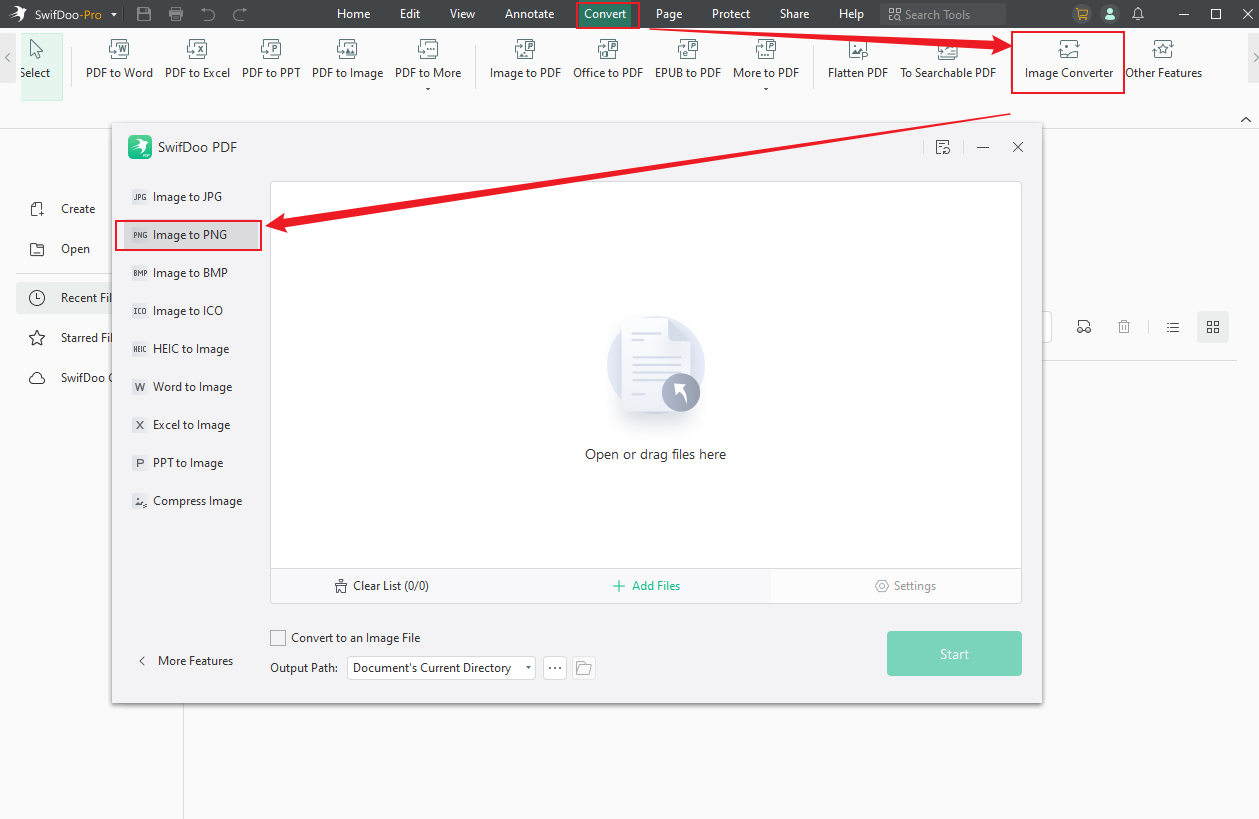
Step 3: Load the TIFF image and modify the options as needed.
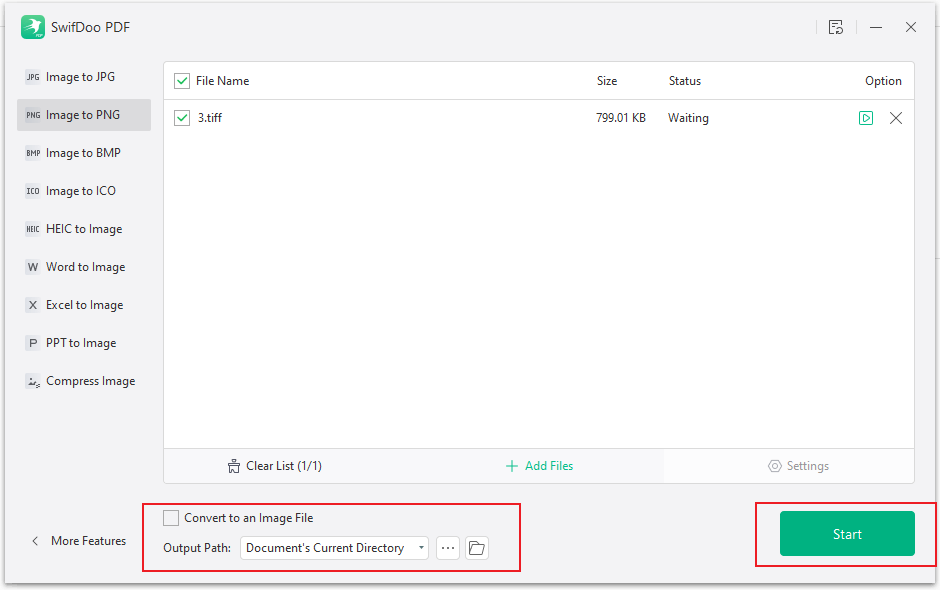
Step 4: Click Start to initiate and complete the conversion.
Final Words
We trust this clears up any confusion about TIFF and PNG file types. A detailed discussion of both formats and their pros and cons has been presented. For better understanding, we have also discussed their distinct differences and specific use cases.
If you have a TIFF file and you wish to convert it to PNG, SwifDoo PDF can be your best option. Designed with simplicity in mind, it enables batch processing and smoothly handles all PDF functions.



